Hubs & Controllers
Smart IR Blasters & Universal Remotes for Indian Homes
Subhadeep Ghosh24 min read
Introduction
Editor shortlist
Quick picks at a glance
Quick Comparison: Top 5 Smart IR Blasters at a Glance
At a glance
Top 5 Smart IR Blaster Comparison
Live Amazon.in prices, ratings and key specs for a faster side-by-side decision.
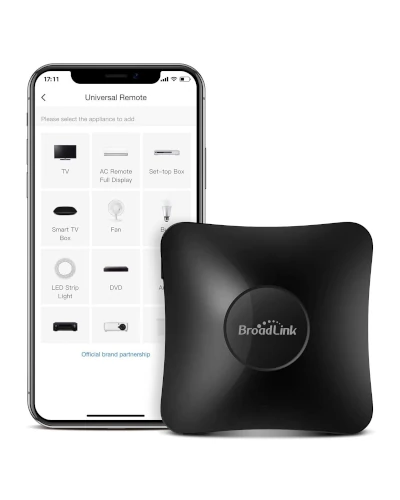
BroadLink RM4 Pro
Best Overall- Range
- 10 meters
- Type
- IR + RF
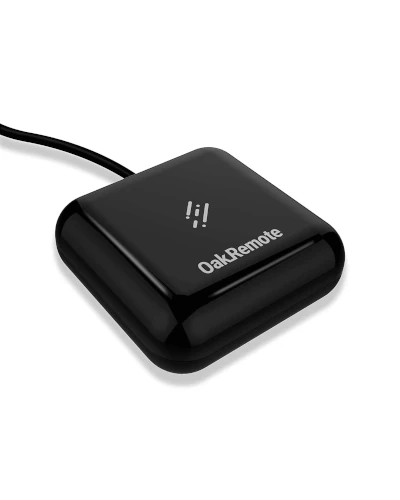
OakRemote WiFi
Best Value- Range
- 8 meters
- Type
- IR only
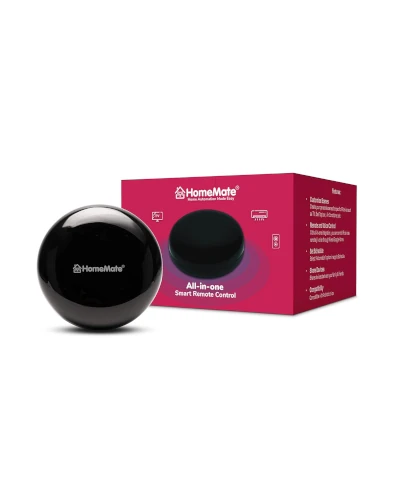
HomeMate IR Hub
Made in India- Range
- 7 meters
- Type
- IR only
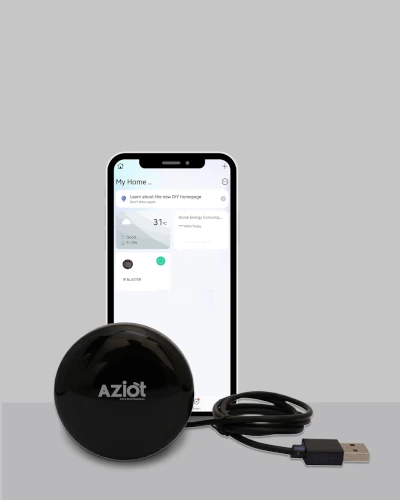
AZIOT IR Blaster
Budget Pick- Range
- 7 meters
- Type
- IR only
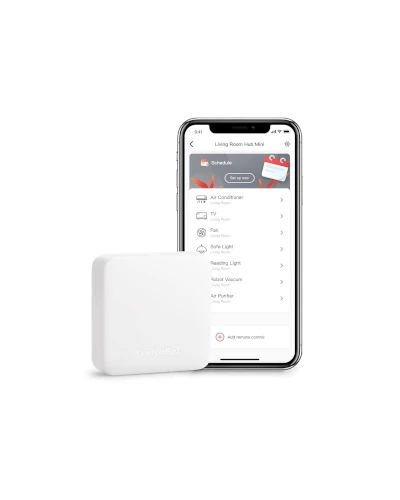
SwitchBot Hub Mini
Premium Ecosystem- Range
- 10 meters
- Type
- IR only
| Product | Range | Type | Rating | Price |
|---|---|---|---|---|
01 Editor's top pick BroadLink RM4 Pro Best Overall | 10 meters | IR + RF | 4.4 Rated 4.4 out of 51,850 reviews | Rs 3,500-4,500 Check Price on Amazon |
02 OakRemote WiFi Best Value | 8 meters | IR only | 4.0 Rated 4 out of 54,728 reviews | Rs 1,499-2,499 Check Price on Amazon |
03 HomeMate IR Hub Made in India | 7 meters | IR only | 3.9 Rated 3.9 out of 53,245 reviews | Rs 999-1,299 Check Price on Amazon |
04 AZIOT IR Blaster Budget Pick | 7 meters | IR only | 3.8 Rated 3.8 out of 51,567 reviews | Rs 799-1,299 Check Price on Amazon |
05 SwitchBot Hub Mini Premium Ecosystem | 10 meters | IR only | 4.2 Rated 4.2 out of 51,890 reviews | Rs 2,000-2,999 Check Price on Amazon |
What to Look for in Smart IR Blasters
Smart IR Blaster Buying Checklist
- 360-Degree IR CoverageEssential for rooms where devices are spread around
- Pre-loaded Device DatabaseLook for Indian brands like Tata Sky, Airtel, Voltas
- Voice Assistant SupportAlexa and Google Home compatibility is essential
- 2.4GHz WiFi SupportMost IR blasters only work with 2.4GHz networks
- Learning FunctionFor devices not in database, manual IR learning helps
- App QualityCheck reviews for Smart Life, Tuya, or brand-specific apps
10 Best Smart IR Blaster Universal Remotes for Indian Homes in 2026
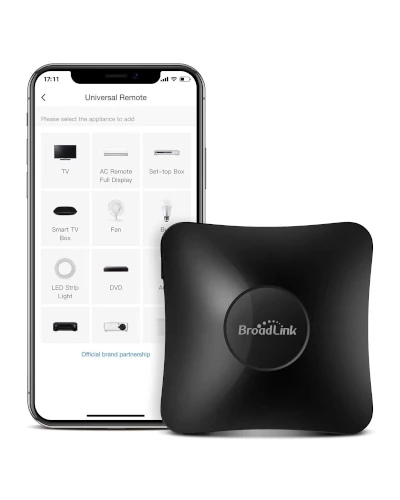
Best Overall
1. BroadLink RM4 Pro - Best Premium Smart IR Blaster
The BroadLink RM4 Pro stands as the most capable smart IR blaster available in India, supporting both IR and RF 433MHz protocols. This means you can control not just your TV and AC, but also motorized curtains, RF-controlled fans, and certain lighting systems. With support for over 50,000 devices and an extensive cloud database that updates regularly, the RM4 Pro rarely fails to recognize any appliance. The optional temperature and humidity sensor integration allows intelligent automation like turning on AC when room temperature exceeds 28 degrees.
Key features
- Dual protocol support with IR 38KHz and RF 433MHz for comprehensive device control
- Supports over 50,000 IR devices with constantly updating cloud database
- 360-degree IR transmission with 10 meter range for large Indian living rooms
- Compatible with Alexa, Google Assistant, Siri Shortcuts, and IFTTT
- Optional HTS2 temperature and humidity sensor for intelligent automation
- Scene creation for one-tap control of multiple devices simultaneously
- Works with 2.4GHz WiFi with stable connection and fast response
- Compact design at 55 x 55 x 19mm fits anywhere without being obtrusive
What we like
- Most comprehensive device support with IR plus RF protocols
- Excellent BroadLink app with advanced automation features
- Temperature sensor enables smart climate automation
- Best range at 10 meters for large rooms
- Regular firmware updates and expanding device database
Watch out for
- Premium pricing at Rs 3,500-4,500 compared to alternatives
- RF 433MHz limited to fixed codes only, not rolling codes
- Setup can be complex for non-technical users
- Availability limited to select online stores in India
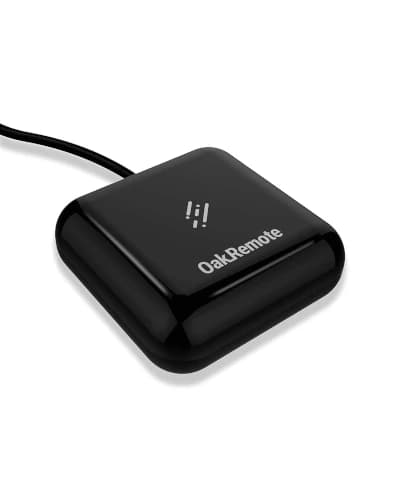
Best Value
2. OakRemote WiFi Universal Remote IR Blaster - Best Value
OakRemote has earned its reputation as the most trusted IR blaster brand in India, specifically designed for Indian households. What sets it apart is the pre-loaded database of Indian TV brands, set-top boxes like Tata Sky, Airtel Digital TV, Dish TV, and all major AC manufacturers. The Oakter app provides a seamless experience with minimal setup time. With 360-degree IR coverage and support for up to 50 devices per room, OakRemote is the go-to choice for value-conscious Indian buyers.
Key features
- Pre-installed library for Indian TV, AC, Set-top box including Tata Sky, Airtel, DEN, Hathway
- 360-degree IR transmission reaches all corners of the room effectively
- Control up to 50 IR devices in a single room with one OakRemote
- Compatible with Amazon Alexa, Google Assistant for voice control
- Oakter app with intuitive interface designed for Indian users
- Works with all major brands like LG, Samsung, Sony, Voltas, Carrier, Blue Star
- USB powered with low 2W power consumption for 24x7 operation
- Quick 5-minute setup with smart learning for unlisted devices
What we like
- Best Indian device database covering all local DTH and AC brands
- 360-degree coverage eliminates line-of-sight issues
- Oakter app is well-designed and reliable
- Excellent value at Rs 1,499-2,499 price point
- Strong customer support with Indian helpline
Watch out for
- IR only, no RF support for curtains or RF devices
- Range limited to 8 meters, may struggle in very large rooms
- Some users report WiFi disconnection issues occasionally
- Switching between streaming apps like Netflix and YouTube not supported
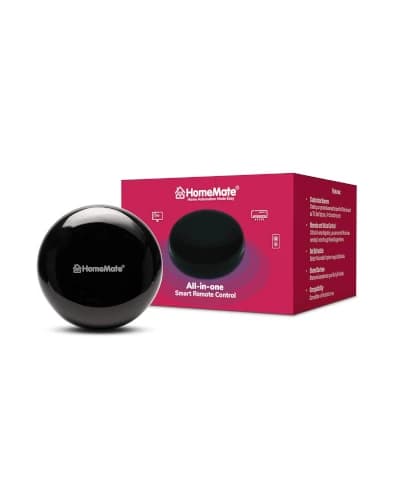
Made in India
3. HomeMate Wi-Fi Smart IR Control Hub - Best Indian Brand
HomeMate has established itself as a trusted Indian smart home brand, and their Wi-Fi Smart IR Control Hub delivers reliable performance backed by excellent local support. Supporting over 80,000 IR devices, the HomeMate IR Hub covers virtually every AC, TV, and appliance brand available in India. The 360-degree IR coverage ensures your commands reach devices regardless of placement. The HomeMate Smart App, designed and developed in India, provides an intuitive experience with scheduling, scenes, and automation features.
Key features
- Supports over 80,000 IR controlled devices with comprehensive brand coverage
- 360-degree IR transmission ensures complete room coverage
- Compatible with Alexa, Google Home for seamless voice control
- HomeMate Smart App with manual learning for devices not in database
- Designed, developed and proudly Made in India with local support
- Schedule and timer functions for automated AC and TV control
- USB powered via micro USB cable with minimal power consumption
- Compact black design that blends with modern Indian home decor
What we like
- Made in India with excellent local customer support
- Largest device database at 80,000 plus devices
- 360-degree coverage works well in typical Indian rooms
- App is intuitive and regularly updated
- Affordable pricing at Rs 999-1,299
Watch out for
- Requires constant USB power, no battery backup
- Range slightly lower at 7 meters compared to premium options
- Automation from app does not work for manually learned DIY devices
- Some initial WiFi setup difficulties reported by users
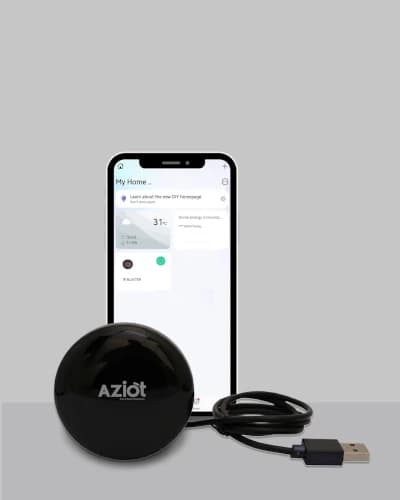
Budget Pick
4. AZIOT IR Blaster Universal Smart Remote - Best Budget
AZIOT brings smart home automation within reach of every Indian household with their budget-friendly IR Blaster. Despite the affordable pricing, this Made in India device delivers solid performance with support for all major IR appliances. The Smart Life app integration ensures compatibility with thousands of devices while providing access to a vast ecosystem of smart home products. AZIOT backs the product with a 1-year warranty and responsive customer service, making it an excellent entry point for smart home beginners.
Key features
- Control AC, TV, set-top box, and all IR devices from smartphone
- WiFi connectivity via 2.4GHz with Smart Life app integration
- Voice control through Amazon Alexa and Google Home
- Schedule and timer functions for automated appliance control
- Sleek black design fits seamlessly into any room decor
- Designed and manufactured in India with local support
- 1-year warranty covering manufacturing defects
- Low power consumption with USB-C power input
What we like
- Most affordable smart IR blaster at Rs 799-1,299
- Made in India with responsive customer service
- Smart Life app works with vast ecosystem of devices
- Easy setup takes less than 5 minutes
- 1-year warranty provides peace of mind
Watch out for
- Some units stop working after few weeks per user reports
- Limited to 7 meter range, suitable for small to medium rooms
- Build quality reflects budget pricing
- Database not as comprehensive as premium options
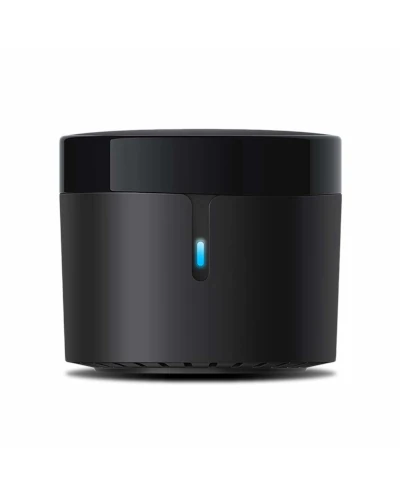
Premium Compact
5. BroadLink RM4 Mini - Best Compact Premium Option
The BroadLink RM4 Mini delivers the renowned BroadLink quality in a compact package at a more accessible price point than the RM4 Pro. While it lacks RF support, the IR capabilities are identical with support for 50,000 plus devices and the same excellent app experience. The RM4 Mini is particularly praised for its reliability, with stress tests showing 100 percent command success rate at distances up to 10 meters. For users who do not need RF control for curtains or fans, the RM4 Mini offers the best balance of quality and price.
Key features
- Supports over 50,000 IR 38KHz devices with cloud-updated database
- 360-degree IR transmission with impressive 10 meter range
- Compatible with Alexa, Google Assistant, Siri Shortcuts, IFTTT, and SmartThings
- Optional HTS2 sensor support via micro USB port for temperature automation
- Compact size at 45 x 45 x 22mm, smaller than credit card
- Scene creation for controlling multiple devices with one command
- Works reliably with 2.4GHz WiFi networks
- Direct integration with Home Assistant for advanced users
What we like
- Excellent reliability with near 100 percent command success rate
- Best-in-class 10 meter range for large rooms
- Home Assistant integration appeals to enthusiasts
- Compact size fits anywhere discreetly
- Regular firmware and database updates
Watch out for
- No RF support, IR only unlike RM4 Pro
- Higher price at Rs 1,999-2,999 than Indian brands
- Availability limited in India, mostly through imports
- Setup requires some technical knowledge
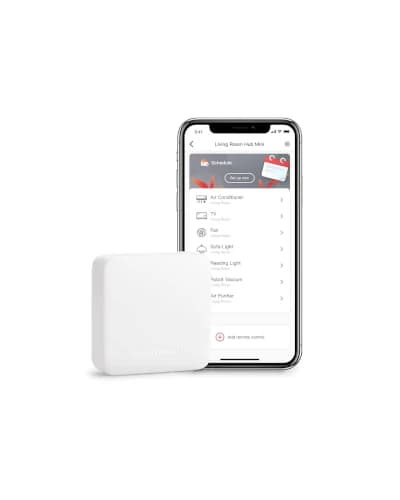
Premium Ecosystem
6. SwitchBot Hub Mini - Best Premium Ecosystem
SwitchBot Hub Mini stands out for its seamless integration with the broader SwitchBot ecosystem of smart home devices. While it functions excellently as a standalone IR blaster with support for over 4,000 brands, its true power emerges when combined with SwitchBot Bot, Curtain, and other accessories. The Hub Mini supports Matter protocol in its latest version, ensuring future compatibility as the smart home industry standardizes. For users building a comprehensive smart home, SwitchBot offers a cohesive experience that competing products cannot match.
Key features
- Support for over 4,000 brands with smart learning for unlisted devices
- Matter compatible version available for future-proof smart home integration
- Works with Alexa, Google Assistant, Siri, and IFTTT for comprehensive voice control
- Scene mode controls multiple devices with single command or voice trigger
- USB powered with compact portable design for flexible placement
- SwitchBot app offers intuitive setup in under 5 minutes
- Integration with SwitchBot Bot, Curtain, Lock for complete home automation
- Cloud and local control options for reliable operation
What we like
- Matter compatibility ensures future-proof investment
- Excellent SwitchBot ecosystem integration
- Intuitive app with quick 5-minute setup
- Works with most voice assistants including Siri
- Premium build quality justifies price
Watch out for
- Higher price at Rs 2,000-2,999 for Hub Mini alone
- Limited availability in India through select importers
- Full ecosystem investment adds up quickly
- IR database smaller than BroadLink at 4,000 brands
Beginner Friendly
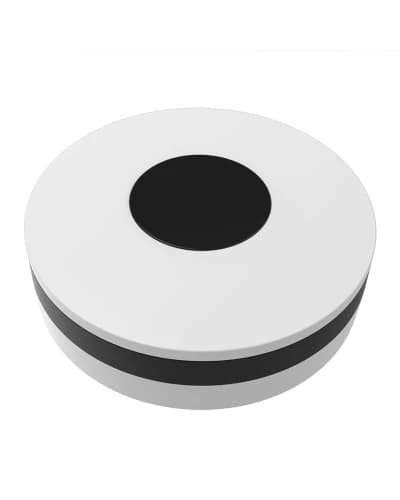
7. Protium Smart Home WiFi Universal Remote - Best for Beginners
Protium has built a reputation for reliable, affordable smart home devices in India, and their WiFi Universal Remote continues this tradition. The device stands out for its simplicity. Setup takes minutes, the Smart Life app is intuitive, and voice control through Alexa works reliably out of the box. For first-time smart home users who want to dip their toes without complex configuration, Protium offers the gentlest learning curve while still delivering all essential features.
Key features
- Simple setup via Smart Life app takes under 3 minutes
- Compatible with Amazon Alexa and Google Assistant for voice control
- No hub required, connects directly to 2.4GHz WiFi network
- Supports IR devices including AC, TV, set-top box, DVD player
- Timer and schedule functions for automated daily routines
- IFTTT integration for advanced automation scenarios
- Compact design with USB power input
- Works with all major Indian appliance brands
What we like
- Easiest setup among all IR blasters tested
- Reliable Alexa integration works consistently
- Smart Life app is familiar to existing Tuya users
- Affordable pricing accessible to beginners
- No hub required simplifies installation
Watch out for
- App interface could be more intuitive for some features
- Range limited to 6-7 meters
- Some users report initial setup difficulties
- Database not as comprehensive as OakRemote for Indian devices
App Ecosystem
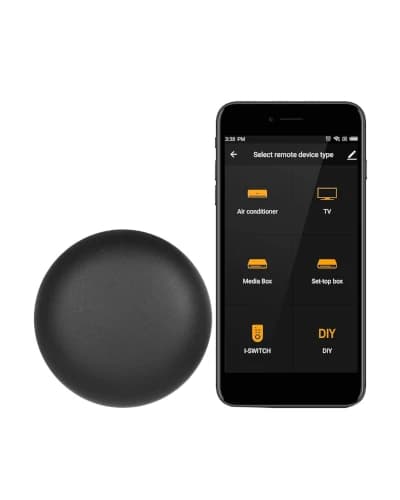
8. Tuya Smart WiFi IR Remote Controller - Best App Ecosystem
Tuya powers a significant portion of the smart home device market, and their branded IR Remote Controller offers seamless integration with the vast Tuya ecosystem. If you already use Smart Life or Tuya app for other devices like smart bulbs, plugs, or cameras, this IR blaster integrates perfectly into your existing setup. The 360-degree IR coverage and support for 38-56kHz frequency signals ensure compatibility with a wide range of appliances.
Key features
- 360-degree IR transmission with 7 meter effective range
- Supports 38-56kHz IR frequency for broad device compatibility
- Smart Life and Tuya app integration with massive device database
- Compatible with Alexa, Google Assistant, and IFTTT
- Scene and automation support for complex smart home routines
- Signal learning function for devices not in cloud database
- USB 5V 1A power supply with stable continuous operation
- IEEE 802.11 b/g/n 2.4GHz WiFi connectivity
What we like
- Perfect integration with existing Tuya ecosystem
- Smart Life app is well-established and reliable
- Scene creation works smoothly with other Tuya devices
- Most affordable option at Rs 499-999
- Wide frequency support at 38-56kHz
Watch out for
- Build quality is basic, feels lightweight
- IR range limited to 7 meters
- Brand support in India is minimal
- Premium features require Tuya subscription
Dual Protocol
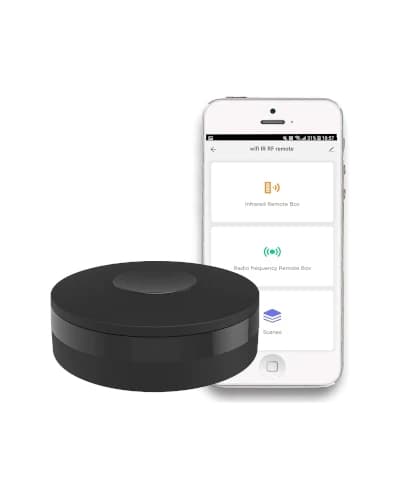
9. Smart IR RF Universal Remote Hub - Best Dual Protocol Budget
This upgraded universal remote hub supports both IR 38KHz and RF 433/315MHz protocols at a budget-friendly price point, making it unique in the affordable segment. The dual protocol support means you can control not just TVs and ACs, but also RF-controlled devices like motorized curtains, certain ceiling fans, and RF light switches. While it lacks the polish of BroadLink, the feature set is impressive for the price.
Key features
- Dual protocol with IR 38KHz and RF 433/315MHz support
- Controls AC, TV, DVD, STB plus RF curtains, switches, and fans
- Tuya and Smart Life app compatibility with cloud database
- Voice control through Amazon Alexa and Google Assistant
- 2.4GHz WiFi connectivity with stable performance
- Scene creation for multi-device automation
- Learning function for devices not in database
- Compact design with USB power input
What we like
- Dual IR plus RF support at budget price is rare
- Controls RF curtains and switches unlike IR-only options
- Smart Life app provides good functionality
- Good value at Rs 1,299-1,799
- Works with most voice assistants
Watch out for
- RF support limited to fixed codes only
- Build quality reflects budget pricing
- Limited customer support in India
- Some users report reliability issues after months
Built-in Sensor
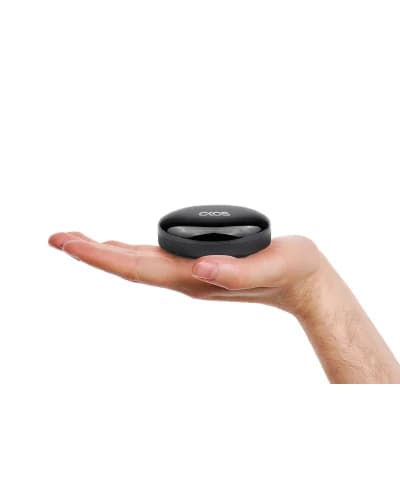
10. Okos Universal Remote Controller - Best with Temperature Sensor
The Okos Universal Remote Controller distinguishes itself with a built-in temperature and humidity sensor, eliminating the need for a separate sensor purchase. This integrated design enables intelligent automation scenarios where your AC turns on when room temperature exceeds a threshold, all from a single device. The sensor data is displayed in the app and can trigger IFTTT recipes for complex smart home automation.
Key features
- Built-in temperature and humidity sensor for intelligent automation
- IR blaster with support for AC, TV, and all IR devices
- Compatible with Alexa, Google Assistant, and Apple Siri
- IFTTT integration for advanced automation triggers
- Real-time sensor data displayed in app for monitoring
- Auto AC control based on temperature thresholds
- Smart Life app compatibility with familiar interface
- Compact design with stable WiFi connectivity
What we like
- Integrated temperature sensor is unique feature
- Enables smart automation like AC on when temp above 28C
- Supports Siri along with Alexa and Google
- Good value with included sensor functionality
- IFTTT integration for power users
Watch out for
- Sensor accuracy may vary by 1-2 degrees
- IR range moderate at 6-7 meters
- Limited brand recognition in India
- Some initial setup complexity reported
Understanding Smart IR Blaster Technology
How IR Blasters Work
IR versus RF: What is the Difference
WiFi and App Considerations
Best Use Cases for Smart IR Blasters
Smart AC Control and Energy Savings
Unified Entertainment Control
Integration with Smart Home Ecosystem
Installation and Setup Guide
Step 1: Position Your IR Blaster
Step 2: Download the App and Create Account
Step 3: Connect to WiFi
Step 4: Add Your Devices
Step 5: Link Voice Assistants
Smart IR Blaster Comparison Table
| Model | Price Range | Protocol | Range | Best For |
|---|---|---|---|---|
| BroadLink RM4 Pro | Rs 3,500-4,500 | IR + RF 433MHz | 10 meters | Premium users, RF devices |
| OakRemote WiFi | Rs 1,499-2,499 | IR only | 8 meters | Indian devices, best value |
| HomeMate IR Hub | Rs 999-1,299 | IR only | 7 meters | Made in India, local support |
| AZIOT IR Blaster | Rs 799-1,299 | IR only | 7 meters | Budget buyers |
| BroadLink RM4 Mini | Rs 1,999-2,999 | IR only | 10 meters | Compact, Home Assistant |
| SwitchBot Hub Mini | Rs 2,000-2,999 | IR only | 10 meters | Premium ecosystem, Matter |
BroadLink RM4 Pro
Rs 3,500-4,500Protocol: IR + RF 433MHz
Range: 10 meters
Best For: Premium users, RF devices
OakRemote WiFi
Rs 1,499-2,499Protocol: IR only
Range: 8 meters
Best For: Indian devices, best value
HomeMate IR Hub
Rs 999-1,299Protocol: IR only
Range: 7 meters
Best For: Made in India, local support
AZIOT IR Blaster
Rs 799-1,299Protocol: IR only
Range: 7 meters
Best For: Budget buyers
BroadLink RM4 Mini
Rs 1,999-2,999Protocol: IR only
Range: 10 meters
Best For: Compact, Home Assistant
SwitchBot Hub Mini
Rs 2,000-2,999Protocol: IR only
Range: 10 meters
Best For: Premium ecosystem, Matter
Common Issues and Troubleshooting
Device Not Responding to Commands
Check line-of-sight between IR blaster and device. Remove obstructions like furniture or curtains blocking the path. Ensure the IR blaster LED blinks when sending commands. If LED blinks but device does not respond, the IR code may be incorrect. Try selecting a different device model in the app or use learning mode to capture signals from your original remote.WiFi Connection Dropping
Most IR blasters only support 2.4GHz WiFi. Ensure your router broadcasts on 2.4GHz and the signal strength is adequate where the blaster is placed. If the connection drops frequently, try moving the blaster closer to the router or use a WiFi extender. Some routers have band steering that pushes devices to 5GHz. Disable this feature or create a dedicated 2.4GHz network.Voice Commands Not Working
First verify the IR blaster skill is enabled in your Alexa or Google Home app. Run device discovery to ensure all appliances are imported. Check that device names are simple and pronounceable. Instead of "Living Room Samsung TV Model XYZ", use "Living Room TV". Restart both the voice assistant device and IR blaster if commands consistently fail.AC Not Maintaining Temperature
IR blasters send one-way commands and cannot receive feedback from your AC. They do not know the current temperature setting. If your AC command seems to have no effect, the AC may already be at that setting, or the command was not received. Use a scene with specific temperature rather than relative commands like "increase temperature". Consider IR blasters with temperature sensors like the Okos Universal Remote or BroadLink RM4 Pro with HTS2 sensor for feedback-based automation.Device Not in Database
Use the manual learning or DIY mode in your app. Point your original remote at the IR blaster, select Learn, and press the button you want to capture. The IR blaster records and replicates that specific signal. For complex remotes with many buttons, learn only the essential functions you actually use to save time.Our Final Recommendations
Quick answers
Discussion
Be the first to comment