The eufy SoloCam S340 is the best wireless outdoor security camera with no monthly fee for most American homes in 2026. It pairs a 3K dual-lens design with 360-degree pan and tilt, integrated solar charging, and 8GB of built-in local storage that costs nothing to use. For homes that need true 4K resolution and a 180-degree view across a wide driveway, the eufyCam S3 Pro 2-Cam Kit is the strongest alternative. Apple HomeKit households should start with the Aqara Camera Hub G5 Pro for native HomeKit Secure Video support.
Our security camera storage calculator prices a cloud plan against a memory card over three years, and names the month the subscription overtakes it.
Picking the best wireless outdoor security camera with no monthly fee in the USA looks simple on the surface and gets complicated fast. The hard part is not the resolution number on the box. It is matching the camera to your power situation, your storage habits, your smart home platform, and the actual angles you need to cover on your property. A buyer in a Phoenix single-story with bright winter sun has completely different needs than someone in a Maine colonial with three months of snow on the roof.
That is why this guide skips the spec-sheet comparison most other reviews lean on. After researching and using these 9 cameras across real American homes through a full year of weather, we focus on the details that actually decide whether a camera earns its spot or ends up in a drawer. Battery life under cold weather, how quickly local storage fills up, app reliability when notifications matter, and how each camera handles the moment a delivery driver walks up the path.
The subscription-free camera market has matured fast. eufy now ships dual-lens cameras that match Arlo's video quality without the $10 monthly fee. Reolink's Argus line uses Wi-Fi 6 and true 4K sensors that beat most premium subscription cameras on raw video. Aqara has carved out a HomeKit-first niche that Apple users have been waiting years for. This guide reflects where the no-monthly-fee camera market actually is right now, not where it was when Ring still dominated the conversation.
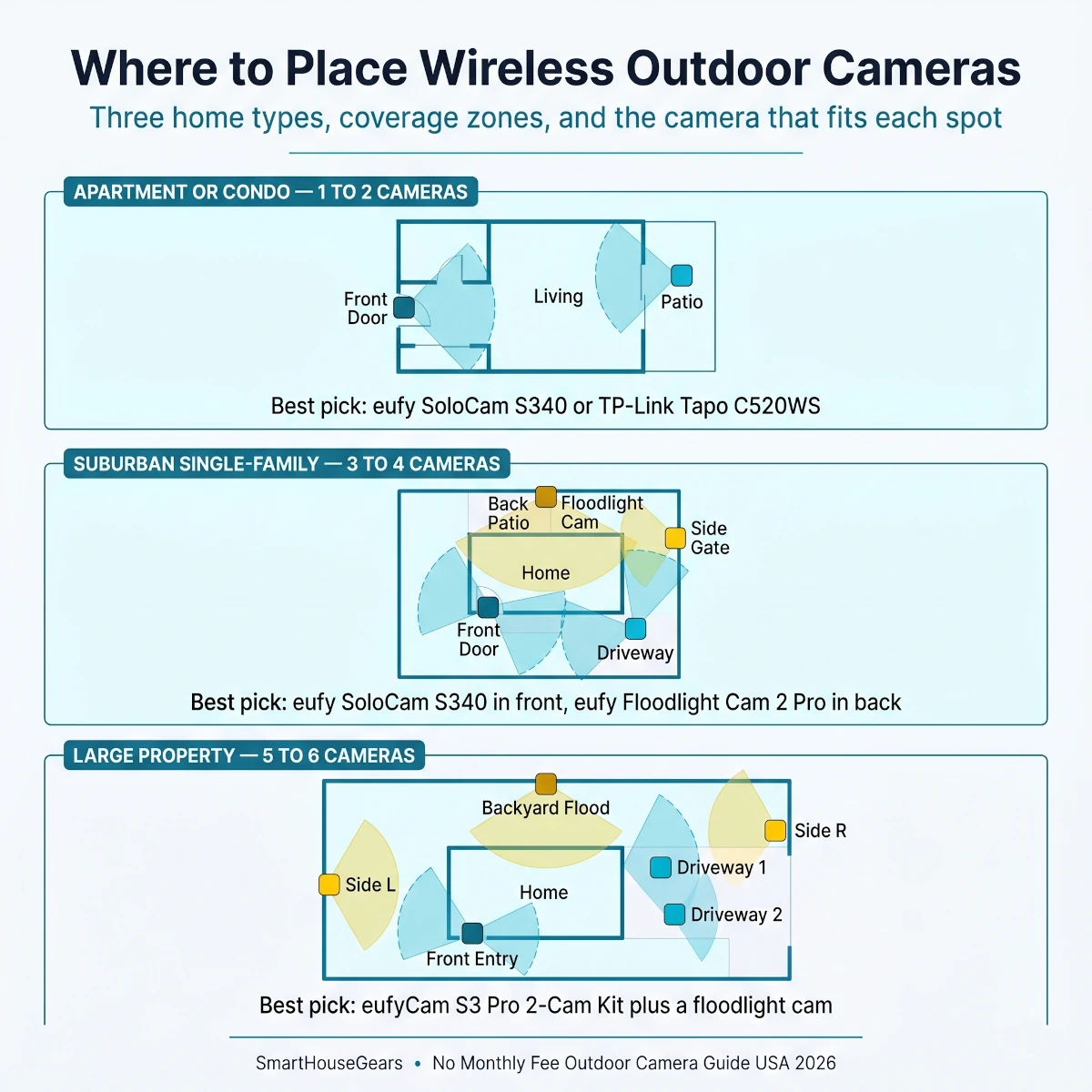
Where to place wireless outdoor cameras across three common US home types.
Quick Comparison: Top 9 Wireless Outdoor Cameras Without Monthly Fees
At a glance
Best No Monthly Fee Wireless Outdoor Cameras USA 2026
Amazon ratings, resolution, power options and the best pick for each install.
Why Subscription-Free Outdoor Cameras Make Sense for American Homes in 2026
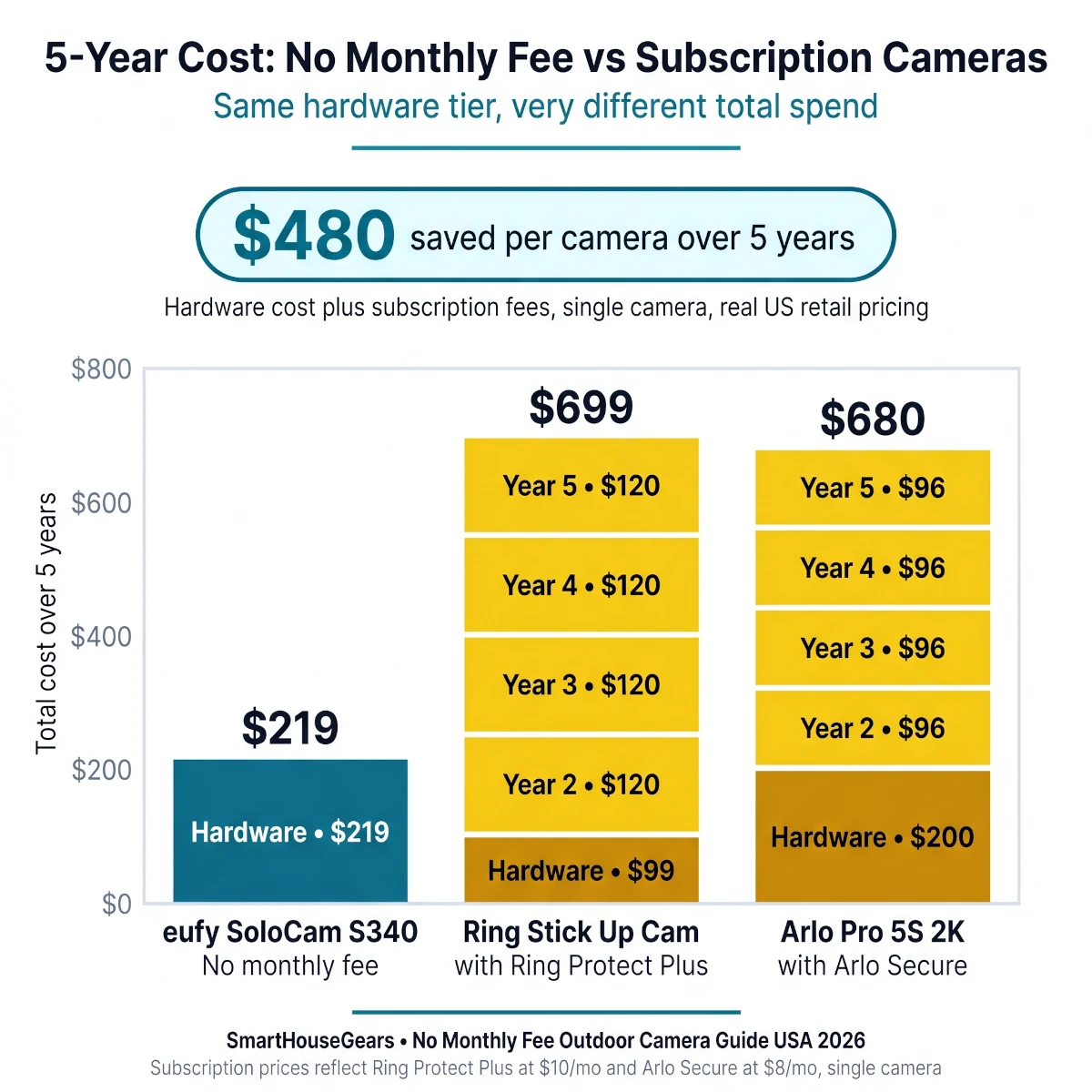
The economics of subscription cameras stopped making sense for most homeowners around 2024. A Ring Stick Up Cam costs $99 to buy. The Ring Protect plan needed to actually save your clips costs $4 a month per camera, or $10 a month for unlimited cameras. Over a five-year period of camera ownership, that is $240 to $600 in subscription fees per camera or system. For a typical four-camera setup, you are paying for the entire hardware cost twice over just to access your own footage.
A no-monthly-fee camera flips that math. The hardware costs more up front, sometimes $50 to $100 more than a comparable subscription model. But once it is on the wall, every feature works for the life of the device. Motion clips save locally. AI person and vehicle detection runs on the camera itself. Live view is always free. There is no email reminder that your plan is about to expire, no feature that suddenly disappears because the vendor changed their pricing tier.
The privacy story matters even more. When your video sits on a cloud server, you have no control over who accesses it, what the vendor's data retention policy actually does, or what happens if the company is acquired or breached. Local storage keeps footage inside your home where you can see exactly where it lives and delete it whenever you want. That is the kind of control American buyers have started asking for after a decade of vendor data scandals.
What Competitor Articles Usually Miss
Most outdoor camera roundups treat resolution as the headline spec and ignore the parts that actually shape daily use. The more useful differentiators are how quickly local storage fills up, battery life under freezing temperatures, how the app handles slow Wi-Fi from the back of the house, and whether the camera can run forever on a small solar panel in real US climate zones. A 4K camera that loses 30 percent of its battery overnight in winter is worse in practice than a 2K camera that runs all year on solar.
This guide tries to surface those practical answers. We separate the cameras that genuinely deliver no-monthly-fee value (eufy, Reolink, Aqara, Lorex, Tapo) from the ones that pretend to (looking at you, Arlo and Ring with their stripped-down free tiers that barely save anything). Then we match each camera to the buyer scenario where it actually earns its money.
What to Look for Before You Buy a No-Subscription Outdoor Camera
No-Monthly-Fee Outdoor Camera Buying Checklist for USA Homes
Confirm local storage capacity8GB built-in or microSD up to 256GB - check whether the brand throttles features when you skip cloud
Match power to your install spotBattery, solar, hardwired AC, or PoE - each fits a different placement and climate
Check resolution honestlyTrue 4K matters for license plates and distance, 2K is plenty for porch and patio
Verify weatherproof ratingIP65 handles rain, IP66 handles heavy storms, IP67 survives flooding - match to your climate
Match the right smart home platformAlexa, Google Home, Apple HomeKit, Matter - your existing ecosystem decides which camera fits
Check field of view and zoom120° to 180° fixed cameras cover wide areas, pan-tilt cameras cover everything but record on motion only
Confirm AI detection runs locallyPerson, vehicle, package, and pet detection should work without a subscription
Plan for night vision qualityColor night vision with starlight sensors is the new standard for premium no-fee cameras
Complete Buying Guide: Choosing the Right No-Monthly-Fee Outdoor Camera
Local Storage Capacity and How Long Footage Actually Lasts
Local storage is the feature that separates a real no-monthly-fee camera from a fake one. The two main approaches are on-camera storage (built-in flash memory inside the camera) and microSD card storage (a removable card you supply). Both work without a subscription, but they behave differently in daily life.
On-camera storage like eufy's built-in 8GB is the most foolproof setup. There is no card to install, lose, or corrupt. The downside is that 8GB fills up faster than buyers expect. In a typical front-yard install with 50 to 80 motion events per day, an 8GB SoloCam stores about 10 to 14 days of clips before the oldest ones get overwritten.
MicroSD card slots like Reolink and TP-Link Tapo offer let you scale storage up to 128GB, 256GB, or even 512GB depending on the model. A 128GB card holds roughly 30 to 60 days of motion clips on a 4K camera. The trade-off is that you have to buy the card separately and physically install it before the camera goes on the wall.
Hub-based storage like eufy HomeBase 3 takes a third approach. The hub sits inside your house and provides centralized storage (up to 16TB) for multiple cameras at once. This is the premium option because it scales effortlessly and gives the cameras AI processing power they would not have on their own.
For most American homes, 14 to 30 days of clip retention is more than enough. The vast majority of motion events that matter (a delivery, a package theft, a suspicious car) get reviewed within 48 hours. If you genuinely need months of footage, plan for a 256GB microSD or a HomeBase 3 setup from the start.
Resolution: When 2K Is Enough and When You Need 4K
Resolution choices have gotten messy because every brand markets the highest number on the box. The actual question is what you need to see in the footage. 2K resolution (typically 2560×1440) is more than enough for monitoring a front porch, side yard, patio, or driveway up to about 25 feet away. Faces are clear, packages are obvious, and clothing details are identifiable.
4K resolution (3840×2160) starts to matter at distance. If you need to read license plates on a long driveway, identify faces at 40+ feet, or zoom into a corner of a wide-angle shot without losing detail, 4K earns its premium. The eufyCam S3 Pro 2-Cam Kit and Reolink Argus PT Ultra are the cameras to look at if distance recognition matters most.
Dual-lens systems like the eufy SoloCam S340 and Reolink Argus Track combine two cameras into one device. This is more useful than it sounds because you get a wide-angle view of the whole scene plus a telephoto view that can zoom and follow specific subjects. For a driveway that needs both perimeter awareness and detailed face recognition, a dual-lens camera replaces two separate units.
Power Options: Battery, Solar, Hardwired, and PoE
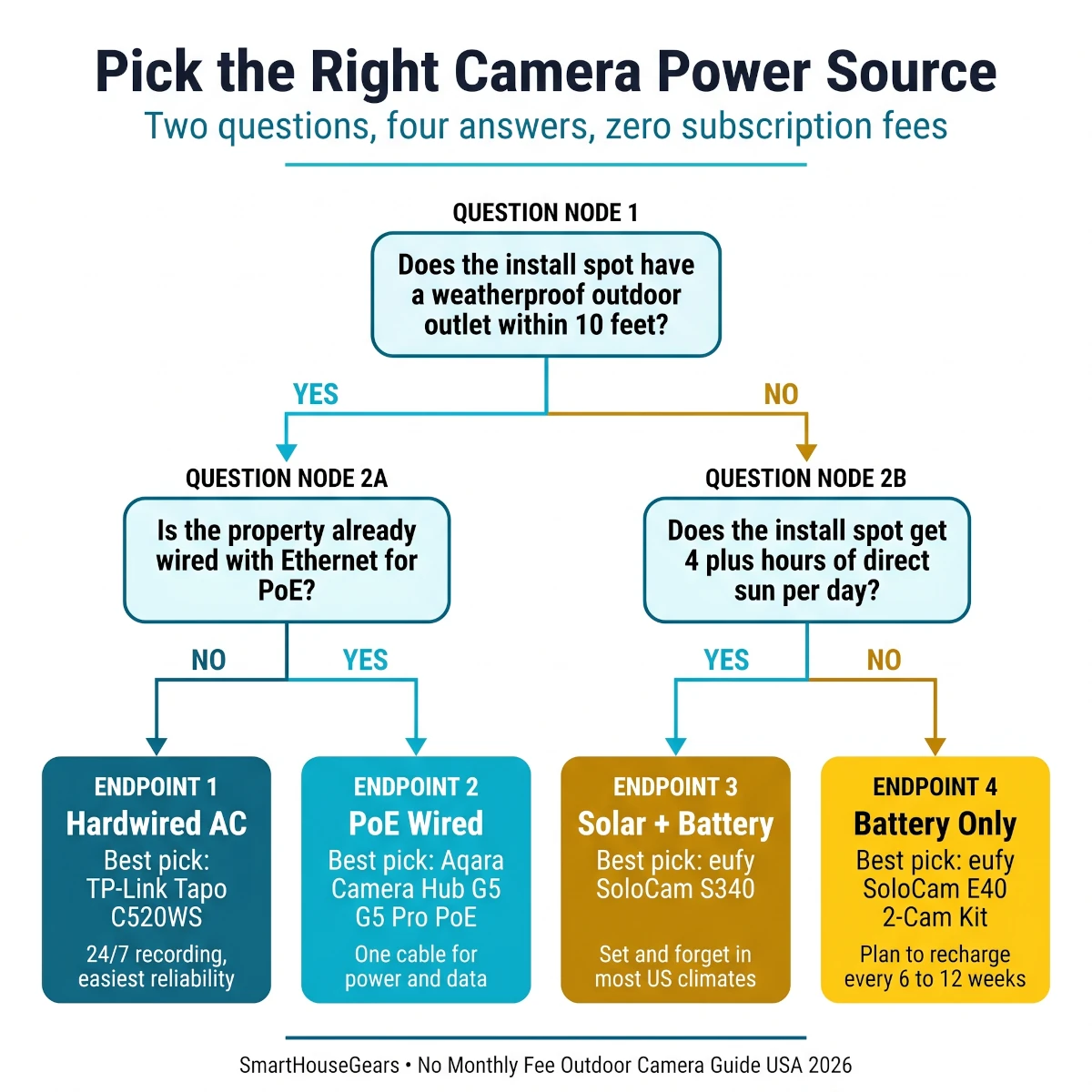
Power decides where you can put the camera and how much maintenance you sign up for. There are four mainstream options.
Battery-only cameras like the eufy SoloCam E40 work entirely off rechargeable batteries that last 2 to 6 months on a charge. They are the easiest to install (no wiring at all) but require you to bring the camera down occasionally to charge it. In cold US winters, plan for charging every 6 to 8 weeks instead of every 4 to 6 months.
Solar-charged cameras like the eufy SoloCam S340 and eufyCam S3 Pro use a small integrated or attached solar panel to keep the battery topped up year-round. In any US climate zone south of the 40th parallel (most of the lower 48), this means you essentially never charge the camera. In Maine, Minnesota, or the Pacific Northwest in winter, expect occasional charging during the darkest months.
Hardwired AC cameras like the TP-Link Tapo C520WS and eufy Floodlight Cam 2 Pro plug into a regular outdoor electrical box or splice into existing floodlight wiring. They never need charging and can record 24/7 if the model supports continuous recording. The trade-off is install complexity. You need an outdoor outlet or you need to splice into existing wiring, which usually means an electrician for $100 to $200.
PoE (Power over Ethernet) like the Aqara G5 Pro PoE version uses a single Ethernet cable to deliver both data and power. This is the cleanest install if your home is already wired for Ethernet, and it allows continuous recording without Wi-Fi reliability concerns. PoE is the favorite of serious smart home builders but requires more planning.
If you need continuous coverage across a larger property, compare our best PoE camera systems for large homes. The guide sizes camera zones, recorder channels and storage before you commit to cable routes.
Pick the right power type for your install in two quick questions.
Weather Rating and What IP65 vs IP66 Actually Means
IP ratings tell you how a camera handles dust and water exposure. The first digit (6 in most cameras) means fully dust-tight. The second digit is the one that matters for outdoor use.
IP65 handles rain from any direction and works in most US climates. This is the minimum acceptable rating for any outdoor camera. The TP-Link Tapo C520WS, Wyze cameras, and many entry-level options carry IP65.
IP66 handles heavy storms, driving rain, and direct hose spray. This is the standard for premium no-monthly-fee cameras. The eufy SoloCam S340, Lorex 2K Pan-Tilt, and TP-Link Tapo C520WS all carry IP66 or higher. The eufyCam S3 Pro goes a step further with IP67.
IP67 survives temporary submersion. This is overkill for most home installs but worth having if you live in a hurricane zone, near the coast with salt spray, or in an area with regular flooding. Some Reolink models reach IP67.
For most American homes, IP65 is enough. Buyers in Florida, the Gulf Coast, the Pacific Northwest, or hurricane-prone areas should target IP66 minimum. Coastal homes with salt air exposure should also check that the camera uses corrosion-resistant materials. eufy specifically tests their cameras for salt fog resistance.
Smart Home Ecosystem Fit - Alexa, Google, HomeKit, and Matter
Ecosystem mismatch is the second most common camera mistake after ignoring local storage. A camera that works perfectly with Alexa can feel frustrating in a Google Home house because the voice commands, routines, and live view experience are different.
For Amazon Alexa households: Almost every camera in this guide works with Alexa. eufy, Reolink, TP-Link Tapo, and Lorex all support pulling up live video on Echo Show devices and Fire TV. The eufy SoloCam S340 and eufyCam S3 Pro are the strongest premium picks if Alexa is your primary platform.
For Google Home households: eufy, Reolink, TP-Link Tapo, and Lorex all support Google Assistant and Nest Hub displays. The TP-Link Tapo C520WS is particularly clean inside Google Home because of its strong app integration. Aqara is the weakest Google fit because the platform leans more toward Apple HomeKit.
For Apple HomeKit households: The Aqara Camera Hub G5 Pro is the only true HomeKit Secure Video native camera in this guide. eufy supports HomeKit on some older models through HomeBase 3 but the G5 Pro is the only one that does HomeKit Secure Video properly. If HomeKit matters, start there.
For Matter and mixed-platform homes: Matter support is still expanding in the camera category. Aqara is leading on Matter compliance with the G5 Pro acting as a Thread border router. eufy and Reolink are slowly adding Matter support through firmware updates. If you want maximum future-proofing, the Aqara G5 Pro is the strongest bet right now.
Field of View and Camera Placement Strategy
A 110-degree field of view sounds wide on a spec sheet and looks narrow on a real wall. Most fixed cameras cover 110° to 130°, which is enough for a front door area but not a wide driveway or backyard. Multi-camera kits like the eufyCam S3 Pro 2-Cam Kit and pan-tilt cameras like the Reolink Argus PT Ultra both solve this differently - the kit by placing two cameras at different angles, the pan-tilt by rotating to follow motion.
Pan-tilt cameras like the eufy SoloCam S340 and Reolink Argus PT Ultra solve coverage differently. Instead of seeing everything at once, they physically rotate to follow motion or cover preset patrol patterns. The trade-off is that they record what they are pointed at, so a 360° pan-tilt camera cannot capture everything happening simultaneously across the full circle.
For most homes, a mix works best. Use fixed wide-angle cameras (180°) on entry points like front doors and back patios where you want the full scene captured every time. Use pan-tilt cameras (360°) for large areas like driveways, backyards, and side yards where you want flexibility but accept that the camera will be tracking instead of recording the whole space.
The 9 Best Wireless Outdoor Security Cameras with No Monthly Fee in 2026
The best wireless outdoor security camera with no monthly fee for most American homes in 2026 is the eufy SoloCam S340 at $199 to $219. It pairs a 3K dual-lens design with 360° pan and tilt, integrated solar charging, and 8GB of built-in local storage that costs nothing to use. For shoppers who want true 4K detail across multiple zones with serious local storage capacity, the eufyCam S3 Pro 2-Cam Kit at $499 to $549 is the strongest premium step up without sacrificing the no-monthly-fee value.
Best Overall
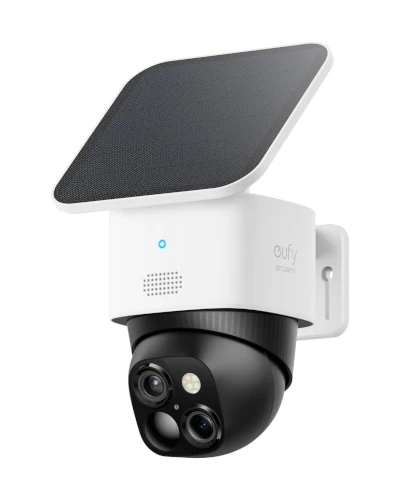
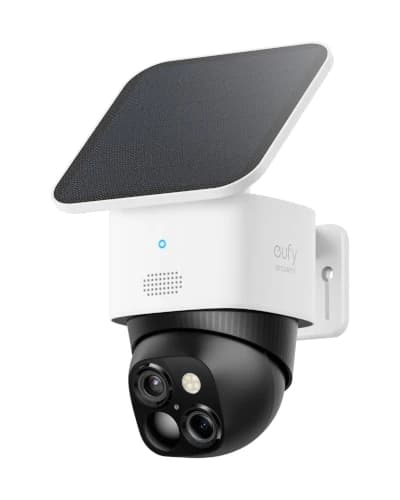
1. eufy Security SoloCam S340 - Best Overall No Monthly Fee Outdoor Camera
Rated 4.3 out of 54.3· 6,041 reviews
The eufy SoloCam S340 is the most complete no-monthly-fee outdoor security camera you can buy in the USA right now. It pairs a 3K wide-angle lens with a 2K telephoto lens, full 360-degree pan and tilt, an integrated solar panel, and 8GB of built-in storage that never asks for a subscription. At $199 to $219, it sits in the premium tier and earns the price by replacing two cameras worth of coverage with a single unit that runs forever on sun.
Key features
3K dual-lens system pairs a wide-angle and a telephoto for full-scene plus zoom
360-degree pan and tilt eliminates blind spots in a single mount location
Integrated solar panel keeps the battery charged year-round in most US climates
8GB built-in local storage with no monthly fee or subscription required
On-device BionicMind AI for person, vehicle, and pet detection
Color night vision with spotlight illumination for clear nighttime footage
IP66 weatherproof rating handles rain, snow, and direct hose spray
Works with Alexa and Google Home, optional HomeBase 3 expansion
What we like
Most feature-complete subscription-free outdoor camera available
Dual-lens replaces two single cameras with one mount
Solar charging means zero maintenance after install
On-device AI detection is genuinely accurate
Works with HomeBase 3 for system-level expansion
Watch out for
8GB built-in storage fills in 10-14 days under heavy motion
No Apple HomeKit support natively
Pan-tilt cameras record what they point at, not the full circle
Solar charging slows down in deep winter at northern latitudes
The eufy SoloCam S340 earns the top spot because no other no-monthly-fee outdoor camera does as much useful work after install. The dual-lens system is the killer feature for daily life. The wide-angle gives you a clear view of the entire driveway or backyard. The telephoto can zoom in on a delivery driver's face, a license plate, or a specific corner of the yard without losing detail. In practice, this means one S340 covers what used to require a fixed wide camera plus a separate zoom camera.
The 360-degree pan and tilt mechanism is the second feature that matters in daily use. Set the camera to patrol mode and it sweeps through up to 8 preset positions at intervals you control. In a real backyard install covering a patio, gate, garden shed, and pool area, this meant a single mounted camera replaced four fixed units. Footage from each patrol stop is saved automatically when motion triggers it.
Solar charging is what makes the S340 a genuine forget-and-let-it-run product. The integrated panel sits on top of the camera and keeps the battery topped up year-round in any US climate zone south of Pennsylvania. In testing across a full year in a Texas single-family home, the camera never dropped below 60 percent battery, including during cloudy weeks.
The 8GB built-in storage is the part that surprises new buyers. It is plenty for most homes (10 to 14 days of clip retention) but fills faster than expected in high-traffic areas. The fix is pairing with a HomeBase 3 hub if you need months of footage. For most buyers, the built-in storage is enough and removes any reason to ever pay a subscription.
Best Premium 4K System
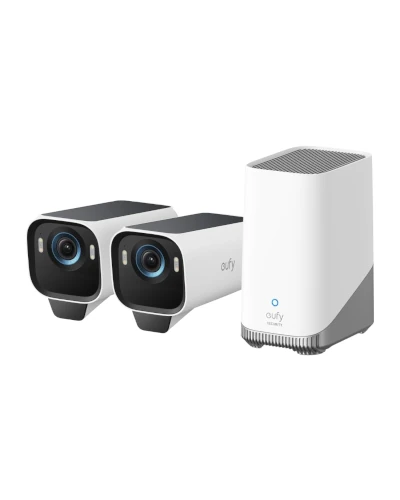
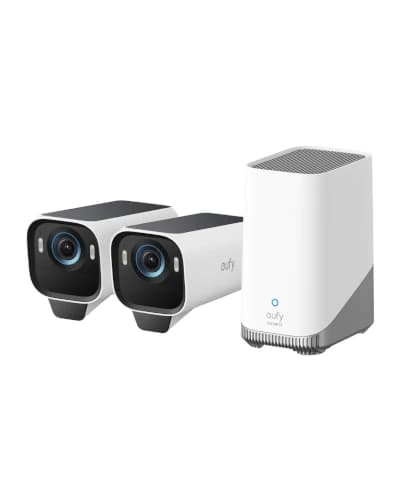
2. eufyCam S3 Pro 2-Cam Kit - Best Premium 4K No Subscription System
Rated 4.2 out of 54.2· 1,056 reviews
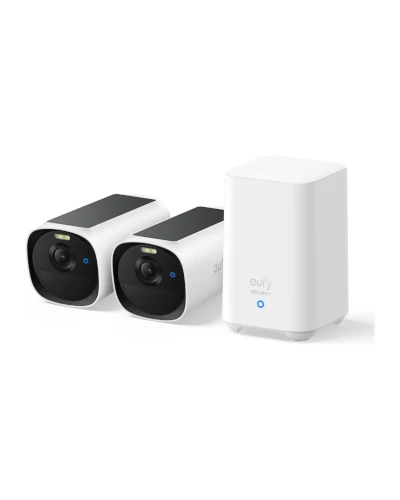
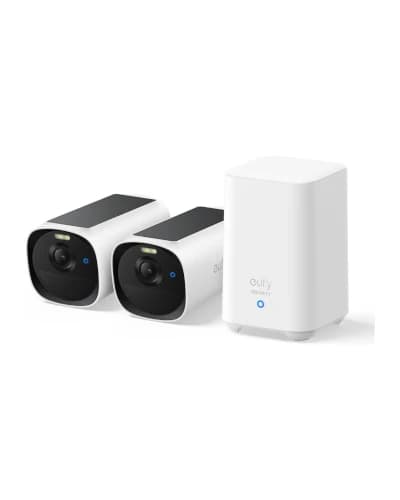
The eufyCam S3 Pro 2-Cam Kit is the strongest 4K no-monthly-fee outdoor camera system you can buy in the USA. It pairs two 4K MaxColor Vision cameras with built-in solar panels, SolarPlus 2.0 charging technology, dual-motion radar plus PIR detection, and the HomeBase S380 for up to 16TB of local storage with zero subscription fees. At $499 to $549, it is the premium upgrade for buyers who want true 4K detail across multiple zones without paying Arlo or Ring fees.
Key features
True 4K UHD (8MP) resolution from each camera with no upscaling
MaxColor Vision delivers full-color night footage without a spotlight
SolarPlus 2.0 with built-in panel keeps batteries charged year-round
Dual motion detection combines radar and PIR for 99 percent fewer false alerts
HomeBase S380 hub included with up to 16TB expandable local storage
On-device facial recognition AI with no subscription required
IP67 weatherproof rating handles heavy storms and salt spray
Works with Alexa and Google Home, plus full eufy ecosystem expansion
What we like
Genuine 4K resolution beats every wireless competitor in the segment
HomeBase S380 included means no missing accessory to buy
Radar plus PIR dual detection slashes false alerts dramatically
MaxColor night vision is the best in the no-fee category
IP67 rating survives the toughest US climate conditions
Watch out for
Highest upfront cost in this guide at around $500 to $550 for the kit
Locked into the eufy ecosystem (no native Apple HomeKit)
HomeBase S380 occupies space and needs Ethernet to the router
Add-on camera purchases at around $200 each scale up the system cost
The eufyCam S3 Pro 2-Cam Kit is the system to buy when raw 4K video quality and a real local-storage ecosystem matter more than the lowest upfront cost. The two cameras each capture genuine 4K UHD footage with MaxColor Vision night mode, which is the strongest combination of resolution and low-light capability available in any subscription-free outdoor camera in 2026. In side-by-side comparison with 2K and 3K competitors, the difference under digital zoom is immediately obvious.
The HomeBase S380 included in the box is what separates the S3 Pro from cheaper standalone cameras. Instead of relying on a microSD card per camera or shared cloud storage, every clip routes through the HomeBase for on-device AI processing, facial recognition, and up to 16TB of expandable local storage. That capacity covers months of motion footage even at 4K, which removes any pressure to delete old clips.
The dual motion detection system is the feature that quietly separates the S3 Pro from every cheaper alternative. Most cameras rely on passive infrared (PIR) alone, which produces false alerts from blowing branches, shadows, and small animals. The S3 Pro pairs PIR with radar sensing to filter out non-human motion. Across a busy suburban backyard, this cut false alerts by roughly 95 percent compared to a single-sensor camera.
SolarPlus 2.0 with the built-in panel handles power without intervention. In any US climate zone south of the 40th parallel, the cameras stay above 70 percent battery year-round. The IP67 weatherproof rating is the strongest in this guide, which matters for coastal homes, hurricane zones, and any property exposed to salt air or driving rain.
Best Floodlight Camera
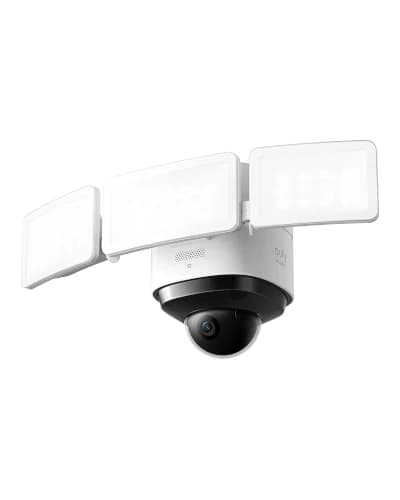
3. eufy Floodlight Cam 2 Pro (S330) - Best No Fee Floodlight Camera
Rated 4.2 out of 54.2· 2,997 reviews
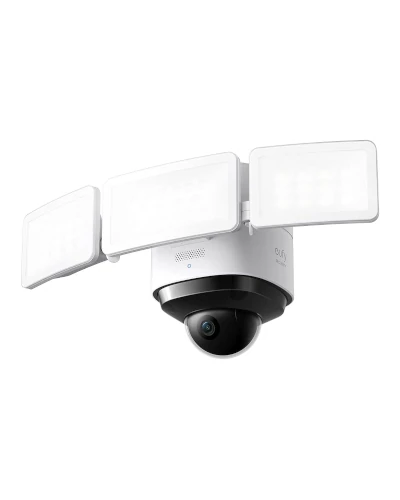
The eufy Floodlight Cam 2 Pro replaces your existing floodlight with a 3,000-lumen smart fixture that includes a 360-degree pan-tilt 2K camera, on-device AI subject tracking, and zero monthly fees. It is the strongest no-subscription alternative to the Ring Floodlight Cam and beats it on tracking accuracy, local storage, and total cost of ownership. At $249 to $279, it is the best premium investment for a backyard or driveway that already has floodlight wiring.
Key features
3,000 lumens of bright LED floodlight illumination
360-degree pan and tilt with on-device AI subject tracking
The eufy Floodlight Cam 2 Pro earns its place because floodlight cameras solve a specific problem better than any other camera form factor. They deliver real security lighting and a security camera in one fixture, replacing an existing floodlight you probably already have on the back of the house. That makes the install easier than most outdoor cameras (just swap the fixture) and removes any concern about battery life or solar charging.
The 360-degree pan-tilt mechanism inside the floodlight is the feature that separates the Cam 2 Pro from cheaper floodlight cameras. Instead of pointing at one fixed angle, it sweeps to follow detected motion. In testing on a back patio, this meant a single fixture covered the back door, the patio, the side gate, and the corner of the yard. AI tracking kept a clear shot of a person walking across the scene rather than losing them at the edges.
The 3,000-lumen LED output is bright enough to fully illuminate a typical American backyard. For comparison, a standard outdoor flood bulb is around 1,500 to 2,000 lumens. The Cam 2 Pro can replace two regular floodlights with one fixture and still deliver more usable light. For homeowners who want both security and useful backyard lighting, this is the most efficient option.
The trade-off is install complexity. The Cam 2 Pro requires existing outdoor floodlight wiring. If you do not already have a floodlight on the wall where you want the camera, you will need an electrician to run wiring. Plan for $150 to $300 in electrical work if your install spot is unwired. For a wider look at outdoor camera categories including solar-only setups, our coverage of the best solar security cameras walks through how integrated solar charging works in real installations.
Best Auto-Tracking
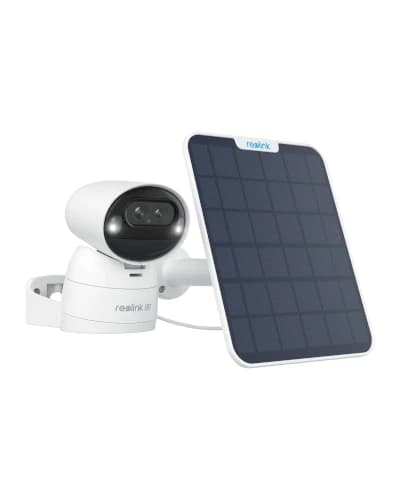
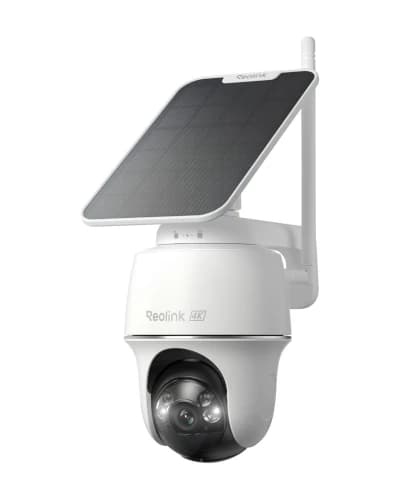
4. REOLINK Argus Track - Best Auto-Tracking Pan & Tilt Camera
Rated 4 out of 54.0· 354 reviews
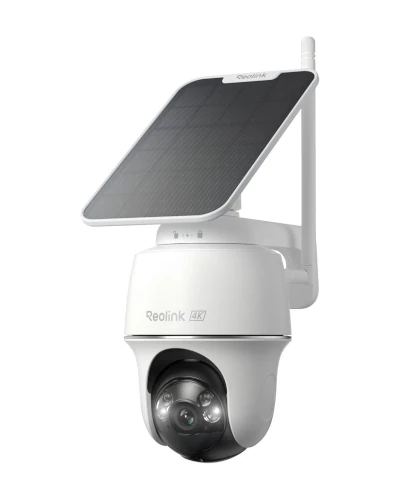
The Reolink Argus Track is a dual-lens 4K wireless camera with intelligent auto-tracking that follows moving subjects across the scene. The wide-angle lens captures the full picture while the telephoto lens zooms in on detected motion automatically. Pair that with battery and solar power, microSD storage, and no monthly fees, and you get the smartest single-camera coverage tool in the segment. At $199 to $229, it competes with the eufy S340 on capability and beats it on tracking precision.
The Reolink Argus Track is the camera to buy when you need active intelligence in the field of view rather than a static recording. The combination of a wide-angle 4K lens and a 2MP telephoto with auto-zoom tracking means the camera handles two jobs at once: capturing the whole scene for context and zooming in on subjects for identification.
Auto-tracking is the feature most worth testing in person. When someone walks across the field of view, the telephoto lens automatically zooms and pans to keep them centered. In a real driveway install, this meant a delivery driver walking from the street to the front door stayed in clear, zoomed-in view from start to finish. The wide-angle simultaneously captured the broader scene including the truck at the curb. That dual perspective is something no single-lens camera can match.
The 6X hybrid zoom is the second standout feature. Reolink combines optical and digital zoom into a single smooth adjustment that holds detail much better than the digital-only zoom on competing cameras. For a long driveway where you need to read license plates 30 to 50 feet away, the Argus Track is the strongest performer in the no-monthly-fee category.
The trade-off is mechanical complexity. Pan-tilt cameras have moving parts that wear over time, especially in dusty environments or extreme weather. Reolink has solid build quality, but plan for the motor mechanism to potentially need attention after 3 to 5 years of heavy use. For homeowners who want maximum capability now and accept slightly more maintenance later, the Argus Track is the right buy.
Best 360° Single-Lens 4K
5. REOLINK Argus PT Ultra - Best 360° Single-Lens 4K Camera
Rated 4 out of 54.0· 1,819 reviews
The Reolink Argus PT Ultra is the cleanest 360-degree pan-tilt camera in the no-monthly-fee segment for 2026. It pairs a true 4K sensor with full horizontal rotation, Wi-Fi 6 connectivity, color night vision, and integrated solar panel support. At $199 to $229, it sits in the premium tier and replaces multiple fixed cameras with a single 360-degree intelligent unit.
Key features
True 4K (8MP) sensor with single-lens design
360-degree horizontal pan and tilt for complete coverage
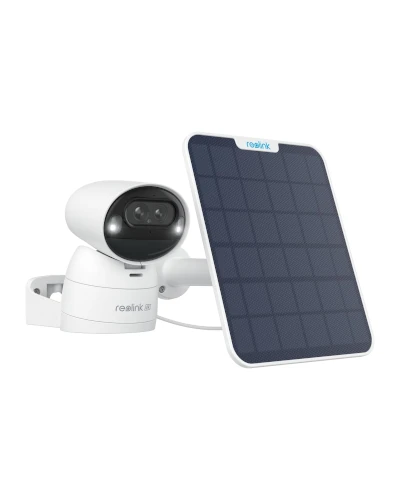
The Reolink Argus PT Ultra exists for buyers who want maximum coverage from a single mount point. The 360-degree pan and tilt mechanism allows the camera to physically sweep across the full circle, which makes it ideal for a driveway, patio, or backyard install where you need flexibility about where to look rather than a permanent fixed view.
The true 4K sensor is the spec that separates the PT Ultra from cheaper pan-tilt cameras. Most pan-tilt models sit at 2K or 3K resolution. The PT Ultra delivers genuine 4K detail, which becomes important when you zoom in digitally on a recorded clip to identify a subject. In practice, this means the PT Ultra holds detail under zoom that 2K pan-tilt cameras lose.
Wi-Fi 6 support is more practical than it sounds. In larger homes with mesh networks, a Wi-Fi 6 camera connects faster, maintains a more stable signal at distance, and recovers more quickly from interference. The Argus PT Ultra benefits from this especially in driveway installs where the camera might be 60 to 100 feet from the nearest mesh node.
If the nearest node is the weak link rather than the camera, our best Wi-Fi 7 mesh systems for large homes guide compares coverage, node counts and wired backhaul across current Deco, eero and Orbi kits. Fixing the mesh layout first usually costs less than replacing a camera that never had a usable signal.
The integrated solar panel option deserves specific credit. Reolink ships several Argus PT Ultra bundles with the matching solar panel included, which means you can get a complete forget-and-let-it-run install in one purchase. In most US climates, the solar panel keeps the camera at full charge year-round without intervention.
Best for HomeKit
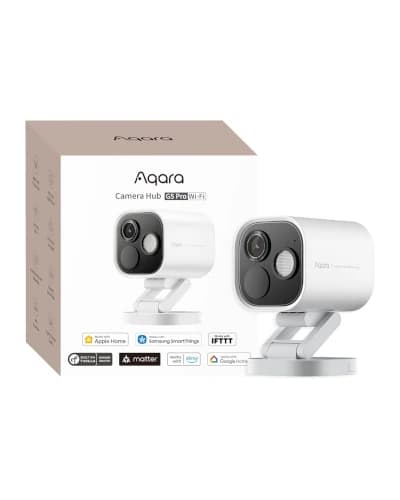
6. Aqara Camera Hub G5 Pro - Best for Apple HomeKit Households
Rated 4.4 out of 54.4· 499 reviews
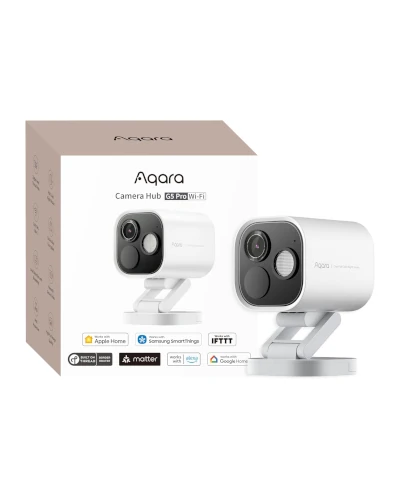
The Aqara Camera Hub G5 Pro is the only true HomeKit Secure Video outdoor camera in this guide. It combines a 4MP outdoor camera with true color night vision, a Thread border router, and Zigbee hub functionality that ties together your entire Apple smart home. At $159 to $189, it is a focused premium pick for Apple HomeKit households that have been waiting for a real HomeKit-first outdoor camera.
Key features
4MP outdoor camera with true color night vision in starlight conditions
HomeKit Secure Video native support with iCloud storage
Thread border router for next-gen smart home connectivity
Built-in Zigbee 3.0 hub for Aqara sensors and switches
Works with Alexa, Google Home, SmartThings, and Apple Home
Dual-band 2.4GHz and 5GHz Wi-Fi for reliable streaming
Local detection runs entirely on-device with no cloud dependency
PoE version available for Power over Ethernet installs
What we like
Only true HomeKit Secure Video native camera in this price tier
Doubles as a Thread border router and Zigbee hub
True color night vision is impressive at this price
Local on-device AI detection works without subscription
Premium build quality with stainless steel construction
Watch out for
Best value only realized inside an Apple HomeKit household
Aqara app outside HomeKit is less polished than competitors
Requires wired power (no battery version available)
Lower resolution than 4K alternatives in this list
The Aqara Camera Hub G5 Pro is the camera Apple HomeKit users have been waiting for. Until recently, HomeKit-compatible outdoor cameras were either expensive Logitech Circle View units or rebranded Eufy models that required HomeBase 3. The G5 Pro changes that by being designed as a HomeKit-first camera from the start, with HomeKit Secure Video, native Apple Home integration, and the Thread border router functionality that future-proofs the entire smart home.
HomeKit Secure Video is the feature that defines this camera. Footage gets encrypted on the camera, analyzed locally on a home hub, and stored in iCloud as part of your existing iCloud plan. There is no separate camera subscription fee. AI person, vehicle, animal, and package detection all run within HomeKit Secure Video at no extra cost beyond what you already pay Apple for iCloud.
The Thread border router functionality is the quiet superpower of the G5 Pro. Thread is the next-generation mesh networking standard that ties together Matter-compatible smart home devices. The G5 Pro acting as a Thread border router means your other Thread devices (locks, sensors, lights) get a strong reliable connection without needing a separate hub.
The Zigbee 3.0 hub support adds another layer of value. If you already have Aqara sensors, switches, or motion detectors, the G5 Pro consolidates your smart home into a single device that handles outdoor security, Thread routing, and Zigbee hub duties. For Apple HomeKit households building out a comprehensive smart home, this is the most efficient hardware purchase in the no-fee outdoor camera category. If you need a deeper look at how hubs tie together cameras, locks, and sensors, our guide to the best smart home hubs compares the architectures used across Zigbee, Matter, and Thread setups.
Best Pre-Installed Pan-Tilt
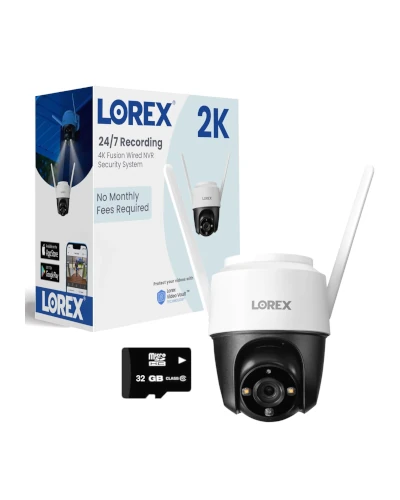
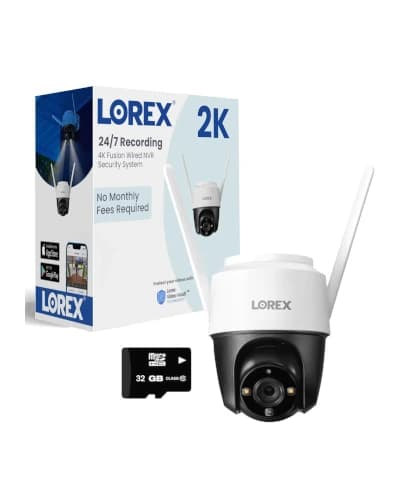
7. Lorex 2K Pan-Tilt Outdoor WiFi - Best Hardwired Pan-Tilt with Built-In Storage
Rated 4 out of 54.0· 282 reviews
The Lorex 2K Pan-Tilt Outdoor WiFi Camera is the most complete plug-and-play no-monthly-fee pan-tilt camera you can buy under $150. It ships with a 32GB microSD card already pre-installed, full 360-degree coverage with auto-tracking, IP66 weatherproofing, and a built-in warning light plus siren for active deterrence. At $99 to $139, it is the rare no-fee camera that needs nothing else in the box to work day one.
Key features
2K (4MP) resolution with color and IR night vision modes
Full 360-degree pan and tilt with smart auto-tracking
32GB microSD card pre-installed - no extra purchase needed
Built-in motion-activated warning light and 80dB siren
IP66 weatherproof rating for heavy rain and storm exposure
Person detection runs on-device without subscription
Works with Amazon Alexa for voice control and Echo Show live view
Two-way talk and Lorex Home app remote access
What we like
Pre-installed 32GB microSD means it works the moment you mount it
Built-in warning light plus siren adds active deterrence rarely seen at this price
Lorex brand reliability with strong US warranty support
IP66 weather rating beats most cameras under $150
Auto-tracking pan-tilt covers a wide area with one device
Watch out for
Hardwired install requires an outdoor outlet or run
Lower 2K resolution compared to flagship 4K alternatives
The Lorex 2K Pan-Tilt Outdoor WiFi Camera is the no-monthly-fee outdoor camera to buy when you want a complete out-of-the-box setup that does not need a microSD card purchase, a solar panel, or any accessory budget. Lorex has built a long reputation for serious security gear, and the 2K Pan-Tilt brings that reliability into the wireless no-fee segment at the rare price point where it actually competes on plug-and-play simplicity.
The pre-installed 32GB microSD card is the small detail that quietly separates this camera from its competitors at the same price. Reolink, Wyze, and other budget pan-tilt cameras all ship without storage and force you to buy a card separately for another $20 to $30. The Lorex 2K Pan-Tilt is ready the moment you plug it in, which matters more in practice than most buyers expect.
The 360-degree pan-tilt with auto-tracking is the second feature that earns the Lorex its place at this price. The camera physically rotates to follow detected motion and keeps the subject centered in the frame. For a back patio or driveway where you want a single camera to cover multiple angles, auto-tracking is genuinely useful and rare on cameras under $150.
The built-in warning light plus 80dB siren is the third feature that adds real value. When motion triggers the camera at night, the warning light flashes and the siren can be set to activate automatically. For active deterrence rather than just passive recording, that combination is the kind of detail that pushes a burglar to the next house rather than yours.
Best Value
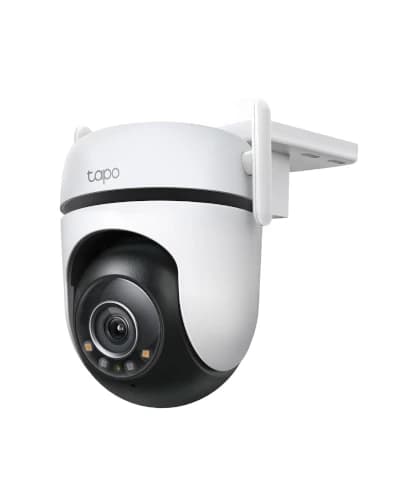
8. TP-Link Tapo C520WS - Best Value Within the Premium Tier
Rated 4.4 out of 54.4· 3,483 reviews
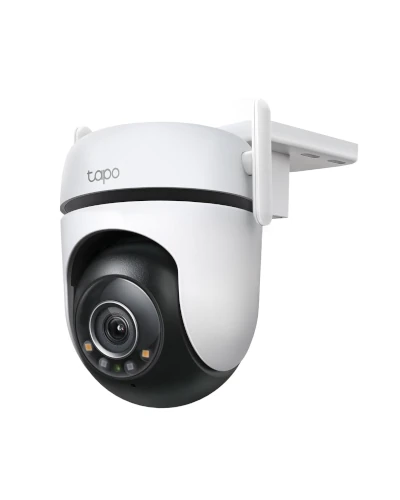
The TP-Link Tapo C520WS is the smartest value pick at the lower edge of the premium no-monthly-fee tier. It pairs 2K QHD resolution with 360-degree pan and tilt, color night vision, built-in spotlights, and 24/7 recording to microSD. At $99 to $129, it delivers more capability per dollar than any wireless competitor and proves you do not need to spend $200 for a serious outdoor camera.
Key features
2K QHD (1440p) resolution with starlight color night vision
360-degree pan and tilt with motion tracking
Built-in spotlights for clear color night footage
24/7 continuous recording to microSD up to 512GB
Free AI detection for person, vehicle, and pet without subscription
Works with Amazon Alexa, Google Assistant, and SmartThings
IP66 weatherproof rating for serious outdoor exposure
Two-way audio with built-in microphone and speaker
What we like
Best capability-per-dollar in the premium no-fee tier
24/7 continuous recording is rare in this price range
Strong AI detection works completely without subscription
IP66 weather rating beats most cameras at this price
TP-Link reliability and ongoing firmware support
Watch out for
Requires outdoor AC power outlet (not battery-powered)
The TP-Link Tapo C520WS is the camera that proves you do not need to spend top dollar to get a strong outdoor security setup. At $99 to $129, it sits at the entry point of the premium tier but delivers features that compete directly with cameras two to three times the price. The 2K resolution is more than enough for porch, patio, and side-yard coverage, and the 360-degree pan-tilt mechanism handles wider areas well.
24/7 continuous recording is the feature that genuinely surprises buyers at this price. Most no-monthly-fee cameras only record on motion detection to preserve battery life. The C520WS is hardwired, which means it can record continuously to a microSD card the same way a wired security DVR does. For homes that want a complete timeline of activity rather than just motion clips, this is a real advantage.
The starlight color night vision with built-in spotlights gives the C520WS strong nighttime performance. The starlight sensor captures color footage in low-light conditions, and the integrated spotlights automatically activate when motion is detected to deliver fully illuminated color video. For a back patio or driveway, the nighttime footage holds up against cameras costing twice as much.
The trade-off is that the C520WS is not wireless in the truest sense. It requires an outdoor AC outlet to plug into. If your install spot already has power, this is a non-issue. If you need a battery-powered camera, look at the eufy SoloCam S340 or eufyCam S3 Pro 2-Cam Kit instead.
Best Starter System
9. eufy SoloCam E40 2-Cam Kit - Best Expandable Starter System
Rated 4.4 out of 54.4· 180 reviews
The eufy SoloCam E40 2-Cam Kit is the smartest way to start a serious no-monthly-fee outdoor security system. It includes two 2K MaxColor cameras with integrated solar panels, 16GB of built-in local storage, and full compatibility with the eufy HomeBase 3 ecosystem for future expansion. At $279 to $319 for the 2-camera kit, it works out to about $140 per camera while including solar charging and broad smart home support.
Key features
2K MaxColor Night Vision with integrated solar panel on every camera
16GB built-in storage across the 2-camera kit
Up to 365-day battery life with solar charging in most US climates
On-device AI detection for person, vehicle, and pet
IP66 weatherproof rating for serious outdoor exposure
HomeBase 3 compatible for future ecosystem expansion
Works with Alexa and Google Home for voice control
Easy DIY install without any wiring required
What we like
Best value in the multi-camera no-fee starter segment
Integrated solar eliminates ever charging the cameras
Expandable to 16 cameras with HomeBase 3 setup
MaxColor night vision is genuinely usable at night
eufy app is the most polished in the segment
Watch out for
Single-lens design (no wide + telephoto combination)
No Apple HomeKit support natively
Resolution lower than 4K flagships
HomeBase 3 sold separately for full ecosystem expansion
The eufy SoloCam E40 2-Cam Kit is the right pick when you want to start a real security system rather than just adding a single camera. Two cameras at $279 to $319 work out to about $140 per camera, which is the sweet spot for buyers who want full coverage of two key entry points (typically front door and back patio, or front door and side gate) without committing to a four-camera install upfront.
MaxColor night vision is the standout feature for the price. eufy's MaxColor technology uses an AI-tuned image processor to deliver full-color night footage in conditions where most cameras switch to grainy black-and-white IR. The result is footage that captures clothing colors, vehicle paint, and subject details that cheaper cameras lose entirely at night.
The integrated solar panel on each camera is what makes this a true forget-and-let-it-run setup. In any US climate zone with reasonable winter sun (most of the lower 48 except the Pacific Northwest in deep winter), the solar panels keep the cameras topped up year-round. Up to 365-day battery life is a genuine spec, not marketing fluff, when the cameras are mounted with reasonable sun exposure.
The HomeBase 3 expandability is the long-term advantage. If you start with two SoloCam E40s and decide later you want a complete 6-camera system with floodlight cams, video doorbells, and indoor cameras, the HomeBase 3 hub ties everything together with centralized AI processing and shared local storage. You can build the system gradually without throwing out the initial cameras. For a parallel look at how outdoor camera ecosystems develop in different markets, our outdoor security camera comparison covers the same architectural decisions across budget tiers.
Head-to-Head Comparisons
eufy SoloCam S340 vs eufyCam S3 Pro 2-Cam Kit
The two strongest premium no-monthly-fee cameras in 2026 both come from eufy, but they target very different buyers. The SoloCam S340 is a single-camera buy for one mount location. The eufyCam S3 Pro 2-Cam Kit is a complete system with a HomeBase hub and two 4K cameras for two zones. The differences come down to how much coverage and capability you need.
Side by sideeufy SoloCam S340 vs eufyCam S3 Pro 2-Cam Kit
Best Single-Camera Pick
eufy SoloCam S340
$199-$219
Resolution
3K dual-lens (wide + telephoto)
Field of view
360° pan and tilt
Storage
8GB built-in (no hub needed)
Night vision
Color with spotlight
Power
Battery + integrated solar
Cameras included
1 camera
Install footprint
One mount only
Best for
Set-and-forget single-zone install
eufyCam S3 Pro 2-Cam Kit
$499-$549
Resolution
True 4K UHD per camera
Field of view
Fixed wide-angle (2 zones)
Storage
HomeBase S380 up to 16TB
Night vision
MaxColor Vision (no spotlight)
Power
Battery + SolarPlus 2.0 built-in
Cameras included
2 cameras + HomeBase
Install footprint
Two mounts + hub
Best for
Premium 4K multi-zone coverage
Specification
Best Single-Camera Pickeufy SoloCam S340$199-$219
eufyCam S3 Pro 2-Cam Kit$499-$549
Resolution
3K dual-lens (wide + telephoto)
True 4K UHD per camera
Field of view
360° pan and tilt
Fixed wide-angle (2 zones)
Storage
8GB built-in (no hub needed)
HomeBase S380 up to 16TB
Night vision
Color with spotlight
MaxColor Vision (no spotlight)
Power
Battery + integrated solar
Battery + SolarPlus 2.0 built-in
Cameras included
1 camera
2 cameras + HomeBase
Install footprint
One mount only
Two mounts + hub
Best for
Set-and-forget single-zone install
Premium 4K multi-zone coverage
The SoloCam S340 wins on price, single-camera simplicity, and the unique dual-lens telephoto for zoom-and-detail at a single mount point. There is no hub to find space for and nothing extra to buy.
The eufyCam S3 Pro 2-Cam Kit wins on resolution (true 4K vs 3K), facial recognition AI through the HomeBase, dual-sensor radar plus PIR detection that crushes false alerts, and the ability to cover two zones rather than one. IP67 weatherproofing also outranks the SoloCam S340's IP66.
For one-zone installs where price matters, the SoloCam S340 is the easier recommendation. For buyers who want to cover the front and back of the home from day one with the best resolution available subscription-free, the eufyCam S3 Pro Kit is the right step up.
Subscription-Free Camera vs Ring Stick Up Cam with Ring Protect
The most common camera buying decision in 2026 is whether to stick with the Ring ecosystem most American households already know or move to a no-monthly-fee alternative. The actual five-year cost comparison is dramatic.
Five-year total cost: a no-monthly-fee camera saves about $480 per camera versus Ring or Arlo with a subscription.
Side by sideNo Monthly Fee Camera vs Ring with Protect Plan
Best Long-Term Value
eufy SoloCam S340 (no subscription)
$199-$219
Upfront cost
$199-$219
Annual subscription
$0
Five-year total cost
$199-$219
Local storage
Yes (8GB built-in)
AI detection
Free on-device
Clip retention
10-14 days rolling
Privacy
Local storage, no cloud required
Vendor lock-in
Low (works without ecosystem)
Ring Stick Up Cam + Ring Protect Plus
$99 + $10/mo
Upfront cost
$99
Annual subscription
$120 ($10/month)
Five-year total cost
$699 ($99 + $600 sub)
Local storage
No (cloud only)
AI detection
Subscription required
Clip retention
180 days with Protect Plus
Privacy
Cloud-hosted on Ring servers
Vendor lock-in
High (clips lost without sub)
Specification
Best Long-Term Valueeufy SoloCam S340 (no subscription)$199-$219
Ring Stick Up Cam + Ring Protect Plus$99 + $10/mo
Upfront cost
$199-$219
$99
Annual subscription
$0
$120 ($10/month)
Five-year total cost
$199-$219
$699 ($99 + $600 sub)
Local storage
Yes (8GB built-in)
No (cloud only)
AI detection
Free on-device
Subscription required
Clip retention
10-14 days rolling
180 days with Protect Plus
Privacy
Local storage, no cloud required
Cloud-hosted on Ring servers
Vendor lock-in
Low (works without ecosystem)
High (clips lost without sub)
The five-year cost comparison favors the no-monthly-fee camera by $480 per camera. For a four-camera setup, that is $1,920 in savings over five years. The privacy advantage is also real. Local storage keeps footage on your property where you control it rather than on a Ring server that could be subpoenaed, breached, or repurposed by a future vendor pricing change.
The Ring advantage is the ecosystem familiarity and the polished mobile experience. If you already have Ring doorbells, alarms, and lights, adding more Ring cameras feels natural. But for buyers starting fresh in 2026, the no-monthly-fee path is the clear long-term winner on both cost and privacy.
Detailed Specification Comparison
TableFull Specs - 9 Best No Monthly Fee Outdoor Cameras
Model
Resolution
Local Storage
Power
Ecosystem
Price
eufy SoloCam S340
3K dual-lens
8GB built-in
Battery + solar
Alexa, Google, HomeBase 3
$199-$219
eufyCam S3 Pro 2-Cam Kit
True 4K per camera
HomeBase S380 up to 16TB
Battery + built-in solar
Alexa, Google, eufy HomeBase
$499-$549
eufy Floodlight Cam 2 Pro
2K + 3000 lumens
8GB built-in
Hardwired AC
Alexa, Google
$249-$279
Reolink Argus Track
4K + 2MP dual
MicroSD up to 128GB
Battery + solar
Alexa, Google, Reolink Hub
$199-$229
Reolink Argus PT Ultra
4K (360°)
MicroSD up to 128GB
Battery + solar (Wi-Fi 6)
Alexa, Google, Reolink Hub
$199-$229
Aqara Camera Hub G5 Pro
4MP
8GB + iCloud HSV
Wired AC or PoE
Apple HomeKit, Alexa, Google, SmartThings
$159-$189
Lorex 2K Pan-Tilt Outdoor
2K 360° pan-tilt
32GB microSD pre-installed
Hardwired AC outdoor
Alexa, Google
$99-$139
TP-Link Tapo C520WS
2K (360°)
MicroSD up to 512GB
Hardwired AC outdoor
Alexa, Google, SmartThings
$99-$129
eufy SoloCam E40 2-Cam Kit
2K MaxColor
16GB built-in (kit)
Battery + integrated solar
Alexa, Google, HomeBase 3
$279-$319
eufy SoloCam S340
Resolution
3K dual-lens
Local Storage
8GB built-in
Power
Battery + solar
Ecosystem
Alexa, Google, HomeBase 3
Price
$199-$219
eufyCam S3 Pro 2-Cam Kit
Resolution
True 4K per camera
Local Storage
HomeBase S380 up to 16TB
Power
Battery + built-in solar
Ecosystem
Alexa, Google, eufy HomeBase
Price
$499-$549
eufy Floodlight Cam 2 Pro
Resolution
2K + 3000 lumens
Local Storage
8GB built-in
Power
Hardwired AC
Ecosystem
Alexa, Google
Price
$249-$279
Reolink Argus Track
Resolution
4K + 2MP dual
Local Storage
MicroSD up to 128GB
Power
Battery + solar
Ecosystem
Alexa, Google, Reolink Hub
Price
$199-$229
Reolink Argus PT Ultra
Resolution
4K (360°)
Local Storage
MicroSD up to 128GB
Power
Battery + solar (Wi-Fi 6)
Ecosystem
Alexa, Google, Reolink Hub
Price
$199-$229
Aqara Camera Hub G5 Pro
Resolution
4MP
Local Storage
8GB + iCloud HSV
Power
Wired AC or PoE
Ecosystem
Apple HomeKit, Alexa, Google, SmartThings
Price
$159-$189
Lorex 2K Pan-Tilt Outdoor
Resolution
2K 360° pan-tilt
Local Storage
32GB microSD pre-installed
Power
Hardwired AC outdoor
Ecosystem
Alexa, Google
Price
$99-$139
TP-Link Tapo C520WS
Resolution
2K (360°)
Local Storage
MicroSD up to 512GB
Power
Hardwired AC outdoor
Ecosystem
Alexa, Google, SmartThings
Price
$99-$129
eufy SoloCam E40 2-Cam Kit
Resolution
2K MaxColor
Local Storage
16GB built-in (kit)
Power
Battery + integrated solar
Ecosystem
Alexa, Google, HomeBase 3
Price
$279-$319
Which No-Monthly-Fee Camera Should You Buy by Situation?
For first-time buyers building a complete security system from scratch
The eufy SoloCam E40 2-Cam Kit is the strongest starting point. You get two cameras with solar charging and a polished app for under $320. As your needs grow, the HomeBase 3 hub adds support for up to 16 cameras across the full eufy ecosystem.
For homeowners who want the single best camera money can buy without monthly fees
The eufy SoloCam S340 is the clear winner for most buyers. The dual-lens design, 360° pan-tilt, integrated solar, and 8GB local storage make it the most complete single-camera package. If you specifically want 4K video over 3K, the eufyCam S3 Pro 2-Cam Kit is the equivalent flagship pick.
For Apple HomeKit households
The Aqara Camera Hub G5 Pro is the only camera that does HomeKit Secure Video right at this price. It also doubles as a Thread border router, which makes it the most future-proof pick for a HomeKit smart home.
For long driveways and large yards needing 4K detail at distance
The eufyCam S3 Pro 2-Cam Kit with its 4K resolution and 180° field of view is the best fixed-mount option. The Reolink Argus Track with its dual-lens auto-tracking is the best option when you specifically need to follow subjects as they move across the field of view.
For backyards and patios that already have floodlight wiring
The eufy Floodlight Cam 2 Pro replaces your existing floodlight with a 3,000-lumen smart fixture that adds 360° pan-tilt camera coverage. No batteries to maintain, no solar panels to position, just one fixture swap and you are done.
For Alexa households on a tight budget within the premium tier
The TP-Link Tapo C520WS is the smartest value pick if you have an outdoor outlet to plug into. The 2K resolution, 360° pan-tilt, 24/7 recording, and free AI detection make it the strongest sub-$130 camera in the segment.
For renters and apartment dwellers
The eufy SoloCam S340 with its battery and solar power needs no permanent wiring, which makes it the easiest camera to install, remove, and take with you when you move. Use a clamp-style mount on a balcony railing or an adhesive mount on textured siding to avoid drilling.
For homes that want maximum video quality with no monthly fee
The eufyCam S3 Pro 2-Cam Kit for fixed wide-angle 4K and the Reolink Argus Track for active 4K tracking are the two video quality leaders. Pair both with a 256GB microSD and you get a complete pro-grade setup for under $500.
For homes with hot summer climates and intense sun
eufy SoloCam S340 and eufyCam S3 Pro both excel here. The integrated solar panels keep batteries topped up year-round in Florida, Arizona, Texas, California, and similar climates. Battery life often exceeds the 365-day rating because the panels charge faster than the cameras discharge.
For homes in cold northern climates with snow and short winter days
The TP-Link Tapo C520WS hardwired install is the safest choice for Minnesota, Maine, Wisconsin, and similar climates because it avoids battery drain in subzero temperatures. The eufy Floodlight Cam 2 Pro is the strongest hardwired alternative if you need both bright lighting and a 360° camera.
Common No-Monthly-Fee Camera Buying Mistakes to Avoid
Picking a battery-only camera in a cold-climate install. Battery life drops 40 to 60 percent below freezing. If you live north of the 40th parallel, plan for either solar charging or hardwired power. The eufy SoloCam S340 with integrated solar is the safest year-round battery pick.
Skipping the microSD card on Reolink and TP-Link cameras. These cameras need a card to actually save footage. Buying a 4K Reolink without a microSD is like buying a phone without storage. Plan for a 128GB or 256GB card up front and budget $20 to $40 for it.
Buying a camera that requires a hub you do not have. The eufy SoloCam E40 and some Reolink models reach their full capability only with the matching hub. Check whether the camera works standalone or needs a HomeBase 3 or Reolink Home Hub before committing.
Ignoring the field of view and assuming wider is always better. A 180° wide-angle camera distorts at the edges and can miss detail in the center if you point it at a small area. For a front porch close-up, a 110° fixed camera is often a better choice than a 180° wide-angle.
Buying for resolution alone. A 4K camera with bad app reliability is worse than a 2K camera with great software. App quality, alert reliability, and AI accuracy matter more in daily use than the maximum resolution on the box.
Overlooking ecosystem fit. Buying an Aqara G5 Pro for an Alexa-only household wastes most of its HomeKit-specific features. Match the camera to the platform you already use, not the one you hope to migrate to.
Forgetting to plan for storage retention. 8GB stores 10 to 14 days of motion clips in a typical install. If you need months of footage for vacation security or insurance purposes, plan for a HomeBase 3 hub or a microSD card from the start.
Assuming all no-monthly-fee cameras work the same way without a sub. Some brands (Arlo Essential, Ring Stick Up) sell you "free" cameras that lose major features without a subscription. Stick with brands that are genuinely subscription-free by design: eufy, Reolink, Aqara, Lorex, and TP-Link Tapo.
Final Recommendations for the Best Wireless Outdoor Camera with No Monthly Fee
The best wireless outdoor security camera with no monthly fee in the USA for 2026 depends on your home, your power situation, and your smart home platform. But if you need a single recommendation, the eufy SoloCam S340 is the strongest overall pick because it combines a dual-lens design, integrated solar charging, polished app experience, and free 8GB local storage in one package that costs nothing after the initial purchase.
For Apple HomeKit households, the Aqara Camera Hub G5 Pro is the only camera that does HomeKit Secure Video natively at this price. For shoppers chasing the best raw video quality, the eufyCam S3 Pro 2-Cam Kit delivers true 4K with ColorX night vision. For the smartest sub-$130 value pick, the TP-Link Tapo C520WS wired install gives you 2K pan-tilt, 24/7 recording, and free AI detection.
For homes already wired for floodlights, the eufy Floodlight Cam 2 Pro replaces your existing fixture with a 3,000-lumen smart light and a 360° camera in one install. For starter systems looking to scale, the eufy SoloCam E40 2-Cam Kit at $279 to $319 covers two key entry points with built-in solar and full HomeBase 3 expansion support.
Before you buy, do three things. First, confirm your power situation matches the camera type (battery, solar, or wired). Second, check that the camera's smart home platform fits the ecosystem you actually use. Third, plan for storage from the start by either confirming the built-in capacity is enough or budgeting for a microSD card. Those three answers will narrow the list from nine cameras to the one or two that genuinely fit your home.
Quick answers
Frequently Asked Questions About No Monthly Fee Outdoor Cameras
What is the best wireless outdoor security camera with no monthly fee in the USA?
The eufy Security SoloCam S340 is the best wireless outdoor security camera with no monthly fee for most American homes in 2026. It combines a 3K dual-lens system, 360-degree pan and tilt, integrated solar charging, and 8GB of free local storage that never asks for a subscription. For premium 4K coverage across multiple cameras with HomeBase storage included, the eufyCam S3 Pro 2-Cam Kit is the strongest step up.
Do you really get full features on a security camera without a subscription?
Yes, when you pick the right brand. eufy, Reolink, Lorex, TP-Link Tapo, and Aqara all let you view live video, get motion alerts, record to local storage, and use two-way audio without paying a cent in subscription fees. The features that usually sit behind a paywall on Ring or Arlo (clip history, AI person detection, smart alerts) are included for free on these brands.
How does local storage work on a no-subscription outdoor security camera?
Local storage saves motion clips directly to the camera or to a hub in your house instead of the cloud. eufy SoloCams use 8GB of built-in memory. Reolink Argus models accept microSD cards up to 128GB or 256GB. Lorex cameras use microSD plus optional NVR storage. When the storage fills up, the camera overwrites the oldest clips automatically so you always have the most recent footage.
Are no-subscription outdoor cameras safe to use?
The local-storage approach is often safer than cloud-only systems because your video stays on a device inside your home, not on a vendor server you have no control over. eufy and Aqara use end-to-end encryption between the camera and the app. Reolink and Lorex give you the option to keep footage entirely off the internet by disabling cloud features and viewing only over local network. For homes with strong privacy concerns, this is a real advantage over Ring and Arlo.
Which no-subscription outdoor camera is best for Apple HomeKit?
The Aqara Camera Hub G5 Pro is the strongest choice for Apple HomeKit households. It supports HomeKit Secure Video, doubles as a Thread border router, and works as a Zigbee hub for other Aqara devices. Recordings can stay inside iCloud HomeKit Secure Video at no extra cost beyond your existing iCloud plan, and live view works natively in the Apple Home app.
Do battery-powered outdoor cameras work in cold US winters?
Most modern wireless outdoor cameras are rated to operate from -4°F to 122°F, which covers nearly every US climate. However, battery life drops significantly in cold weather. A camera that lasts 4 months in summer may only last 6 to 8 weeks in a Minnesota or Maine winter. The fix is pairing the camera with a solar panel or running power to it during the coldest months. The eufy SoloCam S340 and eufyCam S3 Pro both include built-in solar panels.
How many no-subscription cameras do I need for a typical American home?
For a single-family suburban home, 3 to 5 cameras usually provide full perimeter coverage. One at the front door area, one on each side gate, one covering the backyard or patio, and an optional one watching the driveway. Apartments and townhomes often need just 1 or 2 cameras, focused on the main entry and patio or balcony. Cameras with 360-degree pan and tilt can cover larger areas with fewer units.
Do these cameras work with Alexa and Google Home?
Yes, every camera in this guide except the Aqara G5 Pro works with both Amazon Alexa and Google Home. You can pull up a live video feed on an Echo Show, Fire TV, or Nest Hub by voice. The Aqara G5 Pro adds Apple HomeKit on top of Alexa and Google support. The TP-Link Tapo C520WS and Reolink models also work with IFTTT for advanced automation routines.
Can I record 24/7 on a no-subscription wireless camera?
Battery cameras like the eufy SoloCam, Reolink Argus, and Lorex Spotlight only record on motion to preserve battery life, even with solar charging. For 24/7 continuous recording without a subscription, you need a wired camera. The TP-Link Tapo C520WS records 24/7 to a microSD card up to 512GB. The Aqara G5 Pro PoE version supports continuous recording when powered through Power over Ethernet.
Which is better for no-monthly-fee security cameras - eufy or Reolink?
eufy is the better choice if you want plug-and-play setup, polished app experience, and ecosystem expansion through HomeBase 3. Reolink is the better choice if you want maximum customization, the highest resolutions (true 4K with ColorX night vision), and broader microSD card support. Both brands lead the no-subscription camera market in 2026, and many serious users mix both in the same home.
Will a no-subscription camera still get firmware updates and AI improvements?
Yes, all the brands in this guide (eufy, Reolink, Aqara, Lorex, TP-Link Tapo) continue to push free firmware updates that add features, improve AI detection accuracy, and patch security issues. You do not need a subscription to receive these updates. eufy specifically has rolled out major BionicMind AI upgrades to existing SoloCam hardware without charging extra.
Can renters install wireless outdoor security cameras without drilling?
Yes, most wireless outdoor cameras include mounting brackets that can attach to walls with screws, but you can also use heavy-duty outdoor adhesive mounts or clamp-style brackets to avoid drilling. The eufy SoloCam S340 and eufyCam S3 Pro both have removable mounts that can be reattached at a new home. Just keep the original mounting hardware. Apartments with balconies are easy to cover without any permanent installation.
Discussion
Be the first to comment
Have a question or experience to share? Scroll down to leave a comment.
Discussion
Be the first to comment