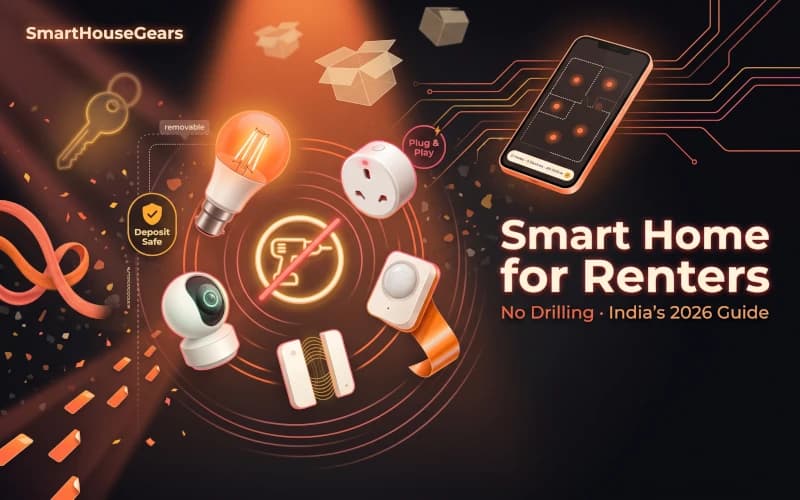
A smart home for renters in India is easier to set up than most tech blogs would have you believe. If you rent your flat, you have probably been told that home automation is for owners only. That is wrong. Almost every device worth buying in 2026 works without drilling a single hole, without calling an electrician, and without asking your landlord for more than a casual okay.
The trick is knowing which devices fit the renter's playbook and which are built for owners. This guide covers exactly that, built around real Indian rentals where switchboards are fixed, plug points are scarce, and your deposit sits with someone who will inspect every wall before returning it.
Why Renters Need a Different Smart Home Playbook
The advice on most Indian tech blogs assumes you can modify the property. Install a smart switch behind the wall. Drill a mount for an outdoor camera. Replace the main door's lock cylinder. Rip out a ceiling fan and put in a BLDC with a smart controller.
A renter cannot do any of that without permission, and even with permission, the install is a sunk cost the moment the lease ends. You pay to drill holes, then you pay again to patch them.
A renter's smart home is designed around one question: when I move out, can I unplug or unscrew this, put it in a box, and take it with me? If the answer is no, it does not belong in a rental.
That rule alone rules out about 70 percent of what the bigger smart home articles recommend. The good news is the remaining 30 percent is genuinely enough to run a comfortable, automated home.
The Renter's Rulebook: What You Can and Cannot Install
Before buying anything, get clear on what counts as rental-safe.
Rental-Safe Smart Home Checklist
Plug-in devices are always safeSmart plugs, smart strips, and standalone hubs use existing sockets with no installation
Screw-in smart bulbs are safeThey fit existing E27 or B22 holders and swap back to the original bulb at move-out
Battery and USB powered cameras are safeSet on a shelf or stick with 3M Command strips that peel off cleanly
Peel-and-stick sensors are safeDoor, window and motion sensors with adhesive backing lift off without marking paint
Avoid wall-drilled cameras and mountsEven small screw holes are a deposit risk unless your landlord signs off
Avoid switch-board replacementsSmart switches that replace the existing modular plate need an electrician and a landlord yes
Avoid full smart lock replacements without permissionReplacing the mortise cylinder is the most common deposit dispute
Send a one-line WhatsApp to your landlord before sticking anything to a wall. Frame it as a question, not a request for approval. Something like, "planning to stick a small video doorbell with removable tape, is that alright?" Most landlords say yes instantly because a removable tenant upgrade does not cost them anything.
Start With Smart Plugs: The Cornerstone of a Rental Smart Home
A smart plug turns any regular appliance into a scheduled, voice-controlled, app-controlled device. It goes between the wall socket and the appliance cord. Nothing else changes.
For a renter this is the single highest-value device category because it transforms what you already own into smart appliances. Your existing TV, geyser, fan, lamp, water pump, or router all become controllable without replacing any of them.
The two plugs to buy first:
A 16A smart plug for your geyser. A storage geyser sitting on a timer is the single biggest electricity saving in an Indian home. Expect 500 to 1500 rupees a month lower on the electricity bill from this one plug alone. The full setup, schedule logic, and product picks are in our geyser automation guide.
A 10A smart plug for your TV stack. The TV, set-top box, soundbar and gaming console are all on standby 24x7 even when the screen is black. A smart plug that turns the entire stack off at midnight and back on at 6 PM saves 60 to 120 rupees a month and is kinder to all four devices.
For a one bedroom rental, two smart plugs is the floor. For a 2BHK, add a third on the bedroom lamp cluster and a fourth on the water pump if you have one.
If pairing ever fails, the fix is almost always your WiFi band. Indian smart plugs only connect on 2.4GHz. If your router merges 2.4GHz and 5GHz under one SSID, the plug will sometimes grab the 5GHz and fail. The detailed fix is in our smart plug WiFi troubleshooting guide.
Smart Bulbs: Skip the Ceiling, Own the Sockets
In most Indian rentals, the ceiling light is already installed and you are not allowed to change the fixture. That is fine because you do not need to.
Every lamp and pendant holder in your flat uses one of two screw patterns: E27 (medium Edison screw) or B22 (bayonet mount, the push-and-twist type common in India). A WiFi smart bulb in either base drops straight into your existing holder with zero tools.
The rental playbook is simple. Replace the bulbs you actually use, not every bulb in the house. Most renters need three smart bulbs total.
One in the living room, one in the bedroom, and one in the kitchen. That is where you spend 90 percent of your indoor time, and that is where scheduled and voice-controlled lighting actually changes your routine. Bathrooms and balconies can stay on manual switches because you are in and out in minutes.
Brands that sell reliable 2.4GHz smart bulbs in India include Philips WiZ, TP-Link Tapo, Wipro, Syska, and Mi. Expect to pay 300 to 700 rupees per bulb for standard white, and 600 to 1400 rupees for full-colour. A full shortlist is in our WiFi smart bulbs under Rs 2000 review.
For a 2BHK, add a smart LED strip behind the TV or along the bed's headboard. Strips come with adhesive backing and peel off cleanly. They plug into a regular wall socket with an inline controller, so no installation needed. Our smart LED strip lights for bedroom guide covers which ones actually hold up on Indian walls over a year of humidity.
Smart Cameras Without Drilling
Security is where most renters assume they cannot have a real setup. That is outdated thinking. Modern WiFi cameras are designed to sit on a shelf, a side table, or a TV unit with a rotating stand. No drilling, no wall anchor, no electrician.
For a typical Indian rental, one indoor camera is usually enough. Place it in the living room facing the main door, at a height where it can see who walks in and out. The camera records motion events to the cloud (usually free for 24 hours, paid for 30 days) and sends a phone alert within a second of detecting movement.
The three questions to answer before buying:
Does it need a power outlet near the placement spot? Most indoor WiFi cameras use a USB-A or micro USB cable that is 3 metres long. If your living room has a socket within 3 metres of where you want the camera, any of them will work. If not, you need a battery camera.
Is it truly 2.4GHz only or dual-band? Indian homes with all-in-one routers often cause pairing failures with 2.4GHz-only cameras. Look for dual-band support if you cannot easily split your WiFi bands.
Does it need a subscription for basic use? Some cameras lock essentials like person detection or 7-day history behind a monthly plan. Tapo and Mi tend to be subscription-light. Arlo and Ring lean subscription-heavy.
Battery doorbells: the peel-and-stick security win
A video doorbell is the single upgrade renters undervalue most. The modern ones are battery powered, stick to the door frame with heavy-duty adhesive tape, and need no wiring at all. When you move, you peel it off, charge it up, and stick it on the new flat's door frame.
Pick a doorbell that supports both chime-via-phone and a plug-in indoor chime unit. A plug-in chime sits inside your living room socket and rings when someone presses the bell, which is critical when your phone is on silent or dead. Our full smart video doorbells review covers the battery life tradeoffs.
Smart Locks: The One Category Where Renters Need Caution
A smart lock replaces the main door's mortise cylinder. On a rented flat, that counts as modifying the property. Most Indian landlords say no, and the few who say yes often attach conditions.
If you still want a smart lock, three rules protect your deposit:
Pick a model that fits the existing mortise housing. Yale, Godrej and Qubo all sell smart locks that slot into a standard Indian mortise, so the original lock can be reinstalled at lease end without any new hole or modification. Check the measurements before buying.
Keep the original lock and all keys in a labelled bag. Move-out day is not the time to go hunting for the landlord's original hardware. Tag the bag with the flat address and put it with your important documents.
Get the landlord's okay in writing. A WhatsApp message is enough. Something like "replacing the lock with a Godrej Advantis smart lock, original lock will be reinstalled at move-out, confirming this is fine." Screenshot the reply. Our smart door locks for Indian homes guide lists which models are mortise-compatible and which require cutting the door.
If your landlord says no, or you simply do not want to deal with the swap, a fingerprint padlock on your main cupboard or a Qubo smart keypad on your home office door are both fully renter-safe alternatives.
Voice Control: The Brain That Ties Everything Together
Once you have plugs, bulbs and a camera, a voice hub makes all three work as one system. This is also a fully portable device that packs into a pocket when you move.
Two options dominate in India:
Amazon Echo Dot (5th gen). Around 3000 to 4000 rupees, works with almost every smart device sold in India, and the Alexa app has the cleanest routine builder. This is the default pick for most renters.
Google Nest Mini. Around 2500 to 3500 rupees, better at general knowledge questions, and pairs deeply with Android phones. Slightly fewer third-party device integrations than Alexa, but growing.
Skip the bigger Echo Studio or Nest Audio until your smart home is settled. The Dot and Mini cover voice commands equally well, and the audio quality difference only matters if you use the hub for music too.
The Move-In Setup: Your First Weekend
Here is the order that actually works. Do not try to install everything in one afternoon because pairing failures stack up.
The Renter's First-Weekend Setup
1
Saturday morning: get WiFi stable first
Confirm your home WiFi runs on 2.4GHz (most routers broadcast both bands). If the router only shows a single combined SSID, temporarily split the bands during device pairing. Keep the password short and typable.
2
Saturday midday: install the first smart plug
Start with the 16A smart plug for the geyser. Pair it first, build the morning schedule, and confirm the geyser turns on and off. This validates your WiFi, the app, and your confidence before you buy anything else.
3
Saturday evening: swap the living room bulb
Replace the main living room bulb with a smart bulb. Pair it, set a sunset-triggered rule that turns it on when it gets dark. Stop here for day one.
4
Sunday morning: add the voice hub
Set up the Echo Dot or Nest Mini. Connect it to the same account that manages the plug and bulb. Test commands like turn on the living room light and turn off the geyser.
5
Sunday afternoon: add the camera and second plug
Place the indoor camera on a TV unit or shelf. Add the second smart plug on the TV stack. Both take under 15 minutes each.
6
Sunday evening: build two routines and stop
Create Good Morning (lights on, geyser on, curtains if you have a smart curtain motor) and Bedtime (all lights off, TV off, security camera notifications on). Live with the setup for a week before buying anything else.
This staged approach is the single reason most renter smart homes actually get used instead of sitting in a drawer. Adding one device at a time means each one gets tested, placed and personalised before the next one shows up.
Where Your Money Goes: A Realistic Starter Budget
The phrase "smart home" makes people imagine a 50,000 rupee investment. For a renter it is nothing close to that.
Essential tier (Rs 5000 to Rs 8000). Two smart plugs, three smart bulbs, one indoor camera, one Echo Dot. This is enough to cover the geyser, TV, three rooms of lighting, and voice control. Most renters stop here.
Comfort tier (Rs 10,000 to Rs 14,000). Add a smart LED strip for the bedroom, a video doorbell, and a fourth smart plug. Now you have full perimeter awareness and ambient lighting for the rooms that matter.
Full tier (Rs 18,000 to Rs 25,000). Add a smart curtain motor (the ones that clip onto existing tracks, not rail replacements), a second camera for the balcony or kitchen, and a smart air purifier. This is what a two-bedroom rental with a small family tends to grow into over a year.
Most importantly, each tier is additive. You can start with the essential tier and stay there for a year if it meets your needs. Nothing breaks when you stop at any tier.
How the Savings Actually Add Up
The usual complaint about smart homes is that they cost money without saving money. For a geyser, a TV stack and smart bulbs, the math is clean.
TV stack on a night schedule. Average saving 60 to 120 rupees a month by killing 24x7 standby draw. Payback on a Rs 800 10A plug is under a year.
LED smart bulbs replacing CFLs or older LEDs. A modern 9W WiFi smart bulb pulls half the power of a 20W CFL. Swap three of them and you save 80 to 150 rupees a month.
Add it up and a Rs 6000 starter kit pays for itself in four to eight months, and keeps saving for every month afterward. The devices themselves last 3 to 5 years on average, so the total lifetime saving per rental is usually 20,000 to 40,000 rupees on top of the convenience.
Common Renter Mistakes That Cost Deposits
A few patterns show up again and again in rental smart home forums. All of them are avoidable.
Drilling one "small" hole for a camera mount. The landlord inspection at move-out will find it. Deposits have been reduced for holes as small as 4mm. Use adhesive mounts or shelf placement instead.
Painting over walls to hide a cable run. Every landlord spots a colour mismatch. If you need to run a camera cable along a wall, use white adhesive cable channels that peel off cleanly.
Forgetting to factory-reset devices before moving. At lease end, some renters panic-sell their smart devices to the next tenant as "already set up." This almost always leaves the old account signed in, which means the old tenant sees camera feeds from the new home. Factory reset every device the day before handover.
Leaving the original bulbs in the dustbin. Put the original bulbs and switches in a ziploc bag inside your cupboard the day you move in. On move-out day, swap the smart bulbs back to the originals in 10 minutes. This is the single highest-return deposit-saving habit.
Buying 5GHz-only devices. Some premium smart home gear (mainly US imports) is 5GHz native and causes weeks of pairing headaches on Indian dual-band routers. Buy locally sold 2.4GHz devices to avoid this entirely.
Moving Day: The Pack-Up Playbook
Your smart home's real test is not setup. It is move-out.
Smart Home Move-Out Checklist
Factory reset every smart deviceEach app has a Remove Device or Factory Reset option in settings. Do this the night before packing.
Unscrew every smart bulb and replace with the originalsKeep the original bulbs in a labelled bag so this takes 10 minutes not an hour
Peel off every adhesive mount3M Command strips come off cleanly if you pull them slowly at a 90 degree angle
Pack each device in its original boxThe box protects the device and labels it for the new home's setup
If you swapped the lock, reinstall the originalBudget 30 minutes for this and do it before the landlord inspection
Take photos of the restored walls and switchboardsTimestamped photos protect you if the landlord later claims damage
Hand over the flat with every smart device goneNothing you installed should remain in the property at handover
Done this way, a full smart home setup moves with you in two medium cartons. Setup in the next flat takes one weekend. Total cost to move: zero rupees and no drill bit.
What to Buy Later, Once You Own a Home
A few categories only make sense when you stop renting. Keep them on a wish list but do not force them into a rental.
Smart switches that replace the modular plate. Ceiling smart fans with a built-in controller. Hardwired outdoor cameras. Recessed smart downlights. Smart AC units as opposed to smart AC controllers.
Each of these needs drilling, rewiring, or fixture replacement. Worth it when the property is yours. Not worth it when you have a lease renewal conversation every 11 months.
The same rule applies in reverse when you do buy a home. Everything in your rental smart home stays useful. Smart plugs still schedule your appliances, smart bulbs still light your rooms, the Echo Dot still runs your routines. You upgrade around them instead of replacing them.
Final Recommendation
If you are renting in India and want a genuine smart home, start with two smart plugs, three smart bulbs, one indoor camera, and one Echo Dot or Nest Mini. Total spend under Rs 8000. Total drilling zero. Total devices that move with you when the lease ends: all of them.
This is the setup that actually works in Indian rentals year after year. It costs less than a single premium smartphone, saves more on the electricity bill than it costs to buy, and moves with you to every future flat you live in.
Buy the first two pieces this weekend. Add the rest over the next month. Skip the drill.
Quick answers
Frequently Asked Questions
Will my landlord have a problem with a smart home setup?
Almost never, if you stick to plug-in and peel-off devices. Smart plugs use existing sockets, smart bulbs screw into existing holders, and cameras sit on shelves or adhesive mounts. Problems only start when you drill holes for wall cameras, change switch boards, or install hardwired smart locks without permission. Send a short message to your landlord before installing anything that adheres to walls or replaces a lock. Most landlords approve when you clarify it is removable and does not modify the property.
Can I use a smart lock on my rental flat's door?
Usually not without landlord approval, because most smart locks replace the main lock cylinder. A cleaner renter-friendly option is a smart padlock for your cupboard or store room, or a battery video doorbell that mounts with adhesive. If your landlord does approve a smart lock, pick a model that uses the existing mortise housing so the original lock can be reinstalled at lease end. Keep the original hardware in a safe place so you can restore it in five minutes when you move out.
What smart home devices can I pack and take with me when I move?
Every device in this guide is designed to move with you. Smart plugs unplug in seconds. Smart bulbs unscrew from the socket. Smart cameras lift off shelves or peel off walls. Battery doorbells come off their adhesive mounts without damage. Echo Dot and Nest Mini are portable by design. The only item that typically stays behind is a smart lock if you replaced the full cylinder, and even that can be reversed by swapping the original lock back in before handover.
Will the smart home need new WiFi every time I move?
No. Every smart device in this setup reconnects to a new WiFi network in under five minutes. Open the device's app, select the device, tap network settings, and enter the new SSID and password. The one rule to remember is that Indian smart home devices only work on 2.4GHz WiFi, not 5GHz. If your new home has a single combined SSID, you may need to temporarily split the bands during pairing.
How much does a rental-friendly smart home cost to set up in India?
A realistic starter budget is Rs 5000 to Rs 8000 for a one bedroom flat. That covers two smart plugs (Rs 1500), three smart bulbs (Rs 1200 to Rs 2000), one indoor camera (Rs 1500 to Rs 2500), and an Echo Dot or Nest Mini (Rs 2000 to Rs 3000). You can start with just two smart plugs and two smart bulbs for under Rs 2500 and add more devices over time. Every piece is self-contained and works without the rest, so you pay only for what you use.
Do smart devices work on Indian voltage fluctuations?
Every major brand sold in India (Tapo, Wipro, Syska, Philips, Mi, QUBO, Amazon Basics) is built for the local 220V to 240V range and handles fluctuation between 170V and 260V without issue. For homes with severe voltage swings, pair valuable devices through a basic stabiliser. Smart plugs themselves include over-current protection that cuts power if the downstream appliance draws too much current, which is an extra safety layer you do not get from a regular wall socket.
Can I use a battery camera instead of an indoor WiFi camera?
Yes, and for renters it is often a better choice because battery cameras need no plug point near the placement spot. Brands like Blink, TP-Link Tapo C420 and Xiaomi Mi Wireless Outdoor cover the entry door, balcony or window ledge. Battery life is usually 3 to 6 months per charge on normal use. The tradeoff is motion-only recording instead of 24x7, which most renters actually prefer since it saves on cloud storage and power.
What happens to device schedules and automations when I move?
All your schedules, routines and automations live in the device's app account, not on the device itself. When you plug the same device into a new home and reconnect it to WiFi, every schedule you built reappears automatically. You only need to update location-based rules (like Good Morning routines tied to sunrise) if you move across states. The rest transfers in one sync.
Discussion
Be the first to comment
Have a question or experience to share? Scroll down to leave a comment.
Discussion
Be the first to comment