The best smart dehumidifier for a basement is the one you can forget about. You set a humidity target once, the app tells you if the tank is full or the unit goes offline, and the basement just stays dry through a muggy July without you carrying a sloshing bucket up the stairs every morning.
After comparing Amazon.com ratings, owner complaints, manufacturer specs, and the patterns in basement and home automation forums, our pick for most American homes is hOmeLabs 7,000 Sq Ft Wi-Fi. It is not the flashiest model here, but it gives you the best mix of capacity, app and voice control, a massive owner base, and a price that makes sense before a wet summer.
We focused this guide on genuinely smart units, meaning real WiFi and app control, not just an "intelligent" knob. That filter mattered. A surprising number of well-known smart dehumidifiers carry weak Amazon ratings, so this list is short on purpose. Every pick below is verified at 4.0 stars or higher, with the rating and review count checked at the time of writing.
The table tells the category story fast. hOmeLabs owns the high-volume, well-reviewed end, GoveeLife is the value-smart specialist, and Frigidaire and Midea bring name-brand polish. The two hOmeLabs entries and the two GoveeLife entries are sibling models that share a review listing, separated mainly by whether they include a pump.
Amazon ratings and review counts shift as listings merge, split, or restock. The numbers above were checked against the live Amazon.com listings at the time of writing, and any product below 4.0 stars or with no rating history was left out on purpose.
Why Smart Basement Dehumidifiers Are Worth It in 2026
Basement humidity is the kind of problem you ignore until it costs you. A musty smell creeps into the laundry, cardboard boxes go soft, tools spot with rust, and one day you find fuzz on the back of a storage shelf. By then, mold has already started.
The job of a dehumidifier is simple: pull moisture out of the air and hold relative humidity in a safe range. The smart part is what changed recently. For not much more than a dumb unit, you now get app control, humidity history, full-tank alerts, and voice commands through Alexa or Google Home.
That matters more in a basement than anywhere else in the house. The basement is the one room you do not walk through every day, so you do not notice when the tank fills, the unit trips a breaker, or the WiFi drops. A good app turns the basement from a blind spot into something you can check from the couch.
Timing is part of why this category is hot right now. Dehumidifier demand peaks across the US from late spring through summer, when humidity climbs in the Midwest, the South, the Northeast, and the Mid-Atlantic. Buying before a heat wave, rather than during one, gets you better stock and better prices.
There is an energy angle too. A basement dehumidifier can run for hundreds of hours over a humid season. ENERGY STAR certified models use meaningfully less power for the same moisture removal, and a smart humidistat keeps the unit from grinding away longer than it needs to. Over a summer, that gap is real money, not rounding error.
What We Looked For Before Picking These Smart Dehumidifiers
We did not rank these like generic appliances. The winners had to make sense in a real American basement that runs the unit hard, not just look good on a spec sheet.
The first filter was real smart control. A lot of listings sell an "intelligent" humidistat as if it were a smart home feature. It is not. To make this list, a unit needed actual WiFi, a working app, and ideally Alexa or Google voice control. That single rule knocked out several popular models.
The second filter was Amazon rating strength. This is where the category gets brutal. Several big-name smart dehumidifiers, including some Midea Cube and other flagship variants, sit below 4.0 stars on Amazon.com. We dropped every one of them. Quality and proof beat a famous logo.
The third filter was basement fit. That means enough capacity for the space, a continuous-drain option, and ideally a pump for homes with no floor drain. A dehumidifier you have to empty by hand twice a day is a chore, not a solution.
The fourth filter was owner sentiment. We looked for patterns in Amazon reviews, forum threads, and review sites: icing in cold basements, pump and compressor failures near the end of the warranty, noise, and WiFi that drops behind concrete walls. Every product here has a tradeoff. The goal is to pick the tradeoff you can live with.
Before You Buy a Smart Basement Dehumidifier
Measure your basement square footageMatch pint capacity to both the size and the dampness of the space
Find your drain situationFloor drain at or below the unit means gravity drain; no drain means you want a pump
Check 2.4GHz WiFi in the basementStand where the unit will sit and confirm a stable signal before you buy
Confirm an auto-defrost cycleEssential if the basement drops below 65 degrees in winter
Plan a GFCI outletA damp basement needs GFCI protection for the dehumidifier's power
Look for a continuous-drain hoseHands-off drainage beats emptying a bucket every morning
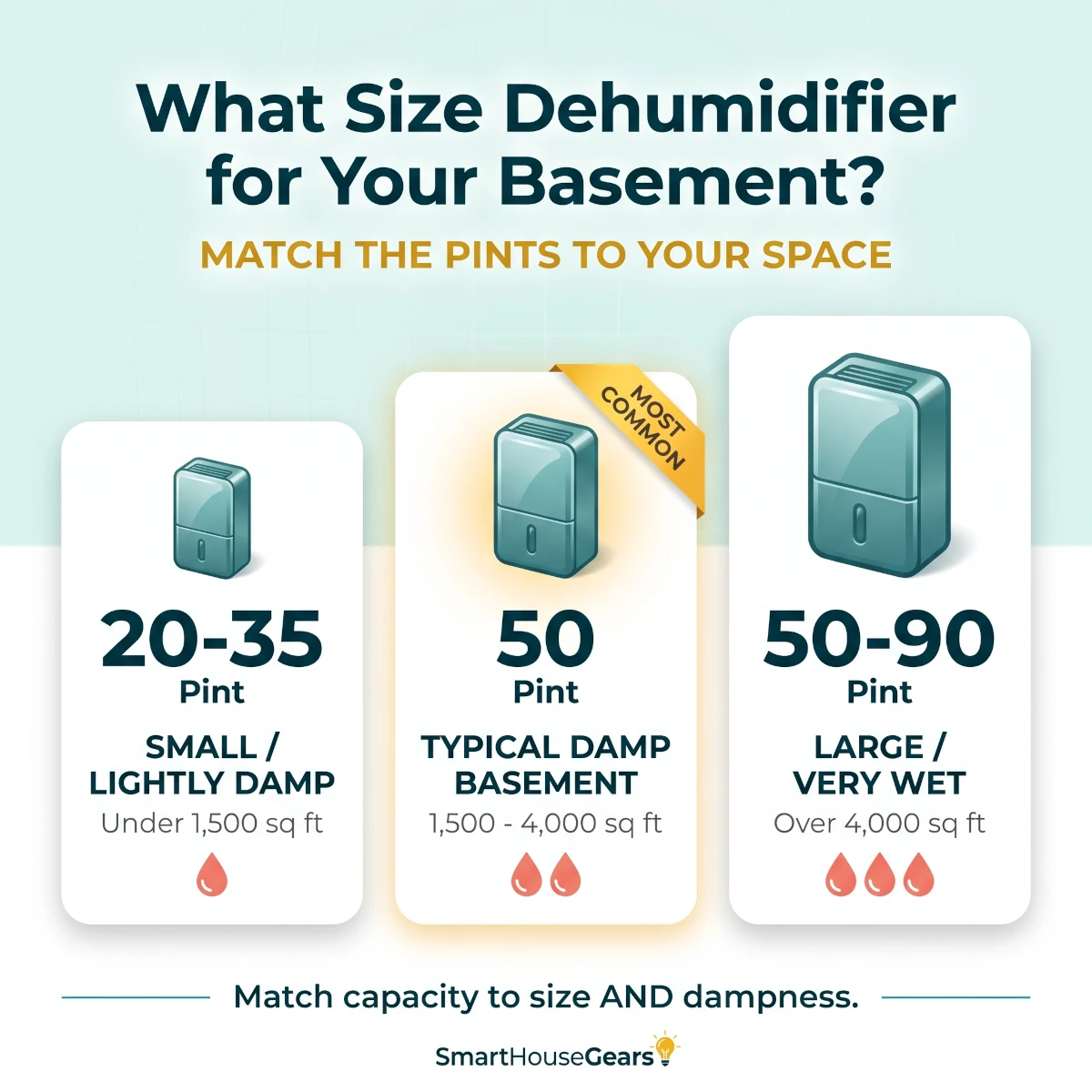
How to size a basement dehumidifier: match pint capacity to both square footage and how damp the space actually feels.
7 Best Smart Dehumidifiers for Basements in 2026
These are ranked by overall usefulness for a typical American basement, not by raw pint count alone. We care about the whole ownership experience: Amazon proof, app behavior, drainage, capacity, noise, cold-basement performance, and whether the unit is still working three years from now.
Best Overall
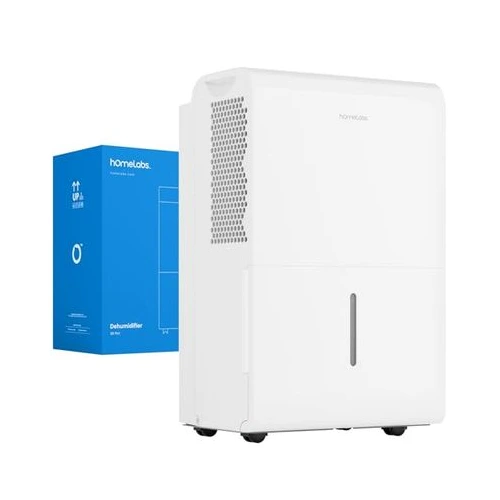
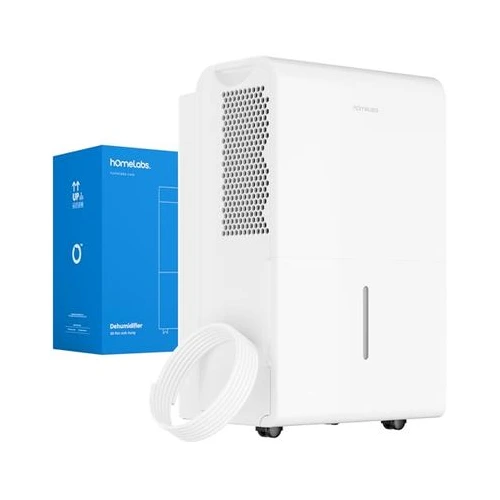
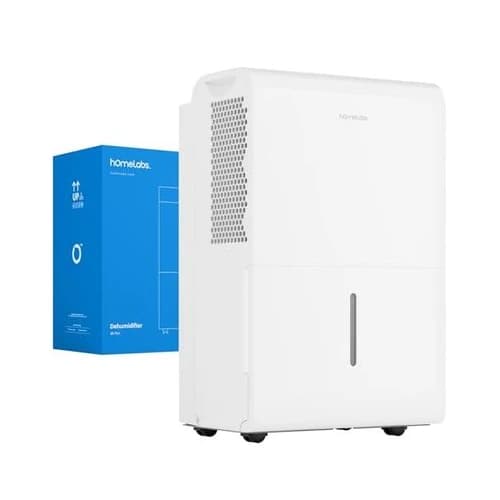
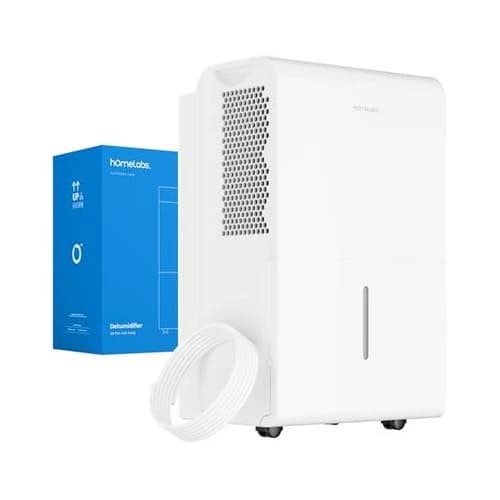
1. hOmeLabs 7,000 Sq Ft Wi-Fi Dehumidifier - Best Overall
Rated 4.5 out of 54.5· 28,655 reviews
The best smart dehumidifier for most US basements because it combines big coverage, real WiFi and voice control, and one of the largest, most proven owner bases in the category at a sensible price.
Key features
Removes up to 50 pints per day and covers basements up to 7,000 sq ft
WiFi app sets humidity targets, schedules, and modes from anywhere
Works with Alexa and Google for hands-free voice control
Turbo mode, auto shut-off, and a washable filter for low upkeep
Continuous gravity drain option so you never empty a bucket
Usually lands in the $250-$290 range depending on the deal
What we like
Huge, well-established owner base makes it a low-risk default
Genuinely useful app with remote control and humidity monitoring
Plenty of coverage for a full basement with margin to spare
Quiet enough that it does not dominate a finished basement room
Watch out for
This SKU has no built-in pump, so you need a downhill drain
Reliability reports are mixed once the unit passes the two-year mark
No Apple HomeKit or Matter support for Apple Home households
If we were buying one smart dehumidifier for a normal American basement, we would start with hOmeLabs 7,000 Sq Ft Wi-Fi. It is the pick that gives most buyers the least regret, and the Amazon proof behind it is hard to argue with.
The headline is balance. You get real WiFi and app control, Alexa and Google voice support, up to 50 pints a day of moisture removal, and coverage for a basement up to 7,000 sq ft. That is more than enough for the typical 1,000 to 2,000 sq ft basement, with room for a wet season.
The app is the part that earns the "smart" label. You can set a target humidity, switch modes, and check the unit from upstairs or from vacation. In a basement, that remote visibility is the feature you end up using most, because the basement is the room you forget.
Day to day, we would set it to hold around 45 to 50 percent relative humidity and let the humidistat cycle the compressor. That keeps the space dry, keeps energy use down, and is much easier on the machine than running it flat out on continuous mode every hour.
The one thing to plan around is drainage. This SKU drains by gravity through a hose, so it works best when you have a floor drain, a sump, or a downhill path. If your basement has no low drain, look at the pump models below instead, including the sibling hOmeLabs 7,500 Sq Ft Wi-Fi Pump from the same platform.
Owner sentiment is mostly strong, with two honest cautions. Some units quit shortly after the warranty window, and a cold basement can challenge any compressor unit. Clean the filter monthly, give it airflow, and register the warranty, and the odds stay in your favor.
Buy hOmeLabs 7,000 Sq Ft Wi-Fi if you want the safest mainstream smart dehumidifier with strong coverage and a proven track record. Skip it only if you specifically need a built-in pump or a smaller footprint, which the picks below handle better.
Best With Pump
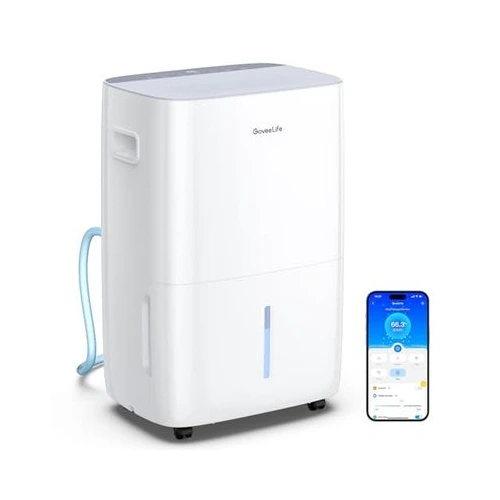
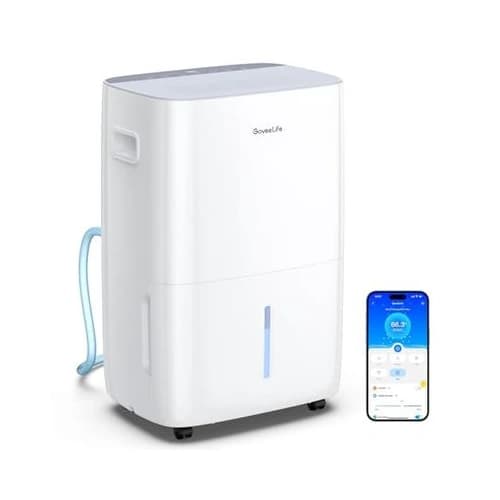
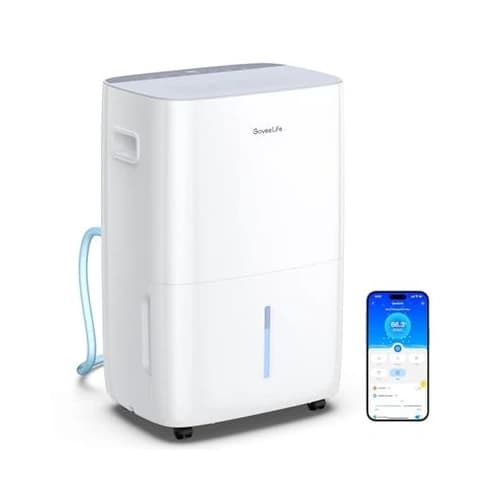
2. GoveeLife 50 to 137 Pint Pump Dehumidifier - Best With Pump
Rated 4.4 out of 54.4· 82 reviews
The smart pick for basements with no floor drain, pairing a built-in water pump with five app-driven modes, Alexa, Google, and IFTTT for the deepest automation in this guide.
Key features
Built-in water pump pushes condensate up and out a window or sink
50 pints per day with up to 137 pint extreme-condition capacity
Covers up to 4,500 sq ft for a full damp basement
Five smart modes plus app, voice, and touch control
Works with Alexa, Google, and IFTTT for custom automations
Auto shut-off and defrost with a copper-tube evaporator
Typically sells in the $230-$300 range
What we like
Built-in pump solves the number-one basement drainage problem
IFTTT support enables triggers a separate humidity sensor can fire
Strong moisture removal for the price and coverage
Pump-drain plus drying cycle helps keep the line clear
Watch out for
Noticeably louder than average on high fan speed
Smaller review base than the hOmeLabs and GoveeLife value picks
Pump and hose still need occasional cleaning to avoid clogs
GoveeLife 50 to 137 Pint Pump is the unit we would buy for the most common basement headache: no floor drain. Its built-in pump lifts water up and out, so you can drain into a utility sink or out a basement window instead of emptying a tank by hand.
That pump is the whole point. A gravity-drain unit only works if the drain sits at or below the dehumidifier. In a finished basement, a walkout, or a slab with the drain on the far wall, a pump turns an awkward install into a clean, hands-off one.
The same damp-slab problem shows up one floor over in an attached garage. There, a heat pump handles humidity and temperature together, and our best mini split heat pump for garage guide explains how to size one against insulation level.
The smart side is the deepest in this guide. On top of WiFi app and Alexa and Google control, GoveeLife adds IFTTT. That means you can trigger the dehumidifier from a separate humidity sensor, a schedule, or another smart device, instead of relying only on the built-in logic.
Capacity is generous. It is rated for 50 pints a day under standard conditions, with much higher extreme-condition numbers, and covers up to 4,500 sq ft. For a genuinely damp basement, that is the right class of machine, and the five modes let you match output to the season.
The honest tradeoff is noise. Owner feedback and hands-on reviews agree this is a strong performer that runs louder than average at full tilt. In an unfinished utility basement that is a non-issue. Under a bedroom or a finished living space, you will want to run a quieter mode or a schedule.
The review base is smaller than the category leaders because this pump variant is newer, but the rating is strong and the underlying GoveeLife platform is well known. If you want the same brand for less and you have a drain, the non-pump GoveeLife 50 to 137 Pint Wi-Fi is the value play.
Buy GoveeLife 50 to 137 Pint Pump if your basement has no good drain and you want serious automation. Skip it if noise is a deal-breaker for a finished space, where the quieter hOmeLabs platform is the safer call.
Best Name Brand
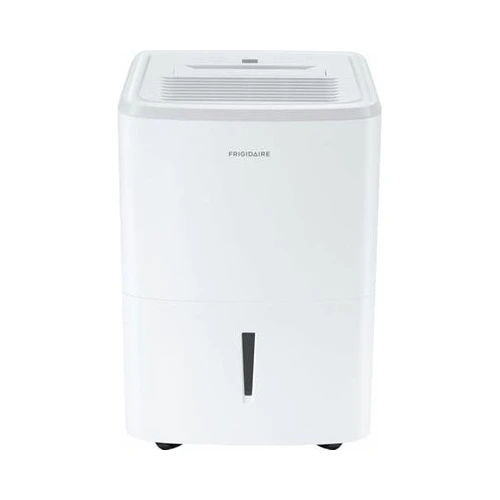
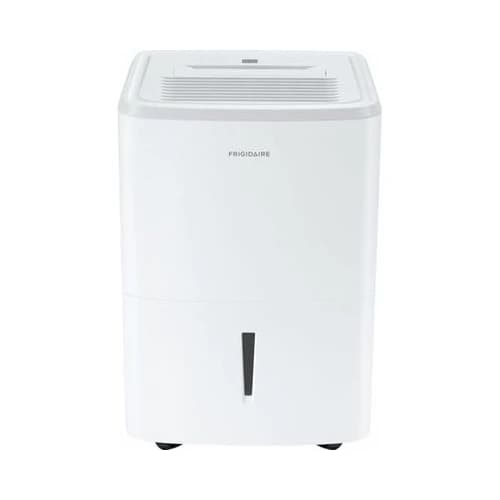
3. Frigidaire 50 Pint Wi-Fi Dehumidifier - Best Name Brand
Rated 4.2 out of 54.2· 95 reviews
The polished name-brand pick for buyers who want a clean app, strong Alexa and Google voice control, dependable auto-defrost for cold basements, and the reassurance of the Frigidaire name.
Key features
50 pints per day with custom humidity targeting in the app
WiFi control for humidity, fan speed, mode, and scheduling
Works with both Alexa and Google Home for voice commands
Auto-defrost helps it keep running in a cold basement
Easy-to-clean washable filter for low maintenance
Continuous-drain ready for hands-off operation
Generally priced in the $290-$340 range
What we like
One of the most polished apps and voice setups in this guide
Auto-defrost makes it a strong choice for cold winter basements
Trusted appliance brand with familiar parts and support
Both Alexa and Google support for mixed smart-home households
Watch out for
Higher price than the value smart picks for similar capacity
Frigidaire 50 Pint Wi-Fi is the pick for buyers who want a familiar appliance brand and a clean app experience over the lowest price. Frigidaire has been making dehumidifiers for years, and this WiFi model brings that history into a connected unit.
The app is the strength. You can set a target humidity, change fan speed and mode, and schedule the unit from your phone, then back it up with Alexa or Google voice commands like setting the basement to 45 percent. For people who want polish over fiddly menus, that matters.
Cold basements are where this one separates itself. Its auto-defrost cycle melts frost off the coils so the compressor keeps working when the basement air dips into the low 60s and below. If your basement runs cold in a Midwest or Northeast winter, that feature is not optional, it is the difference between a working unit and an iced-up brick.
Raising the basement air temperature helps too, since every dehumidifier struggles in the cold. Our roundup of the best smart space heaters for large rooms covers wall and portable models that keep a finished basement above the icing threshold.
Capacity is a sensible 50 pints a day, the sweet spot for a typical damp basement. It is not trying to be a 90 pint monster, and it does not need to be. Paired with a continuous-drain hose, it settles into a quiet, set-and-forget routine.
Damp basements are also where most water treatment equipment lives, and humidity corrodes brass fittings and brackets over time. If yours holds a filter stack, our guide to the best whole house water filters for well water covers the freeze and corrosion protection that install point needs.
The cautions are price and newness. It costs more than the value smart picks for similar capacity, and the listing is newer with a smaller review base, so there is less long-term owner proof than the hOmeLabs platform. The rating is solid, but it is a younger product.
It also has no built-in pump, so plan a downhill drain or a sump. If you need a pump and want a name brand feel, you may be happier with a pump-equipped model and a quieter location.
Buy Frigidaire 50 Pint Wi-Fi if you want a trusted brand, a refined app, and auto-defrost for a cold basement. Skip it if you want the most reviews-per-dollar, where the GoveeLife and hOmeLabs picks pull ahead.
Best Compact
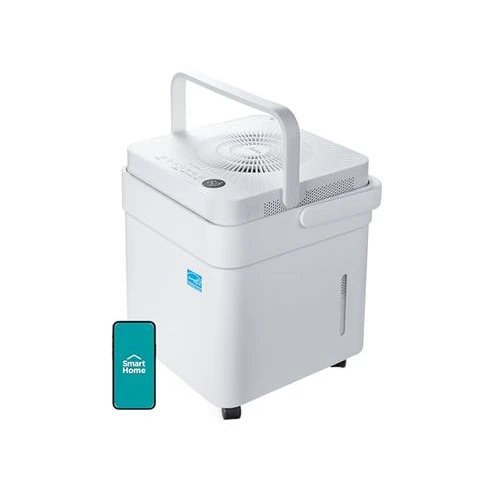
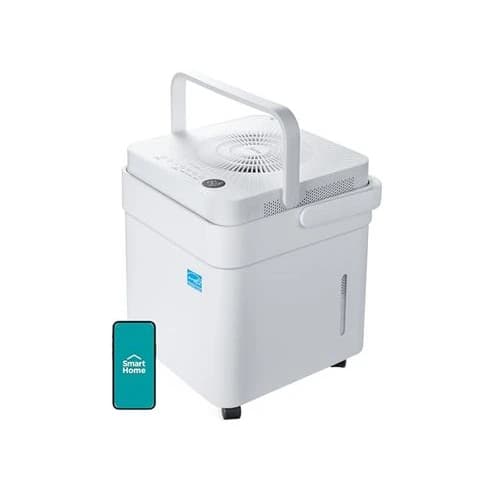
4. Midea Cube 20 Pint Smart Dehumidifier - Best Compact
Rated 4.2 out of 54.2· 2,284 reviews
The clever compact pick for smaller, finished, or moderately damp basements, using a twist-apart design to hold up to three times more water than a normal bucket in a low-profile footprint.
Key features
20 pint daily capacity rated for spaces up to 1,500 sq ft
Lift-and-twist design extends to hold about 3x more water
ENERGY STAR certified for efficient long-run operation
WiFi app with Alexa voice control through the SmartHQ app
Continuous-drain option with included drain hose
Compact, low-profile shape for tight basement corners
Commonly priced around $179-$209
What we like
Smart twist-tank design means far fewer trips to empty it
Large, established review base for a compact smart unit
ENERGY STAR efficiency keeps running costs low
Right-sized for finished rooms, crawl space edges, and small basements
Watch out for
At 20 pints, it is undersized for a large or very wet basement
Midea Cube 20 Pint is the smart pick when you do not need a 50 pint giant. For a smaller basement, a finished basement room, or a moderately damp space, it is the right size and one of the most thoughtfully designed units here.
The twist-tank trick is the reason to care. The Cube lifts and twists apart to hold roughly three times the water of a normal bucket, so it runs far longer between empties. In a basement, where every manual empty means a trip down the stairs, that design genuinely cuts the chore.
It is properly smart, too. WiFi app control and Alexa voice support let you set humidity and check status remotely, and ENERGY STAR certification keeps the running cost low when it is cycling through a humid stretch. For a compact unit, that is a strong feature set.
The right buyer matters here. At 20 pints rated for up to 1,500 sq ft, this is not the unit for a big, genuinely wet basement. It shines in finished spaces, smaller footprints, condos, and as a targeted helper near a damp wall or crawl space edge. Match it to the room and it is excellent.
For drainage, use the continuous-drain hose if you want hands-off operation, because there is no built-in pump. With the gravity hose routed to a drain, the big twist tank becomes a backup rather than a daily task.
One note for mixed smart homes: this model leans on Alexa rather than a clear Google Home path, so Google-first households should weigh that. The voice side is less of a draw than the design and efficiency.
Buy Midea Cube 20 Pint if your space is smaller or finished and you want a smart, efficient unit that rarely needs emptying. Step up to a 50 pint class model like hOmeLabs 7,000 Sq Ft Wi-Fi if the basement is large or very damp.
Best Max Capacity
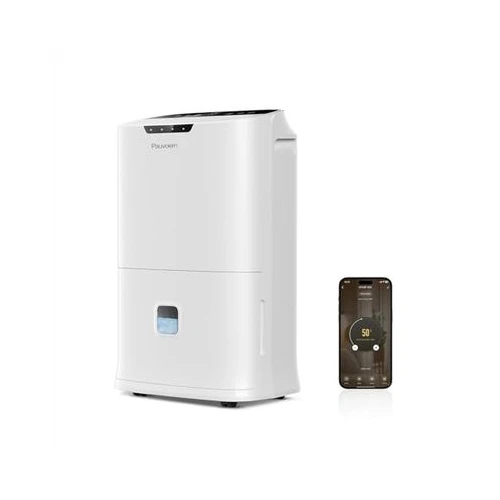
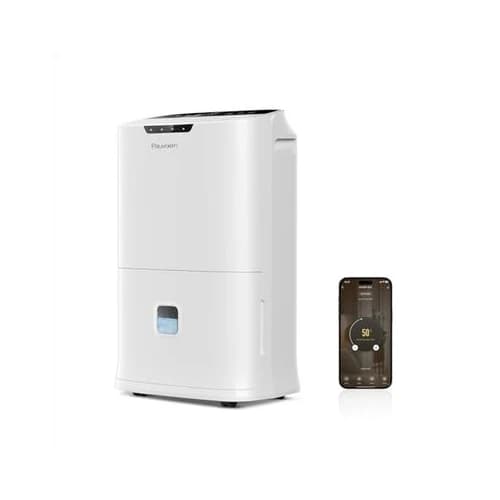
5. Pauvoern 90 Pint Smart Wi-Fi Dehumidifier - Best Max Capacity
Rated 4.1 out of 54.1· 128 reviews
The high-capacity value pick for large or very wet basements, pairing a 90 pint output rating with WiFi app control, auto-defrost, and a price well below the big-name flagships.
Key features
90 pint class output rated for spaces up to 5,500 sq ft
Smart WiFi control with Alexa and Google voice support
ENERGY STAR rated for a large-capacity unit
Auto-defrost for steady operation in cooler basements
Three modes, a 24-hour timer, and a child lock
Drain hose included for continuous gravity drainage
Often priced in the $150-$200 range
What we like
Huge moisture removal for the price in this guide
Real WiFi and voice control, not just an auto humidistat
Auto-defrost and continuous drain suit a hard-working basement
Strong value for buyers covering a large or very wet space
Watch out for
Smaller brand with a thinner long-term track record
Modest review base compared with the category leaders
Pauvoern 90 Pint Smart Wi-Fi is the pick when the basement is big, wet, or both, and you do not want to spend flagship money to cover it. Its 90 pint class output is the most aggressive moisture removal in this guide, rated for spaces up to 5,500 sq ft.
That capacity is the reason it exists. A 50 pint unit can struggle in a large, genuinely soaked basement, running constantly and still losing ground in peak humidity. A 90 pint machine has the headroom to pull a wet space back into a safe range and hold it.
It earns its spot on this list because it is actually smart. Unlike some high-capacity units that only offer an auto humidistat, this one has real WiFi app control with Alexa and Google support, so you can monitor and adjust a large basement remotely. Auto-defrost and a continuous-drain hose round out the basement-ready feature set.
Value is the clear draw. You are getting big-basement capacity at a price closer to a mid-size unit. For a homeowner staring at a large, musty basement and a tight budget, that math is attractive.
The honest caution is brand depth. Pauvoern is a smaller name without the long owner history of Frigidaire or the massive review base of hOmeLabs. The 4.1 rating is solid, but the sample is smaller, so treat it as a strong value bet rather than a proven institution.
Protect your purchase the way you would with any value pick. Use the continuous drain, keep the filter clean, register the warranty, and do not run it on max output forever when an auto humidity target will do the job with less wear.
Buy Pauvoern 90 Pint Smart Wi-Fi if you need to cover a large or very wet basement without overspending. Choose a name brand like Frigidaire 50 Pint Wi-Fi if long-term brand support matters more than raw capacity per dollar.
Best Value Smart
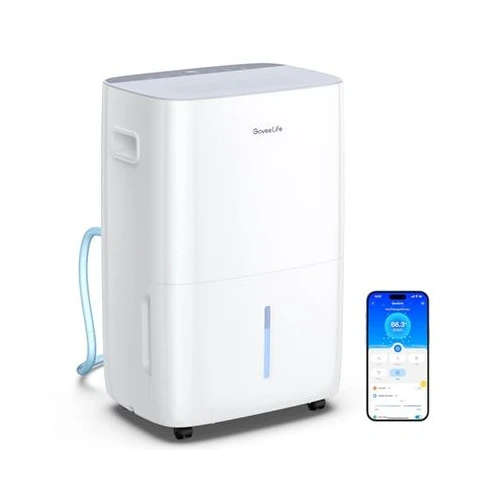
6. GoveeLife 50 to 137 Pint Wi-Fi Dehumidifier - Best Value Smart
Rated 4.1 out of 54.1· 1,508 reviews
The established value pick for buyers who want genuine smart control at the lowest connected price, covering a full damp basement with app, voice, and continuous-drain support.
Key features
50 pints per day with up to 137 pint extreme-condition capacity
Covers up to 4,500 sq ft for a full basement
WiFi app plus voice and touch control
Works with Alexa and Google Home
Auto comfort sensor targets your set humidity automatically
Continuous-drain hose and washable filter included
Usually found in the $180-$260 range
What we like
Lowest price of any genuinely smart pick in this guide
Large, established review base for real owner proof
Full 50 pint class capacity for a typical damp basement
Auto comfort mode keeps humidity steady without fuss
Watch out for
No built-in pump, unlike its pump-equipped sibling
Runs loud at high speed like the rest of the GoveeLife line
GoveeLife 50 to 137 Pint Wi-Fi is the value champion of this list. It is the same well-known GoveeLife platform as the pump model, minus the pump, which drops the price and makes it the cheapest genuinely smart dehumidifier here.
The appeal is straightforward. You get full 50 pint class capacity, coverage up to 4,500 sq ft, WiFi app control, and Alexa and Google voice support, all at a price that undercuts the name brands. For a damp basement with a working drain, that is a lot of dehumidifier for the money.
The auto comfort mode is the part most owners lean on. Set a target humidity and the built-in sensor cycles the unit to hold it, so the basement stays in a safe range without you touching anything. The app is there when you want to check in or change the plan.
It backs all of that with a large, established review base, which is exactly what you want from a value pick. A cheap unit with thousands of owner reviews is far less risky than a cheaper unit with a handful. This is the difference between a smart bet and a gamble.
The tradeoffs are the same as the rest of the GoveeLife family. It runs loud at high fan speed, so a finished basement wants a quieter mode or a schedule, and it drains by gravity, so you need a downhill path. If you have no drain, spend up for the GoveeLife 50 to 137 Pint Pump instead.
For a smart home built around keeping subscriptions and costs low, this fits the philosophy well. It is the kind of high-value, no-frills connected device we point to in our guide to building a smart home with no monthly fees.
Buy GoveeLife 50 to 137 Pint Wi-Fi if you want the most smart dehumidifier for the least money and you have a drain. Skip it only if you need a pump or the quietest possible operation under a living space.
Best Heavy-Duty Pump
7. hOmeLabs 7,500 Sq Ft Wi-Fi Dehumidifier with Pump - Best Heavy-Duty Pump
Rated 4.5 out of 54.5· 28,655 reviews
The heavy-duty pick for large basements with no floor drain, putting a built-in pump on the same proven, well-reviewed hOmeLabs WiFi platform that tops this guide.
Key features
Built-in pump drains continuously up and out a window or sink
Removes up to 50 pints per day and covers up to 7,500 sq ft
WiFi app for humidity targets, schedules, and remote control
Works with Alexa and Google for voice control
Auto shut-off and quiet operation for long runs
Large coverage for a sprawling or very damp basement
Typically priced in the $290-$340 range
What we like
Built-in pump removes the drainage problem in a no-drain basement
Same proven hOmeLabs platform and huge owner base as the top pick
Big 7,500 sq ft coverage for large basements
Quiet enough for a finished lower level
Watch out for
Costs more than the gravity-drain version for the same core unit
Pump and line need occasional cleaning to avoid clogs
Mixed long-term reliability reports past the two-year mark
hOmeLabs 7,500 Sq Ft Wi-Fi with Pump is the unit we would buy for a large basement with a drainage problem. It takes the same proven platform as our hOmeLabs 7,000 Sq Ft Wi-Fi top pick and adds a built-in pump plus a touch more coverage.
The pump is the reason to step up. In a big basement with no floor drain, gravity is not your friend. The integrated pump lifts condensate up and out, so you can run a line into a utility sink or out a basement window and never think about a tank again.
Everything you like about the standard model carries over. You get WiFi app control, Alexa and Google voice support, auto shut-off, quiet operation, and the same massive, well-reviewed owner base that makes the platform a low-risk choice.
Coverage is even larger here at up to 7,500 sq ft, which suits a sprawling, finished, or unusually wet basement. For most homes that is more than you need, but headroom is never a problem when a space gets soaked during a humid week.
The honest tradeoffs are price and maintenance. You pay more for the pump version of the same core machine, and a pump adds one more part to keep clean. Flush the line occasionally so mineral buildup does not clog it, especially in hard-water regions.
Long-term reliability mirrors the standard model. Most owners are happy, but a minority see the unit weaken after a couple of years of hard basement duty. Filter cleaning, airflow, and an auto humidity target instead of constant max output all help it last.
Buy hOmeLabs 7,500 Sq Ft Wi-Fi with Pump if you have a large, no-drain basement and want the proven hOmeLabs platform with a pump built in. Save money with the standard hOmeLabs 7,000 Sq Ft Wi-Fi if your basement already has a good downhill drain.
Buying Guide: How to Choose a Smart Dehumidifier for a Basement
A smart dehumidifier is easy to oversimplify. The box shows a dry basement, the listing says smart, and the number on the front looks big. None of that tells you whether the unit fits your space, drains in your basement, survives your winter, or actually connects to your WiFi.
This is the section we would read before adding anything to the cart.
Size It Right: Pint Capacity vs Basement Square Footage
Start with two numbers, not one: how big the basement is and how damp it feels. Square footage sets the floor, and dampness pushes you up a tier.
A small or lightly damp basement under 1,500 sq ft is well served by a 20 to 35 pint unit like the Midea Cube 20 Pint. A typical damp basement does best with a 50 pint class machine. A large or very wet basement, or anything over 4,000 sq ft, wants 50 pints of continuous capacity or a 90 pint class unit like the Pauvoern 90 Pint Smart Wi-Fi.
Pint ratings can be confusing because the testing standard changed in recent years. The same physical machine can be labeled differently depending on the test conditions used. Focus on the listed coverage area and the daily pint number together, rather than one in isolation.
When in doubt, size up. A slightly larger unit running on an auto humidity target uses less energy and lasts longer than a too-small unit running flat out and still losing the battle in August.
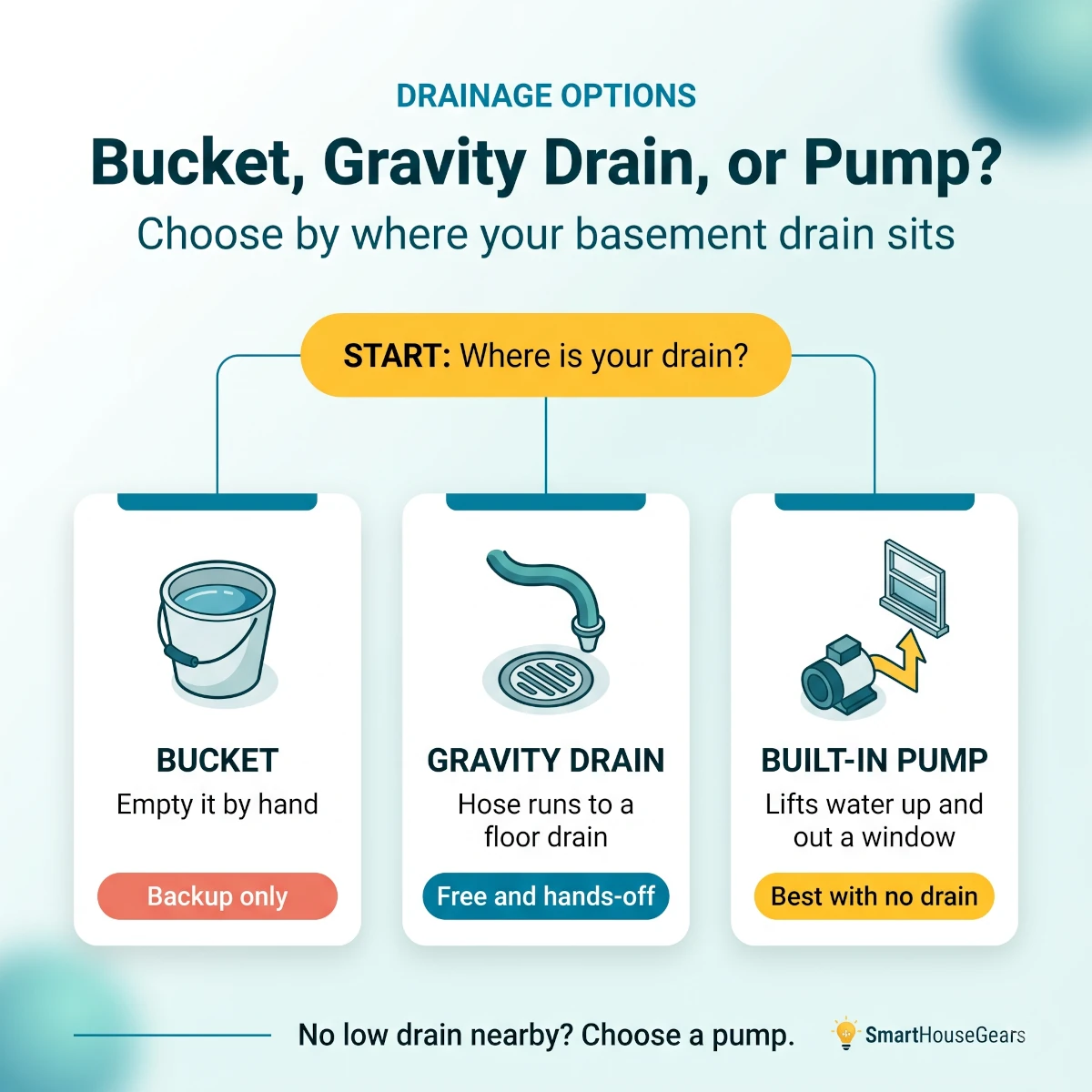
Drainage: Bucket, Gravity Drain, or Built-in Pump
Drainage is the most basement-specific decision, and the one buyers most often get wrong. You have three options, and the right one depends entirely on your floor.
Bucket drainage means emptying a tank by hand. In a basement that runs the unit hard, that is a daily or twice-daily chore, so treat the bucket as a backup, not a plan.
Gravity drainage runs a hose to a floor drain, sump, or downhill path. It is hands-off and free, but only works if the drain sits at or below the dehumidifier. This is the right setup for most basements with a floor drain, and it is why the hOmeLabs 7,000 Sq Ft Wi-Fi is the default pick.
A built-in pump is the answer when the drain is higher than the unit or across the room. The pump lifts water up and out, so you can drain into a sink or out a window. If your basement has no low drain, prioritize a pump model like the GoveeLife 50 to 137 Pint Pump or the hOmeLabs 7,500 Sq Ft Wi-Fi Pump.
Bucket, gravity drain, or pump? The right basement drainage choice comes down to where your drain sits relative to the unit.
Smart Control: WiFi, the App, Alexa, Google, and Matter
The smart part is what separates these from a basic dehumidifier, and it matters most in a room you rarely visit. The core feature is WiFi with a real app, so you can set a humidity target, get a full-tank or offline alert, and confirm the unit is running while you are away.
Voice control is the next layer. The GoveeLife, Frigidaire, and Pauvoern picks here work with Alexa and Google Home, so you can set a humidity level or shut the unit off by voice. The Midea Cube leans on Alexa. That covers the two ecosystems most US homes use.
Apple Home buyers should set expectations. Almost no basement dehumidifiers support HomeKit, and Matter support in this category is still rare in 2026. If you are building a Matter-first home, manage the dehumidifier through its brand app rather than expecting it to land in Apple Home.
If your wider smart home is still coming together, get the hub and network side right first. Our guide to the best Matter smart home hubs is the better place to plan how all your devices talk to each other.
WiFi That Actually Reaches the Basement
This is the step buyers skip, and then they blame the dehumidifier. A smart unit is only smart if it stays on your network, and basements are hostile to WiFi.
Most smart dehumidifiers use 2.4GHz WiFi, which travels farther and penetrates walls better than 5GHz. That is good news for a basement, but thick concrete, distance from the router, and a finished ceiling can still kill the signal.
Before you buy, stand where the unit will sit and check your phone's WiFi strength. If it is weak or drops, fix the network first. A mesh node near the basement stairs or a WiFi extender usually solves it.
A dehumidifier that constantly falls off the network turns alerts and remote control into a source of frustration. Spend the 30 minutes to confirm coverage, and the smart features become reliable instead of flaky.
Cold Basements, Icing, and Auto-Defrost
Basements run cold, and cold air is where compressor dehumidifiers struggle. When the air drops below roughly 60 to 65 degrees Fahrenheit, or when you set the humidity target very low, the coils can frost over and the unit stops pulling moisture.
The fix is auto-defrost. A good smart dehumidifier senses the frost, pauses, melts it, and resumes, protecting the compressor and keeping it working through a cold snap. If your basement gets genuinely cold in winter, this is a must-have feature, not a nice-to-have.
The Frigidaire 50 Pint Wi-Fi calls out its auto-defrost cycle directly, and the GoveeLife and Pauvoern picks include defrost as well. Avoid setting the humidity target lower than you actually need, since that invites icing for no real benefit.
For very cold spaces below about 40 degrees, like an unheated crawl space in a Northern winter, a standard compressor unit may not be the right tool at all. Those edge cases sometimes call for a specialty desiccant unit instead.
Energy Use, ENERGY STAR, and Running Costs
A basement dehumidifier is one of the longer-running appliances in the house during humid months, so efficiency adds up. ENERGY STAR certified models are about 20 percent more efficient than non-certified units, and ENERGY STAR Most Efficient models stretch that further.
Over a humid summer, where the unit can run hundreds of hours, the difference between an efficient and an inefficient model can be 40 to 60 dollars in electricity. That is not the whole reason to choose a unit, but across a few seasons it offsets a real chunk of the purchase price.
Smart control helps here in a way that is easy to miss. Running an auto humidity target instead of continuous max output means the compressor only works when it needs to. The Midea Cube 20 Pint and other ENERGY STAR picks lean into that efficiency.
Some utilities also offer rebates on ENERGY STAR appliances. It is worth a two-minute check on your provider's site before you buy, since a rebate can change which model is the better deal.
Noise, Placement, and Finished Basements
Noise only matters if you can hear it. In an unfinished utility basement, a louder unit like the GoveeLife line is a non-issue. Under a bedroom or in a finished living space, it becomes the thing you notice every evening.
If the dehumidifier sits below or inside a living space, prioritize quieter operation, use a lower fan speed, or run a schedule that avoids quiet hours. The smart app makes that easy with timers and modes.
Placement affects both performance and noise. Put the unit near the dampest area or the center of the basement, a few inches from walls and furniture so air can move through the intake and exhaust. Crowding it into a corner starves the airflow and makes it work harder.
On a very cold concrete floor, a small stand can help, and routing the drain hose with a steady downhill slope prevents backups. Good airflow and clean drainage do more for results than hiding the unit out of sight.
Power, GFCI, and Electrical Safety
A dehumidifier in a damp basement is exactly the kind of appliance that needs GFCI protection. A GFCI outlet cuts power fast if it senses a fault, which is the right safety layer for a high-moisture environment.
Plug the unit directly into a properly rated outlet rather than a thin extension cord. Dehumidifiers draw real current, and a cheap cord is a fire and reliability risk over a long season of constant running.
If your basement only has older, non-GFCI outlets near the dampest spots, fix that before relying on a permanent dehumidifier install. It is a small electrical job that pays off in safety and peace of mind.
Keep the power connection accessible. If a storm trips the outlet or the unit needs a reset, you do not want to move furniture or crawl behind shelving to reach the plug.
Reliability, Maintenance, and Warranty
Basement dehumidifiers live a hard life. They run nearly nonstop in a wet, sometimes cold environment, and across nearly every brand the most common complaint is the same: the unit quits a little after the warranty ends. Plan for that reality.
Maintenance buys you years. Clean the washable filter monthly, keep the coils clear, make sure the drain line stays clear, and run an auto humidity target instead of constant max output. Those habits are the difference between a three-year unit and a five-year unit.
Register the warranty the day it arrives, and keep the box and receipt for a few weeks until you confirm it works in your space. If a unit is going to fail early, you want that to be the manufacturer's problem.
Hard-water regions should pay extra attention to pump models. Mineral buildup is the usual cause of pump and drain clogs, so an occasional flush of the line keeps the GoveeLife 50 to 137 Pint Pump and similar units draining cleanly.
Head-to-Head: Which Smart Basement Dehumidifier Wins?
Specs make every unit look similar. The real differences come down to drainage, capacity, and how much owner proof sits behind the rating. Here is how the closest matchups shake out.
hOmeLabs 7,000 Wi-Fi vs hOmeLabs 7,500 Wi-Fi with Pump
Side by sidehOmeLabs 7,000 Wi-Fi vs hOmeLabs 7,500 Wi-Fi with Pump
Best Overall
hOmeLabs 7,000 Sq Ft Wi-Fi
$250-$290
Drainage
Gravity drain, needs a downhill path
Coverage
Up to 7,000 sq ft
Smart Control
WiFi, Alexa, Google
Value
Cheaper for the same core unit(wins this comparison)
Best Heavy-Duty Pump
hOmeLabs 7,500 Sq Ft Wi-Fi Pump
$290-$340
Drainage
Built-in pump lifts water up and out(wins this comparison)
Coverage
Up to 7,500 sq ft(wins this comparison)
Smart Control
WiFi, Alexa, Google
Value
Premium for the pump
Specification
Best OverallhOmeLabs 7,000 Sq Ft Wi-Fi$250-$290
Best Heavy-Duty PumphOmeLabs 7,500 Sq Ft Wi-Fi Pump$290-$340
Drainage
Gravity drain, needs a downhill path
Built-in pump lifts water up and out(wins this comparison)
Coverage
Up to 7,000 sq ft
Up to 7,500 sq ft(wins this comparison)
Smart Control
WiFi, Alexa, Google
WiFi, Alexa, Google
Value
Cheaper for the same core unit(wins this comparison)
Premium for the pump
This one is decided entirely by your drain. If your basement has a floor drain or a downhill path, the hOmeLabs 7,000 Sq Ft Wi-Fi is the smarter buy, since you get the same proven platform for less.
If your basement has no low drain, the hOmeLabs 7,500 Sq Ft Wi-Fi Pump earns its premium. The pump turns an awkward, bucket-bound install into a hands-off one, which is exactly the problem most no-drain basements face.
GoveeLife Pump vs GoveeLife Wi-Fi
Side by sideGoveeLife Pump vs GoveeLife Wi-Fi
Best With Pump
GoveeLife 50-137 Pint Pump
$230-$300
Drainage
Built-in pump for no-drain basements(wins this comparison)
Automation
Alexa, Google, IFTTT(wins this comparison)
Review Base
Smaller, newer listing
Price
Higher for the pump
Best Value Smart
GoveeLife 50-137 Pint Wi-Fi
$180-$260
Drainage
Gravity drain only
Automation
Alexa, Google
Review Base
Large and established(wins this comparison)
Price
Lowest smart price here(wins this comparison)
Specification
Best With PumpGoveeLife 50-137 Pint Pump$230-$300
Best Value SmartGoveeLife 50-137 Pint Wi-Fi$180-$260
Drainage
Built-in pump for no-drain basements(wins this comparison)
Gravity drain only
Automation
Alexa, Google, IFTTT(wins this comparison)
Alexa, Google
Review Base
Smaller, newer listing
Large and established(wins this comparison)
Price
Higher for the pump
Lowest smart price here(wins this comparison)
Same family, two different buyers. Choose the GoveeLife 50 to 137 Pint Pump if you have no drain and want the deepest automation, including IFTTT.
Choose the GoveeLife 50 to 137 Pint Wi-Fi if you have a drain and want the lowest connected price with a larger, more proven review base. Both run loud at high speed, so neither is the pick for a quiet finished room.
Frigidaire 50 Pint vs Pauvoern 90 Pint
This is name-brand polish against raw capacity. The Frigidaire 50 Pint Wi-Fi wins on app refinement, auto-defrost for cold basements, and brand support, at a higher price.
The Pauvoern 90 Pint Smart Wi-Fi wins on sheer moisture removal for the money, covering a much larger or wetter basement at a lower cost. Pick Frigidaire for a cold, mid-size basement where reliability matters most, and Pauvoern for a large, very damp space where capacity is the priority.
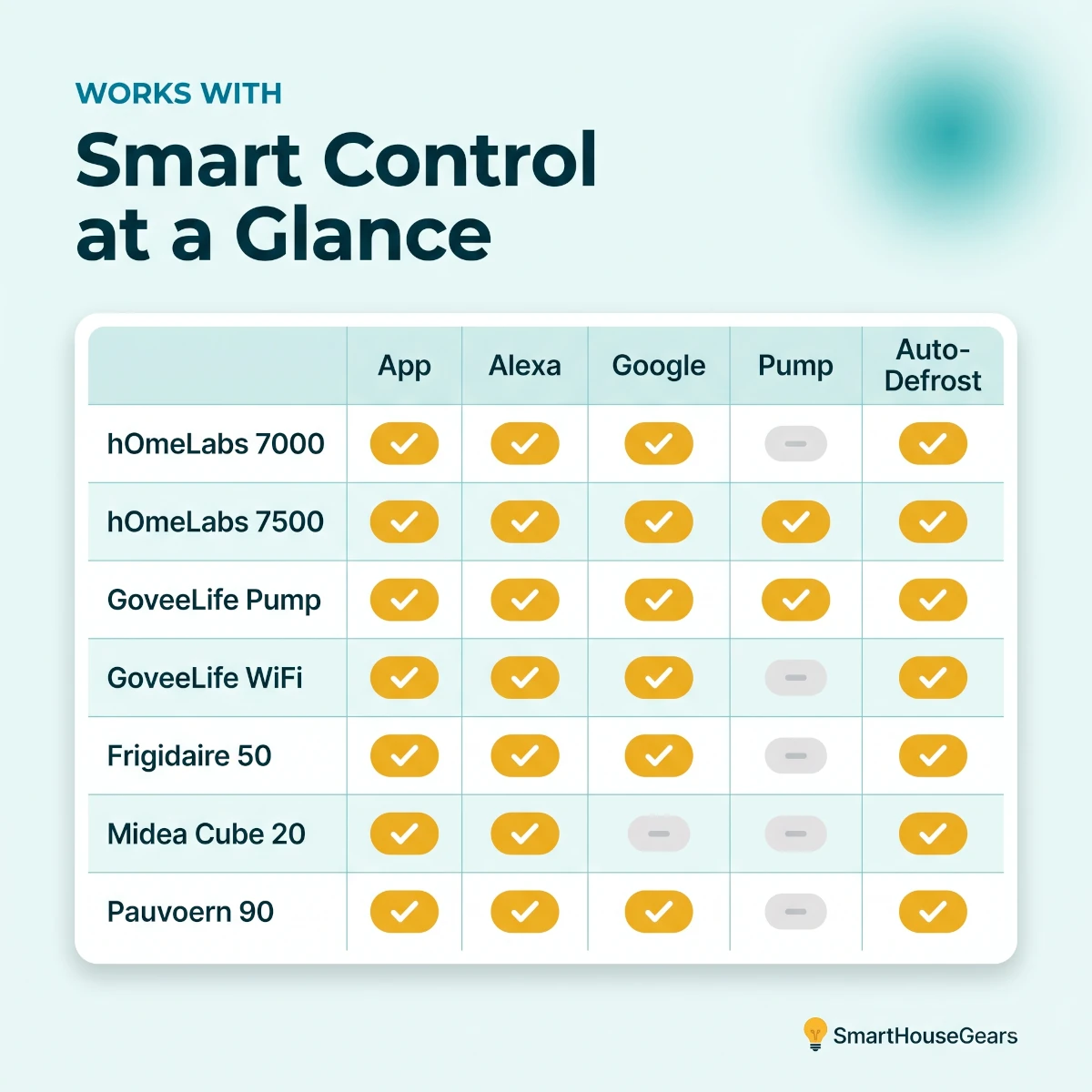
Smart compatibility at a glance: how the seven WiFi basement dehumidifiers compare across app, voice, pump, and auto-defrost features.
Detailed Specification Table for US Basements
TableSmart Basement Dehumidifier Specs for USA Homes
Product
Capacity
Coverage
Built-in Pump
Smart Control
Auto-Defrost
Best Fit
hOmeLabs 7,000 Sq Ft Wi-Fi
50 pint
Up to 7,000 sq ft
No
App, Alexa, Google
Yes
Most basements
GoveeLife 50-137 Pint Pump
50 pint
Up to 4,500 sq ft
Yes
App, Alexa, Google, IFTTT
Yes
No-drain basements
Frigidaire 50 Pint Wi-Fi
50 pint
Mid-size basements
No
App, Alexa, Google
Yes
Cold basements
Midea Cube 20 Pint
20 pint
Up to 1,500 sq ft
No
App, Alexa
Yes
Small or finished spaces
Pauvoern 90 Pint Smart Wi-Fi
90 pint
Up to 5,500 sq ft
No
App, Alexa, Google
Yes
Large, very wet basements
GoveeLife 50-137 Pint Wi-Fi
50 pint
Up to 4,500 sq ft
No
App, Alexa, Google
Yes
Best value with a drain
hOmeLabs 7,500 Sq Ft Wi-Fi Pump
50 pint
Up to 7,500 sq ft
Yes
App, Alexa, Google
Yes
Large no-drain basements
hOmeLabs 7,000 Sq Ft Wi-Fi
Capacity
50 pint
Coverage
Up to 7,000 sq ft
Built-in Pump
No
Smart Control
App, Alexa, Google
Auto-Defrost
Yes
Best Fit
Most basements
GoveeLife 50-137 Pint Pump
Capacity
50 pint
Coverage
Up to 4,500 sq ft
Built-in Pump
Yes
Smart Control
App, Alexa, Google, IFTTT
Auto-Defrost
Yes
Best Fit
No-drain basements
Frigidaire 50 Pint Wi-Fi
Capacity
50 pint
Coverage
Mid-size basements
Built-in Pump
No
Smart Control
App, Alexa, Google
Auto-Defrost
Yes
Best Fit
Cold basements
Midea Cube 20 Pint
Capacity
20 pint
Coverage
Up to 1,500 sq ft
Built-in Pump
No
Smart Control
App, Alexa
Auto-Defrost
Yes
Best Fit
Small or finished spaces
Pauvoern 90 Pint Smart Wi-Fi
Capacity
90 pint
Coverage
Up to 5,500 sq ft
Built-in Pump
No
Smart Control
App, Alexa, Google
Auto-Defrost
Yes
Best Fit
Large, very wet basements
GoveeLife 50-137 Pint Wi-Fi
Capacity
50 pint
Coverage
Up to 4,500 sq ft
Built-in Pump
No
Smart Control
App, Alexa, Google
Auto-Defrost
Yes
Best Fit
Best value with a drain
hOmeLabs 7,500 Sq Ft Wi-Fi Pump
Capacity
50 pint
Coverage
Up to 7,500 sq ft
Built-in Pump
Yes
Smart Control
App, Alexa, Google
Auto-Defrost
Yes
Best Fit
Large no-drain basements
Spec sheets make every unit look close. The real story is simpler: hOmeLabs is the proven default, GoveeLife is the value and automation specialist, Frigidaire is the polished cold-basement pick, Midea is the compact one, and Pauvoern is the capacity bargain.
Common Mistakes That Ruin a Basement Dehumidifier Setup
The first mistake is buying too small. A 20 pint unit in a large, wet basement runs nonstop and still loses. Size to the space and the dampness, and lean larger when unsure.
The second mistake is ignoring drainage. People buy a unit, then discover the only drain is across the room and uphill. Decide on bucket, gravity, or pump before you buy, not after.
The third mistake is skipping the WiFi check. A smart dehumidifier behind thick concrete may never hold a stable connection. Confirm 2.4GHz coverage where the unit will sit, and add a mesh node if it is weak.
The fourth mistake is setting the humidity too low. A 35 percent target does not make the basement healthier than 45 percent, it just runs the compressor harder, ices the coils faster, and shortens the unit's life.
The fifth mistake is neglecting the filter and drain line. A clogged filter or a blocked hose quietly cuts performance and stresses the machine. A monthly clean is the cheapest reliability upgrade there is.
The sixth mistake is chasing the cheapest no-name listing. Some show attractive numbers and thin reviews. For a unit that runs constantly, a real brand and a real owner base are worth the extra money.
Final Verdict: Which Smart Basement Dehumidifier Should You Buy?
The best smart dehumidifier for a basement is the one that fits your space, drains in your house, survives your winter, and stays on your WiFi. Get those four things right and the rest is preference.
For most homes, buy the hOmeLabs 7,000 Sq Ft Wi-Fi. It is the best balance of capacity, app and voice control, and a huge proven owner base, and it covers a normal damp basement with room to spare.
Our final stance is simple. Start with the hOmeLabs 7,000 Sq Ft Wi-Fi, add a pump only if your drain situation demands it, and size up before you size down in a genuinely wet basement.
If this is part of a bigger smart-home plan, get the network and hub side right first with our Matter smart home hubs guide, and use the related reads above to plan air quality and storm-season backup once the basement is dry.
One last warning for finished basements. Every appliance that heats water adds humidity down there, so size the dehumidifier for the load before you add one of the countertop dishwashers we recommend for apartments to a basement kitchenette.
Quick answers
Smart Basement Dehumidifier FAQ for US Homes
What is the best smart dehumidifier for a basement right now?
For most American basements, the hOmeLabs 7,000 Sq Ft Wi-Fi dehumidifier is the best smart pick. It pairs a huge owner base, app and voice control, and enough capacity for a full basement, all without paying flagship money. If your basement has no nearby floor drain, step up to the hOmeLabs 7,500 Sq Ft Wi-Fi model with a built-in pump so the water can drain up and out a window instead of into a bucket you have to empty.
Do I need a dehumidifier with a built-in pump for my basement?
You need a pump if your drain is higher than the dehumidifier or far away, which is common in basements with no floor drain. A built-in pump lifts condensate up to around 15 feet so you can push it into a utility sink or out a window. If you have a floor drain at or below the unit, a normal gravity drain hose works fine and saves money, so a non-pump model like the GoveeLife 50 to 137 Pint Wi-Fi is enough.
Will a smart dehumidifier work over WiFi in a concrete basement?
Most smart dehumidifiers use 2.4GHz WiFi, which travels through basement walls better than 5GHz, but thick concrete and distance still hurt the signal. Before you buy, check your phone's WiFi strength where the unit will sit. If the signal is weak, add a mesh node or WiFi extender near the basement stairs first. A dehumidifier that keeps dropping off the network turns app alerts and remote control into a frustration instead of a feature.
Can a smart dehumidifier prevent mold and musty basement smells?
Yes, holding relative humidity between 40 and 50 percent makes it very hard for mold and mildew to grow, and that is exactly what a smart dehumidifier with an accurate humidistat does. App control helps because you can set a target, get a full-tank alert, and confirm it is running while you are away. It does not fix an active water leak, a cracked foundation, or a flooding problem, so solve standing-water issues first.
How many pints does a basement dehumidifier need?
Match the pint rating to both the size and the dampness of the basement. A small or lightly damp basement under 1,500 sq ft is fine with a 20 to 35 pint unit, a typical damp basement does best with a 50 pint model, and a large or very wet basement over 4,000 sq ft wants 50 pints of continuous capacity or a 90 pint class machine. Buying slightly bigger than you think is usually smarter than buying too small in a wet space.
Do smart dehumidifiers work with Alexa and Google Home?
Many do. The GoveeLife, Frigidaire, and Midea Cube picks here work with Alexa, and GoveeLife and Frigidaire also support Google Home, so you can say things like set the basement to 45 percent or turn off the dehumidifier. Almost none support Apple HomeKit, and Matter dehumidifier support is still rare in 2026, so Apple Home households should manage these through the brand app and a 2.4GHz network instead.
Why do basement dehumidifiers freeze up or ice over?
Coils ice over when the basement air is too cold for the compressor cycle, usually below about 60 to 65 degrees Fahrenheit, or when the target humidity is set very low. A good smart dehumidifier uses an auto-defrost cycle to melt that frost and protect the compressor. If your basement runs cold in winter, prioritize a model with auto-defrost like the Frigidaire 50 Pint Wi-Fi, and avoid setting the humidity target lower than you actually need.
Is it cheaper to run an ENERGY STAR smart dehumidifier?
Yes. ENERGY STAR certified dehumidifiers are about 20 percent more efficient than non-certified units, and ENERGY STAR Most Efficient models go further. Over a humid summer, where a basement dehumidifier can run hundreds of hours, that efficiency gap can mean 40 to 60 dollars in electricity. Smart models add value here because the app and humidistat keep the unit from running longer than it needs to, instead of grinding away at a fixed setting.
Where should I place a dehumidifier in a basement?
Put it near the dampest area or the center of the basement, a few inches away from walls and furniture so air can move freely through the intake and exhaust. Keep it off bare concrete on a small stand if the floor is very cold, route the drain hose to a downhill drain, and protect the power cord with a GFCI-protected outlet. Good airflow matters more than hiding the unit in a corner where stale, damp air collects.
How long do smart dehumidifiers last in a basement?
Most basement dehumidifiers last roughly three to five years, with the compressor and pump being the usual failure points. Running 24/7 in a wet basement is hard duty, and many owner complaints across brands describe units that quit shortly after the warranty ends. Clean the filter monthly, keep the coils clear, use auto modes instead of constant max output, and register the warranty so a mid-life failure is the manufacturer's problem and not yours.
Can I leave a basement dehumidifier running all the time?
Yes, and most people should, but use a humidity target instead of continuous mode unless the basement is extremely wet. Set the smart dehumidifier to hold 45 to 50 percent relative humidity and let the humidistat cycle the compressor on and off. That keeps the basement dry, reduces energy use, and extends the life of the machine compared with running it flat out every hour of the day.
What is the difference between a 50 pint and a 20 pint smart dehumidifier?
Pint rating is how much water the unit can pull from the air per day under test conditions, so a 50 pint model removes more moisture and covers a larger, wetter space than a 20 pint model. A 20 pint smart unit like the Midea Cube is ideal for smaller or moderately damp basements, finished basement rooms, and crawl space edges. A 50 pint class unit is the safer default for a full, genuinely damp basement.
Are budget smart dehumidifiers worth it for a basement?
A budget smart dehumidifier is worth it if it comes from a brand with a real owner base and a continuous-drain option, like the GoveeLife 50 to 137 Pint Wi-Fi. The risk with the cheapest listings is thin reviews, weak support, and short lifespans. For a basement that runs the unit constantly, spend a little more on capacity, a continuous drain, and a brand you can actually get parts and service from.
Discussion
Be the first to comment
Have a question or experience to share? Scroll down to leave a comment.

Discussion
Be the first to comment