The best AR glasses for movies and gaming should feel like a private monitor you can put in a jacket pocket, not a developer kit that asks you to forgive obvious flaws. In 2026, the good models finally deliver bright OLED screens, 120Hz gaming, readable subtitles, and direct USB-C connections without strapping a full headset to your face.
We compared current Amazon.com listings, official specifications, professional reviews, owner feedback, device-support pages, and recurring complaints from gaming and smart-glasses communities. We prioritized strong owner ratings, keeping most picks at 4.0 stars or higher and applying a 3.8-star floor for the few that sit just below it, which had to earn their place through verified specifications and independent expert coverage. We still set aside weaker products, including a well-known gaming model that had slipped to 3.6 stars at verification time.
Our top pick is XREAL One Pro because its built-in spatial processing solves the category's most annoying weakness: a screen that follows every tiny head movement. The image can stay anchored without adding a separate computing puck, and the 57-degree field of view makes movies and handheld games feel meaningfully larger.
Editor's choice
XREAL One Pro
Rated 4 out of 54.0
The strongest balance of stable 3DoF viewing, wide field of view, 120Hz gaming, good audio, and one-cable portability.
This category still demands realistic expectations. These products do not project holograms around your living room, and most do not run apps by themselves. Think of them as premium wearable displays that mirror a phone, laptop, console adapter, or handheld gaming PC.
Quick Comparison of the Best AR Glasses for Movies and Gaming
At a glance
Best Portable Display Glasses for US Buyers
Amazon ratings and review counts were verified on June 15, 2026. Counts can move as Amazon combines colors and product variants.
The category changed quickly through 2025 and early 2026. Older display glasses mostly offered a fixed 1080p screen that moved with your head. New flagships add onboard spatial chips, 1200p panels, wider fields of view, HDR processing, and screen anchoring without making you carry a bulky headset.
That shift matters for US buyers because portable gaming has also grown. A Steam Deck, ROG Ally, Legion Go, or gaming laptop can now feed a 120Hz wearable screen through one USB-C cable. On a flight, in a dorm, or in a home where the main TV is already occupied, that solves a real problem.
Movies are the other half of the demand. A bright virtual screen works in a cramped coach seat without forcing you to hold a tablet at chest height. Electrochromic dimming on several models also darkens the lenses electronically, so the picture remains visible without carrying a separate blackout cover.
The best buying windows tend to cluster around summer travel sales, Prime Day, back-to-school shopping, Black Friday, and the December travel season. New models launch often, but deep discounts on a mature product can be smarter than paying full price for a first-generation spatial feature.
How We Chose These Premium AR Glasses
We started with products sold on Amazon.com and verified the live listing, model identity, star rating, review volume, affiliate link, and US availability on June 15, 2026. Products with weak owner ratings were set aside even when the brand had strong recognition. Most picks hold 4.0 stars or higher, and the few that sit just below that line had to clear a 3.8-star floor backed by verified specifications and independent expert coverage to keep their place.
We then cross-checked display claims and compatibility against manufacturer material and current professional coverage. Amazon ratings are useful owner signals, but they do not explain whether a phone supports video output or whether a console needs a powered adapter.
What Every Pick Had to Prove
A live Amazon.com listing with a strong owner ratingMost picks hold 4.0 stars or higher; a few sit just above a 3.8-star floor, or carry fewer than 200 reviews, only when independent coverage and official specifications backed the selection.
A premium display built for movies or gamingCamera-only AI glasses and notification glasses were excluded.
At least 1080p-class clarity and a high-refresh modeEvery selected model supports 120Hz or faster output for compatible devices.
A realistic US connection pathDirect USB-C DisplayPort input or a clearly available HDMI, iPhone, or console adapter was required.
A clear reason to buyEach product wins a distinct use case instead of filling the list with near-duplicates.
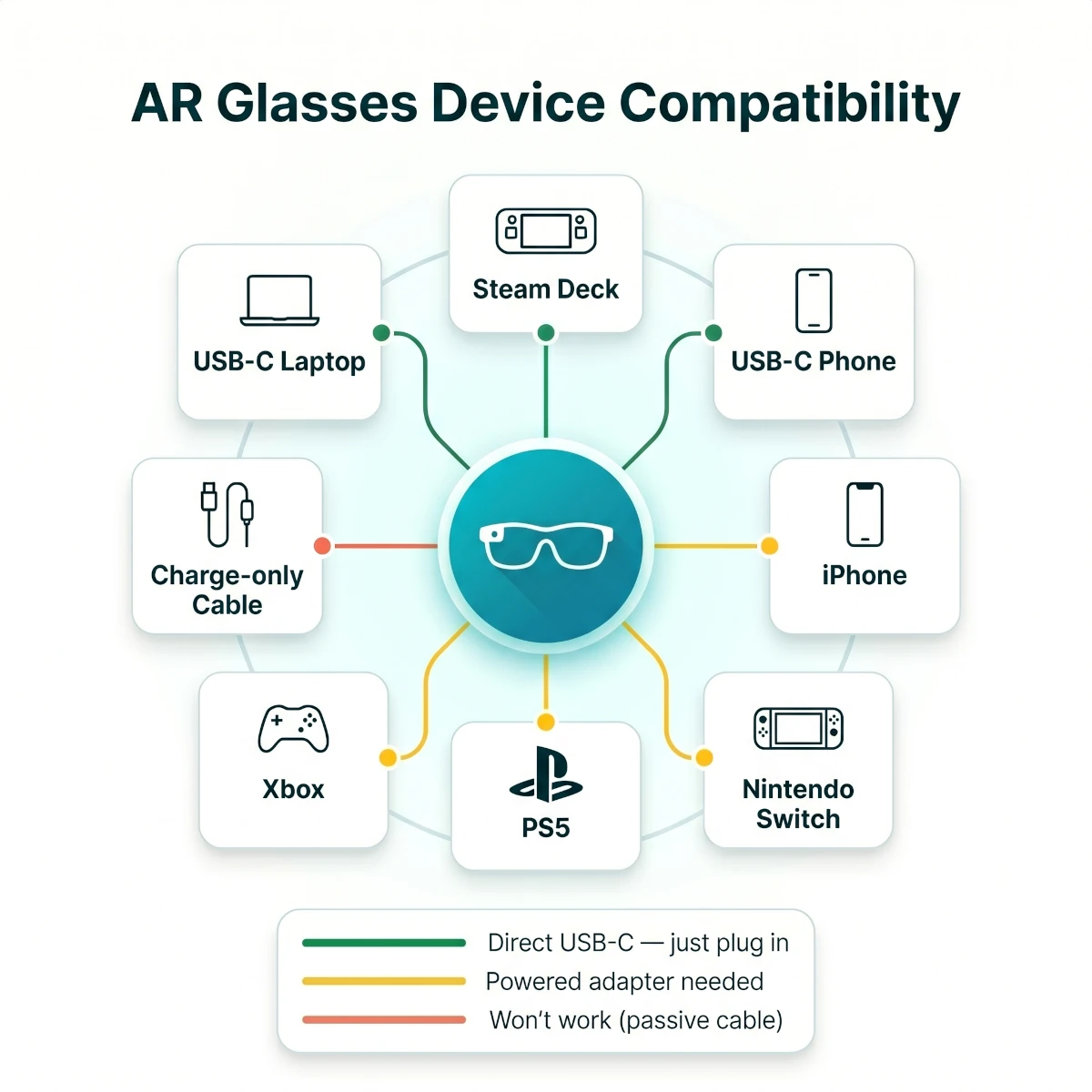
AR glasses compatibility at a glance: green marks direct USB-C connections, amber marks the powered-adapter paths consoles and older phones require, and red marks the passive cables that simply will not work.
8 Best AR Glasses for Movies and Gaming in 2026
Best Overall
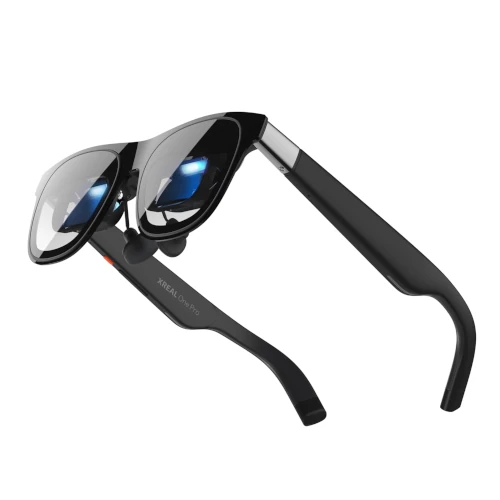
1. XREAL One Pro - Best Overall
Rated 4 out of 54.0· 720 reviews
The best balance of wide-screen immersion, built-in 3DoF stability, 120Hz gaming, and one-cable portability.
Key features
57-degree field of view with a wide virtual-screen feel
Built-in X1 spatial chip for screen anchoring and display adjustment
Up to 120Hz refresh rate for compatible games and devices
Bose-tuned open-ear audio and USB-C DisplayPort connection
Approximately 87g with adjustable fit controls
What we like
Screen anchoring works without a separate computing accessory
Wider view than most mainstream display glasses
Strong motion clarity for handheld and PC gaming
Good balance of image quality, audio, and portability
Watch out for
Premium price before adding console or charging adapters
Fit and edge clarity still vary by face shape and eye position
Not a self-contained headset with its own app store
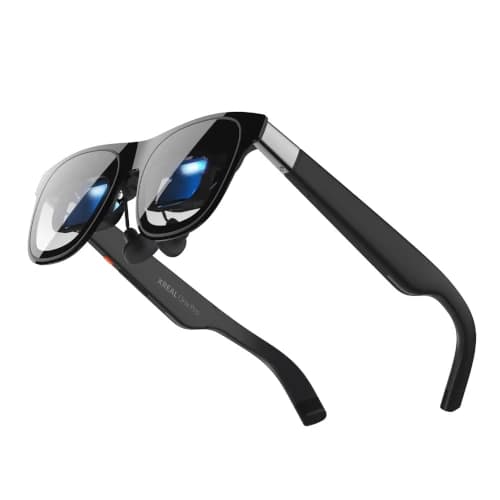
XREAL One Pro is the pair we would buy for one simple reason: it removes more friction than the competition. The integrated spatial processor lets you pin or resize the screen without adding a separate puck, which is exactly what you want on a flight or while playing in bed.
The 57-degree field of view is wide enough to feel more cinematic than the common 42-to-46-degree class. It does not fill your entire vision like a VR headset, but it creates a convincing large-screen effect at a comfortable viewing distance instead of feeling like a small monitor floating far away.
For gaming, 120Hz support is the important number. Fast camera pans on a Steam Deck or gaming laptop look cleaner than they do at 60Hz, and controller input feels properly connected to the image. You still need to set a compatible resolution and refresh rate in the source device, since the glasses cannot create frames the game is not producing.
Built-in 3DoF is the larger daily advantage. A fixed screen follows your head, which can feel tiring when you look down at a controller or shift in an airplane seat. Here, you can keep the display in a stable part of your view or use a follow mode that moves more gently.
The Bose-tuned speakers are clear enough for dialogue, podcasts, and casual play. They do not produce the low bass of sealed earbuds, and someone beside you may hear faint audio in a quiet room. For red-eye flights or a sleeping partner, pair the source device with Bluetooth earbuds.
Comfort is good for this class, not magical. At roughly 87g, the glasses remain much lighter than a mixed-reality headset, but they are heavier than normal sunglasses. The adjustable temple and nose options help, yet your face shape still decides whether the image corners stay sharp.
The biggest buying mistake is assuming every USB-C port carries video. A recent MacBook, many Windows laptops, and gaming handhelds usually connect directly. Some Android phones charge through USB-C but do not output DisplayPort video, so verify your exact phone model before ordering.
Verdict: Buy this if you want the safest premium choice for both movies and gaming. The combination of screen size, onboard spatial control, 120Hz support, and simple cabling is stronger than any single headline specification.
Best Premium
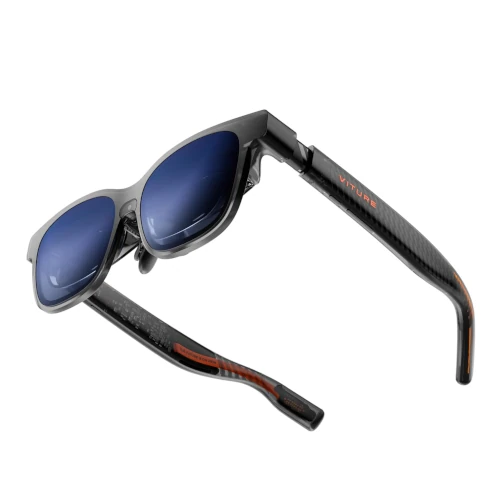
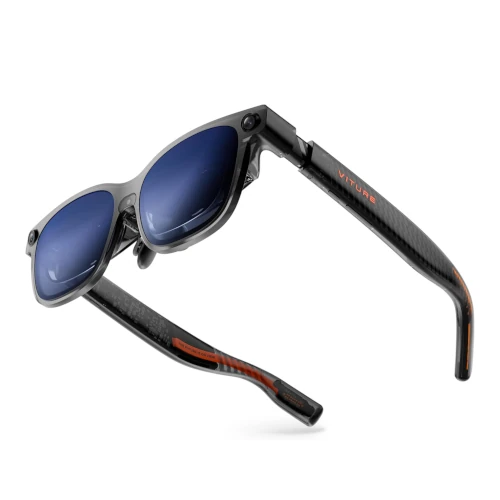
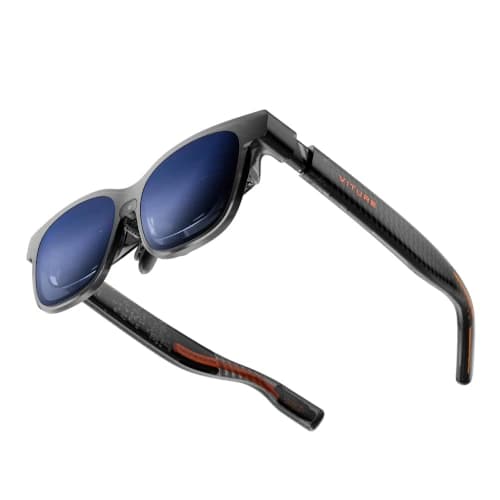
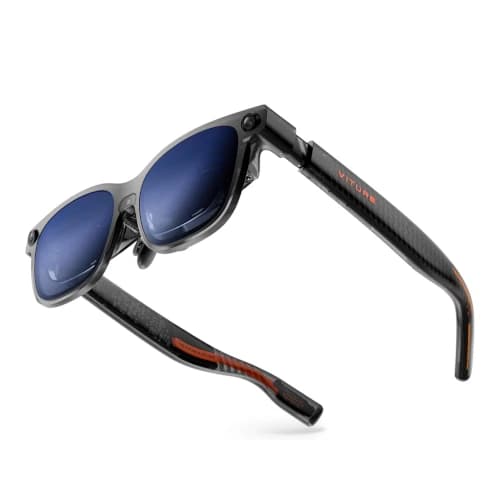
2. VITURE Beast - Best Premium Cinematic View
Rated 3.8 out of 53.8· 53 reviews
A wide 58-degree flagship with 1200p panels, HDR, fast refresh, onboard 3DoF, and strong audio for buyers chasing the biggest portable image.
Key features
58-degree field of view for the widest image in this guide
1200p-class display with up to 120Hz support
Built-in 3DoF screen modes without an external neckband
Up to 1250-nit claimed brightness with nine-level electronic dimming
Harman-tuned open-ear audio
What we like
Largest and most cinematic viewing area here
High refresh ceiling suits fast games
High brightness and strong color tuning improve movie impact
VITURE accessory ecosystem covers many consoles and phones
Watch out for
Expensive for a product that still needs a source device
Newer flagship has a smaller owner-feedback base
No myopia dials, so prescription users need inserts
VITURE Beast is the premium pick for buyers who keep asking one question: which glasses make the screen feel biggest? Its 58-degree field of view narrowly leads this group, and the combination of 1200p-class panels, 1250-nit claimed brightness, and a 120Hz refresh rate aims directly at movie fans and serious handheld gamers.
That wide view changes the experience more than a minor brightness increase. Subtitles occupy more of your usable vision, game HUD elements spread farther apart, and widescreen movies feel less like a floating laptop panel. It is the closest product here to a portable theater without moving into headset bulk.
The high-brightness display and VITURE's color controls give bright effects and darker scenes strong separation. This is an SDR display rather than native HDR10, but nine levels of electronic dimming help preserve contrast in a living room without attaching a blackout cover.
The 120Hz mode is useful for a gaming PC or a handheld capable of pushing high frame rates in lighter titles. For graphically demanding games, stable 60 or 90fps matters more than chasing the maximum number. The value lies in motion clarity, not in assuming every game will run at 120fps.
Onboard 3DoF keeps the larger image manageable. Without anchoring, a very wide screen that follows your head can make small movements feel exaggerated. The spatial modes give you a steadier point of reference when you turn to check a drink, controller, or airplane tray.
VITURE's accessory range is a practical reason to pay attention. The brand offers connection paths for handhelds, consoles, phones, and simultaneous charging. Those extras raise the total cost, but a mature adapter ecosystem is better than discovering after delivery that your favorite device needs a discontinued converter.
Unlike the Luma models, Beast removes the built-in myopia dials to protect optical stability and spatial tracking. Nearsighted buyers should budget for prescription inserts and choose the correct frame size based on interpupillary distance.
The weak point is proof. This is a new flagship, its early 3.8-star score still rests on only a few dozen Amazon ratings, and the price approaches entry-level mixed-reality hardware. We recommend it on its verified specifications and strong independent coverage rather than crowd-sourced volume, so you are paying specifically for lighter weight, portability, a wider field of view, and direct display use.
Verdict: Buy this for the widest portable movie screen and a flagship VITURE setup. Most buyers should choose XREAL One Pro for its broader balance, but the Beast wins pure cinematic scale.
Best Text Clarity
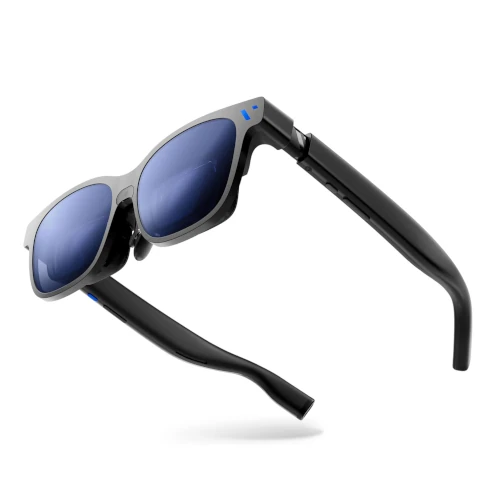
3. VITURE Luma Pro - Best for Text Clarity
Rated 3.9 out of 53.9· 612 reviews
A sharp 1200p, 120Hz choice for buyers who split time between games, movies, subtitles, and readable laptop text.
Key features
1200p-class resolution with a 52-degree field of view
120Hz refresh rate for smooth gaming and desktop motion
Up to 1000-nit claimed brightness
Built-in myopia adjustment for many nearsighted users
Electrochromic lens dimming for changing environments
What we like
Sharper text and subtitle rendering than older 1080p models
Balanced field of view for entertainment and desktop use
Diopter adjustment can remove the need for prescription inserts
Electronic dimming makes travel use easier
Watch out for
Costs more than the mature VITURE Pro XR
Myopia dials do not correct astigmatism
Productivity still needs careful window sizing and posture
VITURE Luma Pro makes the most sense if your idea of entertainment includes subtitles, strategy-game interfaces, and occasional laptop work. The jump to 1200p-class resolution gives fine text more room than an older 1080p panel, while the 52-degree field of view stays wide without pushing every UI element toward the edge.
For movies, that means cleaner subtitle edges and less visible pixel structure in animation or bright title cards. For games, inventory labels and small HUD text are easier to read without increasing the source device's scaling so far that menus become awkward on its built-in screen.
The 120Hz mode keeps desktop scrolling and game motion smooth. This is useful even outside competitive gaming because a wearable display magnifies judder and blur more than a small handheld screen. A stable frame rate still matters, so set demanding games to a sensible performance profile rather than forcing native resolution at low frame rates.
VITURE's myopia adjustment is one of the better quality-of-life features in the category. If you are nearsighted within the supported range, each eye can be focused separately. It does not correct astigmatism or every prescription, so buyers with complex vision needs should plan for a lens insert.
Electrochromic dimming helps move between a bright airport gate and a dark cabin without carrying extra lens covers. The darkest setting improves contrast, but it does not create the total isolation of VR. That is part of the appeal: you can still notice a flight attendant, child, or person entering the room.
As a work display, the glasses are best for focused tasks rather than an eight-hour replacement for dual monitors. A centered document, video timeline, or remote desktop session works well. Multiple windows pushed into the corners expose fit sensitivity and can make your eyes work harder.
The price is the main hesitation. The older VITURE Pro XR often costs much less and carries a larger body of owner feedback, and Luma Pro's 3.9-star average sits just below our top-rated picks. Pay for Luma Pro if sharper text and the wider 52-degree presentation matter every session, not because 1200p looks better on a comparison chart.
Verdict: This is the best mixed-use pick for buyers who read as much as they watch. It is especially strong for subtitled movies, RPGs, strategy games, and short laptop sessions.
Best Gaming Pick
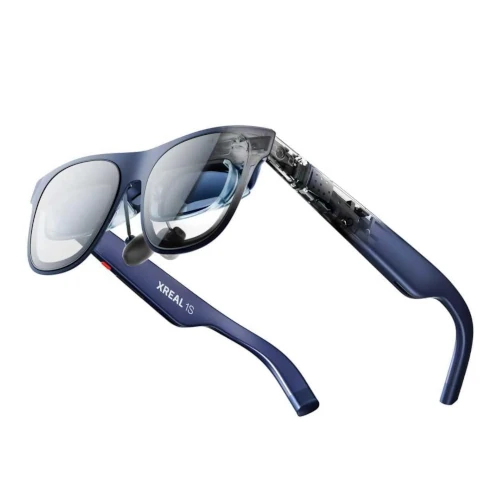
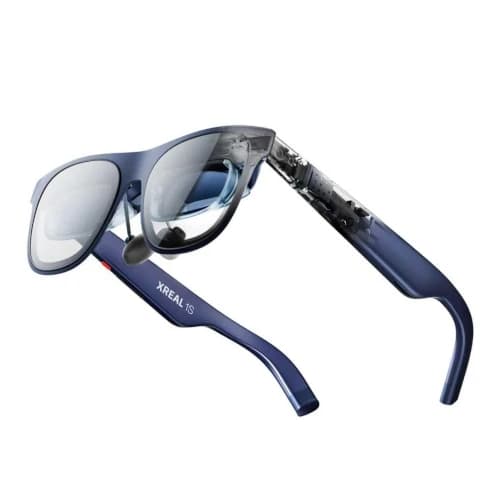
4. XREAL 1S - Best Gaming Pick
Rated 4 out of 54.0· 200 reviews
A 1200p, 120Hz gaming-focused option with built-in spatial processing and automatic 2D-to-3D conversion for compatible content.
Key features
1200p-class OLED display with 52-degree field of view
120Hz support for compatible PCs and handhelds
Built-in spatial display controls
Automatic 2D-to-3D conversion mode
Bose-tuned open-ear speakers
What we like
Sharp center image and smooth motion for games
Onboard processing reduces accessory dependence
Useful field of view without flagship pricing
3D conversion adds an optional entertainment mode
Watch out for
Review base sat right at 200 at verification, smaller than the value picks
3D conversion quality depends heavily on the source content
Console play still needs the correct powered adapter
XREAL 1S is the gaming pick for people who want the newer 1200p panel and onboard processing but cannot justify the price of XREAL One Pro. Its 52-degree field of view feels roomy for handheld play while keeping HUD corners easier to see than the very widest glasses.
The 120Hz refresh mode is the feature that earns its place. A Steam Deck will not run every modern game at 120fps, but indie titles, emulation, older PC games, and less demanding competitive games can take advantage of the smoother output. Even at 60fps, the panel response keeps motion clean.
The built-in spatial controls matter during longer sessions. Pinning the display lets you glance down at controls or shift your posture without dragging the entire game world with your head. For players who feel queasy with fixed-screen glasses, this can be the difference between a novelty and a product they use weekly.
Automatic 2D-to-3D conversion is interesting, but it should not drive the purchase. Depth can make certain games and movies feel more dramatic, yet converted interfaces and fast scenes do not always look natural. Treat it as a bonus mode for experimentation, not a replacement for native stereoscopic content.
The 1200p-class image also helps with modern game interfaces. Small map labels and subtitle text remain clearer, especially when the source device outputs a matching resolution. Some handhelds require display-setting adjustments each time you connect, so save a known-good profile if your operating system allows it.
Audio is tuned for clarity and positional cues rather than deep impact. Dialogue and game effects are easy to follow, but explosions lack the weight of good headphones. Open-ear playback is convenient at home because you can hear the doorbell or family, while earbuds are better for a crowded flight.
The Amazon feedback base sat at 200 reviews when verified, right at our usual 200-review cutoff. We kept it because it is a current flagship-generation product with a verified 4.0-star rating, direct competition coverage, and a feature set that clearly fills the gaming slot.
Verdict: Buy this for a modern XREAL gaming setup at a lower price than One Pro. Choose the Pro if the widest image is worth the extra money; choose 1S if 52 degrees already sounds large enough.
Best Value
5. VITURE Pro XR - Best Value
Rated 4 out of 54.0· 2,646 reviews
The established value choice with a bright 1080p screen, 120Hz gaming, myopia adjustment, electronic dimming, and the largest owner base here.
Key features
1080p OLED display with 46-degree field of view
Up to 120Hz refresh rate for gaming
Up to 1000-nit claimed brightness
Built-in myopia adjustment and electronic dimming
Broad range of phone, console, and charging accessories
What we like
Best combination of sale pricing and mature owner feedback
Bright image with useful lens dimming
Strong adapter ecosystem for consoles and handhelds
Diopter controls help many nearsighted buyers
Watch out for
Smaller field of view than newer flagships
1080p text is less crisp than current 1200p panels
Stable spatial screens need additional VITURE hardware or software
VITURE Pro XR is the value winner because it has already survived the part of a product cycle that new flagships have not: thousands of buyers, accessory revisions, firmware updates, and repeated sale events. Its 4.0-star rating across 2,646 Amazon reviews gives you a broader evidence base than any other model in this guide.
The display is 1080p rather than the 1200p class used by newer premium products. For movies and most games, it still looks sharp because the OLED panel sits at a fixed optical distance and the image remains centered. Small desktop text exposes the resolution difference sooner than video does.
A 46-degree field of view is also more modest. The virtual screen feels large, but it does not create the same wall-filling effect as VITURE Beast or XREAL One Pro. The upside is that game HUD corners and subtitles are easy to take in without moving your eyes as far.
The 120Hz mode keeps this older model current for handheld play. Steam Deck, ROG Ally, and laptop users can get smooth motion with one direct cable when the source supports USB-C video. VITURE's powered adapters also solve simultaneous charging, which matters because a gaming handheld can lose a meaningful chunk of runtime while driving the glasses.
Built-in myopia adjustment makes the product friendlier to nearsighted users than glasses that rely entirely on prescription inserts. Each eye can be tuned within the supported range. Astigmatism and more complex prescriptions still need an insert, and buyers should not assume a diopter dial duplicates their full eyeglass prescription.
Electronic dimming is useful in American travel conditions, from a bright airport concourse to a shaded plane cabin. You can keep situational awareness at a lighter tint, then darken the lenses for a movie. It also helps in a bedroom where a blackout cover would make the glasses feel unnecessarily isolating.
The tradeoff is spatial stability. You can use the basic fixed screen immediately, but richer pinned-display behavior depends on the right VITURE accessory or software path. If onboard 3DoF is your highest priority, the newer flagship choices justify their premium more clearly.
Verdict: This is the most rational purchase when it drops into the $249-$299 range. You give up some field of view and resolution, but you keep the features that matter most for movies, Steam Deck sessions, and travel.
Best HDR Value
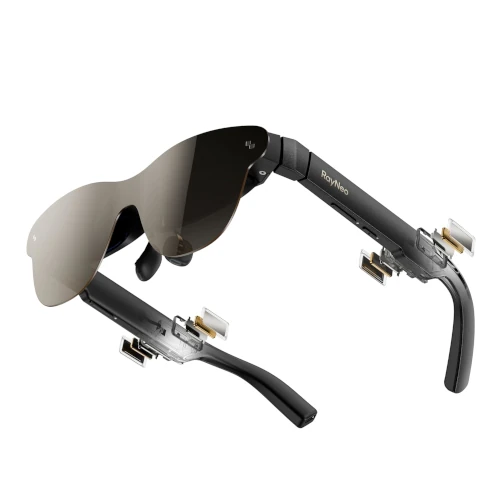
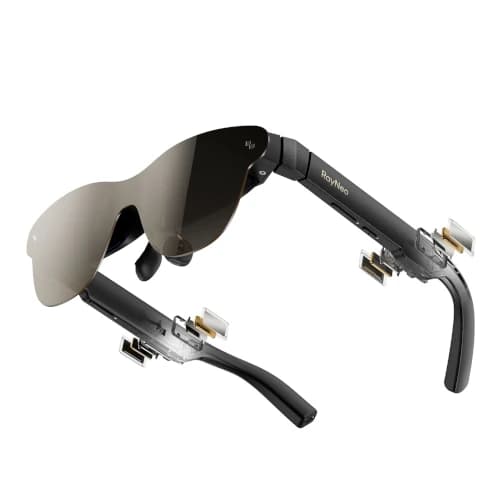
6. RayNeo Air 4 Pro - Best HDR Value
Rated 4.2 out of 54.2· 82 reviews
A midrange 1080p HDR10 option with 120Hz output, strong brightness, and Bang & Olufsen audio for movie-first buyers.
Key features
1080p-per-eye OLED display with HDR10 support
120Hz refresh rate for compatible gaming devices
46-degree field of view and up to 1200-nit claimed brightness
Vision 4000 image processor
Bang & Olufsen-tuned open-ear audio
What we like
HDR support at a lower price than premium flagships
Sharp center image and strong color for movies
Good dialogue clarity from the open-ear speakers
120Hz covers serious handheld gaming needs
Watch out for
46-degree view feels smaller than the 52-to-58-degree flagships
RayNeo Air 4 Pro takes a different approach from the field-of-view race. Its 46-degree image is smaller than the premium flagships, but the 1080p-per-eye panel, HDR10 support, Vision 4000 processing, and 1200-nit brightness claim focus on picture quality inside that frame.
For movie viewing, the result is a crisp center image with strong color and enough brightness to hold up in a living room or airplane cabin. HDR compatibility helps when the complete chain supports it, including the source device, playback app, content, and output mode. If one link falls back to standard dynamic range, the movie still plays but loses the HDR benefit.
The narrower field of view can be an advantage for some users. You can take in subtitles and the whole game interface without scanning toward the edges, and optical sweet-spot issues are less punishing than on very wide displays. Buyers chasing the largest possible screen should look elsewhere.
At 120Hz, gaming motion remains competitive with every major pick here. The glasses suit a Steam Deck or Windows handheld particularly well because their moderate virtual screen is easy to read at arm's-length controller posture. Fast games look smooth when the source maintains a matching frame rate.
Bang & Olufsen-tuned audio gives dialogue and upper detail a cleaner presentation than generic glasses speakers. It still cannot create headphone-level bass, and open-ear physics always allow some leakage. The tuning is useful for hotel-room viewing where you want to hear the movie without blocking the smoke alarm or door.
RayNeo's connection story is straightforward for compatible USB-C devices and more accessory-dependent for HDMI consoles or older phones. Before buying, price the exact adapter alongside the glasses. A low sticker price stops being compelling if you need two powered accessories to connect the device you use most.
The Amazon review count was 82 when verified, so this is a newer-flagship exception rather than a volume-proven recommendation. The 4.2-star rating, current-generation specifications, and distinct HDR value position justify inclusion, but cautious buyers may prefer the established VITURE Pro XR.
Verdict: Buy this if movie color, HDR support, and a sharp centered image matter more than maximum screen size. It is the midrange cinema pick, not the immersion champion.
Best Budget Premium
7. RayNeo Air 3s Pro - Best Budget Premium
Rated 4.2 out of 54.2· 570 reviews
A lighter-priced 120Hz pair with a bright 1080p display and enough owner feedback to be the safest entry into premium display glasses.
Key features
1080p OLED display with 46-degree field of view
Up to 120Hz refresh rate
Up to 1200-nit claimed brightness
USB-C DisplayPort input for compatible devices
Approximately 76g frame weight
What we like
Lowest typical price in this premium shortlist
Strong 4.2-star Amazon rating across 570 reviews
Light enough for travel and shorter movie sessions
RayNeo Air 3s Pro is the best entry point for buyers who want a real 120Hz OLED display without spending flagship money. At verification, it held one of the highest ratings in this group at 4.2 stars across 570 reviews, a reassuring combination of score and volume that few newer flagships can match.
The 1080p image does not look outdated for movies. Streaming video, YouTube, and most games remain crisp at the center, and the 46-degree field of view creates a clearly larger experience than a phone or handheld screen. Fine spreadsheets and dense desktop interfaces show the limits sooner.
Its 1200-nit peak brightness is unusually strong at this price and helps the image hold up against ambient light. Brightness specifications are not directly comparable across every optical system, though, and a darker room or lens shade can improve perceived contrast more than pushing a slider from 80 to 100 percent.
The roughly 76g frame is a useful travel advantage. Weight on paper does not predict every pressure point, yet lighter glasses generally ask less of the nose during a full movie. Correct nose-pad height remains critical because a few millimeters can determine whether the bottom corners stay visible.
For gaming, 120Hz output provides the same refresh-rate ceiling as much more expensive models. What you lose is integrated spatial stabilization. The screen follows your head, which is fine for many players but less comfortable for people sensitive to motion or anyone who frequently looks down at the controls.
Direct USB-C makes this a good companion for a laptop or gaming handheld. Phone compatibility is less predictable because many midrange Android phones omit video output even though they use a USB-C connector. RayNeo cannot fix a source device that never sends a display signal.
The product also makes sense as a trial of the entire category. Spending under $300 during a sale is easier to justify than starting at $600 before you know whether your face shape, eyesight, and motion tolerance suit display glasses.
Verdict: Buy this for affordable movies and 120Hz gaming with a credible owner record. Skip it if a pinned screen is essential, since that is where the more expensive onboard-processing models earn their money.
Best 6DoF Hardware
8. VITURE Luma Ultra - Best 6DoF Hardware
Rated 4.1 out of 54.1· 69 reviews
A premium 1200p pair with cameras and 6DoF-capable hardware for buyers interested in spatial interaction beyond a simple mirrored screen.
Key features
1200p-class OLED display with 52-degree field of view
120Hz refresh rate and up to 1250-nit claimed brightness
Cameras and sensors for 6DoF-capable experiences
Built-in myopia adjustment
Electrochromic lens dimming
What we like
Most ambitious spatial hardware in this shortlist
Sharp display remains useful for normal movies and games
Diopter controls and electronic dimming improve daily use
Good fit for developers and early spatial-app adopters
Watch out for
6DoF software value is less mature than the display hardware
Premium price is difficult to justify for simple mirroring
VITURE Luma Ultra is the specialist pick. Its cameras and sensor package are designed for 6DoF-capable experiences, meaning software can potentially understand forward, backward, side-to-side, vertical, and rotational head movement rather than tracking rotation alone.
That sounds like the future, but software support decides whether the hardware becomes useful. Do not buy this solely because 6DoF appears on the box. Buy it if you are comfortable experimenting with supported apps, development tools, and a platform that may change faster than a conventional monitor.
The good news is that the glasses remain capable even when used as a normal display. The 1200p-class OLED panel, 52-degree field of view, and 120Hz mode cover movies, handheld gaming, and desktop mirroring at a premium level. You are not left with a poor screen while waiting for spatial software.
Myopia adjustment and electrochromic dimming make daily use easier. Nearsighted buyers within the supported range can tune focus without prescription lenses, while electronic tint gives the image more contrast in bright rooms. Astigmatism still requires an appropriate lens solution.
For developers and spatial-computing enthusiasts, the camera hardware creates possibilities that the other products do not. For a traveler who only wants Netflix and Steam Deck, those cameras add cost and potential privacy questions without improving the basic movie every night.
The US privacy angle deserves attention. Cameras on a face-worn product can make people around you uncomfortable even if the current app is not recording. Use visible, respectful behavior in offices, airplanes, and shared homes, and review the permissions requested by every companion app.
Its Amazon listing held 4.1 stars across 69 reviews at verification, so this is another new-flagship exception. The recommendation rests on its unique 6DoF hardware and current display specifications, not on a mature long-term owner record.
Verdict: Buy this if spatial development or experimental 6DoF use is part of the goal. For straightforward movies and gaming, VITURE Luma Pro costs less and wastes fewer features.
Buying Guide: How to Choose AR Glasses for Gaming and Movies
The right pair starts with the source device, not the glasses. A beautiful display is useless if your phone cannot send video, your console adapter cannot supply power, or your prescription keeps the image out of focus.
Start With USB-C DisplayPort Compatibility
USB-C describes the connector shape, not its video capability. A port may support charging and data while omitting DisplayPort Alt Mode entirely. This is common on midrange Android phones and some inexpensive Windows devices.
Look up your exact model number on the device manufacturer's specification page. Search for DisplayPort, DP Alt Mode, Thunderbolt, USB4, or external display support. Do not rely on a retailer question answered for a similar phone in the same family.
MacBooks, many premium Windows laptops, Steam Deck, ROG Ally, and Legion Go devices usually provide a straightforward connection. Plug the glasses into the video-capable USB-C port, select the expected resolution and refresh rate, and treat them like an external monitor.
Understand iPhone and iPad Connections
Recent USB-C iPhones and iPads have the cleanest Apple connection path when wired video output is supported. A direct cable can mirror the screen, but app behavior still varies. Some streaming services limit external playback or show controls differently from local video apps.
Lightning iPhones create a more complicated chain. You typically need Apple's digital video adapter, an HDMI-to-USB-C display adapter compatible with the glasses, and a power source. That works, but it undermines the pocketable appeal and adds more points of failure.
Download movies before a flight and test them offline. Hotel Wi-Fi, airplane portals, digital-rights restrictions, and adapter handshakes are four separate ways a travel setup can fail after boarding.
Plan for Steam Deck, ROG Ally, and Handheld Power
Gaming handhelds are the easiest reason to buy display glasses. The direct connection gives you a large private screen while keeping a familiar controller in your hands. The source device sees the glasses as an external monitor.
Power is the hidden cost. OLED glasses draw energy from the handheld, and demanding games already push its battery. A powered hub or brand adapter with pass-through charging lets you play longer, but it needs a USB-C charger with enough output for the handheld.
Set an appropriate render resolution rather than assuming the display's maximum is always best. A game that runs smoothly at 1080p and 60fps usually feels better than one struggling at a higher output. For indie games, emulation, and older titles, 90Hz or 120Hz can be worth enabling.
Check Nintendo Switch and Console Adapter Requirements
Nintendo Switch systems and living-room consoles require more care. The standard Switch relies on a dock-like power and video handshake, while compatibility for newer hardware can depend on firmware and the specific accessory. Use the glasses brand's current support list, not an old forum comment.
PS5 and Xbox consoles output HDMI, so they need an active adapter that accepts HDMI, injects power, and sends USB-C DisplayPort video to the glasses. A passive HDMI-to-USB-C cable generally cannot perform that conversion.
This setup is useful when the family TV is occupied or when you want a private late-night screen. It is less elegant than a handheld because the console, adapter, USB power cable, glasses cable, and controller all remain in the chain.
Compare Resolution, Field of View, and Edge Clarity
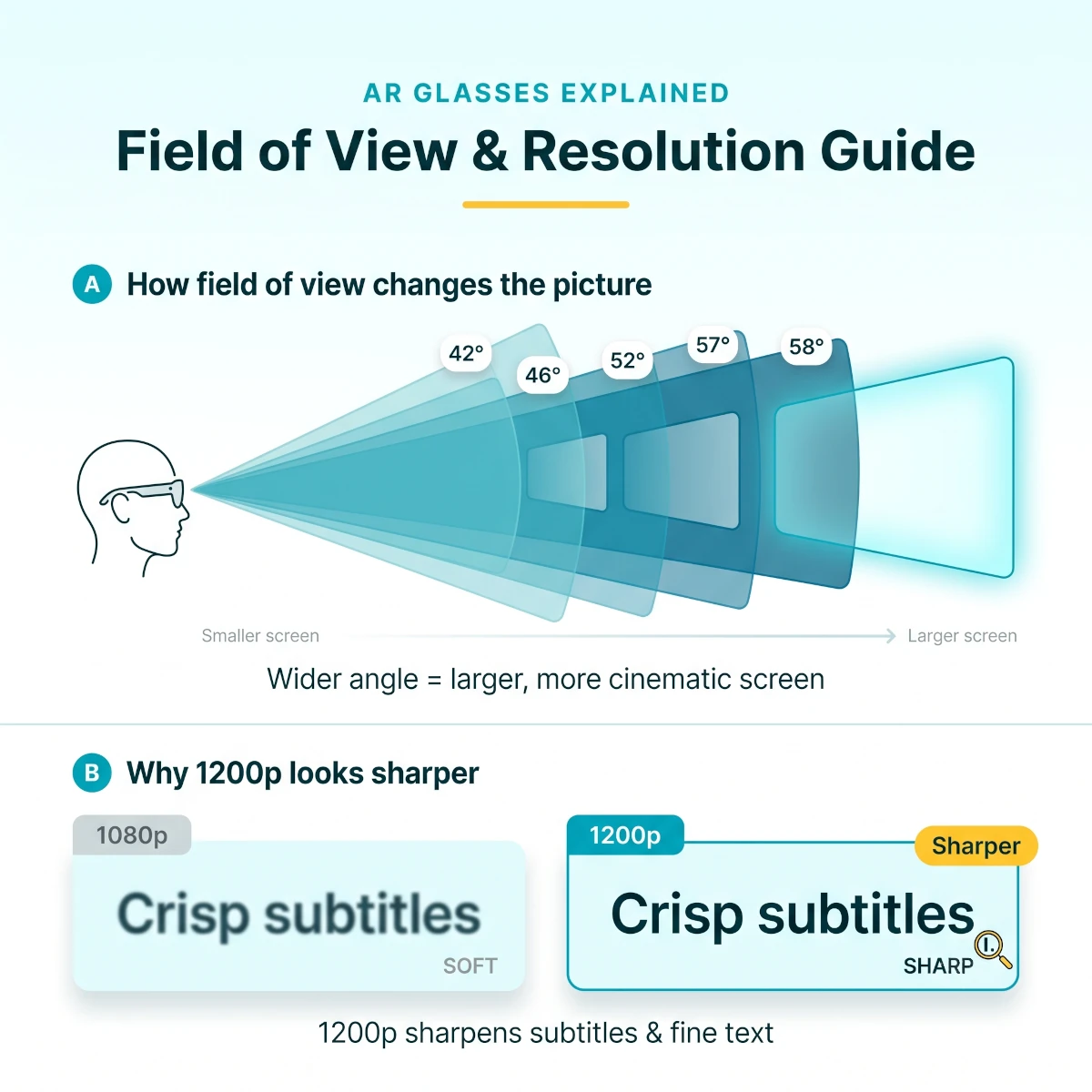
Resolution tells you how many pixels the panel can draw. Field of view tells you how much of your vision the virtual screen occupies. A wider image feels more cinematic, but it also makes optical alignment and corner clarity more demanding.
1080p remains good for movies and ordinary game interfaces. A 1200p-class panel improves subtitle edges, small menus, and laptop text. The difference is easier to see in a spreadsheet than in a 1080p streaming movie.
A field of view around 42 to 46 degrees feels like a large TV viewed from a normal couch distance. The 52-to-58-degree class creates more impact, but some users need careful nose-pad adjustment to keep all four corners sharp.
Do not treat advertised virtual screen size as a universal physical measurement. A claim such as 135 inches or 201 inches depends on a stated viewing distance. Field of view is the more useful number for comparing how large the image appears to your eyes.
How field of view shapes the picture: wider angles from 42 to 58 degrees enlarge the perceived screen, while the step from 1080p to 1200p sharpens subtitles and desktop text.
Decide Whether You Need 3DoF or 6DoF
A basic fixed display follows your head. Look left and the screen moves left. This keeps content centered but can feel unnatural when you shift posture, look down at a controller, or ride through turbulence.
Three-degree-of-freedom tracking follows head rotation. It can pin a screen in a stable direction or smooth its movement. For most movie and gaming buyers, good 3DoF is the spatial feature worth paying for.
Six-degree-of-freedom tracking adds movement through physical space. It matters for spatial apps, development, and interfaces that expect you to lean or walk around virtual objects. It contributes less to an ordinary mirrored movie.
Onboard processing is cleaner than relying on a separate neckband or puck. External hardware can add apps and battery, but it also adds charging, cost, and another object to carry.
Brightness and Electrochromic Dimming Matter Together
Brightness numbers across wearable displays are difficult to compare because brands may describe panel brightness or perceived eye brightness differently. Use the specification as one input, then consider how effectively the lenses block ambient light.
Electronic dimming is more useful than it sounds. It lets you keep the lenses transparent enough to see the room, then darken them for movie contrast without clipping on a physical cover. That flexibility suits airplanes, dorm rooms, and homes with children or pets moving nearby.
Maximum brightness can increase eye fatigue in a dark room. Start lower, raise it only until shadow detail and subtitles remain comfortable, and take a short break every hour.
Fit, Nose Pressure, and Prescription Support
Face shape has an outsized effect on display glasses. The same frame can look edge-to-edge sharp for one person and crop the lower corners for another because their eyes sit at a different height behind the optics.
Try every included nose pad before deciding the image is defective. Adjust temple angle where supported, center each lens over the pupil, and tighten only enough to stop slipping. More pressure does not improve optics if it pushes the frame into the wrong position.
Myopia dials correct a useful range of nearsightedness, but they do not handle every prescription. Astigmatism, prism correction, and stronger prescriptions generally need an insert. Ask an optician to fill the proper insert instead of wearing the display glasses over regular frames.
Weight matters most after the first 30 minutes. A 75g pair can still create a pressure point, while an 87g pair with better distribution may feel steadier. This is why a generous return policy matters more than a ten-gram spreadsheet victory.
Audio Quality, Privacy, and Shared Rooms
Open-ear speakers are convenient because they preserve awareness. You can hear a boarding announcement, a child calling, or a doorbell from your subscription-free smart home while a movie keeps playing.
They are not private in every environment. At high volume, a person in the next airplane seat or a partner in bed may hear dialogue. Bluetooth earbuds solve leakage and add bass, but audio latency can appear with poor codecs or crowded wireless environments.
For gaming, connect audio to the same source device rather than trying to pair with the glasses. This keeps controls simple and lets the operating system manage video and audio timing together.
Wi-Fi, Streaming, and Offline Playback
The glasses themselves usually do not care whether your home uses Wi-Fi 6, 6E, or 7. The phone, laptop, or streaming accessory handles the network. A faster router helps only if the source device and internet connection can use it.
For travel, offline playback is more dependable than any wireless specification. Download content in the official app, confirm the download license remains active, set the correct language and subtitles, and play the first minute in airplane mode before leaving home.
At home, a stable mesh network helps if you stream high-bitrate local video to a laptop or handheld. A reliable Matter smart home hub can coordinate the room around your viewing setup, while our guide to smart home power outage preparation covers keeping routers and core devices online during short utility interruptions.
US Warranty, Returns, Certifications, and Privacy
A one-year limited warranty is common in this category, but terms vary by seller and region. Confirm that the Amazon listing is sold by the brand or an authorized US seller, and keep the serial number and order record.
Amazon's standard return window is valuable because optical fit cannot be judged from specifications. Check the current return terms on the listing at purchase, since holidays, seller policies, and item conditions can change the deadline.
The glasses receive power from another device, so pay attention to the safety certification of third-party chargers, battery packs, and HDMI adapters. Use reputable UL-listed or ETL-listed power equipment for US 120V outlets rather than an unknown travel charger bundled by a marketplace seller.
Display-only glasses present fewer privacy concerns than camera glasses, but companion apps can still collect device identifiers, diagnostics, account data, and usage information. Review permissions, disable analytics you do not want, and avoid granting microphone, location, or photo access unless a feature genuinely needs it.
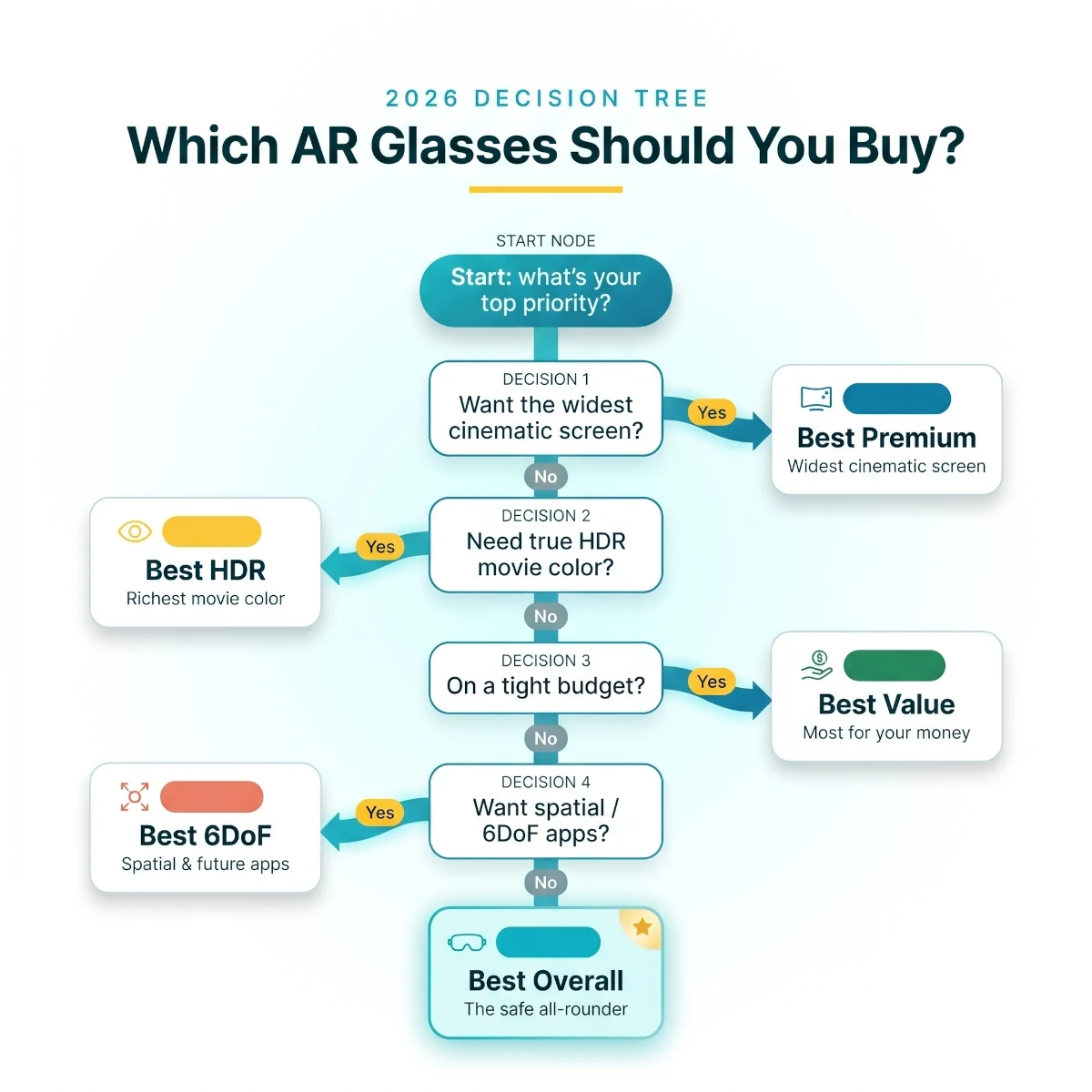
A quick decision path: start with your source device and prescription needs, then follow the yes-or-no branches to the best overall, premium, value, HDR, and 6DoF pick.
First-Day Setup and Troubleshooting Checklist
Display glasses should not require a weekend of configuration, but the first 30 minutes determine whether you see the product at its best. Work through the setup in this order before changing advanced settings or blaming the optics.
Confirm the Source Signal Before Adjusting the Frame
Start with the simplest compatible device you own, ideally a laptop or handheld with confirmed USB-C DisplayPort output. Connect the original cable directly, remove hubs, and wait for the operating system to detect a second display.
If the glasses stay black, check whether the source device reports an external monitor. No detected monitor usually means the port lacks video, the cable is wrong, or an adapter is missing power. A detected monitor with no visible image points more toward output resolution, refresh rate, or display-mode settings.
Set the display to a conservative 60Hz mode first. Once the picture is stable, enable 90Hz, 120Hz, or a higher supported setting. This sequence separates a connection problem from a high-refresh compatibility problem.
Fit the Optics With a Static Test Image
Open a screen with small text in all four corners and a centered grid. Do not use a movie as the first fit test because motion and dark scenes hide cropping and blur.
Try each nose support, then adjust the temple angle if the frame allows it. The goal is not to push the glasses as close as possible. The goal is to center each optical module in front of the pupil while keeping the full rectangular image visible.
Check one eye at a time. If the left side looks sharp with the right eye closed but the right side never focuses, adjust the right-eye focus or prescription solution rather than moving the entire frame randomly.
With VITURE Luma Pro, VITURE Pro XR, and VITURE Luma Ultra, set each myopia dial independently. Return both dials to a known starting point before repeating the process if the image becomes worse.
Configure Resolution and Refresh Rate Deliberately
Windows may mirror the laptop panel at an odd resolution. Select the glasses as the external display, choose the recommended resolution, and use duplicate mode only when you need the same content on both screens.
For handheld gaming, start at 1080p and 60Hz. Run a familiar game, confirm stable performance, then test a higher refresh rate. A 120Hz panel does not require every game to run at 120fps, and a stable frame-time graph matters more than the maximum menu number.
On macOS, text scaling can make a large virtual screen more comfortable. Choose a scaled setting that keeps browser tabs and menu text readable without forcing your eyes toward the optical edges.
Fix Audio Routing and Lip Sync
Most source devices automatically send audio to the glasses when they detect the display. If sound continues through the laptop or handheld, select the glasses in the operating system's audio-output menu.
When using Bluetooth earbuds, connect them to the source device rather than searching for a pairing mode on the glasses. If dialogue appears behind the video, disable unnecessary audio enhancements and test a low-latency codec or wired earbuds.
If the same earbuds also handle your phone calls, our multipoint earbuds for laptop and phone guide compares two-device support and USB transmitter cases. Multipoint helps you switch sources, but it does not guarantee low audio latency for a film or game.
Keep open-ear volume moderate in shared spaces. If you can clearly hear the glasses from arm's length while they sit on a table, a seatmate or sleeping partner will probably hear them too.
Test Spatial Modes Without Moving Around
For XREAL One Pro, XREAL 1S, or VITURE Beast, begin seated with the screen centered. Enable the stable or pinned mode, turn your head slowly, and confirm that the display remains where expected.
Then adjust screen distance and size in small increments. A screen that is too close or too large forces the eyes to scan corners and can create fatigue. The most impressive demo setting is rarely the most comfortable setting for a two-hour film.
If the anchored display drifts, recenter it before assuming the hardware is defective. Firmware updates, a restart, and a calm indoor test help separate persistent tracking problems from movement on a vehicle.
Build a Real Travel Kit
A dependable travel kit needs the glasses, original cable, microfiber cloth, prescription insert if required, Bluetooth earbuds, and the exact adapter you confirmed works with your device. Add a short USB-C charging cable and a reputable battery pack if the source device cannot last through the trip.
Keep active adapters in the carry-on rather than checked luggage. Label similar USB-C cables because a charging cable and a full-featured video cable can look identical from the outside.
Download entertainment before leaving home. Open every title once, verify subtitles and audio language, then switch the phone or handheld to airplane mode and play several minutes. This catches expired download licenses before the gate closes.
Know When the Product Is a Bad Fit
Return or exchange the glasses if one edge remains unreadable after every supported fit adjustment, if nose pain appears during a normal movie, or if your primary device needs an impractical chain of adapters.
Mild unfamiliarity can fade over several sessions. Persistent double vision, headaches, nausea, or inability to focus should not be treated as a challenge to push through. Stop using the display and seek appropriate vision or medical advice if symptoms continue.
Before the Return Window Ends
Play one complete movie with subtitlesConfirm corner clarity, audio privacy, comfort, and app playback.
Run your three most demanding gamesTest resolution, refresh rate, controller visibility, and source battery drain.
Connect every phone, laptop, handheld, and consoleDo not assume success on one USB-C device proves compatibility with another.
Test prescription correction and every nose supportOptical alignment and long-session pressure are personal.
Update firmware, then repeat the core testsKeep the product only when the current software and your actual devices work together.
Best AR Glasses by Home and Travel Use Case
For a two-story suburban home with shared TVs, display glasses work best as a second screen. You can play a console in the den while someone watches the main television, or finish a movie in bed without lighting the room.
In a studio apartment, open-ear audio can become the limiting factor. Use earbuds after quiet hours and choose a model with electronic dimming so the screen stays vivid without turning your small space completely dark.
For college dorms, durability and simple USB-C support matter more than experimental spatial apps. RayNeo Air 3s Pro and VITURE Pro XR offer lower replacement risk than a $600 flagship.
Frequent flyers should prioritize onboard 3DoF, dimming, and a tested offline-content workflow. XREAL One Pro is the most complete travel pick because screen stability remains useful during turbulence and seat changes.
For a home office, sharp text and correct ergonomics matter. VITURE Luma Pro is the strongest choice for focused documents and coding, but a physical monitor remains better for an entire workday.
Head-to-Head AR Glasses Comparisons
XREAL One Pro vs VITURE Beast for Movies
Side by sideTop Flagship Movie Glasses
Overall Winner
XREAL One Pro
$549-$649
Field of View
57 degrees
Resolution
Premium OLED
Refresh Rate
Up to 120Hz
Spatial Mode
Onboard 3DoF
Best Trait
Balanced stability and ease
Screen Size Winner
VITURE Beast
$499-$599
Field of View
58 degrees
Resolution
1200p-class OLED
Refresh Rate
Up to 120Hz
Spatial Mode
Onboard 3DoF
Best Trait
Widest image and HDR
Specification
Overall WinnerXREAL One Pro$549-$649
Screen Size WinnerVITURE Beast$499-$599
Field of View
57 degrees
58 degrees
Resolution
Premium OLED
1200p-class OLED
Refresh Rate
Up to 120Hz
Up to 120Hz
Spatial Mode
Onboard 3DoF
Onboard 3DoF
Best Trait
Balanced stability and ease
Widest image and HDR
Choose XREAL One Pro for the better all-around package and the more established owner record. Choose VITURE Beast if the widest view, higher peak brightness, and nine-level dimming outweigh its newer-product uncertainty.
The one-degree field-of-view difference is not the real decision. XREAL wins on balanced execution; VITURE wins for a buyer who wants the most ambitious cinema specification and already likes the VITURE accessory ecosystem.
VITURE Luma Pro vs XREAL 1S for Mixed Work and Gaming
Side by sideBest 1200p Mixed-Use Glasses
Work Winner
VITURE Luma Pro
$399-$499
Field of View
52 degrees
Refresh Rate
120Hz
Vision Support
Myopia adjustment
Dimming
Electrochromic
Best Trait
Text and subtitle clarity
Gaming Winner
XREAL 1S
$399-$499
Field of View
52 degrees
Refresh Rate
120Hz
Vision Support
Prescription insert path
Dimming
Accessory or shade approach
Best Trait
Spatial gaming and 3D mode
Specification
Work WinnerVITURE Luma Pro$399-$499
Gaming WinnerXREAL 1S$399-$499
Field of View
52 degrees
52 degrees
Refresh Rate
120Hz
120Hz
Vision Support
Myopia adjustment
Prescription insert path
Dimming
Electrochromic
Accessory or shade approach
Best Trait
Text and subtitle clarity
Spatial gaming and 3D mode
Buy VITURE Luma Pro if reading, subtitles, and nearsighted focus control matter most. Buy XREAL 1S if onboard spatial processing and gaming-specific flexibility matter more.
RayNeo Air 4 Pro vs Air 3s Pro on Value
Side by sideRayNeo Movie Value Comparison
Picture Winner
RayNeo Air 4 Pro
$269-$349
Resolution
1080p
HDR
HDR10
Brightness
Up to 1200 nits
Field of View
46 degrees
Best Trait
Movie color and clarity
Budget Winner
RayNeo Air 3s Pro
$229-$299
Resolution
1080p
HDR
Standard video support
Brightness
Up to 1200 nits
Field of View
46 degrees
Best Trait
Price and owner proof
Specification
Picture WinnerRayNeo Air 4 Pro$269-$349
Budget WinnerRayNeo Air 3s Pro$229-$299
Resolution
1080p
1080p
HDR
HDR10
Standard video support
Brightness
Up to 1200 nits
Up to 1200 nits
Field of View
46 degrees
46 degrees
Best Trait
Movie color and clarity
Price and owner proof
Choose RayNeo Air 4 Pro for HDR10 playback, SDR-to-HDR processing, and B&O-tuned audio. Choose RayNeo Air 3s Pro if price and a larger owner base matter more than the newer image processor.
Full AR Glasses Specification Table
TableVerified Display, Fit, and Buying Details
Full AR glasses specification comparison for US buyers
Product
Display
FOV
Refresh
Vision and Dimming
Weight
Warranty
Price Tier
XREAL One Pro
Premium OLED
57 degrees
120Hz
Insert support, lens control
About 87g
1-year limited
$549-$649
VITURE Beast
1200p OLED
58 degrees
120Hz
Prescription insert, electronic dimming
Premium frame class
1-year limited
$499-$599
VITURE Luma Pro
1200p OLED
52 degrees
120Hz
Myopia adjustment, electronic dimming
Lightweight frame
1-year limited
$399-$499
XREAL 1S
1200p OLED
52 degrees
120Hz
Insert support
Lightweight frame
1-year limited
$399-$499
VITURE Pro XR
1080p OLED
46 degrees
120Hz
Myopia adjustment, electronic dimming
About 78g
1-year limited
$249-$399
RayNeo Air 4 Pro
1080p HDR10
46 degrees
120Hz
Insert support
About 76g
1-year limited
$269-$349
RayNeo Air 3s Pro
1080p OLED
46 degrees
120Hz
Insert support
About 76g
1-year limited
$229-$299
VITURE Luma Ultra
1200p OLED
52 degrees
120Hz
Myopia adjustment, electronic dimming
Premium sensor frame
1-year limited
$549-$649
XREAL One Pro
Display
Premium OLED
FOV
57 degrees
Refresh
120Hz
Vision and Dimming
Insert support, lens control
Weight
About 87g
Warranty
1-year limited
Price Tier
$549-$649
VITURE Beast
Display
1200p OLED
FOV
58 degrees
Refresh
120Hz
Vision and Dimming
Prescription insert, electronic dimming
Weight
Premium frame class
Warranty
1-year limited
Price Tier
$499-$599
VITURE Luma Pro
Display
1200p OLED
FOV
52 degrees
Refresh
120Hz
Vision and Dimming
Myopia adjustment, electronic dimming
Weight
Lightweight frame
Warranty
1-year limited
Price Tier
$399-$499
XREAL 1S
Display
1200p OLED
FOV
52 degrees
Refresh
120Hz
Vision and Dimming
Insert support
Weight
Lightweight frame
Warranty
1-year limited
Price Tier
$399-$499
VITURE Pro XR
Display
1080p OLED
FOV
46 degrees
Refresh
120Hz
Vision and Dimming
Myopia adjustment, electronic dimming
Weight
About 78g
Warranty
1-year limited
Price Tier
$249-$399
RayNeo Air 4 Pro
Display
1080p HDR10
FOV
46 degrees
Refresh
120Hz
Vision and Dimming
Insert support
Weight
About 76g
Warranty
1-year limited
Price Tier
$269-$349
RayNeo Air 3s Pro
Display
1080p OLED
FOV
46 degrees
Refresh
120Hz
Vision and Dimming
Insert support
Weight
About 76g
Warranty
1-year limited
Price Tier
$229-$299
VITURE Luma Ultra
Display
1200p OLED
FOV
52 degrees
Refresh
120Hz
Vision and Dimming
Myopia adjustment, electronic dimming
Weight
Premium sensor frame
Warranty
1-year limited
Price Tier
$549-$649
Warranty terms and included accessories can vary by seller. Confirm the current Amazon listing and manufacturer policy before purchase, especially if the product is sold by a marketplace merchant rather than the brand.
Products We Researched but Left Out
Lenovo Legion Glasses Gen 2 looked like a natural gaming inclusion, but its Amazon.com listing showed 3.6 stars across 90 ratings during verification. That sits below our quality floor, well under the 3.8-star line we held for newer picks, so brand recognition did not rescue it.
The standard XREAL One remains capable, but this shortlist already includes the stronger premium XREAL One Pro and the newer value-oriented XREAL 1S. Adding another close XREAL variant would reduce usefulness.
Older RayNeo Air models were also considered. The current RayNeo Air 3s Pro has the better combination of rating, review count, weight, and 120Hz support, while RayNeo Air 4 Pro represents the newer HDR direction.
Camera-focused AI glasses were excluded because they do not provide the display required for movies and games. Apple Vision Pro and Meta Quest products were excluded because they are full headsets, not pocketable display glasses.
Common AR Glasses Buying Mistakes
Assuming USB-C always carries video. Confirm DisplayPort Alt Mode on the exact source device. A charging-only USB-C port will leave you with a black screen.
Ignoring adapter power. HDMI consoles need active conversion and power injection. A cable that physically fits can still be electronically incapable of driving the glasses.
Buying by virtual screen size alone. A 200-inch claim depends on an imaginary distance. Compare field of view, resolution, and edge clarity instead.
Skipping prescription planning. Myopia dials do not correct astigmatism. Order the right insert before a long trip if you need one.
Using maximum brightness in a dark room. More brightness is not automatically better. Lower it until the image remains clear without making your eyes feel dry or strained.
Expecting a VR headset. Most products here mirror a flat screen. They are lighter and easier to travel with, but they do not offer the same app ecosystem or total immersion.
Forgetting the return deadline. Optical fit is personal. Test corners, subtitles, nose pressure, audio, every adapter, and a complete 60-minute session while returns remain possible.
Best Times to Buy AR Glasses in the US
Prime Day and early summer travel sales are strong windows because brands compete for flight and vacation use. Discounts often bundle a mobile dock, charging adapter, or blackout shade, which can be more valuable than a small price reduction on the glasses alone.
Back-to-school promotions target dorm entertainment and portable work. This is a good period for value models, especially if you need a laptop accessory rather than a flagship spatial system.
Black Friday and Cyber Monday usually create the broadest discounts. Mature products such as VITURE Pro XR can become much better buys when retailers clear inventory before a new generation.
Do not buy an untested adapter bundle solely because it is discounted. Confirm the dock supports your exact phone, handheld, or console and that pass-through charging provides enough wattage.
Final Verdict on the Best AR Glasses for Movies and Gaming
The best AR glasses for movies and gaming in 2026 are XREAL One Pro. It does not win every specification, but it combines the right ones: a wide 57-degree view, 120Hz gaming, useful onboard 3DoF, strong audio, and a connection path that stays portable.
Buy VITURE Beast if you want the widest cinematic image and are willing to pay for a newer flagship. Its 58-degree field of view, 1250-nit claimed brightness, and native 3DoF make it the movie enthusiast's upgrade.
The value recommendation is VITURE Pro XR. It lacks the largest view and newest resolution, but its 120Hz OLED display, electronic dimming, myopia adjustment, accessory support, and 2,646-review owner base make sale pricing hard to beat.
Our final advice is direct: verify your source device first, then buy the simplest pair that solves your main use case. A stable screen and correct adapter will improve every session more than a feature you never use.
Quick answers
Frequently Asked Questions About AR Glasses
What are the best AR glasses for movies and gaming in 2026?
XREAL One Pro is the best overall choice because its built-in spatial chip keeps the screen stable without requiring a separate accessory, while its 57-degree field of view feels larger than most portable display glasses. VITURE Beast is the premium alternative for buyers who want the widest cinematic view, and VITURE Pro XR remains the strongest value pick with a large owner base and mature accessory support.
Do AR glasses work with Steam Deck and ROG Ally?
Yes. Most display glasses in this guide connect directly to a Steam Deck, ROG Ally, Legion Go, or compatible handheld through USB-C DisplayPort Alt Mode. The glasses draw power from the handheld, so battery life drops faster. A powered USB-C adapter or brand dock lets you charge and play at the same time.
Can I use AR glasses with Nintendo Switch 2?
Yes, but the exact connection depends on the glasses and adapter. Some current glasses work directly with compatible USB-C video output, while others need a dock or powered adapter that converts the console signal. Check the brand's current Switch 2 compatibility list before buying because firmware and accessory requirements can change.
Can AR glasses connect to a PS5 or Xbox?
Yes, with an HDMI-to-USB-C adapter that supplies both video and power. A plain passive cable usually will not work because the glasses need USB-C DisplayPort video plus power. For couch gaming, a TV or monitor is still simpler, but the glasses are useful when someone else needs the room's main screen.
Do AR glasses work with iPhone?
USB-C iPhones can connect directly when the phone supports wired video output. Older Lightning iPhones need Apple's video adapter plus the glasses maker's HDMI or USB-C adapter, which adds cables and power requirements. Streaming apps may also restrict mirrored playback, so downloaded content and officially supported apps are the safer travel setup.
Are AR glasses better than a VR headset for watching movies?
AR display glasses are better for travel, lighter wear, and staying aware of the room. VR headsets create a more immersive theater and offer tracked apps, but they are heavier, warmer, and less convenient on a plane or train. Choose display glasses for a pocketable private screen and VR for full immersion.
Can I wear AR glasses over prescription glasses?
Usually not comfortably. Several VITURE models include built-in myopia adjustment for nearsighted users, while other glasses use a prescription lens insert that an optician fills. Astigmatism and stronger prescriptions normally require the insert, even when a diopter dial is available.
Will AR glasses cause motion sickness or eye strain?
They can if the display moves with every head motion, the fit is misaligned, or you use maximum brightness for long sessions. A stable 3DoF screen, correct nose-pad height, and a break every 45 to 60 minutes reduce discomfort. Buyers sensitive to motion should prioritize XREAL One Pro or VITURE Beast over basic fixed-screen models.
Do AR glasses have their own battery?
Most display glasses do not. They draw power from the connected phone, handheld, computer, or adapter, which keeps the glasses light but shortens the source device's battery life. Battery accessories and powered docks can extend a flight or gaming session.
Can other people hear audio from AR glasses?
At moderate volume in a normal room, nearby people hear little. In a quiet airplane cabin, office, or bedroom, some sound leakage is possible because the speakers sit near your ears rather than sealing them. Bluetooth earbuds remain the better choice for privacy and stronger bass.
Is 120Hz important for gaming glasses?
Yes for fast PC and handheld games, especially shooters, racing games, and action titles. A 120Hz display makes camera movement look smoother and reduces perceived blur compared with 60Hz. Movies do not need 120Hz, but the feature makes one pair of glasses more useful across both entertainment jobs.
What is the difference between AR glasses and AI smart glasses?
Display-focused AR or XR glasses put a private screen in front of your eyes for movies, games, and computer use. AI smart glasses such as camera-and-audio wearables focus on photos, calls, assistants, and voice features but usually have no display. For this buying intent, a display is mandatory.
Discussion
Be the first to comment
Have a question or experience to share? Scroll down to leave a comment.
Discussion
Be the first to comment