Skip to content

Climate Control

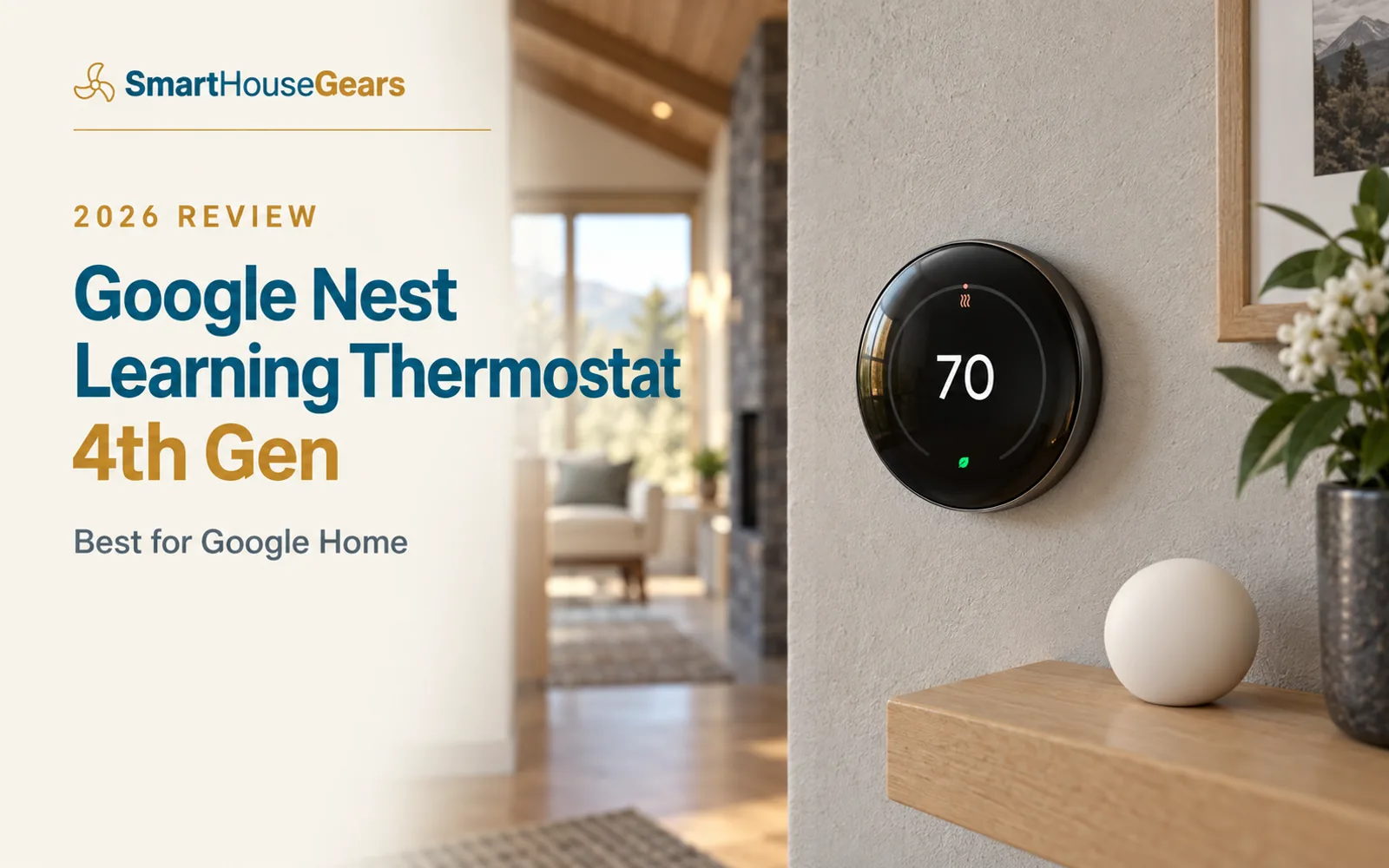
Google Nest Learning Thermostat 4th Gen Review
Subhadeep GhoshUpdated April 7, 20264.6 rating
Google Nest Learning Thermostat 4th Gen review for USA buyers
Best for Google Home
4.6(387 reviews)

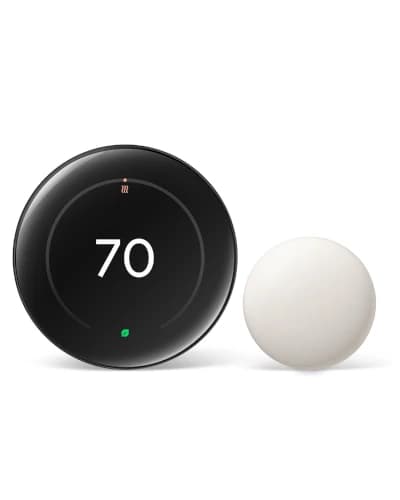
The Nest Learning Thermostat 4th Gen is the easiest premium thermostat to recommend for a Google Home household. It bundles a Nest Temperature Sensor, adds Matter support, and looks better on the wall than anything else here.

It is the most expensive pick in our guide, but the included sensor, refined auto-learning, and native Google integration make the price easier to justify than it first appears.

$261.99Save 6%

Amazon.com price as of 26/07/2026. Details

Value
Great value
Rating
4.6/5
Reviews
387
If your home already runs on Google, the Google Nest Learning Thermostat 4th Gen is the thermostat that needs the fewest explanations. It looks premium, behaves like a premium product, and slots into the Google Home app as if it were always there. That is why it is our Best for Google Home pick in the smart WiFi thermostat guide.
The headline change this generation is what comes in the box. Nest finally includes a Temperature Sensor, so the room-balancing problem is solved on day one instead of costing you an extra purchase.

Who Should Buy the Nest 4th Gen

Buy the 4th Gen if you live inside the Google ecosystem and want the smoothest possible experience. Google Assistant routines, the Google Home app, and Nest features all work together with none of the friction you feel bolting a non-native thermostat onto Google.
It is also the pick for buyers who care how a thermostat looks. It lives on your wall for a decade, and the borderless dome display is genuinely nicer to glance at than any rival here.
It is not the right choice if you need Apple HomeKit, since Nest has never supported it natively. And it is overkill for a budget shopper who just wants Google control — the Nest Thermostat 2020 delivers the same app experience for roughly half the price. If you want the widest platform support instead of Google-first polish, the ecobee Premium is the cross-platform alternative.

The Included Nest Temperature Sensor

For years, the knock on premium Nest thermostats was that you paid flagship money and still bought sensors separately. The 4th Gen ends that by including a Nest Temperature Sensor in the box.
The value is real in any home with an uneven temperature story. Mount the sensor in the upstairs primary bedroom and the system can prioritize that room overnight rather than the main-floor hallway where the thermostat sits. In a two-story colonial, that is the difference between a hallway reading 71 while the bedroom bakes at 76, and a system that actually targets the room you sleep in.
You can add more sensors as needed, but for most homes the single included unit fixes the one room that matters most — which is exactly where sensor value is highest.

Auto-Learning and Home/Away Routines

The learning algorithm is the Nest's signature trick, and the 4th Gen sharpens it. For the first week or so you simply use the thermostat normally, nudging it warmer or cooler as you like. After roughly ten days it has mapped your weekday and weekend patterns and starts making those adjustments on its own.
Home and Away routines add a second layer. Using your phone's location, the thermostat eases off when the house empties and pre-conditions before you return, so you walk into a comfortable home without heating or cooling an empty one all day. This is where the real DOE-style savings come from: automatic setbacks you never have to remember.

Matter Support: What It Does and Doesn't Do

Matter is the meaningful upgrade over older Nest models. The 4th Gen is Matter-certified, so it can be controlled from any Matter-compatible app, not just Google Home. For a household that is mostly Google but has a few Apple or Samsung devices in the mix, that flexibility matters.
Be clear-eyed about the limits, though. Matter enables basic control such as temperature adjustments; the full, polished experience — learning, energy history, Home and Away — still lives in the Google Home app. Matter broadens the door without moving the house.
If you are building a mixed-platform smart home and want Matter to be the backbone rather than an afterthought, start with the right hub. Our best Matter smart home hubs guide covers the controllers that make a thermostat like this play nicely with everything else.

Google Nest 4th Gen Specs at a Glance

Display
Borderless dome LCD, roughly 60% larger than the previous generation
Room sensor
One Nest Temperature Sensor included; supports more
Learning
Auto-learning schedule plus Home and Away routines
Platforms
Google Home native; Matter-certified for basic cross-platform control
Apple HomeKit
Not supported natively
C-wire
Not required in most homes (Power Sharing)
HVAC support
Most 24V systems: gas, electric, oil, forced air, heat pump, radiant
Certification
ENERGY STAR, utility rebate eligible
Typical price
About $250 to $280
Owner rating
4.6 out of 5

What We Like, and What to Watch

The strengths are polish and value-in-the-box. Best-in-class Google integration, an included temperature sensor, a refined auto-learning schedule, the nicest display here, and Matter support that future-proofs the purchase. For a Google home, nothing else feels this native.
The watch-outs are ecosystem and price. It is the most expensive thermostat in our shortlist. There is no native Apple HomeKit, so Apple-first homes should look at ecobee. It offers fewer third-party integrations than ecobee overall, and the learning takes a week or two to become accurate, which frustrates buyers expecting instant magic.

Before You Install the Nest 4th Gen

Run Google's compatibility checkerEnter your wire labels online before ordering to confirm your system is supported
Photograph your old wiringCapture every wire and terminal before disconnecting the old thermostat
Confirm Power Sharing will workMost homes need no C-wire, but heating-only or zoned systems may need a power accessory
Choose a sensor roomDecide which room the included Nest Temperature Sensor should prioritize
Have your Google Home app readySetup runs through Google Home, so sign in before you start
Check your utility rebateThis ENERGY STAR model is often rebate eligible, cutting the real price

How the Nest 4th Gen Compares With the ecobee and Its Cheaper Sibling

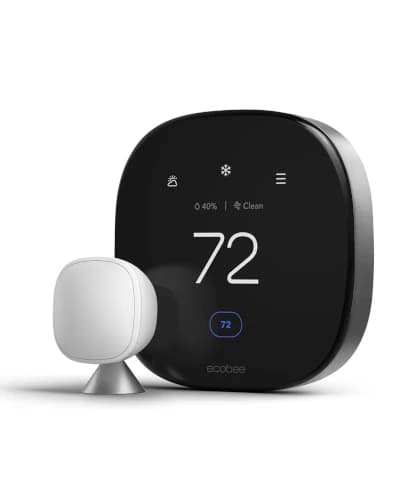
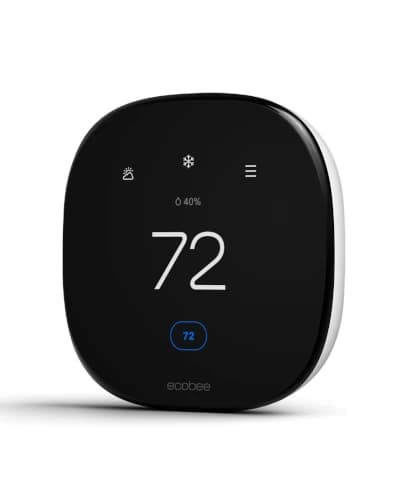
Against the ecobee Premium, the Nest wins on Google-native smoothness and display design, while the ecobee wins on platform breadth, a built-in Alexa speaker, and VOC air quality monitoring. Google homes should buy the Nest; undecided or mixed homes should buy the ecobee.
Against the Nest Thermostat 2020, the 4th Gen justifies its premium with real learning, the included sensor, Matter, and a far nicer screen. The 2020 counters on price alone — same Google app, half the cost. Choose the 4th Gen if you want the full experience, the 2020 if you want Nest quality on a budget.
Against the Honeywell Home X8S, both offer Matter, but the X8S adds a bigger 5-inch touchscreen and doorbell video, while the Nest offers tighter Google integration and a more proven track record. It comes down to whether you value Google-native behavior or the newest hardware.

The Verdict

The Google Nest Learning Thermostat 4th Gen is the premium thermostat to buy for a Google Home in 2026. The included Nest Temperature Sensor, refined auto-learning, Matter support, and standout display make it the cleanest Google-native experience on the market.
Buy it if you want the best Google integration, you care how the thermostat looks, and the price does not scare you. If your budget is tighter, the Nest Thermostat 2020 delivers the same app for less, and if you want cross-platform reach or Apple HomeKit, the ecobee Premium is the smarter buy. To fold it into a broader connected home, pair it with a hub from our Matter smart home hubs guide.

How it compares

The other picks in this guide at a glance, with a thumbnail, rating, and where each one wins.

Frequently asked questions

Is the Nest Learning Thermostat 4th Gen worth it over the Nest Thermostat 2020?

For Google-first homes that want the best experience, yes. The 4th Gen adds a genuine auto-learning schedule, an included Nest Temperature Sensor, Matter support, and a much nicer display. The cheaper Nest Thermostat 2020 gives you the same Google Home app and reliable control for about half the price, but without the sensor, the learning, or Matter.

Does the Nest 4th Gen work with Apple HomeKit?

Not natively. Nest has never supported Apple HomeKit directly. The 4th Gen is Matter-certified, which lets other platforms control basic functions like temperature, but the full experience still lives inside the Google Home app. If deep Apple Home integration is essential, an ecobee is the safer choice.

Do I need a C-wire for the Nest 4th Gen?

Usually not. Nest uses Power Sharing technology that pulls power from your existing HVAC wires, so a common wire is not required in most homes. Heating-only or cooling-only systems and some zone controllers are the main cases where you may need a C-wire or a power accessory.

Does the Nest 4th Gen really learn my schedule?

Yes. After about a week to ten days of you adjusting the temperature, it builds a schedule around your patterns and starts making those changes automatically. Home and Away routines then use your phone's location to drop the temperature when the house empties and pre-condition before you get back.

What comes in the box with the Nest 4th Gen?

The thermostat itself, a trim plate and mounting hardware, and one Nest Temperature Sensor. Bundling the sensor is a meaningful change from older Nest models, since it delivers room-to-room comfort balancing without an extra purchase.

Which HVAC systems does the Nest 4th Gen support?

It works with most 24V systems, including gas, electric, oil, forced air, heat pump, and radiant setups. For multi-stage or dual-fuel systems, use Google's online compatibility checker with your wire labels before buying, and consider professional installation if the wiring is complex.

Continue reading

Discussion

Be the first to comment

Have a question or experience to share? Scroll down to leave a comment.