The best multipoint earbuds for laptop and phone are the Nothing Ear (3) at $120 to $180. They hold two live Bluetooth connections and keep every switching control inside one app that runs on Android and iPhone.
The tradeoff is a four-hour rated ANC talk time. That makes them a personal pair for a mixed day, not a stand-in for an all-day office headset.
Bluetooth multipoint keeps earbuds connected to two source devices at once, so you can move between them without opening a pairing menu. Across all seven pairs here it means two live connections, not two audio streams playing at the same time.
That difference matters in a US home office where an employer-issued Windows laptop sits beside a personal iPhone, or a MacBook shares a desk with an Android phone. Predictable microphone routing beats another claim about how many microphones fit inside a shell.
We read the manufacturer manuals, weighed independent reviews against owner discussions, then verified each live Amazon.com listing, model identity, star rating and review count on September 10, 2026. Ratings are a screening input here, never a measure of call quality.
This guide keeps listening endurance and call battery life apart, and it names the one case that genuinely carries computer audio. It closes with a check you can run on your own devices before the return window shuts.
Editor shortlist
Multipoint earbud picks for a laptop beside your phone
Compare the Best Multipoint Earbuds for Laptop and Phone
Settle the connection method first, then compare price and comfort. Every pair below handles ordinary Bluetooth audio from a compatible computer or phone, but app access and advanced phone features vary by platform.
At a glance
Seven US listings with two-device support
Verified September 10, 2026. Prices are planning ranges, and ratings are the listing snapshots taken that day.
We wanted documented multipoint support and one clear reason to pick each pair. Seven pairs of wireless earbuds sold on Amazon.com cleared our owner-rating and review-depth screening. Going deeper would have meant accepting thinner feedback or a weaker fit for laptop and phone use.
A star rating cannot tell you whether a microphone behaves inside your employer's managed build of Teams. One unhappy forum post cannot prove a failure rate either.
So we treat owner reports as specific things to check and mark the limits of that evidence as we go. Our floor stays at 4.0 stars, and every pick here carries at least 900 US reviews.
The relevant 2026 change is better computer audio on certain hardware and software combinations. Microsoft's LE Audio guidance shows why a Bluetooth version number makes a poor buying shortcut.
7 Best Multipoint Earbuds for Laptop and Phone in 2026
The best multipoint earbuds for laptop and phone in 2026 are the Nothing Ear (3) at $120 to $180, which hold two live connections and keep every switching control in one app. JBL Tour Pro 3 at $220 to $330 wins on computer audio with its USB transmitter case, and Soundcore Liberty 5 starts at $75.
Start with the pair whose limitation you can live with. A shorter call battery is fine between meetings, and a bulky transmitter case earns its space if it replaces flaky laptop Bluetooth.
Best overall
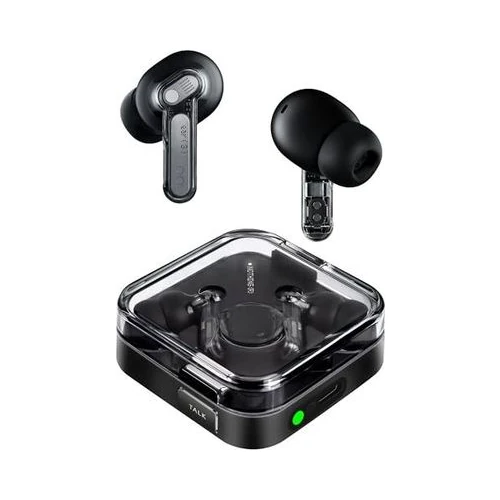
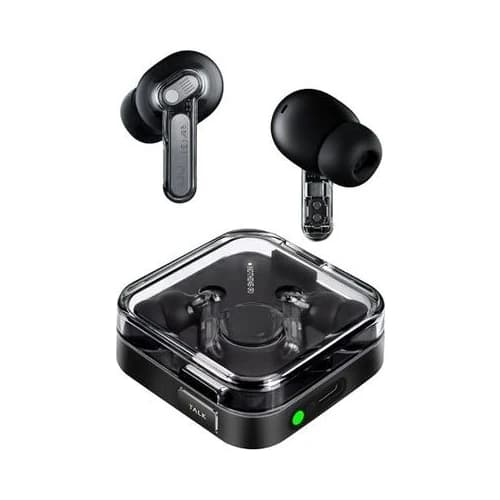
Nothing Ear (3)
Rated 4.4 out of 54.4· 1,015 reviews
Our overall pick for mixed laptop and phone use at $120 to $180. Two live connections and genuinely deep app controls make the strongest case, while short ANC talk time forces charging breaks.
Key features
Two active Bluetooth connections
Nothing X app for Android and iOS
Up to 5.5 hours ANC music; 4 hours ANC calls
Super Mic in the charging case
IP54 earbuds and wireless case charging
What we like
Strong balance of price and customization
Documented connection-priority controls
4.4/5 from 1,015 verified reviews
Watch out for
Four-hour rated ANC calls are limiting
Super Mic can change the second connection
Case is not a USB conference dongle
$99.00Save 34%
Amazon.com price as of 2:27 am ET, Oct 26, 2026. Details
Nothing Ear (3) is the pair we would choose for a personal phone and laptop that share music, messages and the occasional meeting. At $120 to $180 it also leaves budget for a desk microphone if computer calls grow into the heavier half of your day.
The appeal starts with flexibility, not with the unusual case microphone. Nothing's dual-connection documentation confirms two connected devices and app-based device selection.
That gives mixed Windows, Mac, Android and iPhone households one place to manage the arrangement, and none of it depends on both devices sharing a brand or an account.
Picture a renter working from a kitchen table who closes the laptop at dinner and keeps the earbuds in for a podcast. That day favors a compact everyday pair with settings on the phone, not office gear that feels awkward to carry after five.
Is the Nothing case microphone useful during a laptop call?
The Super Mic is a situational phone accessory, not a shortcut to universal laptop microphone support. Nothing's connection-priority instructions warn that the case feature can change the secondary connection.
Anyone who depends on uninterrupted computer audio should understand that behavior before building a meeting routine around it. Holding the case also occupies a hand you may want for notes.
Nothing's priority guide deserves a read before you switch on every extra. We would start with plain dual connection, confirm a phone call and a laptop meeting separately, then add the case microphone and watch what it does.
The audio side is more conventional. Nothing lists LDAC for compatible sources alongside active noise cancellation.
For an iPhone buyer, LDAC should carry no weight in the decision at all. For a compatible Android buyer it is a music option, never a promise about meeting audio.
Can Nothing's ANC battery cover your meeting schedule?
Nothing rates these earbuds at up to four hours of calls with ANC or transparency on. They suit an interrupted meeting schedule far better than continuous phone work.
Do not use the separate 5.5-hour ANC music figure to plan how long you can stay in a video conference. The two numbers measure different workloads.
Both figures come from Nothing's battery documentation, which specifies AAC, moderate volume and laboratory conditions. Our planning rule is to leave margin below any rated maximum and dock the earbuds over a real lunch break.
An Ear (3) owner discussion shows how fit and listening taste can create enthusiasm even when battery expectations differ. Separate reconnection complaints are a reason to check wake-from-sleep behavior, not proof that every pair shares the fault.
For a humid Southern commute, Nothing's IP54 guidance covers light exposure, not swimming or wet charging. Dry the earbuds before they go back in the case, and remember that an earbud rating never transfers to the case.
Buy this pair for its overall balance, not for an eight-hour call marathon. It earns our first recommendation because the price and platform flexibility fit a broad mixed-device routine, and because its main limitation is documented clearly enough to judge before you order.
Best premium for USB calls
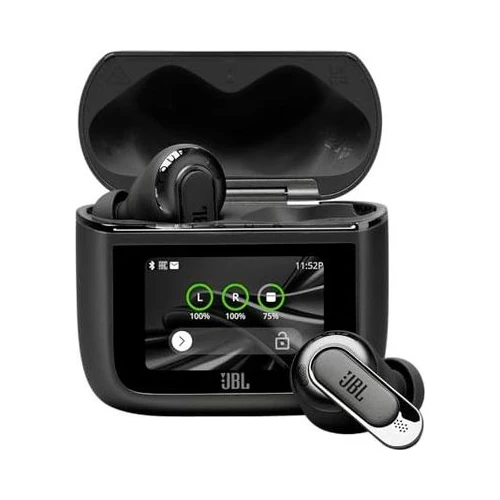
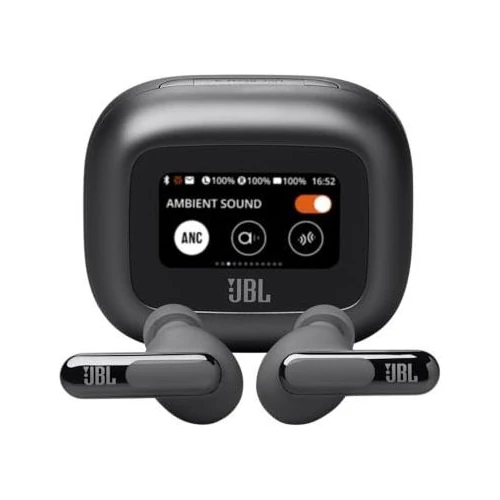
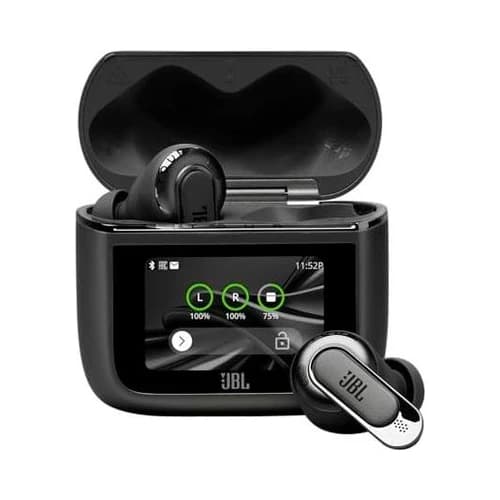
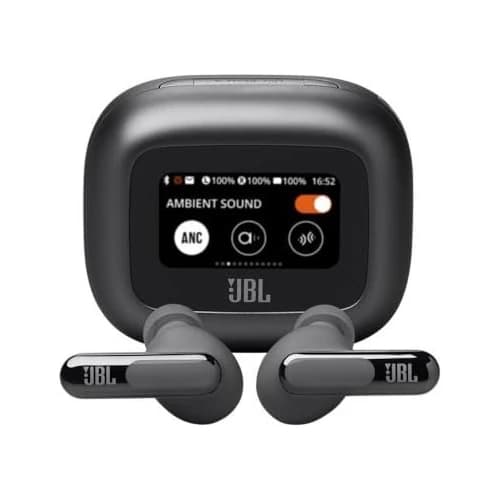
JBL Tour Pro 3
Rated 4.1 out of 54.1· 912 reviews
The premium pick at $220 to $330 when a USB audio case solves a real laptop or travel problem. The transmitter is the reason to pay more; the screen alone is not.
Key features
USB-C and 3.5 mm audio transmitter case
1.57-inch case touchscreen
Up to 8 hours ANC music; 5.2 hours ANC talk
Dynamic driver plus balanced armature
Two-device Bluetooth multipoint
What we like
Alternative computer audio route through USB
Case controls cut trips into phone settings
Analog playback option for travel
Watch out for
Large case and higher purchase price
Analog input does not carry your microphone back
USB routing still needs checking in meeting apps
$199.95Save 39%
Amazon.com price as of 2:27 am ET, Oct 26, 2026. Details
JBL Tour Pro 3 makes sense when you want a documented USB audio route alongside ordinary phone Bluetooth. At $220 to $330 the case has to solve a recurring problem to justify the premium over a pair that already connects cleanly to your laptop.
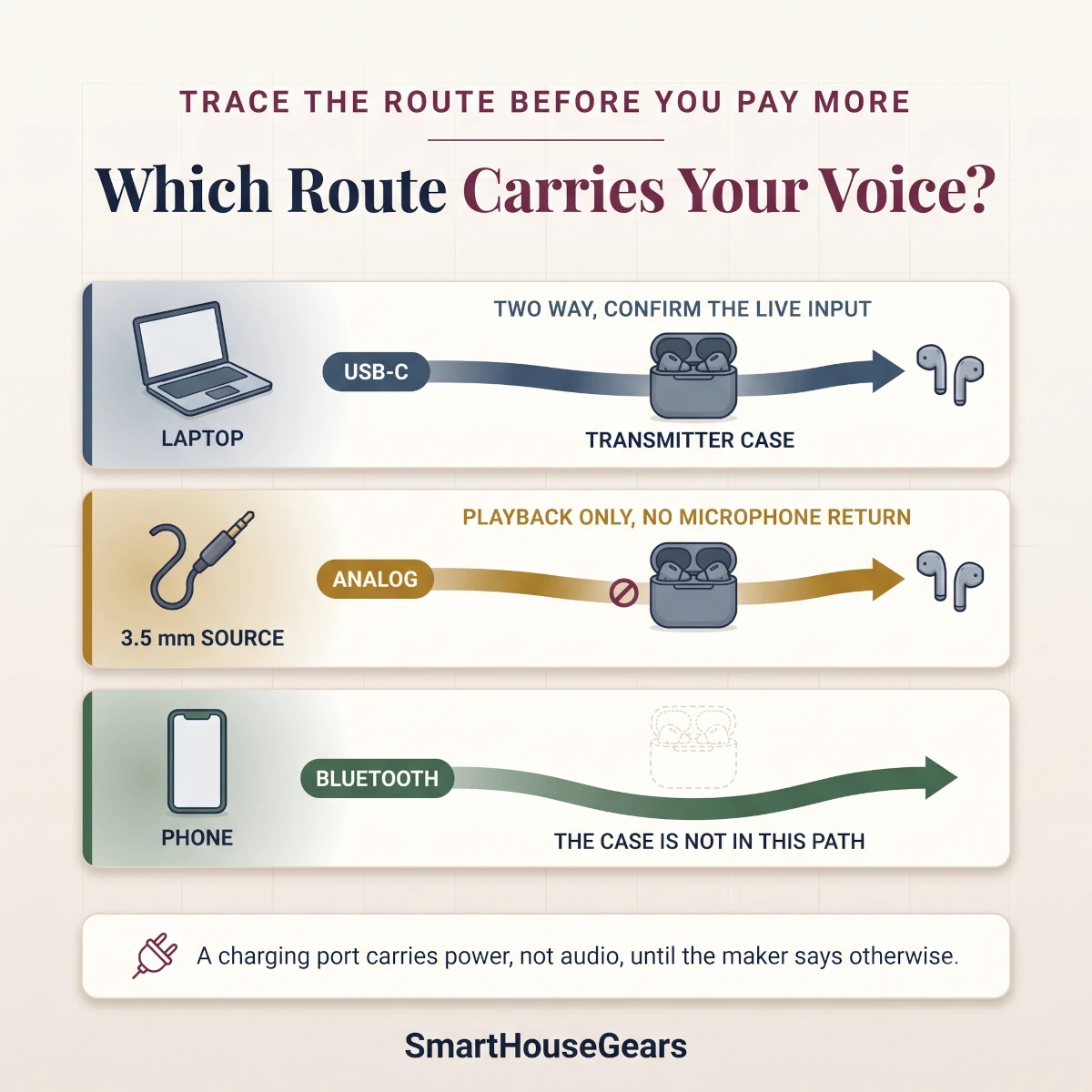
JBL's US product page describes the case as an audio transmitter and addresses computer use directly. That is far better evidence than a USB-C socket in a product photo, because a charging port says nothing about whether audio travels through it.
Consider a company laptop whose built-in Bluetooth misbehaves while your phone connection works perfectly. The USB case offers a second path worth checking against your IT policy and meeting software.
We would never promise that an employer's device restrictions allow every external audio accessory. Ask before you buy.
The analog connection carries playback from a compatible 3.5 mm source, including some airline entertainment systems. That playback function does not open a two-way microphone connection.
What does the Tour case change about computer audio?
The USB transmitter case gives the computer an audio path that bypasses its built-in Bluetooth radio. That is valuable when the radio or its drivers are the weak link.
You still have to select the right input and output inside your calling app and confirm which microphone is live. A short test recording settles it in under a minute.
You can also hear a meeting through the earbuds while the laptop microphone records your voice. Check the selected input to tell that workable arrangement apart from true earbud microphone support.
Owner questions about the Tour case as a dongle show how easily this gets confused. Ask whether the case removes a specific annoyance from your desk before assuming every advertised wireless mode runs at once.
The 1.57-inch display puts common controls within reach without the phone, according to JBL's specification sheet. Handy on a desk where the phone is put away, though a screen is a convenience and never proof of better call pickup.
Trace computer input and output separately from analog playback before you pay for a transmitter case.
Is the Tour premium justified if you mostly listen to music?
The premium is hard to justify if your laptop already connects reliably and you rarely need an external audio source. The dual-driver design and long control list are interesting, but comfort and the connection problem you actually have should decide this.
JBL rates music playback at up to eight hours with ANC, or seven with True Adaptive ANC. ANC talk time is a separate 5.2 hours.
That split, documented in its quick-start guide, makes the pair plausible for a busy call morning and thin for a full shift on the phone.
The substantial case slides into a laptop bag more easily than a jeans pocket. Weigh that if you commute with only a phone and keys.
For a flight entertainment setup, our US guide to AR glasses for movies and gaming covers the separate display and source-device requirements. An audio transmitter cannot repair an incompatible video output, so confirm those two pieces independently.
Choose this pair when USB audio or analog playback will get regular use. If you only want quick case controls, JBL Live Beam 3 delivers that at $120 to $200 without pretending its case is the same kind of transmitter.
Best premium value
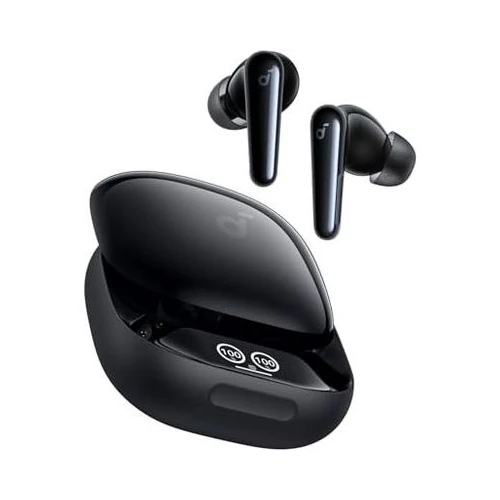
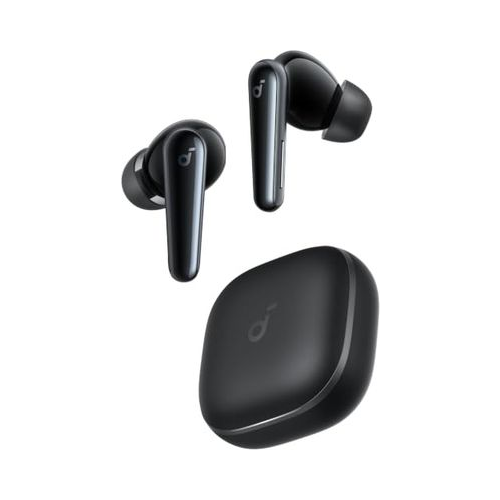
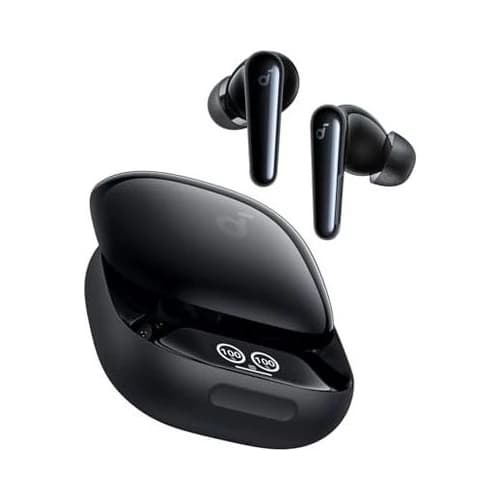
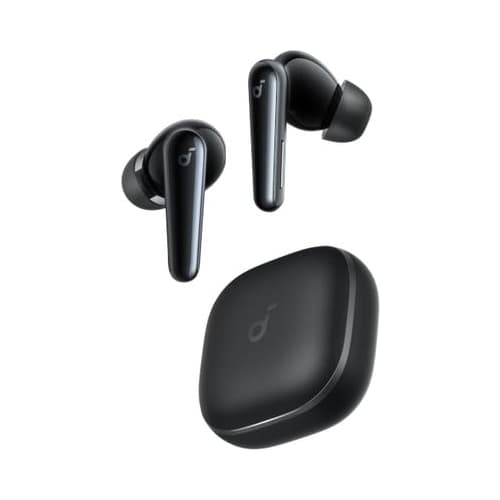
Soundcore Liberty 4 Pro
Rated 4.1 out of 54.1· 3,679 reviews
The strongest premium value at $100 to $150 for buyers who want adjustable sound and capable ANC. The display and touch bar add convenience, but they do not turn the charging case into a USB audio adapter.
Key features
Two-device multipoint
10.5 mm and 4.6 mm dynamic drivers
Case display with a separate touch bar
Up to 7.5 hours ANC music playback
Soundcore app on Android and iOS
What we like
Deep sound adjustment for the price
Case shows status and common controls
18-month limited warranty for eligible purchases
Watch out for
Larger earbuds will not suit every ear
ANC music endurance is not a call-time rating
No documented USB audio transmitter case
$99.99Save 33%
Amazon.com price as of 2:27 am ET, Oct 26, 2026. Details
Soundcore Liberty 4 Pro is our value recommendation for buyers who want control over their sound without flagship pricing. At $100 to $150 it sits close enough to simpler earbuds that the case controls and adjustable audio read as genuine extras.
Soundcore's product specifications list separate 10.5 mm and 4.6 mm dynamic drivers, plus multipoint and HearID sound personalization. Driver count alone predicts nothing about what you will enjoy.
Being able to reshape a sound profile does matter, though, especially if the default bass emphasis buries voices and acoustic recordings. That is the feature you are paying for here.
For a suburban home office this is a music-first purchase that still handles meetings. Keep the personal phone connected while you listen from the laptop, then tune the earbuds from the phone instead of installing unsupported software on a work computer.
Does the Liberty 4 Pro case replace the phone app?
The case display and touch bar cut how often you reach for the phone, but the app still owns deeper setup and personalization. Treat the case as quick access to common adjustments, never as a full substitute for software settings or a computer audio connection.
Soundcore's case-control support material makes the physical layout clear: a display with a touch bar, not the full touchscreen JBL uses. That distinction matters if you are shopping from photographs and expect every pictured screen to answer a tap.
Glancing at the case is also less distracting than waking a phone. Handy when the phone charges across the room while you work.
Where does this Soundcore pair compromise for the price?
Fit and connection behavior deserve more attention than the feature list, especially with smaller ears or a history of earbuds working loose while you speak. A lower price never removes the need to check comfort through a full meeting and confirm the reconnect after the laptop sleeps.
An owner discussion about returning this model reports mixed experiences with fit and interruptions. Useful prompts for your own check, though the thread cannot show how common either problem is across all owners.
Soundcore's A3954 user guide rates ANC playback at up to 7.5 hours, or 30 hours counting case recharges. Its US product FAQ separately lists up to four hours of ANC calls, which keeps this an option for mixed use and not continuous meeting duty.
For Windows calls, pick the microphone and speaker inside the meeting application. A successful Bluetooth pairing does not select both for you.
Soundcore's own US FAQ separates stereo listening from hands-free calling. Familiar computer audio limits still apply at this price.
The newer Soundcore Liberty 5 is a different product, not an automatic upgrade over a Pro model carrying a lower number. Choose it for a simpler case and lower spending; choose this pair if sound adjustment and the case interface will improve your daily routine.
Buy this when premium value means real options at a restrained price. Its best role is shared desk-and-commute duty, with honest expectations about fit, ordinary Bluetooth calling and app setup time.
Best for noise cancellation
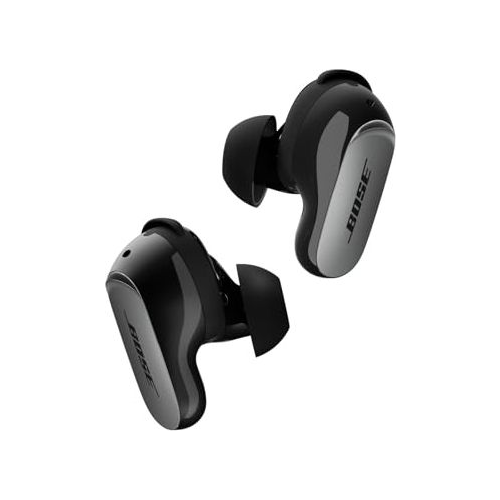
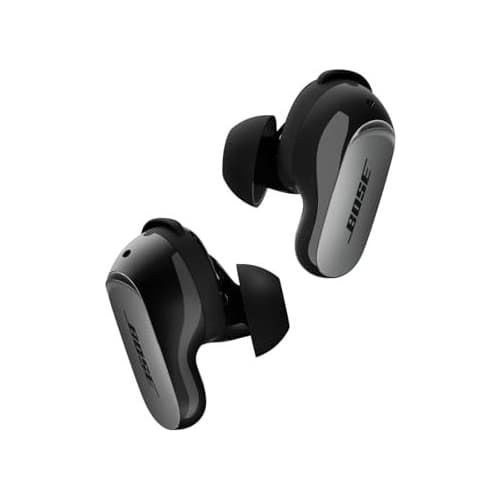
Bose QuietComfort Ultra Earbuds (2nd Gen)
Rated 4 out of 54.0· 3,402 reviews
Our noise-cancellation choice at $240 to $300 for a loud commute or a shared room. Separate stability bands and ear tips make the fit adjustable, while modest battery life limits continuous use.
Key features
CustomTune noise cancellation
Two-device Bluetooth multipoint
Nine ear-tip and stability-band combinations
Up to 6 hours music; 4 hours with Immersive Audio
Wireless charging in the second-generation case
What we like
Serious focus on isolation and adjustable fit
Second generation improves the charging package
Bose app supports Android and iOS
Watch out for
Premium price against a 4.0/5 rating
Immersive Audio cuts listening endurance
Call and connection behavior still needs checking
$299.00
Amazon.com price as of 2:27 am ET, Oct 26, 2026. Details
Bose QuietComfort Ultra Earbuds (2nd Gen) is the specialist pick for anyone who values relief from background noise above the lowest price. At $240 to $300 it has to improve a genuinely difficult listening environment to justify the jump over our overall choice.
The strongest scenario is a commute followed by focused work in a shared apartment. The same earbuds handle train rumble in the morning and steady household noise in the afternoon.
It is a weaker buy for a quiet private office where your real frustration is a meeting app picking the wrong microphone. Isolation cannot fix a routing problem.
SoundGuys' independent review found strong noise attenuation and a comfortable fit, which is evidence beyond Bose's own claims. Its June 2026 follow-up on wind noise names a remaining weakness, so we would not stretch the indoor verdict into a claim about flawless outdoor calls.
Bose separates the ear tips from the stability bands, so you can adjust the seal and how the shell sits in your outer ear independently. Its US specifications list nine combinations, which widens your fitting options without guaranteeing this shape suits you.
Isolation only works with a fit you can tolerate for a full session. Reseating an uncomfortable earbud every ten minutes cancels the benefit of stronger ANC.
What changed in the second-generation Bose earbuds?
The second generation adds wireless charging in the case plus revised call-noise processing, so the new name comes with concrete changes. Bose also lists updated ActiveSense behavior and an option to disable touch controls.
That last one matters if adjusting a winter hat keeps triggering accidental gestures. Turn the touch controls off and keep another way to answer calls within reach.
Those changes appear in Bose's launch announcement rather than in an abbreviated retailer title. Confirm the listing explicitly names the second generation, because a similar-looking older pair creates a misleading price comparison.
Does Bose's quiet listening mean callers hear less noise?
No. Noise cancellation for your ears and processing for the outgoing microphone are separate systems, so a quiet listening experience proves nothing about what a caller hears.
Buy this pair for its isolation and fit options first, then check microphone performance in the room where you actually take calls. That check should include ordinary speech with a fan running, followed by a short walk away from the laptop.
You are listening for intelligible words and a connection that survives normal movement. A dramatic silence demonstration says very little about a client conversation.
Bose rates ordinary listening at up to six hours, dropping to four with Immersive Audio on. Its US specifications list a maximum talk time of four hours without the detailed condition breakdown JBL publishes, so leave a charging break in any demanding schedule.
The Amazon rating is 4.0/5 from 3,402 reviews, which clears our floor without making ownership trouble-free. An owner discussion about firmware and voice prompts is a reminder to check current software behavior instead of trusting a launch-day review.
Choose Bose for a quieter personal listening space, with fit as the final call. We would spend less if the room is already calm, and we would buy a dedicated work headset if uninterrupted calling is the whole job rather than one part of it.
Best for Pixel owners
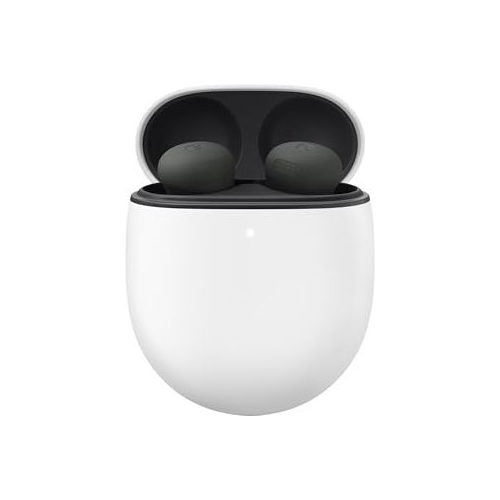
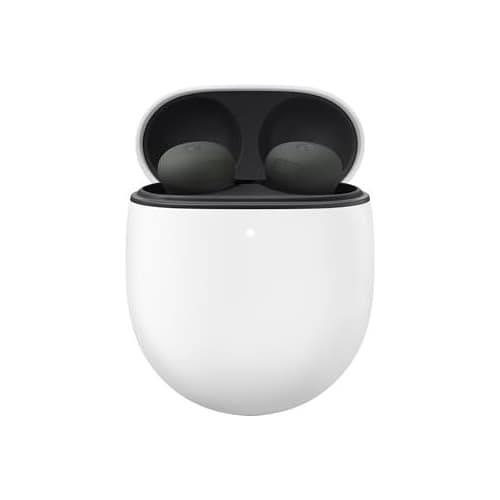
Google Pixel Buds Pro 2
Rated 4.1 out of 54.1· 2,630 reviews
The Android-focused choice at $220 to $240, especially for Pixel owners. Two live connections and Google settings suit a phone-led routine, while iPhone users lose much of the reason to pay extra.
Key features
Two active connections; up to eight saved pairings
Up to 8 hours ANC music and 30 hours with case
11 mm driver and Tensor A1 processor
Find Hub ringtone speaker in the case
IP54 earbuds; IPX4 case
What we like
Natural fit for a Google-centered phone setup
Case can participate in Find Hub
Qi-certified wireless case charging
Watch out for
Full features need Android and a Google account
Phone voice features do not carry to a PC
No separate talk-time figure in the checked specs
$214.99Save 6%
Amazon.com price as of 2:27 am ET, Oct 26, 2026. Details
Google Pixel Buds Pro 2 is the choice for buyers whose phone already anchors a Google-centered routine. The $220 to $240 range is far easier to justify when you will actually use the Android settings and the case-finding features.
Google's US technical specifications confirm basic pairing with compatible iOS devices and laptops, while fuller functionality needs a Google account and an Android companion phone. Ordinary audio compatibility and complete feature access are two different questions.
For a Pixel owner with a Windows work laptop, that division works well. The phone handles earbud settings while the computer supplies meeting audio.
You do not need to turn the laptop into a Google device. You do need to resist assuming that every phone-side calling enhancement follows you into Windows.
The findable case helps if accessories keep vanishing between a work bag and the bedroom. Set up the account and permissions before you rely on it.
How do Pixel Buds separate saved devices from active connections?
Google allows up to eight saved pairings, but only two devices stay connected at once through multipoint. That matters when your earbuds still remember a tablet or an old laptop.
A saved name in the list does not tell you which two devices currently hold a live connection. The app's device list does.
Google's connection help explains multipoint separately from automatic audio switching. Start with just the work laptop and primary phone, then add a tablet once you know how to drop an unwanted source.
These stay personal Bluetooth accessories even if Google Home runs the rest of your house. They are not Matter controllers or Thread border routers.
Should you pay for Pixel features if work happens on Windows?
Pay for the Pixel features only if they improve the phone half of your day. A Windows meeting still depends on Windows input and output support.
Google lists its advanced voice features with compatibility conditions attached. A phone-specific claim is not proof of the same microphone behavior on your laptop.
Google rates ANC music playback at up to eight hours and total listening with case recharges at up to 30 hours. Neither number is a promise about consecutive calls, because the checked US specification page gives no comparable talk-time figure.
For short walks between work sessions, the IP54 earbuds and IPX4 case carry different dust protection claims. Keep that in mind around dry yard debris or a dusty garage.
Choose this pair because Android features help you today, not because a future Google announcement might land on it. We prefer a platform-neutral alternative for an iPhone-first buyer, while Pixel owners have every reason to keep it near the top of the shortlist.
Best rated ANC music endurance
JBL Live Beam 3
Rated 4 out of 54.0· 912 reviews
The long-listening option at $120 to $200, with up to 10 hours of ANC music playback. Its case screen is handy for controls, but the separate five-hour ANC call rating tells a very different workday story.
Key features
Two-device multipoint
1.45-inch Smart Charging Case display
Up to 10 hours ANC music; 5 hours ANC talk
10 mm dynamic drivers
IP55 earbuds
What we like
Longest stated ANC music runtime in this shortlist
Common controls reachable from the case
Cheaper route to a case interface than the Tour
Watch out for
Charging case is not a USB audio transmitter
Older model kept for value, not newness
Big total battery claim includes recharging breaks
$129.95
Amazon.com price as of 2:27 am ET, Oct 26, 2026. Details
JBL Live Beam 3 is the pick for long stretches of listening broken up by the occasional call. At $120 to $200 the rated ANC music endurance is the feature we would buy, with the case display as a useful second reason.
JBL's specification sheet lists up to 10 hours of music with ANC, nine with adaptive ANC and 12 with ANC off. Publishing all three conditions makes honest comparison possible instead of repeating the biggest number on the box.
A plausible buyer listens through a long train ride, works quietly for several hours, then takes a few short calls between tasks. That pattern rewards sustained music playback over a case transmitter or deep assistant integration.
It also suits anyone who would rather not leave a phone face-up on the desk. Making a routine adjustment from the case means one less reason to pick up the device that also holds your notifications.
Is ten-hour ANC playback the same as an all-day calling battery?
No. JBL rates ANC talk time separately at up to five hours, because the earbud microphone adds a different workload.
Choose this pair for long listening sessions, and use the call figure when you plan a morning of meetings. A reviewer's phrase like all-day listening says nothing about talk endurance.
The case's total music capacity also assumes you take the earbuds out to recharge them. That works over lunch or between a commute and an evening film, but it cannot top up a pair mid-conference.
Who will actually use the Live Beam case display?
The display suits someone who wants common listening controls nearby while the phone stays out of reach. It adds much less if you already use earbud gestures confidently or keep the phone open beside the laptop.
An early owner account of the case controls describes the appeal of handling adjustments without the phone. We read that as one useful preference, not proof that every buyer finds a screen faster than the controls they already know.
The case has one clear limit: its USB-C connector is a charging port, not a computer audio transmitter. If feeding laptop audio through a case is your buying reason, JBL Tour Pro 3 is the JBL model here with that documented capability.
This is an older-generation value pick. JBL's Live Beam 4 support material means we cannot call the 3 the newest in its family.
We kept the verified US listing because its price and endurance serve this guide, not because a lower model number makes an automatic bargain.
Near the top of the $120 to $200 range, compare the alternatives carefully before paying extra for a case screen. Near the bottom, the mix of ANC listening time and direct controls becomes convincing.
Buy this for long music sessions and a case interface you will genuinely use. The five-hour ANC call rating and older generation are fair tradeoffs for the right buyer, provided neither disappears behind a large total-playtime headline.
Best lower-cost choice
Soundcore Liberty 5
Rated 4.1 out of 54.1· 3,741 reviews
The lower-cost recommendation at $75 to $130 for buyers who mainly need two connections and a straightforward case. It keeps app controls and wireless charging without charging you for a display.
Key features
Two connections with LDAC on compatible Android
Up to 8 hours ANC music playback
Up to 5.5 hours ANC calls with both earbuds
Six ear-tip sizes and squeeze controls
IP55 earbuds; USB-C and wireless case charging
What we like
Lowest planning range among the seven picks
Published call endurance helps workday planning
App personalization without a case-screen premium
Watch out for
ANC trails the strongest specialist options
Demanding audio modes shorten battery life
No case audio transmitter or screen
$82.49Save 37%
Amazon.com price as of 2:27 am ET, Oct 26, 2026. Details
Soundcore Liberty 5 is the pair to weigh before you decide that reliable two-device use requires a premium case. Its $75 to $130 range opens a genuine budget door in a mostly premium shortlist.
Soundcore's US product page lists multipoint alongside LDAC support, squeeze controls and a conventional charging case. That combination fits a Windows laptop and Android phone when the priority is keeping both connected, not buying another screen for the desk.
Do not confuse this standard model with a similarly named Pro version, and do not assume every setting carries across the family. We verified the A3957 listing, and the battery and connection details below belong to that exact pair.
Can Liberty 5 keep LDAC and multipoint enabled together?
Yes. Soundcore documents LDAC alongside dual connections on compatible Android hardware, which is genuinely handy for listeners who want both.
It does not mean an iPhone gains LDAC, and it does not mean a computer call uses the same codec as your music. Demanding modes also carry a battery cost.
Start with the standard codec for work, then add high bitrate listening once the connection behaves. A known baseline makes later interruptions much easier to diagnose.
An early owner discussion mixes enthusiasm for the LDAC combination with worries about restoring connections afterward. That report comes from one setup on older firmware, so treat it as a reconnect check to run, not a verdict.
Is the lower price reflected in noise cancellation or comfort?
The price shows most if you expect specialist-level noise cancellation. Comfort stays an individual fit decision either way.
SoundGuys' independent review found capable features and a comfortable design but judged the ANC weaker than stronger alternatives. That keeps this our spending-conscious recommendation rather than our isolation champion.
The same review found the voice intelligible in its simulated microphone conditions, which beats a microphone-count claim. Those samples are third-party results under stated conditions, not a guarantee about your kitchen fan or your calling software.
Soundcore supplies six tip sizes, and your two ears may want different ones. Favor comfort while speaking over the tightest seal in a brief first impression.
The manufacturer's Liberty 5 FAQ lists up to eight hours of ANC music and 5.5 hours of ANC calls with both earbuds. It also lists shorter endurance for heavier combinations, so keep each figure tied to its mode instead of blending them into one flattering claim.
In a shared home office, single-earbud use keeps you available to whoever is nearby. Soundcore documents that mode, though parking one side does not create unlimited endurance and transparency is no substitute for paying attention.
The deciding comparison is Soundcore Liberty 4 Pro at $100 to $150. When the ranges overlap on the day you shop, take the Pro for richer case controls and a sound-focused package, or this pair for a simpler setup and its documented dual-connection LDAC.
Choose this model when the goal is to spend less while keeping the connection features that matter. It is the clearest proof in this guide that value comes from leaving out expensive extras, as long as the remaining compromises match your room and your habits.
What Should You Check Before Buying Laptop and Phone Earbuds?
Check your device combination, your longest call and the return conditions before you compare luxury features. A good match gives you settings on your phone, the microphone route you need on the laptop and enough battery reserve for a normal schedule, with no subscription for core listening.
Do you need multipoint or just automatic switching?
You need multipoint when two devices must stay connected at once, especially across unrelated operating systems or accounts. Automatic switching is a different thing: usually an ecosystem feature with much narrower requirements.
Read the manufacturer's connection instructions instead of trusting a marketing promise about easy switching. A work laptop and a personal phone rarely qualify for the same demo you saw between a matching phone and tablet.
List the two devices you use most and treat everything else as an occasional stand-in for one of them. For a MacBook and Android phone, or Windows and iPhone, platform-neutral connection management matters far more than any single-brand trick.
How should you compare ANC, microphone quality and fit?
Compare ANC as a listening feature, microphone quality as an outgoing-voice feature and fit as the condition that makes both work. A pair that hides a fan from your ears can still push that fan noise into a caller's headset.
A strong microphone demo also proves nothing about how the shell feels after an hour. Those are three separate checks.
Listen to independent microphone samples of ordinary speech rather than reading a single score. Then use the seller's eligible return period to check your own room, chair and posture, because a desk microphone and an earbud microphone respond very differently to distance.
Which battery number belongs in your workday calculation?
Use the separately stated call rating for a day of work calls, and the ANC music rating for a day of listening. Case totals include recharging breaks, and spatial effects or high bitrate modes shorten runtime.
The largest advertised number is almost always the wrong starting point for uninterrupted work. Our planning rule is to hold a meaningful reserve below any rated maximum and charge between sessions.
A calendar of repeated short meetings is far easier to cover than one continuous training call, even when both add up to the same hours.
Does Windows 11 LE Audio remove the microphone quality tradeoff?
Not on its own. Windows 11 LE Audio can deliver better two-way audio on a compatible setup, but the operating system name alone establishes nothing.
Microsoft specifies suitable computer hardware, a supported Windows build, manufacturer drivers and compatible audio devices. Verify the whole chain before you expect stereo playback while the microphone is live.
Microsoft's requirements name Windows 11 version 24H2 with the relevant updates plus factory-integrated Bluetooth LE Audio hardware. None of our picks assume that a Bluetooth 5.3 or 5.4 badge satisfies that list on every laptop.
Will a mesh router improve your Bluetooth earbuds?
No. A mesh router can steady the internet feeding a video meeting, but it cannot change an earbud's microphone profile or its multipoint priority rules.
Separate internet trouble from local Bluetooth trouble by checking whether downloaded audio also breaks up while the laptop and earbuds sit close together. If it does, the earbuds are the problem.
What charging and weather details matter in US homes?
Use a compatible USB power source and keep the case dry before charging, especially after a humid commute or a workout. The earbuds never touch the 120V outlet directly; the wall adapter handles that conversion, and its output should match the manufacturer's charging instructions.
Do not leave the case baking in a parked car during a Southern heat wave, and respect the temperature limits after a cold Midwest night.
JBL's documentation gives a maximum operating temperature of 113 degrees Fahrenheit. That is a device limit, not permission to charge anywhere hot.
Which certifications and warranty terms deserve attention?
Check radio compliance and eligible warranty coverage, but never read a certification mark as an endorsement of call quality or comfort. The FCC's equipment-authorization framework concerns radio-frequency compliance, while a UL or ETL mark on a power adapter covers a different part of the setup.
Our warranty table applies to new products bought through eligible US channels, with proof of purchase, and each manufacturer's exclusions still apply.
Check the seller identity instead of assuming every marketplace listing carries identical support, especially when a price sits far below the rest of the range.
What stays private, offline and free of monthly fees?
Core Bluetooth listening works with no home internet connection at all. Cloud assistants and streaming services depend on their own accounts and connectivity.
Treat app permissions, voice recordings and optional cloud features as separate decisions. Buying earbuds does not enroll you in every service advertised beside them.
For an offline travel day, download the permitted audio in advance and charge the case before you leave. Our guide to a smart home without monthly fees applies the same split between hardware functions and optional services that quietly become recurring costs.
How do you use an earbud return window well?
Confirm the exact listing's return deadline and its opened-item conditions, then run your device checks early enough to act on a bad fit. A commonly advertised 30-day window should never be assumed to cover every item or seller.
A defect warranty is also not permission to return a pair you simply dislike. The two policies are unrelated.
Keep the packaging and the supplied tips while you evaluate normal listening and calls, and follow the retailer's return instructions if you decide against the purchase. Record the deadline from your order details rather than trusting a general policy summary.
Which Multipoint Earbud Tradeoffs Justify Paying More?
Pay more when the extra feature fixes a recurring limitation in your laptop and phone setup. These three comparisons name a winner for one specific decision instead of pretending a single pair wins every combination of music, calls and travel.
Is a Tour transmitter worth more than Live Beam case controls?
JBL Tour Pro 3 wins for a buyer who needs a documented USB audio case.JBL Live Beam 3 wins for long music playback at a lower price, though its case display cannot stand in for the transmitter that makes the premium model distinctive.
Side by sideJBL case function versus listening endurance
Winner for USB audio
Tour Pro 3: USB specialist
$220 to $330
Case audio
USB-C and analog transmitter(wins this comparison)
Rated ANC music
Up to 8 hours
Winner for long listening
Live Beam 3: listening value
$120 to $200
Case audio
Controls and charging
Rated ANC music
Up to 10 hours(wins this comparison)
Specification
Winner for USB audioTour Pro 3: USB specialist$220 to $330
Winner for long listeningLive Beam 3: listening value$120 to $200
Case audio
USB-C and analog transmitter(wins this comparison)
Controls and charging
Rated ANC music
Up to 8 hours
Up to 10 hours(wins this comparison)
Should you choose Liberty 4 Pro or the simpler Liberty 5?
Soundcore Liberty 4 Pro wins our premium-value comparison for sound customization and case controls.Soundcore Liberty 5 wins on lower spending and the separately documented ANC call rating, which makes it the better pick when those priorities outrank an elaborate case interface.
Side by sideTwo Soundcore models with different priorities
Winner for case controls
Liberty 4 Pro: feature value
$100 to $150
Case interface
Display and touch bar(wins this comparison)
Rated ANC calls
Up to 4 hours
Winner for lower cost
Liberty 5: simpler spending
$75 to $130
Case interface
Conventional charging case
Rated ANC calls
Up to 5.5 hours with both buds(wins this comparison)
Specification
Winner for case controlsLiberty 4 Pro: feature value$100 to $150
Winner for lower costLiberty 5: simpler spending$75 to $130
Case interface
Display and touch bar(wins this comparison)
Conventional charging case
Rated ANC calls
Up to 4 hours
Up to 5.5 hours with both buds(wins this comparison)
Does Bose isolation justify the jump from Nothing Ear (3)?
Nothing Ear (3) wins for overall value across a mixed laptop and phone routine.Bose QuietComfort Ultra Earbuds (2nd Gen) wins our noise-cancellation recommendation, so the extra spending makes sense when a distracting environment is the problem you are paying to shrink.
Side by sideEveryday flexibility versus a quieter listening space
Winner for overall value
Nothing Ear (3): mixed-use value
$120 to $180
Buying reason
Flexible app, restrained price(wins this comparison)
Main compromise
Four-hour rated ANC calls
Winner for ANC focus
Bose second generation: isolation
$240 to $300
Buying reason
Independent evidence of isolation(wins this comparison)
Main compromise
Price and modest endurance
Specification
Winner for overall valueNothing Ear (3): mixed-use value$120 to $180
Winner for ANC focusBose second generation: isolation$240 to $300
Buying reason
Flexible app, restrained price(wins this comparison)
Independent evidence of isolation(wins this comparison)
Main compromise
Four-hour rated ANC calls
Price and modest endurance
Multipoint Earbud Specifications That Change the Decision
All seven pairs hold two live Bluetooth connections, but their battery and support details diverge sharply. Every figure below is a manufacturer rating rather than a SmartHouseGears measurement, and each warranty assumes an eligible new US purchase with proof of purchase.
TableANC battery, case role and US support
Battery figures are up to the stated duration. Bose does not publish talk-time conditions, and Google publishes no separate talk figure. An earbud water rating never transfers to its case.
How Can You Check Two-Device Earbuds Before the Return Deadline?
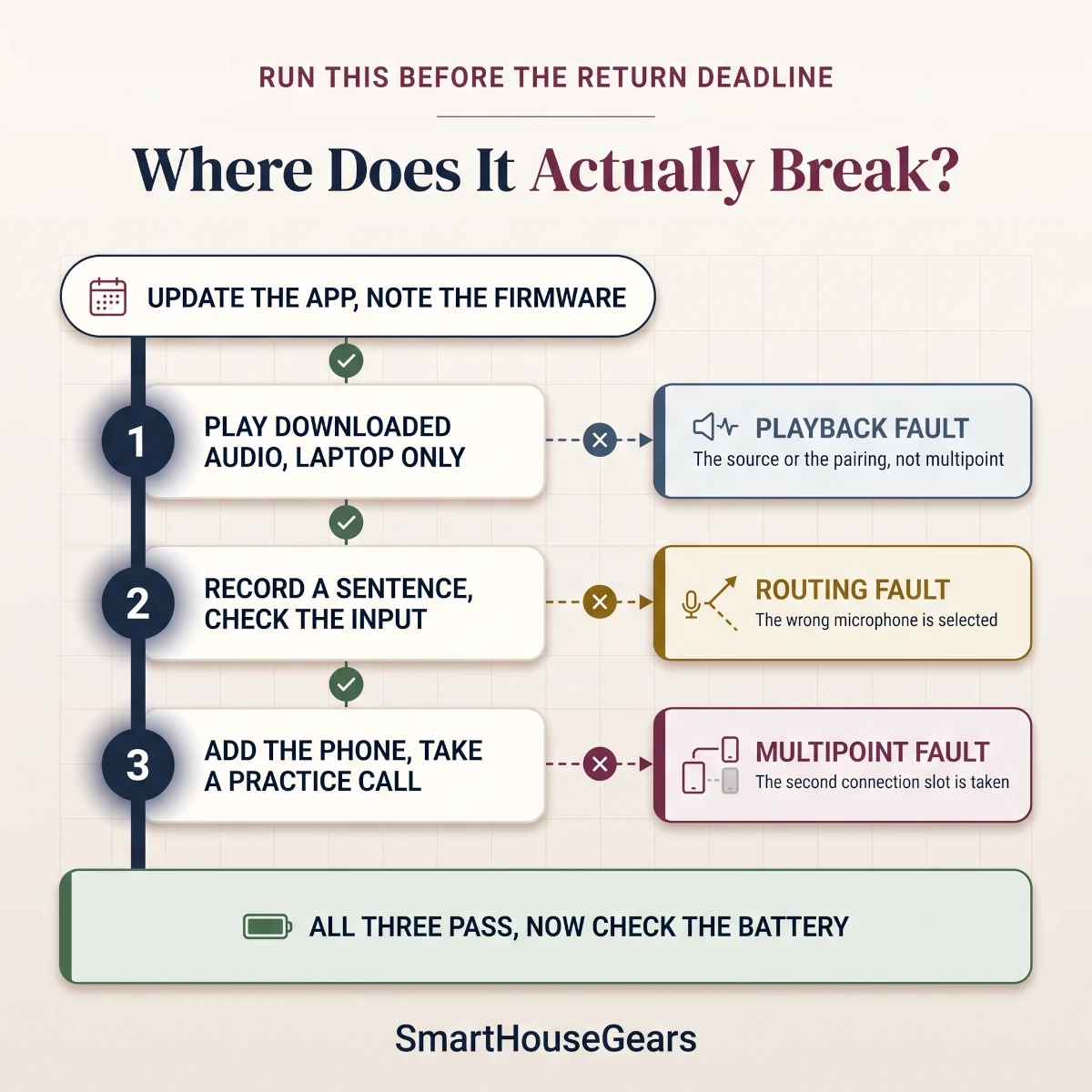
Run one repeatable connection sequence on your actual laptop and phone before you decide to keep the earbuds. Cover sound output and microphone input separately first, then introduce the second device so you can tell a basic pairing fault from a multipoint fault.
A seven-step check for your own device pair
Update the companion app and note the earbud firmware version.
Play downloaded audio with only the laptop connected.
Select the meeting app's speaker and microphone explicitly.
Record a short sentence and confirm the intended microphone.
Connect the phone and take a practice incoming call.
Sleep and wake the laptop, then confirm both connections return.
Wear the earbuds through a normal session and note the battery left.
The first step that fails tells you whether the problem is the source, the microphone or multipoint itself.
If music quality drops only when the microphone opens, Apple documents the Bluetooth mode change behind it on a Mac. Try the laptop microphone with earbud output as a separate configuration, then decide whether that arrangement suits your room instead of resetting a pair that already works.
Which of These Earbuds Fits Your Two-Device Routine?
Match the purchase to the task you repeat most, then check that its main limitation fits your schedule. These lines summarize the reason to choose each pair without asking every buyer to pay for the same case features or phone integration.
Choosing the Best Multipoint Earbuds for Laptop and Phone
Nothing Ear (3) remains our best overall choice for a mixed day of music and calls at $120 to $180. It combines phone-app access with two-device support, and its four-hour ANC call limit is documented clearly enough to weigh against your own schedule before you buy.
For premium value, Soundcore Liberty 4 Pro at $100 to $150 offers the most convincing mix of sound adjustment and case controls. If you would rather spend less and skip the display, Soundcore Liberty 5 at $75 to $130 is the first alternative we would open.
The best multipoint earbuds for laptop and phone are rarely the pair with the longest battery headline. They are the pair whose call endurance and switching behavior match the devices you already own, right down to microphone selection and the reconnect after your laptop wakes.
Pay the premium for JBL Tour Pro 3 when its USB transmitter case solves a specific problem, or for Bose QuietComfort Ultra Earbuds (2nd Gen) when isolation is the whole point. Either way, two live connections still mean one selected audio source, so simultaneous mixing stays a separate requirement.
For fall work routines and holiday travel, buy for the devices you own today. None of these recommendations depends on a predicted Black Friday price or an unreleased firmware feature.
Quick answers
Laptop and phone earbud questions answered
What are the best multipoint earbuds for a laptop and phone?
Nothing Ear (3) is our best overall pick at $120 to $180, with two live connections and an app that runs on Android and iPhone. JBL Tour Pro 3 at $220 to $330 is the premium choice because its case doubles as a USB audio transmitter, and Soundcore Liberty 5 at $75 to $130 is the lower-cost option.
Which multipoint earbuds should I buy for a Windows laptop and an iPhone?
Nothing Ear (3) suits that mix at $120 to $180, because its two connections and iPhone app do not depend on owning an Android phone. Pick JBL Tour Pro 3 at $220 to $330 instead if the Windows laptop needs the USB audio case.
Can multipoint earbuds play laptop and phone audio together?
No. These earbuds switch sources rather than mix two audio streams. If you need to hear a phone call over continuing computer audio, look for equipment that names simultaneous mixing as a feature.
Does a saved Bluetooth pairing mean both devices are connected?
No. A saved pairing only means the earbuds remember a device, while multipoint holds two live connections at once. Open the companion app's device list to see whether an old tablet or laptop is occupying the second slot.
Will an incoming phone call interrupt a Teams meeting?
It can. Call priority depends on the earbuds and the software, so multipoint alone does not protect a Teams meeting from your phone. Try an incoming call during a practice meeting, and disconnect the phone on days when an interruption is unacceptable.
Why does music sound worse when I turn on my earbud microphone?
Classic Bluetooth can drop to a lower bandwidth call profile the moment the microphone opens. Using the laptop microphone with earbud output keeps playback quality, and compatible Windows LE Audio hardware offers another route.
Does Bluetooth 5.4 guarantee stereo audio during Windows calls?
No. A Bluetooth version number says nothing about stereo playback while the microphone is live. Windows LE Audio also needs a supported Windows build, factory-integrated LE Audio hardware and matching drivers.
Which earbuds here publish the longest ANC music battery life?
JBL Live Beam 3 leads at up to 10 hours of ANC music, according to JBL. Its ANC talk rating is a separate figure of up to 5 hours, so plan meeting days around that number instead.
Can Soundcore Liberty 5 use LDAC with two devices connected?
Yes. Soundcore documents LDAC alongside dual connections on compatible Android phones. Switch back to the standard codec when battery reserve matters more than high bitrate music.
Does every USB-C earbud case work as a computer audio transmitter?
No. A USB-C socket is a charging port unless the manufacturer says otherwise. JBL Tour Pro 3 ships a genuine USB transmitter case, while JBL Live Beam 3 uses its case only for charging and controls.
Are Google Pixel Buds Pro 2 a good choice with an iPhone?
They pair with an iPhone for ordinary Bluetooth audio, but the fuller feature set needs Android and a Google account. Nothing Ear (3) is the better value if an iPhone is your main companion phone.
Do these multipoint earbuds need Wi-Fi or a paid subscription?
No. Core Bluetooth listening and multipoint switching work with no monthly fee and no home Wi-Fi. Streaming services, cloud assistants and some account features carry their own internet or subscription requirements.
Can I assume Amazon will accept opened earbuds within 30 days?
No. Return conditions depend on the item and the seller, so check the exact listing and your order's return eligibility before you open the box. A manufacturer's warranty covers eligible defects under its own terms and is separate from a change-of-mind return.
Discussion
Be the first to comment
Have a question or experience to share? Scroll down to leave a comment.
![Best Multipoint Earbuds for Laptop and Phone 2026 [Top 7]](/_next/image?url=%2Fimages%2Fmultipoint-earbuds%2Fbest-multipoint-earbuds-laptop-phone-usa-2026.webp&w=1920&q=75)
Discussion
Be the first to comment