The best Wi-Fi 7 mesh systems for large homes solve a harder problem than making one room fast. They have to hold a steady link through two floors, reach a basement office and keep dozens of 2.4 GHz smart devices online.
That is a coverage problem before it is a speed problem. One router at the front of the house cannot fix it, however large the number printed on the box.
A Wi-Fi 7 mesh system is a router plus one or more coordinated nodes that broadcast a single whole-home network using the IEEE 802.11be standard. Wi-Fi 7 adds Multi-Link Operation, wider channels and more efficient use of spectrum.
Your floor plan still decides whether those features become a better connection. We compared manufacturer documents, independent test results and owner reports to separate the marketing from the part you can use.
Every shortlisted system sells to US buyers, holds a rating of at least 4.0 out of 5 and suits a home that one router cannot cover.
The TP-Link Deco 7 Pro BE63 is our top pick because its two interchangeable nodes pair tri-band Wi-Fi 7 with four 2.5 GbE ports apiece for a sensible premium. The TP-Link Deco 7 BE23 is the value choice for gigabit households that need three nodes more than they need 6 GHz.
Which Wi-Fi 7 Mesh System Is Best for a Large Home?
The TP-Link Deco 7 Pro BE63 is the best Wi-Fi 7 mesh system for most large homes because it pairs two tri-band nodes with four 2.5 GbE ports on each unit. Its $300 to $350 range still leaves budget for a 2.5 GbE switch, Ethernet cable or a small UPS.
At a glance
Eight Large-Home Wi-Fi 7 Systems Compared
Coverage claims are manufacturer maximums. Real results depend on construction, node placement, client hardware and interference.
We recorded every rating and review count on September 5, 2026. Listings gain reviews and sometimes combine variations, so treat the figures as a current ownership signal and confirm the exact pack size on the listing before you order.
How We Compared Wi-Fi 7 Mesh Systems for Large Homes
We ranked usable coverage, backhaul options, Ethernet capacity and software cost above any single headline speed. Every system also had to be a current US listing and carry a rating of 4.0 or higher.
Each one then had to fit a clear large-home job better than the candidates we cut. A mesh kit that only wins on paper does not earn a place in a shortlist of eight.
Manufacturer documentation gave us radio bands, rated coverage, port speeds, device limits and warranty terms. Independent networking publications gave us controlled throughput and range results.
Recurring owner reports filled the last gap: setup friction, firmware complaints, subscription frustration and smart-device pairing failures. Those patterns are where a spec sheet stops being useful.
We treat no coverage claim as a promise. Vendors calculate square footage under favorable conditions, while plaster over metal lath, brick fireplaces, concrete floors and foil-backed insulation all shorten a radio link.
What changed in Wi-Fi 7 during 2026?
Wi-Fi 7 moved beyond early-adopter status during 2026 as compatible phones, laptops and ISP gateways became more common. Ookla reported that Wi-Fi 7 represented 7.2% of US router generations in its Q1 2026 samples, up from 1.8% a year earlier.
Wi-Fi 8 announcements do not make these systems obsolete. First-wave consumer routers are expected before compatible client devices become common in 2027, and the early focus is reliability rather than raw speed.
If the router is already the weak link, waiting two more years for Wi-Fi 8 buys you two more years of dead rooms.
Which numbers deserve skepticism?
Treat maximum square footage, aggregate wireless speed and supported-device counts as lab ceilings. They are useful for comparing a brand's own pack sizes, but they do not account for your wall materials, neighboring networks or the sustained traffic generated by cameras and backups.
Independent results give those claims context. Tom's Guide measured the TP-Link Deco 7 Pro BE63 at 1.821 Gbps from 15 ft, then only 17.1 Mbps at 90 ft under the same test method.
That swing is the whole argument for node placement. A large home needs nodes in the right rooms, not one heroic gateway working at the edge of its range.
The 8 Best Wi-Fi 7 Mesh Systems for Large Homes in 2026
The best Wi-Fi 7 mesh systems for large homes in 2026 are the TP-Link Deco 7 Pro BE63 for overall value, the TP-Link Deco 7 BE23 for budget three-node coverage, the Amazon eero Pro 7 for Alexa smart homes and the NETGEAR Orbi 770 for difficult multi-level layouts.
Four narrower picks follow for 10G fiber, existing eero owners and tighter budgets.
All eight clear our quality floor, yet they are not interchangeable. The first four suit the widest range of large-home buyers; the rest answer one specific port, ecosystem or budget need.
Best Overall
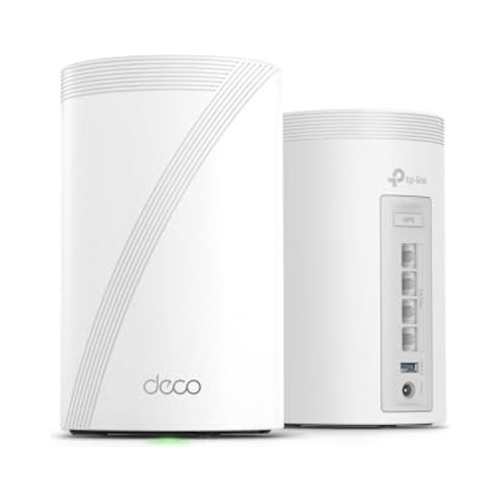
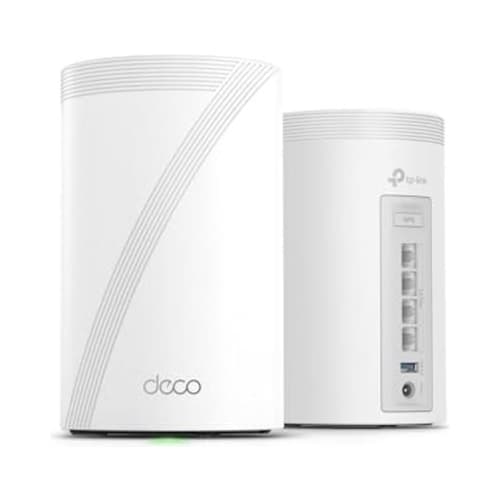
1. TP-Link Deco 7 Pro BE63 - Best Overall Wi-Fi 7 Mesh System
Rated 4.3 out of 54.3· 651 reviews
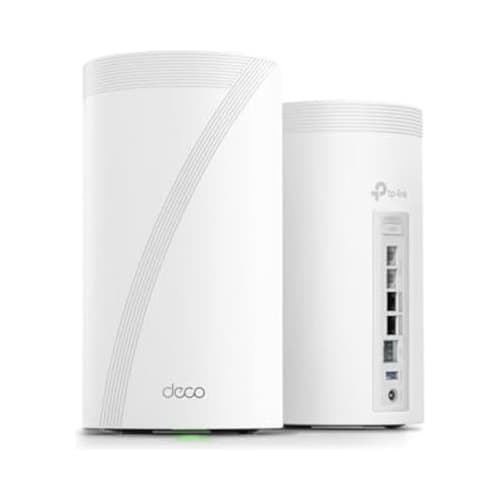
The best overall balance of tri-band speed, multi-gig ports and two-node coverage. It is the system we would choose first for a 2,500 to 4,500 sq ft home with gigabit or faster service.
Key features
BE10000 tri-band Wi-Fi 7 with 6 GHz
Up to 5,800 sq ft claimed coverage for two nodes
Four auto-sensing 2.5 GbE ports per node
MLO, 320 MHz channels and separate IoT network
Usually $300 to $350 with a two-year TP-Link US warranty
What we like
Excellent hardware value for a tri-band two-pack
Eight total 2.5 GbE ports reduce switch dependence
Interchangeable nodes simplify gateway placement
Strong short-range results in independent Tom's Guide testing
Watch out for
Only two nodes in this listing
Advanced HomeShield tools can require a subscription
6 GHz range falls quickly through dense walls
No Zigbee, Thread or Matter radios built in
$299.98Save 14%
Amazon.com price as of 2:11 am ET, Oct 20, 2026. Details
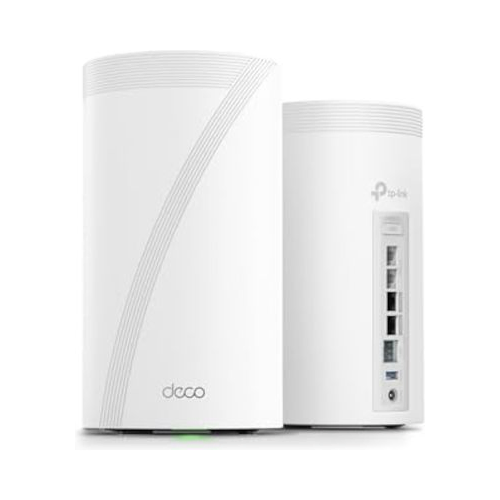
The TP-Link Deco 7 Pro BE63 gets the fundamentals right before adding expensive extras. TP-Link rates the two-pack for up to 5,800 sq ft, and every node carries four 2.5 GbE ports, so either unit can sit beside the modem without sacrificing the port layout.
The tri-band BE10000 radio divides its theoretical capacity across 2.4 GHz, 5 GHz and 6 GHz. Current 6 GHz clients can use the cleaner band and 320 MHz channels, while older cameras, smart plugs and appliances remain on 2.4 GHz.
Its best use is a wired or short-hop wireless two-node layout. Put one unit near the main living area and the other near the stairs, upstairs office or far side of a ranch. Do not place the second node inside the dead zone and expect 6 GHz to cross every wall between them.
Independent evidence supports the value case and exposes the placement limit. Tom's Guide recorded 1.821 Gbps at 15 ft and 610.7 Mbps at 50 ft, then a much smaller 17.1 Mbps at 90 ft.
Those figures came from its test setup, not from SmartHouseGears. Rated area is a marketing number; distance is the one that decides your basement office.
The Deco app covers device priority, guest access, a separate IoT network and node preferences. Nothing there is exotic, but all of it is available without a paid tier.
Owner feedback behind the 4.3 rating praises setup, coverage and ports. The recurring complaints are firmware changes and older 2.4 GHz accessories that need extra pairing steps.
Add a third node for a 6,000 sq ft three-level house with no Ethernet, since this listing ships two. A detached garage or workshop still needs a planned cable run or a purpose-built outdoor bridge.
Verdict: buy the TP-Link Deco 7 Pro BE63 if you want premium Wi-Fi 7 without paying flagship money. Its ports make it unusually easy to grow into multi-gig service, and its price leaves enough budget to fix the wiring and power details that actually keep a network dependable.
Best Smart-Home Mesh
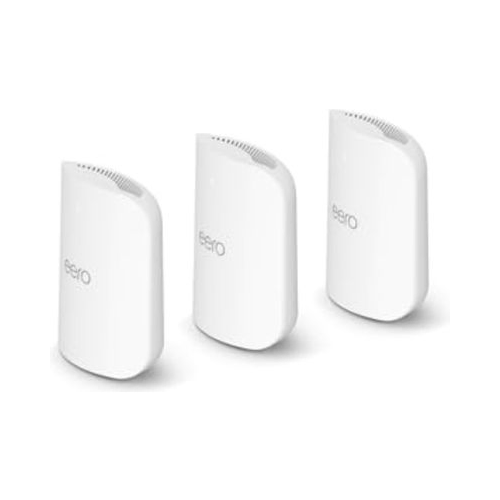
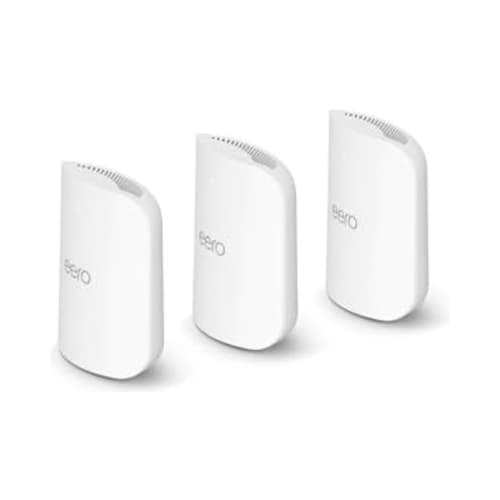
2. Amazon eero Pro 7 - Best Smart-Home Mesh Wi-Fi System
Rated 4.4 out of 54.4· 1,444 reviews
The strongest pick for an Alexa-centered smart home that also needs tri-band Wi-Fi 7. Three nodes add broad coverage plus Zigbee, Thread and Matter functions in one managed system.
Key features
BE10800 tri-band Wi-Fi 7 with 6 GHz
Up to 6,000 sq ft claimed coverage for three nodes
Two auto-sensing 5 GbE ports per node
Zigbee hub, Thread border router and Matter support
Usually $750 to $800 for three nodes with a three-year limited warranty
What we like
Simple app-led setup and automatic optimization
Three-year limited warranty, the longest here
Strong fit for large Alexa smart homes
Rated for more than 600 connected devices
Watch out for
Only two Ethernet ports on each node
Advanced security and parental tools cost extra
Limited manual radio controls
Costs more than twice the Deco 7 Pro BE63
$799.99
Amazon.com price as of 2:11 am ET, Oct 20, 2026. Details
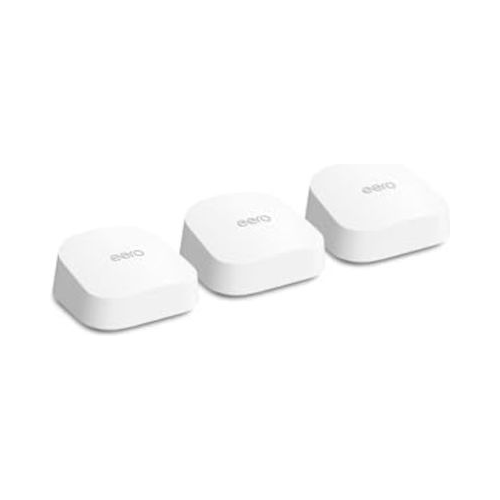
The Amazon eero Pro 7 is the cleaner choice for a household that wants the network to behave like an appliance. The app handles setup and channel choices, while the three-pack is rated for up to 6,000 sq ft and more than 600 connected devices under eero's stated conditions.
Its real distinction is the smart-home radio stack. Each unit supports Zigbee, Thread border routing and Matter, so an Alexa household can retire several separate bridges for compatible accessories.
That does not make every device local or subscription-free. It does give a dense connected home one coherent foundation instead of four competing ones.
Each node has two auto-sensing 5 GbE ports. The speed is generous, yet the count is restrictive because the gateway uses one port for internet, leaving only one for a switch or wired device. Plan on a multi-gig switch if you want Ethernet backhaul plus several wired clients.
That simplicity is both the appeal and the compromise. You cannot treat the Amazon eero Pro 7 like a fully manual prosumer router, and many advanced security, ad blocking or parental tools require eero Plus. Core Wi-Fi and mesh operation do not require that plan.
WIRED scored the system 8 out of 10, praising dependable coverage and approachable management while criticizing the two-port layout and the paid extras. Owner sentiment lands in the same place.
The 4.4 rating across 1,444 reviews points to broad satisfaction. Subscription frustration, occasional firmware updates and device-pairing hiccups are the complaints that repeat.
The eero limited warranty is three years for current Wi-Fi 7 products, longer than the one-year coverage common on Orbi systems. eero also advertises 30-day returns on its own store, while an Amazon purchase follows the return terms shown for that order.
Verdict: choose the Amazon eero Pro 7 when your priorities are easy management, three-node coverage and an Alexa-friendly smart-home layer. Choose Deco instead if you want more Ethernet ports, lower hardware cost or more visible network controls.
Best Value
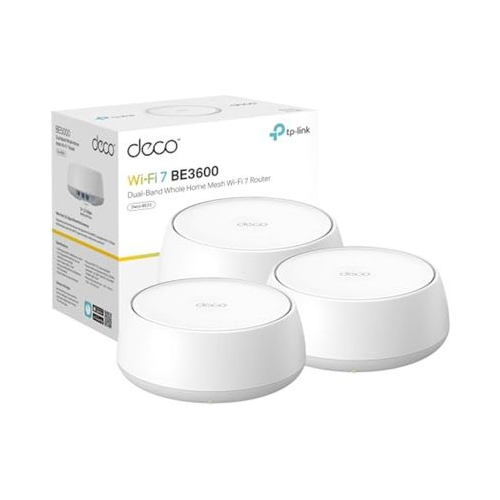
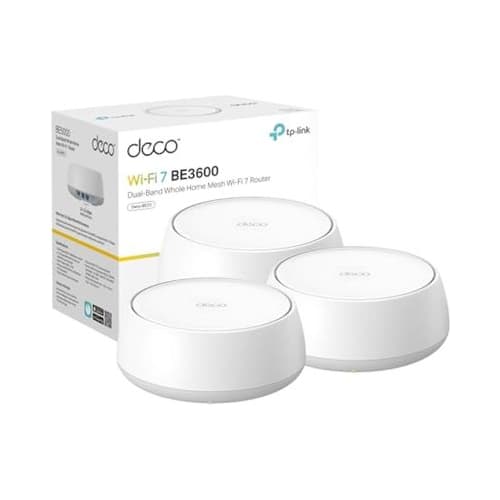
3. TP-Link Deco 7 BE23 - Best Value Wi-Fi 7 Mesh for Large Homes
Rated 4.4 out of 54.4· 760 reviews
A three-node value system for large homes on gigabit-class service. It skips 6 GHz but keeps Wi-Fi 7, 2.5 GbE wired backhaul and unusually strong independent range results.
Key features
BE3600 dual-band Wi-Fi 7
Up to 6,500 sq ft claimed coverage for three nodes
Two auto-sensing 2.5 GbE ports per node
MLO, 160 MHz channels and AI-driven roaming
Usually $200 to $250 for three nodes with a two-year TP-Link US warranty
What we like
Best price-to-coverage ratio in this shortlist
Strong long-range results in independent testing
Three interchangeable nodes included
Any node can serve as the gateway
Watch out for
No 6 GHz band or 320 MHz channels
One free port remains after wired backhaul
Paid HomeShield features remain an upsell
No built-in smart-home hub radios
$204.99Save 18%
Amazon.com price as of 2:11 am ET, Oct 20, 2026. Details
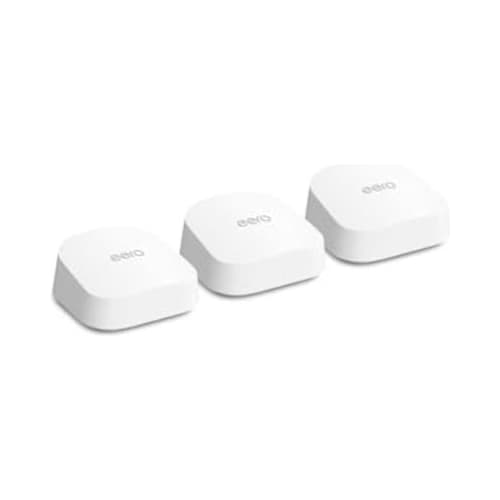
The TP-Link Deco 7 BE23 proves that a useful Wi-Fi 7 upgrade does not require 6 GHz. Its three dual-band nodes cover up to 6,500 sq ft under TP-Link's stated conditions, and the $200 to $250 price range undercuts every other three-pack here.
Skipping 6 GHz removes the cleanest high-capacity band and Wi-Fi 7's 320 MHz channels. It also avoids depending on a short-range band for wireless backhaul, which can be a reasonable trade in an older home where plaster, brick or multiple floors punish higher frequencies.
Tom's Guide measured 1.449 Gbps at 15 ft, 953.7 Mbps at 50 ft and 150.1 Mbps at 90 ft. Its 115 ft observed range beat several pricier products in the same test series.
Those are router-only figures, so they cannot promise the same result through your walls. They do show that a dual-band system can out-reach a tri-band one at distance.
This makes the TP-Link Deco 7 BE23 especially convincing for a long ranch or a conventional two-story house on a 500 Mbps to 1 Gbps plan. Place the second node before the weak end of the house, then use the third for an upstairs office, basement or opposite wing.
Every unit has two 2.5 GbE ports and any of them can act as the gateway. With Ethernet backhaul, one port carries the link between nodes and the other feeds a local client or a small switch.
A wired three-node layout makes this the most predictable cheap mesh in the guide. Spend the saving on cable rather than on a bigger BE number.
Owner reports behind the 4.4 rating favor coverage and value, while recurring complaints mention updates, app dependence and smart devices that need the dedicated IoT network during pairing.
Do not buy it merely because the box says Wi-Fi 7. If you own several 6 GHz laptops, move huge local files or expect a 2 Gbps to 5 Gbps internet plan, the absence of 6 GHz becomes a real ceiling. The TP-Link Deco 7 Pro BE63 is the better step up.
Verdict: the TP-Link Deco 7 BE23 is the best value for a large home that needs coverage before bragging rights. It gives gigabit households three sensible placement points, multi-gig wired backhaul and a strong 4.4 rating without forcing flagship spending.
Best Three-Node Coverage
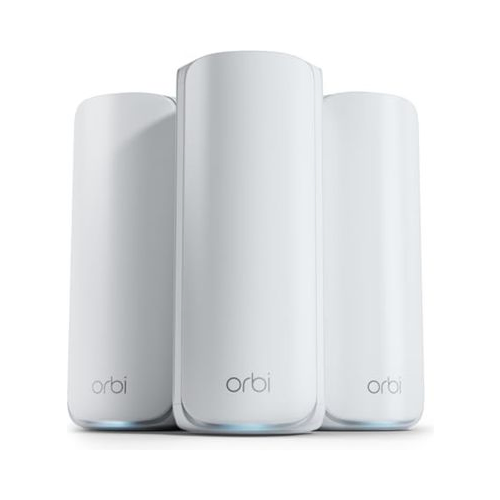
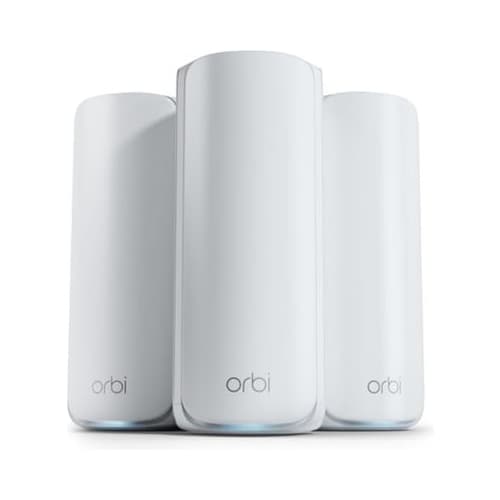
4. NETGEAR Orbi 770 RBE773 - Best Three-Node Coverage for Big Houses
Rated 4.2 out of 54.2· 926 reviews
A tri-band three-pack built for broad multi-level coverage. It suits a 4,000 to 6,000 sq ft layout where node count and a 10G internet input matter more than plentiful LAN ports.
Key features
BE11000 tri-band Wi-Fi 7 with 6 GHz
Up to 8,000 sq ft claimed coverage for three units
10 GbE WAN with 2.5 GbE LAN ports
Enhanced backhaul using Multi-Link Operation
Usually $600 to $700 for three units with a one-year limited warranty
What we like
Three units cover complex multi-level layouts
10 GbE WAN avoids a gateway input bottleneck
Separate IoT and guest networks
Largest non-flagship coverage claim in this guide
Watch out for
Fewer LAN ports than similarly priced Deco models
NETGEAR Armor is an optional paid service
One-year limited warranty
Costs roughly twice the Deco 7 Pro BE63 two-pack
$599.99Save 14%
Amazon.com price as of 2:11 am ET, Oct 20, 2026. Details
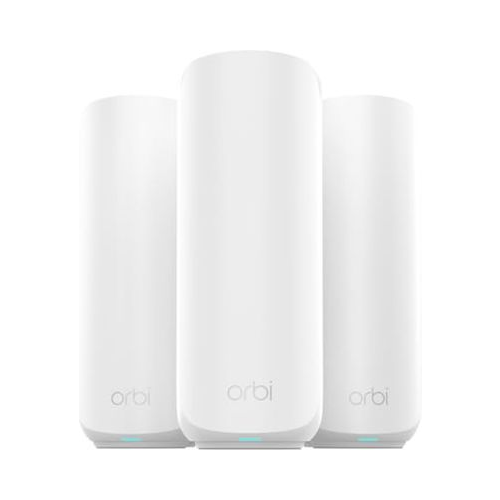
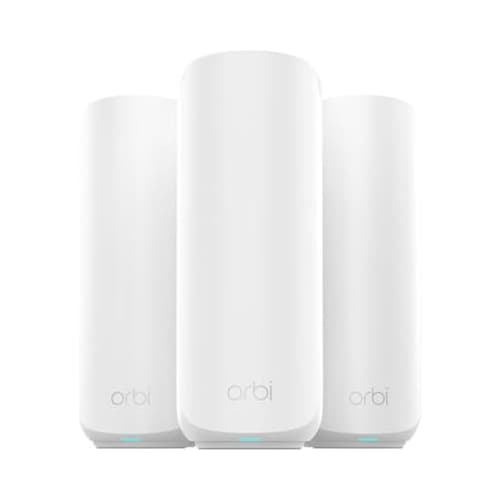
The NETGEAR Orbi 770 RBE773 is for the house that genuinely needs three substantial radio points. NETGEAR rates the router and two satellites for up to 8,000 sq ft, the largest non-flagship coverage claim in this guide.
The router has a 10 GbE WAN input plus three 2.5 GbE LAN ports, while each satellite has two 2.5 GbE ports. That is enough for wired backhaul and one local client per satellite, though the system provides less edge connectivity than two TP-Link Deco 7 Pro BE63 nodes.
Tri-band BE11000 Wi-Fi gives Orbi a 6 GHz link alongside 5 GHz and 2.4 GHz. NETGEAR's enhanced backhaul uses MLO to improve the connection between units, which helps when Ethernet cannot run between a first-floor gateway and upper-floor satellites.
Independent testing puts the marketing back in scale. Tom's Guide measured 1.721 Gbps at 15 ft, 391.1 Mbps at 50 ft and 54.2 Mbps at 90 ft, with 199.2 Mbps at 75 ft.
Products fall off at different distances rather than in the order their boxes suggest. That is why the 8,000 sq ft claim buys node count, not guaranteed speed in the far bedroom.
The Orbi app covers ordinary setup, device access and monitoring. A separate IoT network is useful for older 2.4 GHz gear, while NETGEAR Armor adds optional security functions after its trial. Basic internet and mesh service continue without an Armor subscription.
Owner feedback behind the 4.2 rating favors reach. The objections that repeat are firmware, account requirements, Armor promotion and paid support.
The one-year limited warranty is another reason this pick ranks below the cheaper TP-Link Deco 7 Pro BE63. You are paying for the three-unit Orbi layout and 10G WAN, not for a richer warranty or a larger set of LAN ports.
Verdict: buy the NETGEAR Orbi 770 RBE773 when a difficult 4,000 to 6,000 sq ft floor plan needs three tri-band nodes from day one. Skip it for a compact two-story home where two well-wired Deco nodes can deliver more value and more usable ports.
Easiest Setup
5. Amazon eero 7 - Easiest Setup for an Alexa Mesh Network
Rated 4.4 out of 54.4· 2,136 reviews
The easiest dual-band choice for an Alexa household upgrading from older eero hardware. Three compact nodes cover a claimed 6,000 sq ft and include Zigbee, Thread and Matter functions.
Key features
BE5000 dual-band Wi-Fi 7
Up to 6,000 sq ft claimed coverage for three nodes
Two auto-sensing 2.5 GbE ports per node
Zigbee hub, Thread border router and Matter support
Usually $350 to $400 for three nodes with a three-year limited warranty
What we like
Highest review count in this shortlist
Three-year limited warranty
Backward compatible with earlier eero generations
Rated for 120 or more connected devices
Watch out for
No 6 GHz band
Only two Ethernet ports per node
Useful advanced controls require eero Plus
Fewer wired options than the cheaper Deco 7 BE23
$399.99
Amazon.com price as of 2:11 am ET, Oct 20, 2026. Details
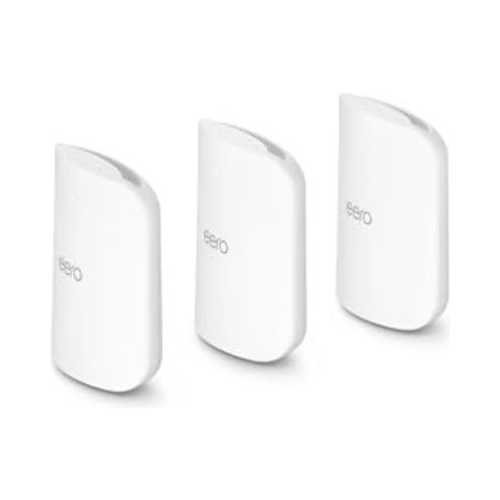
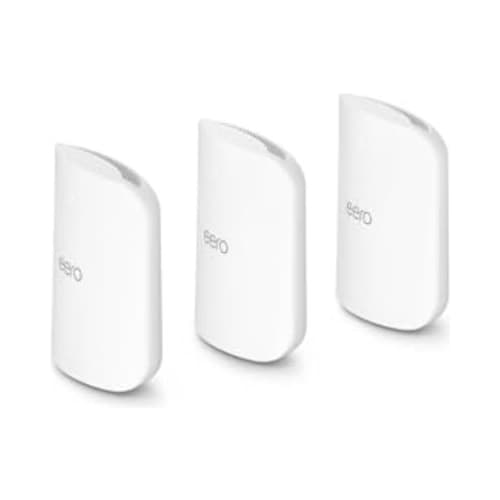
The Amazon eero 7 is the practical eero for buyers who care more about easy coverage than 6 GHz. The three-pack supports up to 6,000 sq ft and 120 or more devices under eero's stated conditions, with two 2.5 GbE ports on every unit.
Its BE5000 label comes from 2.4 GHz and 5 GHz radios, not a hidden third band. Wi-Fi 7 features such as MLO can still improve how compatible clients use those links, but this system cannot offer the clean 6 GHz capacity or 320 MHz channels found on the Amazon eero Pro 7.
That limitation is acceptable on a 1 Gbps plan if the real problem is a weak bedroom, basement or home office. A family streaming video, taking calls and running ordinary cloud cameras can gain more from correct node placement than from paying twice as much for theoretical radio capacity its devices cannot use.
Once the internet connection is stable, check the separate Bluetooth path if meeting audio still changes when your phone rings. Our earbuds guide for switching between a laptop and phone explains microphone routing and call priority, which a mesh upgrade cannot control.
The smart-home role is unusually capable at this price. eero documents Zigbee hub support, Thread 1.3 border routing and Matter compatibility, all managed within an Alexa-centered setup. Apple Home or Google Home users can still use the Wi-Fi network, but the integrated hub features favor Amazon's ecosystem.
The two-port design requires a plan. Once the gateway connects to the modem and a satellite uses Ethernet backhaul, each has only one remaining port. A 2.5 GbE switch solves that problem cleanly, but it belongs in your true installed cost.
The 4.4 rating across 2,136 reviews is the deepest ownership signal here. Positive patterns focus on setup and fewer dead spots, while complaints point to app dependence, subscription prompts and limited manual control.
RTINGS reached a tougher value conclusion, finding better performance per dollar from the TP-Link Deco 7 Pro BE63. That is fair for a new network, but existing eero owners may reasonably value familiar management, reusable nodes and the built-in smart-home radios.
eero gives current Wi-Fi 7 hardware a three-year limited warranty. That term improves the case for a system expected to remain powered all day, every day, and it compares well with NETGEAR's one-year limited coverage.
Verdict: choose the Amazon eero 7 for a straightforward Alexa smart home on a gigabit-class plan, especially if you already own eero equipment. Buy the TP-Link Deco 7 BE23 instead if purchase price and independent long-range performance matter more than ecosystem integration.
Best for 10 GbE
6. TP-Link Deco 7 Elite BE85 - Best for 10 GbE Home Networks
Rated 4 out of 54.0· 269 reviews
A port-rich two-node system for 5 Gbps to 10 Gbps fiber, fast local storage and wired rooms. Its value depends on whether you can actually use dual 10G connectivity.
Key features
BE22000 tri-band Wi-Fi 7 with 12 streams
Up to 5,500 sq ft claimed coverage for two nodes
Two 10G and two 2.5G ports per node
USB 3.0 plus copper and SFP+ connectivity
Usually $700 to $800 for two nodes with a two-year TP-Link US warranty
What we like
Best wired connectivity below the flagship eero
Very fast short-range independent results
Ethernet and wireless backhaul can work together
Router and access-point modes plus VPN options
Watch out for
Lowest acceptable rating in the shortlist
Large units need open shelf space
Overkill for 1 Gbps service and ordinary clients
Smallest coverage claim here at 5,500 sq ft
$799.99
Amazon.com price as of 2:11 am ET, Oct 20, 2026. Details
The TP-Link Deco 7 Elite BE85 earns its place through ports, not through broad appeal. Each node has one 10 GbE RJ45 port, one 10G RJ45 and SFP+ combination port, two 2.5 GbE ports and USB 3.0.
That configuration suits a home with 5 Gbps or 10 Gbps fiber, a fast NAS and Ethernet already running between floors. You can dedicate a 10G link to backhaul, connect multi-gig storage and still avoid placing a large switch beside every node.
The BE22000 tri-band radio uses 12 streams across 2.4 GHz, 5 GHz and 6 GHz. TP-Link lists 11,530 Mbps on 6 GHz, 8,647 Mbps on 5 GHz and 1,376 Mbps on 2.4 GHz, but those are maximum physical rates added together rather than one client's download result.
Tom's Guide measured 1.736 Gbps at 15 ft and 790 Mbps at 50 ft on a 6 GHz connection. Its result fell to 42.6 Mbps at 90 ft, reinforcing the need for wired backhaul or close node spacing when you buy this system for 6 GHz performance.
TP-Link supports router and access-point modes, an IoT network, device isolation, VPN options and Alexa or Google Assistant commands. HomeShield again divides features between included and paid tiers, and the app remains the primary management route for most buyers.
The 4.0 rating from 269 reviews is the weakest confidence signal here. Owners praise wired speed, while complaints include firmware quirks, roaming and client hardware that cannot approach the headline rate.
That rating is why this model does not rank near the top despite excellent hardware. A premium buyer should not pay $700 to $800 merely to own larger numbers. The network must include 10G devices, suitable cable and a reason to move large amounts of data locally.
TP-Link lists a two-year US warranty for its Deco whole-home Wi-Fi category. Check the hardware region and version before installing firmware, because the company warns that loading software from the wrong regional site can affect warranty coverage.
Verdict: buy the TP-Link Deco 7 Elite BE85 only when its dual 10G connections solve a real design need. The TP-Link Deco 7 Pro BE63 is the smarter purchase for nearly every household staying at 2.5 Gbps or below.
Best Affordable Orbi
7. NETGEAR Orbi 370 RBE373 - Best Affordable Orbi Mesh System
Rated 4.1 out of 54.1· 521 reviews
An affordable Orbi three-pack for buyers who want broad dual-band coverage and simple expansion. It performs well at long range but offers just one usable LAN port per unit.
Key features
BE5000 dual-band Wi-Fi 7
Up to 6,000 sq ft claimed coverage for three units
2.5 GbE WAN and one 2.5 GbE LAN on the router
Separate main, IoT and guest networks
Usually $250 to $350 for three units with a one-year limited warranty
What we like
Strong long-range independent results
Compact Orbi towers fit more shelves
Add-on satellites are easy to identify
110 ft observed range in Tom's Guide testing
Watch out for
No 6 GHz band
Only one LAN port on each unit
One-year warranty and 90-day included support
Fewer ports and lower throughput than the Deco 7 BE23
$299.99Save 14%
Amazon.com price as of 2:11 am ET, Oct 20, 2026. Details
The NETGEAR Orbi 370 RBE373 brings the familiar Orbi router-and-satellite layout into the $250 to $350 range. NETGEAR rates the three units for up to 6,000 sq ft and 70 concurrent devices, enough for many family homes but well below eero's aggressive device claims.
It uses 2.4 GHz and 5 GHz, with no 6 GHz radio. The result is a dual-band BE5000 system that keeps Wi-Fi 7 features such as 4K-QAM and Multi-RU while missing the widest channels and cleanest short-range band.
That compromise did not prevent good independent range. Tom's Guide measured 1.074 Gbps at 15 ft, 515.4 Mbps at 50 ft, 191.2 Mbps at 75 ft and 85 Mbps at 90 ft, with an observed maximum range of 110 ft in its setup.
Those results make the NETGEAR Orbi 370 RBE373 more attractive for a long floor plan than its entry position suggests. They do not erase the shared-radio cost of wireless backhaul, so a busy satellite may deliver less throughput while it talks to clients and the gateway on the same bands.
Port count is the sharper limitation. The router has one 2.5 GbE WAN and one 2.5 GbE LAN, while each satellite has one 2.5 GbE LAN. Wired backhaul consumes that satellite port, and adding more wired clients requires a switch at the relevant location.
The Orbi app provides access control and separate IoT and guest networks, which helps isolate smart-home gear and pair older devices. NETGEAR Armor remains optional, so routine Wi-Fi operation does not stop if you decline the paid service.
Owner sentiment behind the 4.1 rating favors coverage, while recurring Orbi concerns involve account setup, firmware, paid support and the small port count.
The one-year limited hardware warranty and 90 days of complimentary support are less generous than eero's three years or TP-Link's listed two-year Deco term. Factor that difference into the decision if remote support matters to you.
Verdict: choose the NETGEAR Orbi 370 RBE373 if you want affordable Orbi coverage and can accept one LAN port per unit. The TP-Link Deco 7 BE23 wins the wider value contest with more ports and stronger results in the same independent test series.
Best Flagship
8. Amazon eero Max 7 - Best Flagship Wi-Fi 7 Mesh System
Rated 4.3 out of 54.3· 981 reviews
The no-compromise eero for 10G fiber, heavy local transfers and very dense smart homes. Its three-pack is excellent hardware at a price most households should walk away from.
Key features
Tri-band Wi-Fi 7 with 2.4, 5 and 6 GHz
Up to 7,500 sq ft claimed coverage for three nodes
Two 10 GbE and two 2.5 GbE ports per node
Zigbee, Thread border routing and Matter support
Usually $1,450 to $1,700 for three nodes with a three-year limited warranty
What we like
Fastest independently evaluated system here
Twelve useful multi-gig ports across three nodes
Three-year limited warranty
Rated for more than 750 connected devices
Watch out for
Costs more than many laptops
Advanced software tools still require a subscription
Wasteful for 1 Gbps service
Needs real 10G service or fast local storage to justify
$1,699.99
Amazon.com price as of 2:11 am ET, Oct 20, 2026. Details
The Amazon eero Max 7 is the technically strongest system here and the hardest to justify. Three units cost roughly $1,450 to $1,700.
That budget buys the top-pick mesh, a managed switch, professional cable work and power backup, with money left over.
Its hardware explains part of the premium. Every node has two 10 GbE ports and two 2.5 GbE ports, while eero rates the three-pack for up to 7,500 sq ft and more than 750 devices under its stated conditions.
The tri-band radio supports 2.4 GHz, 5 GHz and 6 GHz, with wireless speeds up to 4.3 Gbps and wired speeds up to 9.4 Gbps according to eero. Those are platform limits under favorable conditions, yet the wired figures make sense for real 10G fiber and fast local storage.
RTINGS calls the Amazon eero Max 7 the best-performing Wi-Fi 7 router it has evaluated, praising top speed, range and multi-level-house results.
Its updated method also found consistent latency at the satellites. Competitive gamers should still run Ethernet to the gaming rig where the cable route allows it.
Software remains recognizably eero: guided setup, automatic path decisions and few exposed radio controls. eero Plus adds security, parental controls and bundled services, but basic routing and mesh operation do not require the subscription.
Owner reports behind the 4.3 rating favor coverage and fast wired links. Repeated objections are price, paid software features and limited controls for such advanced hardware.
A genuine buyer profile is narrow. Consider this system for a very large property with Ethernet, 5 Gbps to 10 Gbps service, several multi-gig workstations or a studio moving large files to local storage.
A family browsing, streaming and running smart-home routines on 1 Gbps service will not recover the extra cost through ordinary use.
Verdict: buy the Amazon eero Max 7 only when you can name the 10G links it will serve. It is the flagship winner, while the TP-Link Deco 7 Pro BE63 remains the much better recommendation for most large homes.
Who Should Buy Which Wi-Fi 7 Mesh System?
The right system follows your bottleneck. Choose coverage for weak rooms, ports for wired backhaul, 6 GHz for modern nearby clients and integrated radios for an Alexa smart home. The list below gives one direct use case for each retained product.
Most 2,500 to 4,500 sq ft homes:TP-Link Deco 7 Pro BE63 for tri-band value and eight total 2.5 GbE ports.
Alexa homes with many Matter or Thread devices:Amazon eero Pro 7 for three nodes and built-in smart-home radios.
Gigabit homes needing three placement points:TP-Link Deco 7 BE23 for the best price-to-coverage balance.
Complex multi-level homes without Ethernet:NETGEAR Orbi 770 RBE773 for three tri-band units and MLO backhaul.
Existing eero households upgrading gradually:Amazon eero 7 for backward compatibility and simple management.
Homes with real 10G fiber or fast NAS traffic:TP-Link Deco 7 Elite BE85 for dual 10G links on each node.
Extremely dense 10G eero networks:Amazon eero Max 7 for flagship ports and capacity.
How Many Mesh Nodes Does Your Large Home Need?
Most 2,500 to 3,500 sq ft homes need two well-positioned nodes. Long ranches, three-level houses and layouts with dense interior walls usually need three.
Start with fewer nodes than the coverage claim suggests, measure the weak rooms, then add a unit only where its upstream signal is still strong. More nodes is not the same as more coverage.
How should you size a two-story or split-level layout?
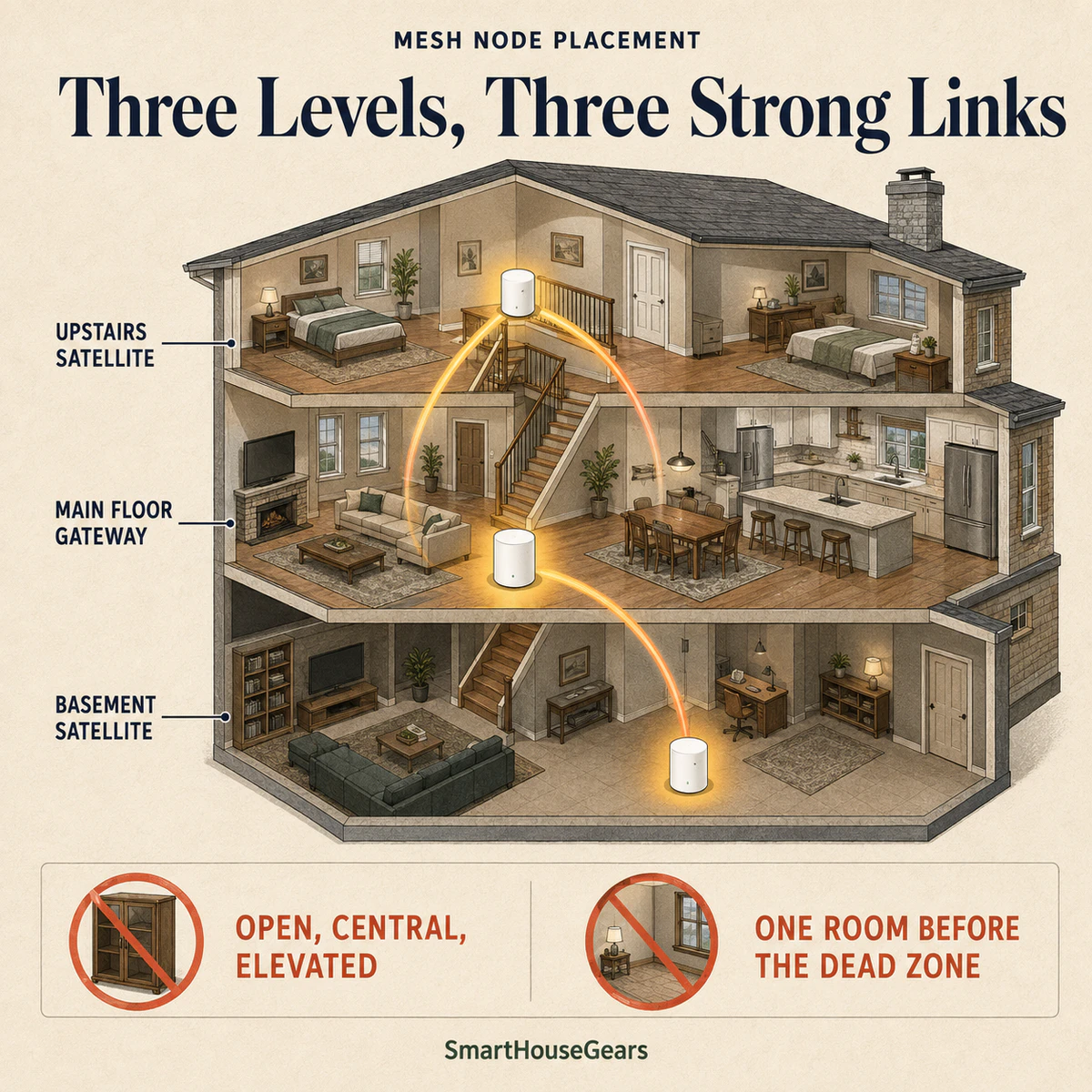
Put the gateway near the center of daily activity, then place the next node near an open stairwell or one room before the weak area. For a three-level house, vertically offset the units instead of stacking them directly above one another, because that gives each floor a stronger path and reduces needless overlap.
A finished basement is the classic third-node location, and it is usually full of always-on equipment. Our basement smart dehumidifier comparison covers the kind of 2.4 GHz appliance that will share that link all summer.
Can too many mesh nodes make Wi-Fi worse?
Yes. Nodes placed too close together can compete for airtime and encourage clients to remain connected to a less suitable access point. Add a node to solve a measured weak area, not to use every unit in the box, and leave enough distance for each unit to cover a distinct part of the home.
Node Placement Check Before You Add Hardware
Gateway sits in the open, not inside a cabinet
Satellite remains one room before the dead zone
Nodes stand above floor level and away from metal
Each floor has a clear route to another node
A speed test confirms the problem is local Wi-Fi
The modem and service plan deliver the expected speed
A strong three-level layout places the gateway in the open, then adds satellites near stairways and before the weakest room.
What changes in brick, plaster or concrete homes?
Dense materials force shorter radio hops, so plan nodes around doorways, stairs and open halls rather than through the thickest wall. Plaster over metal lath can behave like a partial shield, and reinforced concrete floors make Ethernet backhaul far more valuable than a larger advertised coverage number.
In any region, keep indoor nodes out of hot garages, freezing utility spaces, metal cabinets and clusters of HVAC equipment.
The same walls punish equipment at the property line. A smart sprinkler controller for a large yard normally mounts in a garage or on an exterior utility wall, which is the weakest corner of most mesh layouts.
Should You Use Wired or Wireless Backhaul?
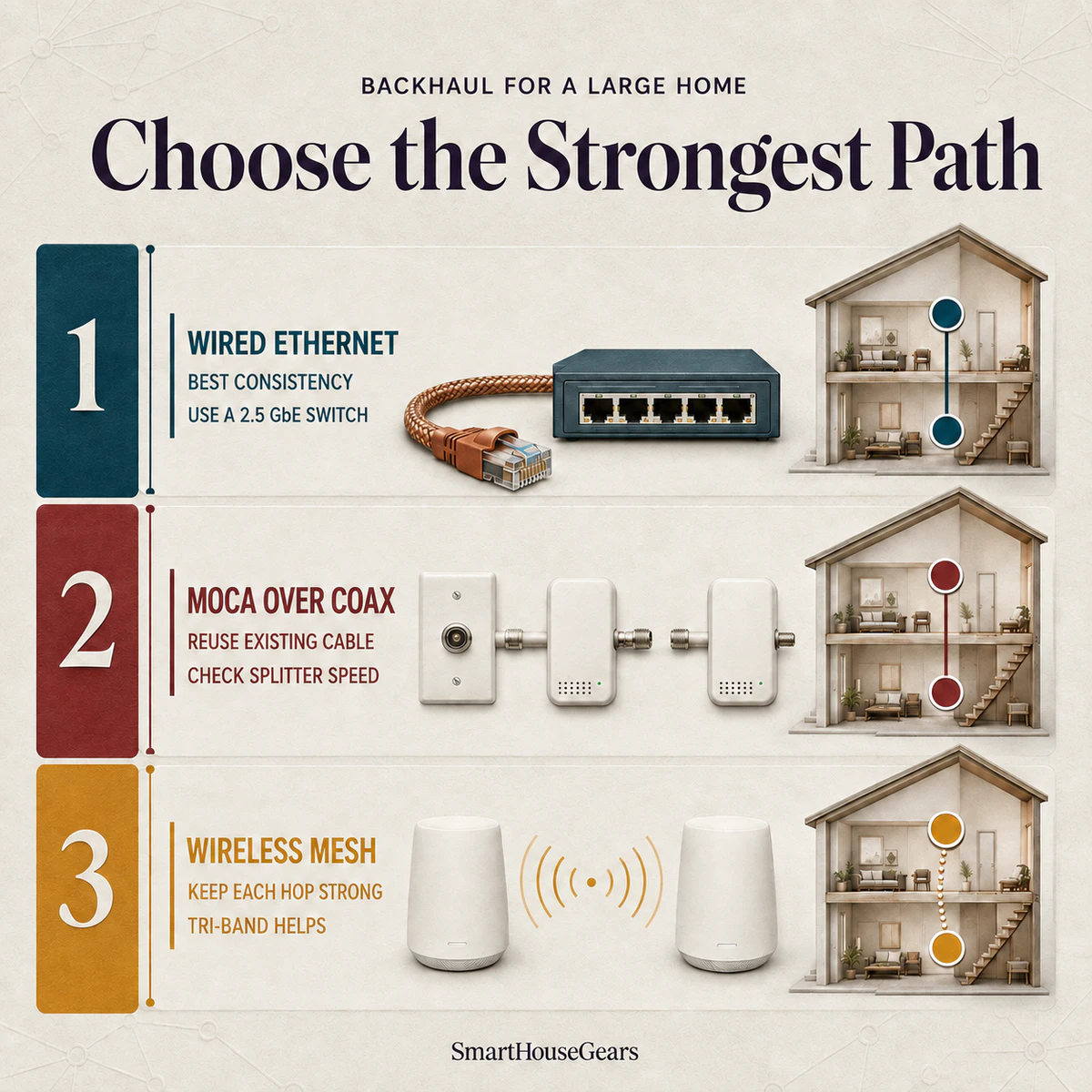
Use wired Ethernet backhaul whenever a safe cable route already exists or can be added reasonably. It gives satellites a consistent connection that does not lose capacity through floors, keeps wireless airtime available for clients and makes 2.5 Gbps service far easier to distribute across a large home.
What cable and switch speed do you need?
Cat5e can carry 2.5 GbE over normal residential distances when the cable and terminations are sound, while Cat6 gives a better margin for a new permanent run. Use solid-copper in-wall cable with the correct fire rating, and avoid copper-clad aluminum for power, heat and signal-quality reasons.
A 1 GbE switch will cap every connection passing through it near 1 Gbps. Choose a 2.5 GbE switch for the TP-Link Deco 7 Pro BE63, TP-Link Deco 7 BE23 or ordinary multi-gig eero layouts, and reserve 10G switching for hardware that can use it.
When is wireless backhaul the sensible choice?
Choose wireless backhaul in a finished rental, a home without accessible crawlspace or an interior where opening walls would be disproportionate. Keep each node close enough to its upstream partner that the connection remains strong, even if that means the final device sits one room farther from the satellite.
Tri-band models make the stronger wireless case because 6 GHz adds another path. The NETGEAR Orbi 770 RBE773 is our preferred three-node option, but avoid long chains that add an extra wireless hop.
Does a coax outlet help if Ethernet is missing?
MoCA adapters can turn existing coax into a wired network path, often with better consistency than a difficult wireless hop. Verify that splitters and the adapter generation support the intended speed, isolate the coax plant correctly and keep the cable modem arrangement compatible.
Choose Ethernet first for consistency, reuse coax with MoCA when available, or keep wireless mesh hops short and strong.
What Wi-Fi 7 Features Actually Matter in a Large House?
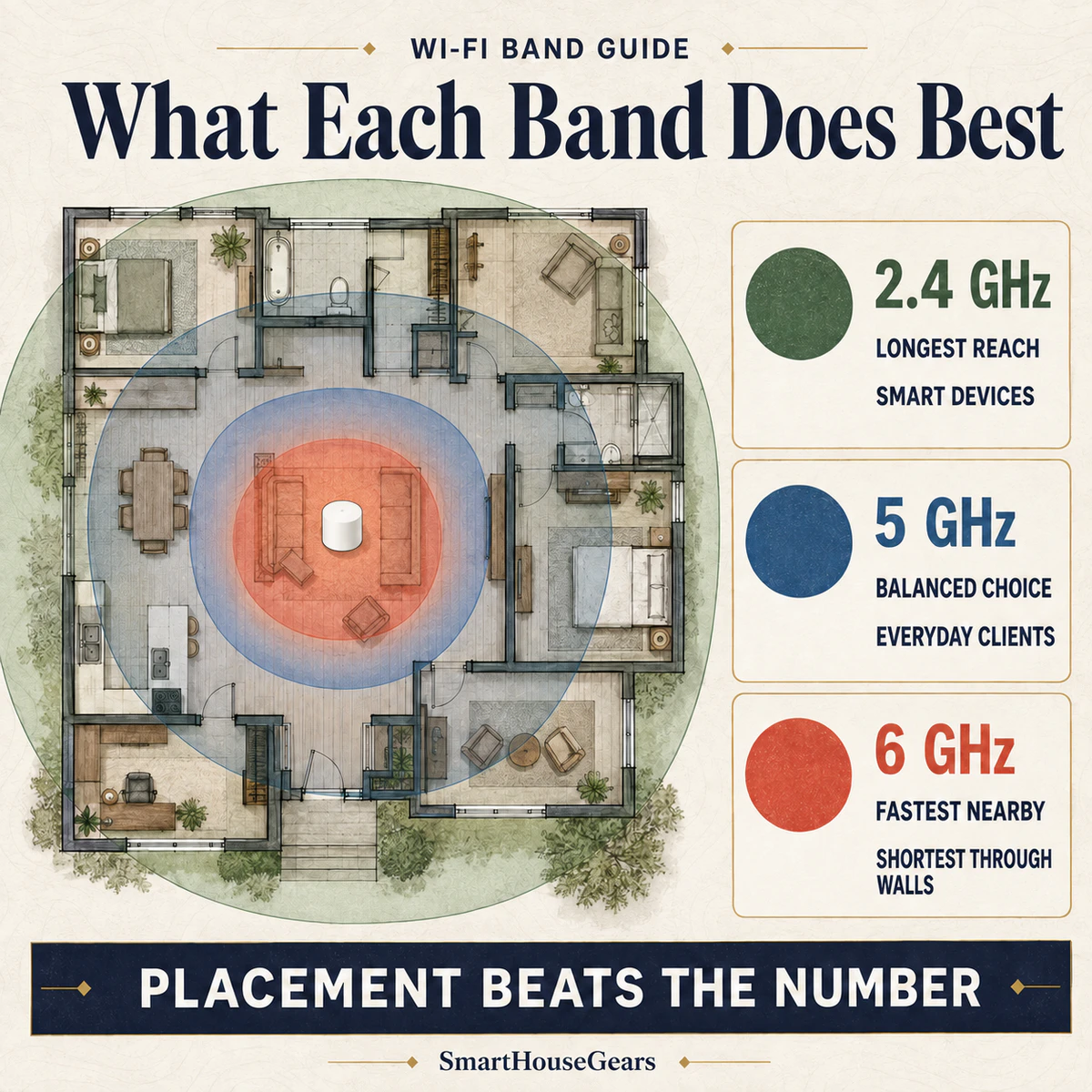
The Wi-Fi 7 features that matter most are MLO for flexible links, 6 GHz for clean short-range capacity, 320 MHz channels for compatible clients and multi-gig Ethernet for backhaul. None can overcome poor placement, and older devices continue to use the capabilities they already support.
Is Multi-Link Operation the reason to upgrade?
MLO lets a compatible Wi-Fi 7 device use or coordinate more than one radio link, which can improve throughput, latency or resilience. The exact implementation varies by router, firmware and client, so the presence of an MLO logo does not guarantee the same behavior across every system.
Do 320 MHz channels help through walls?
No. A 320 MHz channel creates more capacity on 6 GHz for a nearby compatible client, but it does not make the signal penetrate brick or concrete more effectively. The FCC permits low-power indoor access points across the 6 GHz band, which is why these wide residential channels remain an indoor tool.
What do 4K-QAM and Multi-RU change?
4K-QAM carries more information in a clean signal, while Multi-RU helps a Wi-Fi 7 access point allocate pieces of channel capacity more efficiently. Both improve radio efficiency under suitable conditions, but neither turns a weak edge signal into a high-speed link.
Is tri-band always better than dual-band?
Tri-band is better for multi-gig clients and busy wireless backhaul because it adds 6 GHz capacity for nearby modern devices. Dual-band is the better value for many gigabit households, particularly where Ethernet handles backhaul or the home contains few 6 GHz devices.
The 2.4 GHz band reaches farthest, 5 GHz balances speed and range, and 6 GHz gives its best speed near the node.
How Do You Keep Smart-Home Devices Stable on Wi-Fi 7?
Keep smart-home devices stable by preserving a compatible 2.4 GHz network, using WPA2 and WPA3 transition settings where needed, assigning clear IoT access rules and avoiding unnecessary network-name changes. A Wi-Fi 7 router remains backward compatible, but an old accessory's setup app may still make poor assumptions.
Will 2.4 GHz plugs and bulbs connect?
Yes. Every system here still broadcasts 2.4 GHz, and Wi-Fi 7 does not force an older device onto 5 GHz or 6 GHz. Pairing failures usually trace back to the phone sitting on another band, a combined SSID, a WPA3 setting or a setup app that cannot read modern network behavior.
Wi-Fi thermostats are a frequent casualty because they pair once and then live on a wall for years. Our smart thermostat comparison for US homes notes which models are strict about a 2.4 GHz-only network during setup.
Use a dedicated IoT network where available, and never leave security disabled merely to onboard one accessory.
If your home already has many Zigbee, Thread or Matter devices, our Matter smart home hub comparison for US homes explains why a local protocol can reduce pressure on Wi-Fi without removing the need for a dependable network.
Should cameras and smart devices use a separate network?
A separate IoT network isolates untrusted devices while still allowing the local traffic your hubs need. Guest networks are stricter: they often block client-to-client traffic, which quietly breaks setup and local hub discovery.
Set the access rules first, so a hub can still find the accessories it controls. Short-term rental hosts have the hardest version of this, and our vacation rental smart home setup guide covers separating guest Wi-Fi from the devices you own.
High-resolution Wi-Fi cameras deserve special attention because sustained uploads consume airtime. For a large property with permanent camera locations, PoE camera systems for large homes move video and power onto Ethernet instead of asking distant outdoor devices to share radio capacity.
Which systems double as smart-home hubs?
The three eero families in this guide include Zigbee support, Thread border routing and Matter functions for compatible Alexa setups. Deco and Orbi provide IoT network management but do not replace a full multi-protocol smart-home hub in the same way.
What still works without the internet?
Your Wi-Fi radios and some local paths may remain active during an ISP outage, but cloud dashboards, remote viewing, online voice assistants and vendor authentication can stop.
Local automation behavior depends on the hub and platform, so verify critical locks, sensors or lighting routines before treating offline operation as guaranteed.
The real cost includes the mesh pack, switches, Ethernet or MoCA hardware, optional subscriptions and replacement power protection. A $250 mesh can become a $500 network after cabling, while a $1,500 flagship may still need switches and a UPS. Price the completed layout before comparing boxes.
Which subscriptions are optional?
eero Plus, TP-Link HomeShield and NETGEAR Armor are optional for basic mesh operation. They can add security, content filters, VPN services or parental controls. Free features differ, so compare the exact controls your household needs before choosing a specific brand.
If recurring fees are a hard limit, list the exact controls you need and compare them against the free tier before ordering. Our guide to building a smart home without monthly fees also separates local device value from cloud-service extras.
Do utilities or insurers offer rebates for mesh Wi-Fi?
Consumer mesh routers generally do not qualify for the ENERGY STAR appliance rebates tied to heating, cooling or major efficiency upgrades. Commercial network equipment has its own efficiency programs, which is a separate category.
Home insurers reward monitored alarms, water sensors and smoke detection rather than Wi-Fi hardware. Treat a mesh upgrade as a network purchase, not a rebate or discount play.
What warranty and return terms matter?
TP-Link lists two years for US Deco mesh products, current eero Wi-Fi 7 products carry three-year limited coverage and NETGEAR lists one year for Orbi hardware bought from an authorized seller. Confirm the seller, region and serial eligibility because marketplace sourcing can affect support.
Amazon commonly offers a 30-day electronics return window, but the terms shown on your live order page are the ones that count. Keep the packaging until you have checked the farthest room during your busiest household hours.
What does installation require in a US home?
These indoor mesh nodes use external power adapters on ordinary US 120V receptacles. They need no C-wire, and a renter can usually install them without changing fixed wiring or opening walls, provided the modem location and available outlets make sense.
Use the listed adapter, hire a low-voltage professional for difficult cable pulls and use an electrician for new 120V work. A garage receptacle may require GFCI protection, and none of these indoor systems belongs outdoors.
An HOA usually has no role in an indoor mesh network. Exterior cable routes, visible boxes or a mounted outdoor bridge can fall under HOA or condo rules, so obtain permission before drilling a shared wall or changing a visible facade.
How should privacy affect the choice?
Every app-managed mesh collects some account, device and diagnostic information. Read the current controls, disable optional sharing, use multifactor authentication and isolate devices that no longer receive security updates. Keep firmware current and remove products after the vendor stops providing security fixes.
Which Brand Wins: eero, Deco or Orbi?
Deco wins hardware value, eero wins integrated smart-home simplicity and Orbi wins straightforward router-plus-satellite expansion. Our direct winners are the TP-Link Deco 7 Pro BE63 for most homes, the Amazon eero Pro 7 for Alexa households and the NETGEAR Orbi 770 RBE773 for broad three-node tri-band coverage.
Deco BE63 vs eero Pro 7: which is better?
The TP-Link Deco 7 Pro BE63 wins overall because it costs far less and supplies four 2.5 GbE ports per node. The Amazon eero Pro 7 wins for smart-home integration, a three-year warranty and three included nodes, but its two-port design often requires a switch.
Side by sideDeco BE63 vs eero Pro 7
Overall Winner
TP-Link Deco 7 Pro BE63
$300 to $350
Pack size
2 nodes
Claimed coverage
5,800 sq ft
Ports per node
4 x 2.5 GbE(wins this comparison)
Smart-home radios
None
Warranty
2 years
Value
Excellent(wins this comparison)
Smart-Home Winner
Amazon eero Pro 7
$750 to $800
Pack size
3 nodes(wins this comparison)
Claimed coverage
6,000 sq ft(wins this comparison)
Ports per node
2 x 5 GbE
Smart-home radios
Zigbee, Thread, Matter(wins this comparison)
Warranty
3 years(wins this comparison)
Value
Good for eero homes
Specification
Overall WinnerTP-Link Deco 7 Pro BE63$300 to $350
Smart-Home WinnerAmazon eero Pro 7$750 to $800
Pack size
2 nodes
3 nodes(wins this comparison)
Claimed coverage
5,800 sq ft
6,000 sq ft(wins this comparison)
Ports per node
4 x 2.5 GbE(wins this comparison)
2 x 5 GbE
Smart-home radios
None
Zigbee, Thread, Matter(wins this comparison)
Warranty
2 years
3 years(wins this comparison)
Value
Excellent(wins this comparison)
Good for eero homes
Deco BE23 vs Orbi 370: which value system wins?
The TP-Link Deco 7 BE23 wins the value matchup with two 2.5 GbE ports per node and higher throughput at every listed distance in Tom's Guide's direct comparison. The NETGEAR Orbi 370 RBE373 remains reasonable for buyers who prefer Orbi's separate satellite line and interface.
Side by sideDeco BE23 vs Orbi 370
Value Winner
TP-Link Deco 7 BE23
$200 to $250
Bands
2.4 and 5 GHz
Claimed coverage
6,500 sq ft(wins this comparison)
Ports per node
2 x 2.5 GbE(wins this comparison)
15 ft independent result
1.449 Gbps(wins this comparison)
90 ft independent result
150.1 Mbps(wins this comparison)
Warranty
2 years(wins this comparison)
NETGEAR Orbi 370 RBE373
$250 to $350
Bands
2.4 and 5 GHz
Claimed coverage
6,000 sq ft
Ports per node
1 x 2.5 GbE LAN
15 ft independent result
1.074 Gbps
90 ft independent result
85 Mbps
Warranty
1 year
Specification
Value WinnerTP-Link Deco 7 BE23$200 to $250
NETGEAR Orbi 370 RBE373$250 to $350
Bands
2.4 and 5 GHz
2.4 and 5 GHz
Claimed coverage
6,500 sq ft(wins this comparison)
6,000 sq ft
Ports per node
2 x 2.5 GbE(wins this comparison)
1 x 2.5 GbE LAN
15 ft independent result
1.449 Gbps(wins this comparison)
1.074 Gbps
90 ft independent result
150.1 Mbps(wins this comparison)
85 Mbps
Warranty
2 years(wins this comparison)
1 year
Deco BE85 vs eero Max 7: which flagship wins?
The Amazon eero Max 7 wins as the complete three-node flagship, with excellent independent performance and smart-home radios. The TP-Link Deco 7 Elite BE85 wins value for a two-node 10G layout, costing roughly half as much while retaining four multi-gig ports per node.
Side by sideDeco BE85 vs eero Max 7
10G Value Winner
TP-Link Deco 7 Elite BE85
$700 to $800
Pack size
2 nodes
Claimed coverage
5,500 sq ft
Ports per node
2 x 10G, 2 x 2.5G
USB
USB 3.0(wins this comparison)
Smart-home radios
None
Warranty
2 years
Flagship Winner
Amazon eero Max 7
$1,450 to $1,700
Pack size
3 nodes(wins this comparison)
Claimed coverage
7,500 sq ft(wins this comparison)
Ports per node
2 x 10G, 2 x 2.5G
USB
None
Smart-home radios
Zigbee, Thread, Matter(wins this comparison)
Warranty
3 years(wins this comparison)
Specification
10G Value WinnerTP-Link Deco 7 Elite BE85$700 to $800
Flagship WinnerAmazon eero Max 7$1,450 to $1,700
Pack size
2 nodes
3 nodes(wins this comparison)
Claimed coverage
5,500 sq ft
7,500 sq ft(wins this comparison)
Ports per node
2 x 10G, 2 x 2.5G
2 x 10G, 2 x 2.5G
USB
USB 3.0(wins this comparison)
None
Smart-home radios
None
Zigbee, Thread, Matter(wins this comparison)
Warranty
2 years
3 years(wins this comparison)
Full Wi-Fi 7 Mesh Specifications for US Buyers
The specifications that decide this purchase are radio bands, pack coverage, wired ports and price. Every rating, review count and price band below matches the product cards above, so nothing changes between sections.
The first table covers the hardware you are buying. The second covers what living with it costs you in warranty, subscriptions and smart-home support.
TableWi-Fi 7 Mesh Hardware and Coverage
Eight Wi-Fi 7 mesh systems compared by radio bands, claimed coverage, Ethernet ports per node and US price range.
Model
Bands
Coverage
Ports per node
Price range
TP-Link Deco 7 Pro BE63
Tri-band, 6 GHz
2 nodes, 5,800 sq ft
4 x 2.5 GbE, USB
$300 to $350
Amazon eero Pro 7
Tri-band, 6 GHz
3 nodes, 6,000 sq ft
2 x 5 GbE
$750 to $800
TP-Link Deco 7 BE23
Dual-band
3 nodes, 6,500 sq ft
2 x 2.5 GbE
$200 to $250
NETGEAR Orbi 770 RBE773
Tri-band, 6 GHz
3 units, 8,000 sq ft
10G WAN, 2.5G LAN
$600 to $700
Amazon eero 7
Dual-band
3 nodes, 6,000 sq ft
2 x 2.5 GbE
$350 to $400
TP-Link Deco 7 Elite BE85
Tri-band, 6 GHz
2 nodes, 5,500 sq ft
2 x 10G, 2 x 2.5G, USB
$700 to $800
NETGEAR Orbi 370 RBE373
Dual-band
3 units, 6,000 sq ft
1 x 2.5 GbE LAN
$250 to $350
Amazon eero Max 7
Tri-band, 6 GHz
3 nodes, 7,500 sq ft
2 x 10G, 2 x 2.5G
$1,450 to $1,700
TP-Link Deco 7 Pro BE63
Bands
Tri-band, 6 GHz
Coverage
2 nodes, 5,800 sq ft
Ports per node
4 x 2.5 GbE, USB
Price range
$300 to $350
Amazon eero Pro 7
Bands
Tri-band, 6 GHz
Coverage
3 nodes, 6,000 sq ft
Ports per node
2 x 5 GbE
Price range
$750 to $800
TP-Link Deco 7 BE23
Bands
Dual-band
Coverage
3 nodes, 6,500 sq ft
Ports per node
2 x 2.5 GbE
Price range
$200 to $250
NETGEAR Orbi 770 RBE773
Bands
Tri-band, 6 GHz
Coverage
3 units, 8,000 sq ft
Ports per node
10G WAN, 2.5G LAN
Price range
$600 to $700
Amazon eero 7
Bands
Dual-band
Coverage
3 nodes, 6,000 sq ft
Ports per node
2 x 2.5 GbE
Price range
$350 to $400
TP-Link Deco 7 Elite BE85
Bands
Tri-band, 6 GHz
Coverage
2 nodes, 5,500 sq ft
Ports per node
2 x 10G, 2 x 2.5G, USB
Price range
$700 to $800
NETGEAR Orbi 370 RBE373
Bands
Dual-band
Coverage
3 units, 6,000 sq ft
Ports per node
1 x 2.5 GbE LAN
Price range
$250 to $350
Amazon eero Max 7
Bands
Tri-band, 6 GHz
Coverage
3 nodes, 7,500 sq ft
Ports per node
2 x 10G, 2 x 2.5G
Price range
$1,450 to $1,700
TableSmart-Home Support, Ratings and Warranty
Eight Wi-Fi 7 mesh systems compared by built-in smart-home radios, optional subscription, Amazon rating and US warranty term.
Model
Hub radios
Optional plan
Rating
Warranty
TP-Link Deco 7 Pro BE63
None
HomeShield
4.3/5, 651 reviews
2 years
Amazon eero Pro 7
Zigbee, Thread, Matter
eero Plus
4.4/5, 1,444 reviews
3 years
TP-Link Deco 7 BE23
None
HomeShield
4.4/5, 760 reviews
2 years
NETGEAR Orbi 770 RBE773
None
NETGEAR Armor
4.2/5, 926 reviews
1 year
Amazon eero 7
Zigbee, Thread, Matter
eero Plus
4.4/5, 2,136 reviews
3 years
TP-Link Deco 7 Elite BE85
None
HomeShield
4.0/5, 269 reviews
2 years
NETGEAR Orbi 370 RBE373
None
NETGEAR Armor
4.1/5, 521 reviews
1 year
Amazon eero Max 7
Zigbee, Thread, Matter
eero Plus
4.3/5, 981 reviews
3 years
TP-Link Deco 7 Pro BE63
Hub radios
None
Optional plan
HomeShield
Rating
4.3/5, 651 reviews
Warranty
2 years
Amazon eero Pro 7
Hub radios
Zigbee, Thread, Matter
Optional plan
eero Plus
Rating
4.4/5, 1,444 reviews
Warranty
3 years
TP-Link Deco 7 BE23
Hub radios
None
Optional plan
HomeShield
Rating
4.4/5, 760 reviews
Warranty
2 years
NETGEAR Orbi 770 RBE773
Hub radios
None
Optional plan
NETGEAR Armor
Rating
4.2/5, 926 reviews
Warranty
1 year
Amazon eero 7
Hub radios
Zigbee, Thread, Matter
Optional plan
eero Plus
Rating
4.4/5, 2,136 reviews
Warranty
3 years
TP-Link Deco 7 Elite BE85
Hub radios
None
Optional plan
HomeShield
Rating
4.0/5, 269 reviews
Warranty
2 years
NETGEAR Orbi 370 RBE373
Hub radios
None
Optional plan
NETGEAR Armor
Rating
4.1/5, 521 reviews
Warranty
1 year
Amazon eero Max 7
Hub radios
Zigbee, Thread, Matter
Optional plan
eero Plus
Rating
4.3/5, 981 reviews
Warranty
3 years
Wireless cameras at the edge of a property can become the toughest clients on any mesh. Compare outdoor security cameras with local storage if you want to limit recurring costs, and check signal at the exact mount before drilling.
Smart air devices tend to use less bandwidth but often depend on 2.4 GHz pairing. Our large-room smart air purifier guide gives compatibility context for another common always-connected appliance.
Which Wi-Fi 7 Mesh System Should You Buy in 2026?
The TP-Link Deco 7 Pro BE63 is the best Wi-Fi 7 mesh system for large homes in 2026 because it combines tri-band 6 GHz service, two-node 5,800 sq ft claimed coverage and four 2.5 GbE ports per unit at $300 to $350. That is the most useful hardware for the money.
Buy the TP-Link Deco 7 Pro BE63 for a typical 2,500 to 4,500 sq ft home where two well-placed nodes can cover the occupied space. Its port count also makes wired backhaul, a local server and multi-gig service easier to support without buying several switches.
The TP-Link Deco 7 BE23 is the #1 value pick. It costs $200 to $250, includes three nodes and produced strong long-range results in Tom's Guide's independent test, but you must accept dual-band operation without 6 GHz.
Choose the Amazon eero Pro 7 if an Alexa smart home benefits from integrated Zigbee, Thread and Matter functions. Choose the NETGEAR Orbi 770 RBE773 when a difficult multi-level plan needs three tri-band units and the highest non-flagship coverage claim.
Do not pay for the TP-Link Deco 7 Elite BE85 or Amazon eero Max 7 unless you can identify the 10G devices and transfers that justify them. Premium should mean better fit, not simply a larger number on the box.
Whichever system you choose, place the gateway in the open, wire the satellites where practical and keep the modem plus network core on backup power. Those three decisions do more for daily reliability than moving one price tier higher.
What is the best Wi-Fi 7 mesh system for a large home?
The TP-Link Deco 7 Pro BE63 is the best choice for most large homes because two tri-band nodes cover up to 5,800 sq ft and each has four 2.5 GbE ports. It costs about $300 to $350. Consider eero Pro 7 or Orbi 770 if you need three nodes.
How many mesh nodes do I need for a 3,000 sq ft house?
Most 3,000 sq ft homes need two well-placed nodes, though a long ranch or three-level layout may need three. Put the gateway near the occupied center and the second node before the dead zone. Excessive overlap can make roaming less predictable.
Is Wi-Fi 7 worth buying if my internet plan is only 1 Gbps?
Wi-Fi 7 can be worthwhile on a 1 Gbps plan for better backhaul, multi-gig ports or a longer replacement cycle. It cannot make the internet connection exceed 1 Gbps. The lower-cost Deco BE23 gives better value if coverage is your main problem.
Does Wi-Fi 7 work with older phones and 2.4 GHz smart devices?
Yes, Wi-Fi 7 remains backward compatible, and every system here broadcasts 2.4 GHz for older smart devices. Pairing problems often involve combined network names or WPA3 settings rather than Wi-Fi 7. A separate IoT network can solve many setup failures.
Is wired Ethernet backhaul better than wireless backhaul?
Wired Ethernet backhaul is better when cable is available because floors and walls do not weaken it. Match the switch to the intended speed because 1 GbE hardware caps a 2.5 GbE mesh. Wireless backhaul remains practical with strong signal and sensible spacing.
Do I need a tri-band Wi-Fi 7 mesh system?
Choose tri-band for 6 GHz clients, multi-gig internet or busy wireless backhaul. Dual-band Wi-Fi 7 is enough for many gigabit households, especially with Ethernet backhaul. The 6 GHz band adds clean capacity but has shorter indoor reach.
Can a Wi-Fi 7 mesh system replace my modem?
A Wi-Fi 7 mesh replaces your router, not a cable modem or fiber ONT. Connect the gateway node to that equipment and use bridge or passthrough mode where appropriate. Two active routers can create double NAT and complicate gaming or remote access.
Which is better for a large home, eero, Deco or Orbi?
Deco gives the best hardware value, eero gives the easiest smart-home integration and Orbi offers simple expansion. The Deco BE63 is the strongest overall buy. Choose eero Pro 7 for Zigbee, Thread and Matter, or Orbi 770 for broad three-node coverage.
Will a mesh network keep working if the internet goes down?
The local Wi-Fi network may remain available during an ISP outage, but cloud apps and remote access can stop. Local device behavior depends on each platform. A UPS keeps the modem, gateway and switch powered but cannot restore failed internet service.
Where should I place mesh Wi-Fi nodes in a two-story house?
Place the gateway in an open central area and the second node near the stairs or before the dead zone. Keep nodes above floor level and away from metal cabinets, mirrors and aquariums. Every wireless node needs a strong upstream signal.
Does 6 GHz Wi-Fi penetrate walls better than 5 GHz?
No, 6 GHz generally loses more strength through walls and floors than 5 GHz. It offers high short-range speed with less congestion and works best across light interior construction. Wired backhaul can place a 6 GHz node near compatible devices.
Do mesh Wi-Fi systems require a monthly subscription?
No system here requires a subscription for basic routing or mesh operation. eero Plus, TP-Link HomeShield and NETGEAR Armor place some advanced tools behind optional plans. Compare the free controls because recurring fees can outweigh a small hardware saving.
Discussion
Be the first to comment
Have a question or experience to share? Scroll down to leave a comment.

Discussion
Be the first to comment