Skip to content

Wearables & Gadgets

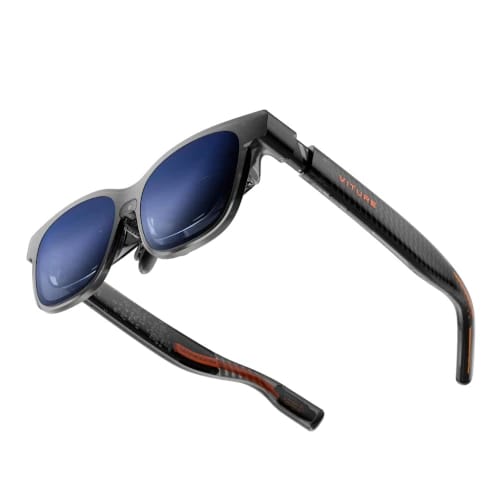
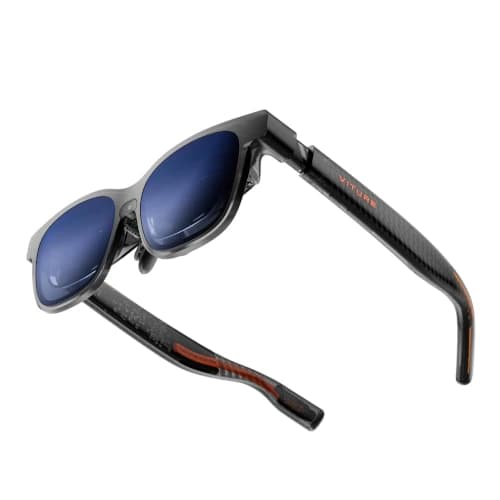
VITURE Luma Pro Review for Work, Movies, and Games

Subhadeep GhoshUpdated June 15, 20263.9 rating
VITURE Luma Pro review for USA buyers
Best Text Clarity
3.9(612 reviews)

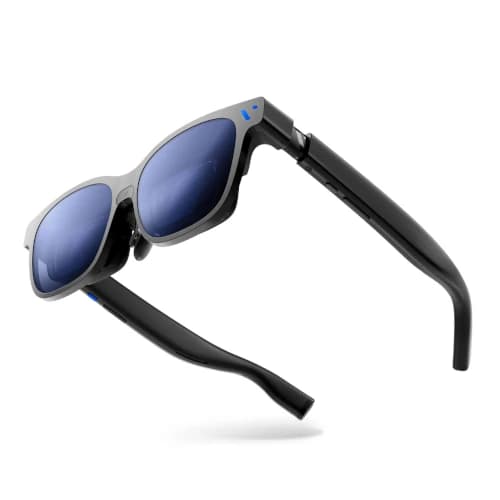
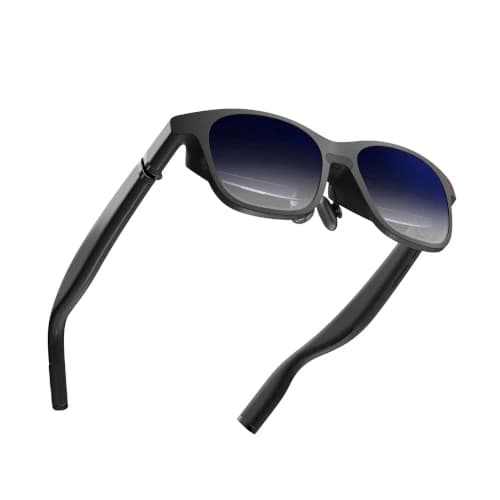
VITURE Luma Pro is the balanced 1200p choice for buyers who need clear subtitles, readable game menus, short laptop sessions, and premium movie playback in one pair of glasses.

Its combination of a moderately wide display, myopia adjustment, electronic dimming, and high-refresh output makes it more practical than a cinema-only flagship for mixed daily use.

Value
Great value
Rating
3.9/5
Reviews
612

Summary

Our verdict

The bottom line, who it fits, and where to think twice before you scroll the full review.

Verdict

Buy VITURE Luma Pro if text clarity and vision adjustment matter as much as screen size. It is the strongest option for subtitled films, role-playing games, strategy titles, and focused computer work.

Skip it if you only stream movies and can accept a smaller 1080p image. The older value model usually costs less and already covers that simpler use case well.

Best for

Nearsighted users within the supported adjustment range, subtitle-heavy movie fans, strategy and role-playing gamers, and travelers who occasionally use a laptop display.

Watch outs

Buyers seeking the absolute widest field of view, shoppers who do not read small text, or users who need correction for astigmatism without a prescription insert.

Long read

Detailed review

Hands-on context, what daily ownership feels like, and where this pick lands against rivals.

Editor's take

A VITURE Luma Pro review should focus on readability rather than chasing theater-size claims. The higher-resolution panel gives small letters more definition, and the moderately wide image keeps interface corners closer to the central optical area. That balance matters for games with inventory screens, subtitled films, and remote-work tools.

The resolution improvement is easiest to notice in clean high-contrast content. White subtitles on a dark scene, small map labels, browser tabs, and document text expose pixel structure faster than a moving film image. Buyers who use glasses only for streaming may see less benefit than someone who connects a laptop every week.

Myopia adjustment is a practical advantage for many nearsighted users. Each eye can be focused separately within the supported range, removing the need to stack ordinary eyeglasses beneath the frame. The dials do not correct astigmatism, prism needs, or every prescription, so an optician-filled insert remains necessary for complex vision correction.

Electronic dimming makes the glasses easier to use across changing environments. A lighter tint preserves awareness in a home office, while a darker setting improves movie contrast on a plane. It is more convenient than clipping on a separate cover, although it does not create the complete visual isolation of a headset.

High-refresh output supports smooth handheld games and desktop motion. A gaming device still needs to deliver a stable frame rate, and computer users should choose sensible scaling rather than making every window tiny to imitate multiple monitors. One large centered workspace is more comfortable than several dense panels pushed toward the optical edges.

The VITURE ecosystem provides adapters for many common sources, but buyers must distinguish a direct USB-C video connection from a charging-only port. A laptop or handheld usually offers the cleanest experience. Older phones and HDMI consoles can work, yet the required power and conversion hardware make the setup less elegant.

The final VITURE Luma Pro verdict is that clarity beats spectacle for the right buyer. It is not the cheapest product or the widest screen, but it solves the practical details that make display glasses useful beyond a movie demo. Readers, subtitle users, and interface-heavy gamers have the strongest reason to choose it.
Text and Subtitle Clarity

The sharper panel earns its premium in fine interface details.

Subtitles, game menus, and centered documents look cleaner than they do on many older 1080p glasses. The benefit is less dramatic in ordinary streaming video.

Use moderate display scaling and keep the main window centered. Dense multi-window layouts can still strain the eyes even when the panel itself is sharp.

Vision Adjustment and Fit

Built-in focus control helps, but it does not replace every prescription.

Nearsighted users can tune each eye within the supported range, which is more comfortable than wearing the display over normal glasses.

Astigmatism and complex prescriptions still need a proper insert. Test every nose support so the sharper panel remains aligned with both pupils.

Best Mixed-Use Setup

It works best as a movie, game, and short-work display.

Use it for a full movie, a handheld gaming session, or a focused laptop task. A physical monitor remains more ergonomic for an entire workday.

The product earns its cost when the same owner values readable interfaces, premium entertainment, and adjustable focus rather than one isolated feature.

Specs & features

At a glance

The quick facts and the headline features that actually matter day to day.

Quick facts

Best Pick
Best Text Clarity
User Rating
3.9/5 from 612 reviews
Best For
Nearsighted users within the supported adjustment range, subtitle-heavy movie fans, strategy and role-playing gamers, and travelers who occasionally use a laptop display.

Key features

  • 1200p-class resolution with a 52-degree field of view
  • 120Hz refresh rate for smooth gaming and desktop motion
  • Up to 1000-nit claimed brightness
  • Built-in myopia adjustment for many nearsighted users
  • Electrochromic lens dimming for changing environments

Trade-offs

Pros and cons

The honest highs and lows we'd flag to a friend asking which to buy.

What we like

  • Sharper text and subtitle rendering than older 1080p models
  • Balanced field of view for entertainment and desktop use
  • Diopter adjustment can remove the need for prescription inserts
  • Electronic dimming makes travel use easier

Watch out for

  • Costs more than the mature VITURE Pro XR
  • Myopia dials do not correct astigmatism
  • Productivity still needs careful window sizing and posture

Side by side

How it compares

A quick look at the other picks in this guide and where each one wins.

Our process

How we evaluate products

What goes into every recommendation, so you know the rating is more than a spec sheet.

Real buyer feedback

We combine marketplace review signals with the strengths and drawbacks documented inside the original buying guide.

US-focused advice

Recommendations are framed for American homes, pricing realities, and ownership expectations relevant to the US market.

Value analysis

We look at positioning, compromises, and the quality of the product's feature mix instead of just headline specs.

Contextual comparisons

Every review stays connected to the rest of the shortlist, so buyers can move from one product page to its alternatives without losing context.

Buyer questions

Frequently asked questions

Real questions buyers ask before clicking buy.

Is VITURE Luma Pro good for reading text?

Yes. Its higher-resolution panel and moderate field of view make subtitles, game menus, and centered laptop text easier to read than on many older display glasses.

Does VITURE Luma Pro work without prescription lenses?

Many nearsighted users can use the built-in focus adjustment. Astigmatism and more complex prescriptions generally require a separate insert.

Can VITURE Luma Pro replace a monitor?

It can replace a monitor for focused short sessions and travel. A physical monitor remains more comfortable for long workdays and complex multi-window layouts.

Is VITURE Luma Pro good for gaming?

Yes. Its high-refresh mode and clear panel suit handheld, laptop, and PC gaming when the source device supports wired video output.

Keep exploring

Discussion

Be the first to comment

Have a question or experience to share? Scroll down to leave a comment.