Skip to content

Wearables & Gadgets

XREAL One Pro Review for Movies and Gaming

Subhadeep GhoshUpdated June 15, 20264.0 rating
XREAL One Pro review for USA buyers
Best Overall
4.0(720 reviews)

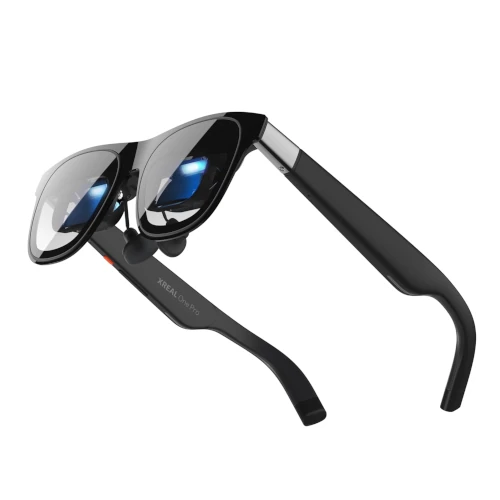
XREAL One Pro is the strongest all-around wearable display for US buyers who want one pair of glasses for flights, handheld gaming, laptop use, and private movie nights.

Its defining advantage is onboard spatial processing. You can stabilize and resize the screen without carrying a separate computing accessory, which keeps the travel setup closer to the one-cable promise that makes display glasses appealing.

Value
Excellent value
Rating
4/5
Reviews
720

Summary

Our verdict

The bottom line, who it fits, and where to think twice before you scroll the full review.

Verdict

Buy XREAL One Pro if you value a stable virtual screen, a wide field of view, smooth gaming, and simple direct connections more than bargain pricing. It is the easiest premium pair to recommend because it solves the largest number of everyday frustrations.

Skip it if you only need an occasional movie screen and do not care about screen anchoring. A mature 1080p value model can handle that job for much less.

Best for

Frequent travelers, Steam Deck and ROG Ally owners, premium laptop users, and movie fans who want a wide private screen with onboard stabilization.

Watch outs

Buyers seeking a self-contained app platform, shoppers with a strict sub-$300 budget, or users whose main phone lacks wired video output.

Long read

Detailed review

Hands-on context, what daily ownership feels like, and where this pick lands against rivals.

Editor's take

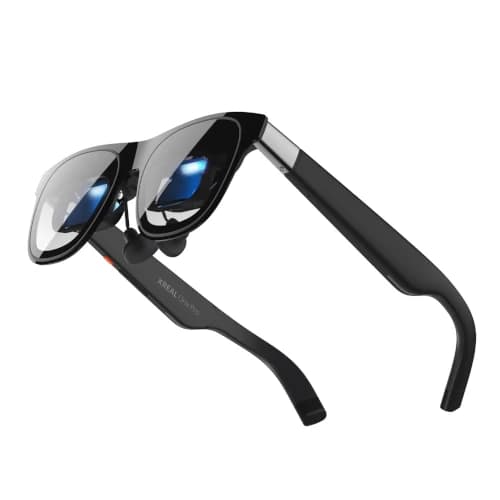
An XREAL One Pro review has to start with the spatial processor because that is what changes daily use. Basic display glasses attach a screen to your gaze, so every small head movement shifts the picture. The One Pro can hold the screen in a stable direction or soften how it follows you. On a turbulent flight, in bed, or while looking down at a controller, that behavior is more valuable than another line on a specification sheet.

The wide presentation gives movies real scale without creating headset bulk. Widescreen films feel closer to a compact theater than a laptop display, while game interfaces remain readable after you adjust the frame correctly. A wide image also exposes poor fit quickly. Buyers should test every included nose support and verify that all four corners stay visible before assuming the optics are faulty.

Gaming performance is another strong point. The high-refresh mode makes scrolling, racing games, and camera movement look cleaner when a compatible computer or handheld supplies enough frames. The glasses behave like an external monitor, so resolution, refresh rate, and audio routing still belong to the source device. Saving a display profile on a Windows handheld can prevent repeated setup work.

The open-ear speakers handle dialogue and positional effects well, but they do not replace good headphones for bass or privacy. In a quiet airplane cabin, the person beside you may hear faint dialogue at high volume. Pairing Bluetooth earbuds to the source device is the better late-night or travel arrangement, even if it adds one more battery to monitor.

Connection compatibility deserves attention before purchase. A USB-C connector does not guarantee video output. Premium laptops and gaming handhelds usually work directly, while many midrange Android phones do not support DisplayPort video. HDMI consoles need an active powered adapter, and simultaneous handheld charging needs a pass-through accessory with enough wattage.

The price is high because you are buying portability and integrated spatial behavior rather than an independent computer. Buyers expecting a headset app store, room mapping, or standalone streaming will be disappointed. Buyers who want a private monitor that fits in a small case will understand the value immediately.

The final XREAL One Pro verdict is straightforward. It is the best premium default because the display, spatial controls, audio, and portability work toward the same goal. Competing products may win one specification, but fewer deliver such a complete movie-and-gaming package without requiring a separate processing device.
Why the Stable Screen Matters

Onboard spatial control turns a technical feature into daily comfort.

A screen that follows every head movement can become tiring during a long film. The integrated processing lets the picture remain in a chosen direction, which gives your eyes a steadier reference point.

This is especially useful for handheld gaming because you can glance at controls or adjust posture without dragging the whole game image through your field of view.

Device and Travel Fit

Direct USB-C works best, but consoles and some phones need planning.

Use a direct connection with compatible laptops and handhelds. For consoles, choose an active adapter that supplies video conversion and power rather than a passive cable.

Download movies before travel and test playback in airplane mode. Streaming rights, hotel networks, and adapter handshakes can all fail after you leave home.

Who Should Buy It

It suits buyers who will use both movies and games every week.

Buy it if a wide stable screen will replace tablet viewing, hotel television compromises, or competition for the family TV.

Choose a lower-priced fixed-screen pair if you only expect occasional use. The premium is easiest to justify when onboard spatial control solves a repeated problem.

Specs & features

At a glance

The quick facts and the headline features that actually matter day to day.

Quick facts

Best Pick
Best Overall
User Rating
4/5 from 720 reviews
Best For
Frequent travelers, Steam Deck and ROG Ally owners, premium laptop users, and movie fans who want a wide private screen with onboard stabilization.

Key features

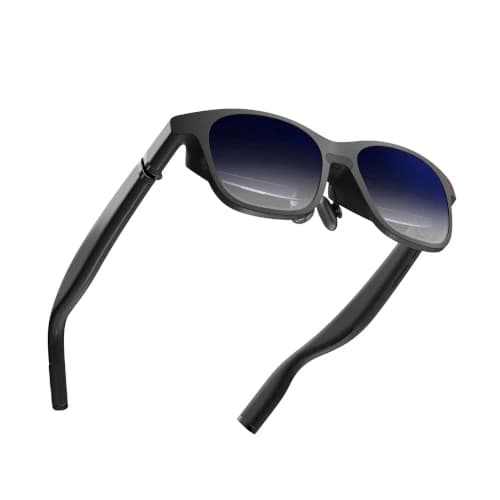
  • 57-degree field of view with a wide virtual-screen feel
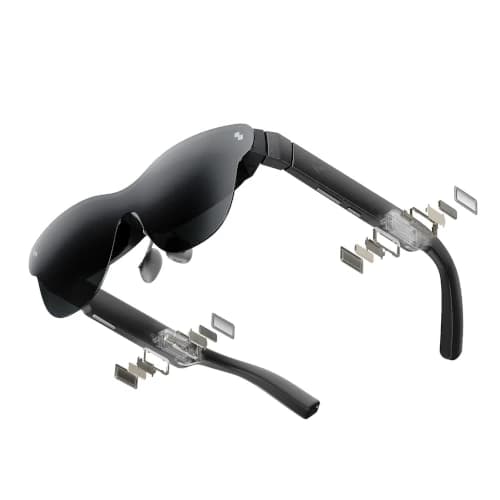
  • Built-in X1 spatial chip for screen anchoring and display adjustment
  • Up to 120Hz refresh rate for compatible games and devices
  • Bose-tuned open-ear audio and USB-C DisplayPort connection
  • Approximately 87g with adjustable fit controls

Trade-offs

Pros and cons

The honest highs and lows we'd flag to a friend asking which to buy.

What we like

  • Screen anchoring works without a separate computing accessory
  • Wider view than most mainstream display glasses
  • Strong motion clarity for handheld and PC gaming
  • Good balance of image quality, audio, and portability

Watch out for

  • Premium price before adding console or charging adapters
  • Fit and edge clarity still vary by face shape and eye position
  • Not a self-contained headset with its own app store

Side by side

How it compares

A quick look at the other picks in this guide and where each one wins.

Our process

How we evaluate products

What goes into every recommendation, so you know the rating is more than a spec sheet.

Real buyer feedback

We combine marketplace review signals with the strengths and drawbacks documented inside the original buying guide.

US-focused advice

Recommendations are framed for American homes, pricing realities, and ownership expectations relevant to the US market.

Value analysis

We look at positioning, compromises, and the quality of the product's feature mix instead of just headline specs.

Contextual comparisons

Every review stays connected to the rest of the shortlist, so buyers can move from one product page to its alternatives without losing context.

Buyer questions

Frequently asked questions

Real questions buyers ask before clicking buy.

Is XREAL One Pro worth it for gaming?

Yes, especially for handheld and laptop gaming. Its high-refresh display and onboard screen stabilization create a smoother, steadier experience than basic fixed-screen glasses.

Does XREAL One Pro need a separate device?

It needs a phone, computer, handheld, or console adapter to provide content. Its spatial display processing is built in, so basic screen anchoring does not require a separate computing puck.

Can XREAL One Pro connect directly to Steam Deck?

Yes, a Steam Deck can provide video and power through a compatible USB-C port. Use a powered pass-through adapter if you want to charge the handheld while playing.

Can prescription users wear XREAL One Pro?

Prescription support typically uses a fitted lens insert. Buyers with astigmatism or stronger prescriptions should arrange the insert before relying on the glasses for long sessions.

Keep exploring

Discussion

Be the first to comment

Have a question or experience to share? Scroll down to leave a comment.